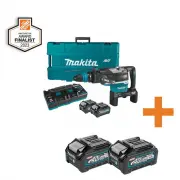
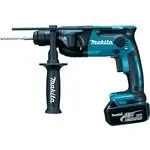
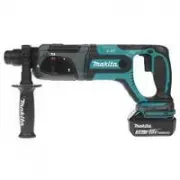
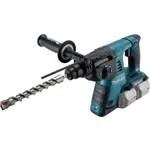
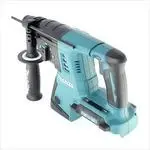
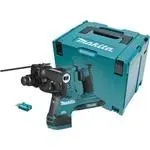
Page 2 - SPECIFICATIONS; Applicable battery cartridge and charger; SAFETY WARNINGS; General power tool safety warnings; Save all warnings and instruc-
2 ENGLISH ENGLISH (Original instructions) SPECIFICATIONS Model: GRH06 Capacities Carbide-tipped bit 52 mm (2-1/16") Core bit 160 mm (6-5/16") No load speed (RPM) 150 - 310/min Blows per minute 1,100 - 2,250/min Overall length 610 mm (22-5/8") Rated voltage D.C. 72 V - 80 V max Net weight...
Page 4 - CORDLESS ROTARY HAMMER; SAVE THESE INSTRUCTIONS.; Symbols; Important safety instructions for
4 ENGLISH CORDLESS ROTARY HAMMER SAFETY WARNINGS 1. Wear ear protectors. Exposure to noise can cause hearing loss. 2. Use auxiliary handle(s), if supplied with the tool. Loss of control can cause personal injury. 3. Hold power tool by insulated gripping sur- faces, when performing an operation where...
Page 5 - Tips for maintaining maximum
5 ENGLISH 11. When disposing the battery cartridge, remove it from the tool and dispose of it in a safe place. Follow your local regulations relating to disposal of battery. 12. Use the batteries only with the products specified by Makita. Installing the batteries to non-compliant products may resul...
Page 6 - FUNCTIONAL; Installing or removing battery; Indicating the remaining battery capacity; Tool / battery protection system
6 ENGLISH FUNCTIONAL DESCRIPTION CAUTION: Always be sure that the tool is switched off and the battery cartridge is removed before adjusting or checking function on the tool. Installing or removing battery cartridge CAUTION: Always switch off the tool before installing or removing of the battery car...
Page 7 - Overheat protection; Lighting up the front lamp
7 ENGLISH Overheat protection When the tool or battery is overheated, the tool stops automatically and the lamp blinks. In this case, let the tool and battery cool before turning the tool on again. Overdischarge protection When the battery capacity is not enough, the tool stops automatically. In thi...
Page 8 - Selecting the action mode; Electronic function
8 ENGLISH NOTE: When the tool is overheated, the tool stops automatically and the lamp starts flashing. In this case, release the switch trigger. The lamp turns off in one minute. NOTE: Use a dry cloth to wipe the dirt off the lens of the lamp. Be careful not to scratch the lens of lamp, or it may l...
Page 9 - ASSEMBLY; Side handle; Installing or removing drill bit
9 ENGLISH ASSEMBLY CAUTION: Always be sure that the tool is switched off and the battery cartridge is removed before carrying out any work on the tool. Side handle CAUTION: Use the side handle only when chipping, scaling or demolishing. Do not use it when drilling in concrete, masonry, etc. The tool...
Page 11 - Dust extractor attachment; Installing the dust extractor
11 ENGLISH Dust extractor attachment Optional accessory Installing the dust extractor attachment 1. Loosen the side grip on the tool. 2. Install the dust cover so that the claws of the dust cover fit in the grooves between the tool and the side grip. 1 2 3 ► 1. Dust cover 2. Claw 3. Groove 3. Tighte...
Page 13 - OPERATION; Hammer drilling operation
13 ENGLISH 3. Attach the dust cover and the hose to the tool, and then fix the hose to the hose holders. 1 2 3 4 ► 1. Dust cover 2. Hose 3. Hose holder (A/B) 4. Hose holder (C) 4. Connect the hose to the hose of the vacuum cleaner with the hose joint. NOTE: If the hose is not included, attach the du...
Page 14 - WIRELESS ACTIVATION; What you can do with the wireless
14 ENGLISH Chipping/Scaling/Demolition Set the action mode changing knob to the symbol. Hold the tool firmly with both hands. Turn the tool on and apply slight pressure on the tool so that the tool will not bounce around, uncontrolled. Pressing very hard on the tool will not increase the efficiency....
Page 15 - Tool registration for the vacuum
15 ENGLISH 1. Open the lid on the tool as shown in the figure. 1 ► 1. Lid 2. Insert the wireless unit to the slot and then close the lid. When inserting the wireless unit, align the projections with the recessed portions on the slot. 4 2 1 3 ► 1. Wireless unit 2. Projection 3. Lid 4. Recessed portio...
Page 17 - Description of the wireless activation lamp status
17 ENGLISH 4. Push the wireless activation button on the tool briefly. The wireless activation lamp will blink in blue. 1 2 ► 1. Wireless activation button 2. Wireless activation lamp 5. Pull the switch trigger of the tool. Check if the vac- uum cleaner runs while the switch trigger is being pulled....
Page 19 - Troubleshooting for wireless activation function
19 ENGLISH Troubleshooting for wireless activation function Before asking for repairs, conduct your own inspection first. If you find a problem that is not explained in the manual, do not attempt to dismantle the tool. Instead, ask Makita Authorized Service Centers, always using Makita replace - men...
Page 20 - MAINTENANCE; OPTIONAL; MAKITA LIMITED
20 ENGLISH MAINTENANCE CAUTION: Always be sure that the tool is switched off and the battery cartridge is removed before attempting to perform inspection or maintenance. NOTICE: Never use gasoline, benzine, thinner, alcohol or the like. Discoloration, deformation or cracks may result. To maintain pr...
Page 21 - ESPECIFICACIONES; Cartucho de batería y cargador aplicables; ADVERTENCIAS DE; Advertencias generales de seguridad; Conserve todas las advertencias
21 ESPAÑOL ESPAÑOL (Instrucciones originales) ESPECIFICACIONES Modelo: GRH06 Capacidades Punta de carburo 52 mm (2-1/16″) Punta de corona 160 mm (6-5/16″) Velocidad sin carga (RPM) 150 r/min - 310 r/min Golpes por minuto 1 100 gpm - 2 250 gpm Longitud total 610 mm (22-5/8″) Tensión nominal c.c. 72 V...
Page 24 - GUARDE ESTAS; Símbolos
24 ESPAÑOL 15. Asegúrese siempre de que la herramienta esté apagada y de que el cartucho de batería y la punta hayan sido extraídos antes de pasarle la herramienta a otra persona. 16. Antes de iniciar la operación, asegúrese de que no hay objetos enterrados tales como tuberías eléctricas, de gas o d...
Page 25 - Instrucciones importantes
25 ESPAÑOL 17. No utilice el cartucho de batería cerca de cables eléctricos de alto voltaje, a menos que la herramienta sea compatible con el uso cer- cano a estos cables eléctricos de alto voltaje. Esto podría ocasionar una avería o descompos - tura de la herramienta o del cartucho de batería. 18. ...
Page 26 - Instalación o extracción del; Indicación de la capacidad restante; Sistema de protección para la
26 ESPAÑOL DESCRIPCIÓN DEL FUNCIONAMIENTO PRECAUCIÓN: Asegúrese siempre de que la herramienta esté apagada y el cartucho de batería haya sido extraído antes de realizar cualquier ajuste o comprobación en la herramienta. Instalación o extracción del cartucho de batería PRECAUCIÓN: Apague siempre la h...
Page 29 - Funcionamiento electrónico; MONTAJE; Mango lateral
29 ESPAÑOL Funcionamiento electrónico La herramienta está equipada con funciones electróni- cas para facilitar la operación. Limitador de torsión AVISO: En cuanto el limitador de torsión se accione, apague de inmediato la herramienta. Esto ayudará a evitar el desgaste prematuro de la herramienta. AV...
Page 30 - Instalación o extracción de la broca
30 ESPAÑOL Empuñadura lateral (mango auxiliar) PRECAUCIÓN: Utilice siempre la empuña- dura lateral para garantizar una operación segura. PRECAUCIÓN: Después de instalar o ajustar la empuñadura lateral, asegúrese de que quede firmemente asegurada. La empuñadura lateral puede girar, lo que permite un ...
Page 31 - Instalación del accesorio del
31 ESPAÑOL Ángulo del cincel (durante el cincelado, desincrustación o demolición) El cincel puede fijarse en el ángulo deseado. Para cambiar el ángulo del cincel, gire la perilla de cambio de modo de accionamiento al símbolo . Gire el cincel al ángulo deseado. 1 2 ► 1. Perilla de cambio de modo de a...
Page 32 - Uso del calibrador de profundidad
32 ESPAÑOL 4. Instale el fuelle o extensión para la cubierta contra polvo adecuados para su trabajo. Cuando utilice un fuelle, instale la junta a su parte superior. Cuando apile dos fuelles, conéctelos con la junta. 1 2 3 4 ► 1. Extensión para la cubierta contra polvo 2. Cubierta contra polvo 3. Jun...
Page 33 - Accesorio del extractor de polvo
33 ESPAÑOL Accesorio del extractor de polvo (únicamente para percusión) Accesorio opcional 1. Instale el sujetador de la manguera (A/B). Cuando el mango lateral esté instalado en la herra- mienta, afloje la tuerca de fijación y luego extraiga el perno de cabeza hexagonal. Instale el sujetador de la ...
Page 34 - OPERACIÓN; Operación de taladrado con
34 ESPAÑOL 4. Conecte la manguera a la manguera de la aspira- dora con la junta de la manguera. NOTA: Si la manguera no viene incluida, conecte la cubierta contra polvo a la manguera de la aspiradora o a la manguera ø28 Makita. 5. Ajuste la distancia entre la cubierta contra polvo y la punta del cin...
Page 35 - FUNCIÓN DE ACTIVACIÓN; Lo que puede hacer con la función
35 ESPAÑOL Cincelado/desincrustación/ demolición Ajuste la perilla de cambio de modo de accionamiento en el símbolo . Sujete la herramienta firmemente con ambas manos. Encienda la herramienta y aplique una ligera presión sobre ella de manera que no rebote de forma descon- trolada. Aplicar mucha pres...
Page 36 - Registro de la herramienta para la
36 ESPAÑOL 1. Abra la tapa en la herramienta tal como se mues- tra en la ilustración. 1 ► 1. Tapa 2. Inserte la unidad inalámbrica en la ranura y luego cierre la tapa.Cuando inserte la unidad inalámbrica, alinee las partes salientes con las partes cóncavas en la ranura. 4 2 1 3 ► 1. Unidad inalámbri...
Page 42 - MANTENIMIENTO
42 ESPAÑOL Estado de la anomalía Causa probable (avería) Remedio La aspiradora no funciona junto con el interruptor de la herramienta. La unidad inalámbrica no está instalada en la herramienta. La unidad inalámbrica está instalada incorrectamente en la herramienta. Instale la unidad inalámbrica corr...
Page 43 - Ésta Garantía no aplica para México
43 GARANTÍA LIMITADA DE MAKITA Ésta Garantía no aplica para México Consulte la hoja de la garantía anexa para ver los términos más vigentes de la garantía aplicable a este producto. En caso de no disponer de esta hoja de garantía anexa, consulte los detalles sobre la garantía descritos en el sitio w...
Page 44 - Makita Corporation
Some dust created by power sanding, sawing, grinding, drilling, and other construction activities contains chemicals known to the State of California to cause cancer, birth defects or other reproductive harm. Some examples of these chemicals are: • lead from lead-based paints, • crystalline silica f...