Page 2 - SPECIFICATIONS; Applicable battery cartridge and charger; SAFETY WARNINGS; General power tool safety warnings; Save all warnings and instruc-
2 ENGLISH ENGLISH (Original instructions) SPECIFICATIONS Model: GRH01 GRH02 Capacities Concrete 28 mm (1-1/8") Core bit 54 mm (2-1/8") Diamond core bit (dry type) 65 mm (2-9/16") Steel 13 mm (1/2") Wood 32 mm (1-1/4") No load speed 0 - 980/min Blows per minute 0 - 5,000/min Rated...
Page 4 - CORDLESS ROTARY HAMMER; SAVE THESE INSTRUCTIONS.; Symbols
4 ENGLISH 2. Use power tools only with specifically desig - nated battery packs. Use of any other battery packs may create a risk of injury and fire. 3. When battery pack is not in use, keep it away from other metal objects, like paper clips, coins, keys, nails, screws or other small metal objects, ...
Page 5 - Tips for maintaining maximum; Important safety instructions for
5 ENGLISH Important safety instructions for battery cartridge 1. Before using battery cartridge, read all instruc- tions and cautionary markings on (1) battery charger, (2) battery, and (3) product using battery. 2. Do not disassemble or tamper the battery cartridge. It may result in a fire, excessi...
Page 6 - FUNCTIONAL; Installing or removing battery
6 ENGLISH 8. Do not operate the wireless unit in places under high temperature or places where static electricity or electrical noise could be generated. 9. The wireless unit can produce electromagnetic fields (EMF) but they are not harmful to the user. 10. The wireless unit is an accurate instrumen...
Page 7 - Indicating the remaining battery; Tool / battery protection system; Speed change
7 ENGLISH Indicating the remaining battery capacity Press the check button on the battery cartridge to indi- cate the remaining battery capacity. The indicator lamps light up for a few seconds. 1 2 ► 1. Indicator lamps 2. Check button Indicator lamps Remaining capacity Lighted Off Blinking 75% to 10...
Page 8 - Lighting up the front lamp
8 ENGLISH Number Revolutions per minute Blows per minute 5 980 5,000 4 870 4,440 3 630 3,210 2 380 1,940 1 300 1,530 CAUTION: Do not turn the adjusting dial when the tool is running. Failure to do so may result in the loss of control of the tool and cause an injury. NOTICE: If the tool is operated c...
Page 9 - Removing the quick change chuck
9 ENGLISH Removing the quick change chuck for SDS-plus CAUTION: Before removing the quick change chuck for SDS-plus, be sure to remove the bit. Grasp the change cover of the quick change chuck for SDS-plus and turn in the direction of the arrow until the change cover line moves from the symbol to th...
Page 11 - Torque limiter; ASSEMBLY
11 ENGLISH If a long drill bit is installed, extend the guide by pushing up the extension button. 1 ► 1. Extension button Adjusting the drilling depth of the dust collection system Optional accessory Slide the depth adjustment button to the desired posi - tion while pushing it up. The distance (A) i...
Page 12 - Grease
12 ENGLISH 2. Attach the side grip while pressing the thumb screw so that the grooves on the grip fit in the protru - sions on the tool barrel. 1 ► 1. Thumb screw 3. Tighten the thumb screw to secure the grip. The grip can be fixed at desired angle. Grease Coat the shank end of the drill bit beforeh...
Page 13 - Depth gauge; Installing or removing the dust; Dust cup
13 ENGLISH Depth gauge The depth gauge is convenient for drilling holes of uniform depth. Press and hold the lock button, and then insert the depth gauge into the hex hole. Make sure that the toothed side of the depth gauge faces the marking. 3 4 1 2 ► 1. Depth gauge 2. Lock button 3. Marking 4. Too...
Page 14 - Dust cup set; OPERATION
14 ENGLISH 1 ► 1. Dust cup Dust cup set Optional accessory Before installing the dust cup set, remove the bit from the tool if installed.Install the dust cup set on the tool so that the sym- bol on the dust cup is aligned with the groove in the tool. 2 1 ► 1. symbol 2. Groove NOTE: If you connect a ...
Page 15 - Hammer drilling operation; Drilling in wood or metal
15 ENGLISH CAUTION: The dust collection system is intended for drilling in concrete only. Do not use the dust collection system for drilling in metal or wood. CAUTION: When using the tool with the dust collection system, be sure to attach the filter to the dust collection system to prevent dust inha...
Page 16 - Diamond core drilling; Disposing of dust
16 ENGLISH For GRH01 Optional accessory Attach the chuck adapter to a keyless drill chuck to which 1/2"-20 size screw can be installed, and then install them to the tool. When installing it, refer to the section “Installing or removing drill bit”. 1 2 ► 1. Keyless drill chuck 2. Chuck adapter Fo...
Page 17 - Using dust cup set; Connecting lanyard (tether strap) to the hook
17 ENGLISH 1. Remove the dust case while pressing down the lever of the dust case. 1 ► 1. Lever 2. Open the cover of the dust case. 1 ► 1. Cover 3. Dispose of the dust, and then clean the filter. NOTICE: When cleaning the filter, tap the case of the filter gently by hand to remove dust. Do not tap t...
Page 18 - WIRELESS ACTIVATION; What you can do with the wireless
18 ENGLISH 5. Inspect the tool and lanyard before each use for damage and proper function (including fabric and stitching). Do not use if damaged or not functioning properly. 6. Do not wrap lanyards around or allow them to come in contact with sharp or rough edges. 7. Fasten the other end of the lan...
Page 19 - Tool registration for the vacuum
19 ENGLISH When removing the wireless unit, open the lid slowly. The hooks on the back of the lid will lift the wireless unit as you pull up the lid. 12 3 ► 1. Wireless unit 2. Hook 3. Lid After removing the wireless unit, keep it in the supplied case or a static-free container. NOTICE: Always use t...
Page 20 - Starting the wireless activation
20 ENGLISH NOTE: The wireless activation lamps finish blinking in green after 20 seconds elapsed. Press the wireless activation button on the tool while the wireless acti- vation lamp on the cleaner is blinking. If the wireless activation lamp does not blink in green, push the wire- less activation ...
Page 21 - Description of the wireless activation lamp status
21 ENGLISH Description of the wireless activation lamp status 1 ► 1. Wireless activation lamp The wireless activation lamp shows the status of the wireless activation function. Refer to the table below for the meaning of the lamp status. Status Wireless activation lamp Description Color On Blinking ...
Page 23 - Troubleshooting for wireless activation function
23 ENGLISH Troubleshooting for wireless activation function Before asking for repairs, conduct your own inspection first. If you find a problem that is not explained in the manual, do not attempt to dismantle the tool. Instead, ask Makita Authorized Service Centers, always using Makita replace- ment...
Page 24 - MAINTENANCE; Replacing filter of dust case; Replacing sealing cap
24 ENGLISH MAINTENANCE CAUTION: Always be sure that the tool is switched off and the battery cartridge is removed before attempting to perform inspection or maintenance. NOTICE: Never use gasoline, benzine, thinner, alcohol or the like. Discoloration, deformation or cracks may result. To maintain pr...
Page 25 - MAKITA LIMITED WARRANTY
25 ENGLISH OPTIONAL ACCESSORIES CAUTION: These accessories or attachments are recommended for use with your Makita tool specified in this manual. The use of any other accessories or attachments might present a risk of injury to persons. Only use accessory or attachment for its stated purpose. If you...
Page 26 - ESPECIFICACIONES; Cartucho de batería y cargador aplicables; ADVERTENCIAS DE; Advertencias generales de seguridad; Conserve todas las advertencias
26 ESPAÑOL ESPAÑOL (Instrucciones originales) ESPECIFICACIONES Modelo: GRH01 GRH02 Capacidades Concreto 28 mm (1-1/8″) Punta de corona 54 mm (2-1/8″) Punta de corona de diamante (tipo seco) 65 mm (2-9/16″) Acero 13 mm (1/2″) Madera 32 mm (1-1/4″) Velocidad sin carga 0 r/min - 980 r/min Golpes por mi...
Page 29 - GUARDE ESTAS; Símbolos
29 ESPAÑOL 9. Sujete la herramienta firmemente con ambas manos. 10. Mantenga las manos alejadas de las piezas móviles. 11. No deje la herramienta funcionando. Tenga en marcha la herramienta solamente cuando la esté sosteniendo con la mano. 12. Durante la operación, no apunte con la herra- mienta a n...
Page 30 - GUARDE ESTAS INSTRUCCIONES.; Instrucciones importantes de
30 ESPAÑOL 13. Si no se utiliza la herramienta por un período largo, debe extraerse la batería de la herramienta. 14. El cartucho de batería podría absorber calor durante y después de su uso, lo que ocasiona- ría quemaduras o quemaduras a baja tempe- ratura. Tenga cuidado con la manipulación de los ...
Page 31 - DESCRIPCIÓN DEL; Instalación o extracción del; Indicación de la capacidad restante
31 ESPAÑOL 26. No inserte ningún otro dispositivo que no sea la unidad inalámbrica de Makita en la ranura de la herramienta. 27. No utilice la herramienta si la tapa de la ranura está dañada. La entrada de agua, polvo o sucie- dad en la ranura podría causar una avería. 28. No jale ni tuerza la tapa ...
Page 33 - Cambio del portabrocas de cambio
33 ESPAÑOL Iluminación de la luz delantera 1 ► 1. Luz PRECAUCIÓN: No mire a la luz ni vea a la fuente de luz directamente. Jale el gatillo interruptor para encender la luz. La luz continúa iluminándose mientras se está jalando el gatillo interruptor. La luz se apaga aproximadamente 10 segundos tras ...
Page 35 - Conexión del cordel de seguridad; Ajuste de la posición de la boquilla
35 ESPAÑOL 1 ► 1. Gancho Conexión del cordel de seguridad (correa de amarre) al gancho PRECAUCIÓN: No utilice un gancho y tor- nillos que ya estén dañados. Antes de usarlos, verifique la existencia de daños, roturas o defor - maciones y asegúrese de que los tornillos estén apretados. PRECAUCIÓN: Ase...
Page 36 - MONTAJE
36 ESPAÑOL Si va a instalar una broca larga, extienda la guía opri - miendo hacia arriba el botón de extensión. 1 ► 1. Botón de extensión Ajuste de la profundidad de perforación del sistema de recolección de polvo Accesorio opcional Deslice el botón de ajuste de profundidad hasta la posición deseada...
Page 38 - Calibrador de profundidad; Instalación o extracción del sistema
38 ESPAÑOL Calibrador de profundidad El calibrador de profundidad sirve para perforar orificios de profundidad uniforme. Oprima y mantenga oprimido el botón de bloqueo y luego inserte el calibrador de profundidad en el orificio hexagonal. Asegúrese de que el lado dentado del cali- brador de profundi...
Page 39 - Contenedor de polvo; Juego contenedor de polvo
39 ESPAÑOL Contenedor de polvo Accesorio opcional Utilice el contenedor de polvo para evitar que el polvo caiga sobre la herramienta y sobre usted al realizar operaciones de perforación por encima de su cabeza. Fije el contenedor de polvo en la punta tal como se muestra en la ilustración. El tamaño ...
Page 40 - OPERACIÓN; Operación de taladrado con; demolición
40 ESPAÑOL OPERACIÓN PRECAUCIÓN: Utilice siempre la empuña- dura lateral (mango auxiliar) y sujete firmemente la herramienta tanto de la empuñadura lateral como del mango del interruptor durante las operaciones. PRECAUCIÓN: Asegúrese siempre de que la pieza de trabajo quede asegurada antes de la ope...
Page 41 - Taladrado en madera o metal; Para el modelo GRH01; Para el modelo GRH02
41 ESPAÑOL Taladrado en madera o metal PRECAUCIÓN: Sujete firmemente la herramienta y tenga cuidado cuando la broca de taladro comience a pene- trar en la pieza de trabajo. La fuerza ejercida en la herramienta/ broca de taladro al momento de la penetración es enorme. PRECAUCIÓN: Para extraer una bro...
Page 42 - Eliminación del polvo; Soplador
42 ESPAÑOL NOTA: 50 000 mm 3 de polvo equivalen a perforar 10 orificios de ø10 mm y 65 mm de profundidad (14 orificios de ø3/8″ y 2″ de profundidad). 2 1 ► 1. Caja para polvo 2. Selector Eliminación del polvo Accesorio opcional PRECAUCIÓN: Asegúrese siempre de que la herramienta esté apagada y el ca...
Page 43 - Uso del juego contenedor de polvo; FUNCIÓN DE ACTIVACIÓN; Lo que puede hacer con la función
43 ESPAÑOL Uso del juego contenedor de polvo Accesorio opcional Fije el juego contenedor de polvo contra el techo cuando opere la herramienta. AVISO: No utilice el juego contenedor de polvo cuando perfore en metal o un material similar. Esto podría dañar el juego contenedor de polvo debido al calor ...
Page 44 - Instalación de la unidad inalámbrica; Registro de la herramienta para la
44 ESPAÑOL Instalación de la unidad inalámbrica Accesorio opcional PRECAUCIÓN: Coloque la herramienta sobre una superficie plana y estable cuando vaya a instalar la unidad inalámbrica. AVISO: Limpie el polvo y la suciedad en la herra- mienta antes de instalar la unidad inalámbrica. El polvo o la suc...
Page 45 - Inicio de la función de activación
45 ESPAÑOL 2. Ajuste el interruptor de modo en espera en la aspi - radora en “AUTO”. 1 ► 1. Interruptor de modo en espera 3. Oprima el botón de activación inalámbrica en la aspiradora durante 3 segundos hasta que la luz indica- dora de activación inalámbrica parpadee en verde. Y luego oprima el botó...
Page 50 - MANTENIMIENTO; Reemplazo del filtro de la caja para
50 ESPAÑOL Estado de la anomalía Causa probable (avería) Remedio La aspiradora no funciona junto con el interruptor de la herramienta. La unidad inalámbrica no está instalada en la herramienta. La unidad inalámbrica está instalada incorrectamente en la herramienta. Instale la unidad inalámbrica corr...
Page 51 - Reemplazo del tapón sellador; ACCESORIOS; GARANTÍA LIMITADA DE MAKITA; Ésta Garantía no aplica para México
51 ESPAÑOL 2. Inserte un destornillador de punta plana en las ranu- ras de la cubierta del filtro para extraer la cubierta del filtro. 2 1 ► 1. Destornillador de punta plana 2. Cubierta del filtro 3. Extraiga el filtro de la caja del filtro. 1 2 ► 1. Filtro 2. Caja del filtro 4. Coloque un filtro nu...
Page 52 - Makita Corporation
Some dust created by power sanding, sawing, grinding, drilling, and other construction activities contains chemicals known to the State of California to cause cancer, birth defects or other reproductive harm. Some examples of these chemicals are: • lead from lead-based paints, • crystalline silica f...
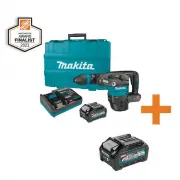


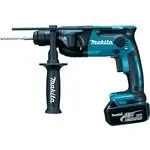 Makita DHR165RME
User Manual
Makita DHR165RME
User Manual
 Makita DHR171RTJ
User Manual
Makita DHR171RTJ
User Manual
 Makita DHR182ZWJ
User Manual
Makita DHR182ZWJ
User Manual
 Makita DHR202RFJ
User Manual
Makita DHR202RFJ
User Manual
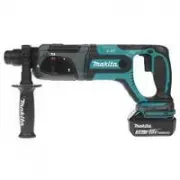 Makita DHR241RFE
User Manual
Makita DHR241RFE
User Manual
 Makita DHR241RFJ
User Manual
Makita DHR241RFJ
User Manual
 Makita DHR242RFE
User Manual
Makita DHR242RFE
User Manual
 Makita DHR242Z
User Manual
Makita DHR242Z
User Manual
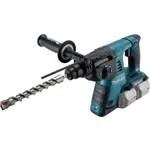 Makita DHR263RF4
User Manual
Makita DHR263RF4
User Manual
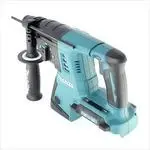 Makita DHR263Z
User Manual
Makita DHR263Z
User Manual
 Makita DHR282ZJ
User Manual
Makita DHR282ZJ
User Manual
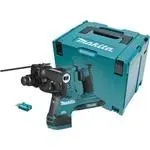 Makita DHR282ZJU
User Manual
Makita DHR282ZJU
User Manual
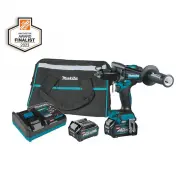 Makita GPH01D
User Manual
Makita GPH01D
User Manual
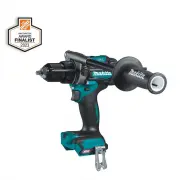 Makita GPH01Z
User Manual
Makita GPH01Z
User Manual
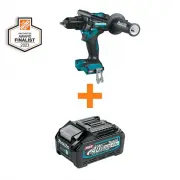 Makita GPH01Z-BL4040
User Manual
Makita GPH01Z-BL4040
User Manual
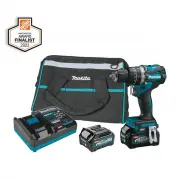 Makita GPH02D
User Manual
Makita GPH02D
User Manual
 Makita GPH02Z
User Manual
Makita GPH02Z
User Manual
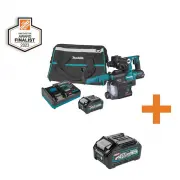 Makita GRH01M1W-BL4040
User Manual
Makita GRH01M1W-BL4040
User Manual
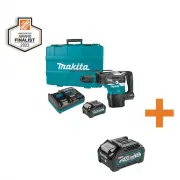 Makita GRH05M1-BL4040
User Manual
Makita GRH05M1-BL4040
User Manual
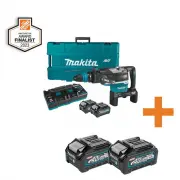 Makita GRH06PM-2BL4040
User Manual
Makita GRH06PM-2BL4040
User Manual