Page 3 - Violation of the instructions may cause serious injury or death.; Do not use a hand-held phone while driving.; Important Safety Precautions
Read these simple guidelines. Breaking the rules may be dangerousor illegal. Further detailed information is given in this user guide. Violation of the instructions may cause serious injury or death. ● Never use an unapproved battery since this coulddamage the phone and/or battery and could causethe...
Page 4 - Do not disassemble the phone.
Important Safety Precautions ● Do not expose the battery charger or adapter to directsunlight or use it in places with high humidity, such asa bathroom. ● Do not use harsh chemicals (such as alcohol,benzene, thinners, etc.) or detergents to clean yourphone. This could cause a fire. ● Do not drop, st...
Page 5 - Store the battery out of reach of children.
● Do not place or answer calls while charging thephone as it may short-circuit the phone and/or causeelectric shock or fire. ● Do not hold or let the antenna come in contact withyour body during a call. ● Make sure that no sharp-edged items, such asanimal’s teeth or nails, come into contact with the...
Page 6 - Table of Contents
Table of Contents Important Safety Precautions .1Welcome . . . . . . . . . . . . . . . . . . . .8Technical Details . . . . . . . . . . . . .9 Important Information . . . . . . . . . . . .9 Phone Overview . . . . . . . . . . . .12 Installing the Battery . . . . . . . . . . . . .14 Removing the Batter...
Page 9 - Consumer Information on SAR .103
Electronic Devices . . . . . . . . . . . . .85 Pacemakers . . . . . . . . . . . . . . . . . .85 Hearing Aids . . . . . . . . . . . . . . . . . .86 Other Medical Devices . . . . . . . . . .86 Health Care Facilities . . . . . . . . . . .86 Vehicles . . . . . . . . . . . . . . . . . . . . . .86 Posted ...
Page 10 - Welcome; Sleek and Compact Design
Welcome Thank you for choosing the VX5500cellular phone designed to operatewith the latest digital mobilecommunication technology, CodeDivision Multiple Access (CDMA).Along with the many advancedfeatures of the CDMA system, suchas greatly enhanced voice clarity,this compact phone offers: ● Built-in ...
Page 11 - Important Information; FCC Part 15 Class B Compliance; antenna; Technical Details
Important Information This user’s guide provides importantinformation on the use andoperation of your phone. Pleaseread this guide carefully prior tousing the phone to be able to useyour phone to its greatestadvantage and to prevent anyaccidental damage or misuse. Anyunapproved changes ormodificatio...
Page 12 - FCC RF Exposure Information
Technical Details being crossed and to use onefrequency channel by multipleusers in the same specific area.This results in a 10-fold capacityincrease when compared withanalog mode. In addition, featuressuch as soft / softer handoff, hardhandoff, and dynamic RF powercontrol technologies combine tored...
Page 14 - Phone Overview
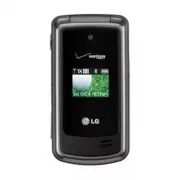
Phone Overview 1. Earpiece Lets you hear the caller and automated prompts. 2. Flip Use to make or answer calls. Flip open to reveal the keypad to dial a number or answeran incoming call. Close the flip to end the call. 3. Main LCD Screen Displays messages and indicator icons. 4. OK Key / Directional...
Page 15 - Battery; Rear view
VX5500 13 TIP If you hold the phone enclosing the lower edge, you may interfere with the antenna's ability to receive a clear signal which affects call quality for voice or data transfer. NOTE Antenna equipped insideyour phone. Battery Battery Cover NOTES • It’s important to fully chargethe battery ...
Page 16 - Installing the Battery
Phone Overview 14 VX5500 Installing the Battery Remove the battery cover by sliding itdownward followed by the arrowindicator. Align the battery with theterminals near the top of the phone.Align the battery cover then slide it tothe right side until it clicks into place. Removing the Battery Turn th...
Page 17 - IM; Menus Overview
M M EDIA EDIA C C ENTER ENTER 1. Tunes & Tones 1. Get New Ringtones2. My Ringtones3. My Sounds 2. Pictures 1. Get New Pictures2. My Pictures3. Take Picture4. Online Album 3. Games 4. Mobile Web 5. Browse & Download 6. Extras M M ESSAGING ESSAGING 1. New Message 1. TXT Message2. Picture Messa...
Page 19 - Info
2. Auto Retry3. TTY Mode4. One Touch Dial5. Voice Privacy6. DTMF Tones7. Assisted Dialing 8. Memory9. Phone Info 1. My Number2. SW/HW Version3. Icon Glossary 4. Software Update VX5500 17 Some content in this user guidemay differ from your phonedepending on the phonesoftware. Features andspecificatio...
Page 20 - Charging the Battery; Plug the end of the AC adapter; Charging with USB; Battery Temperature Protection; Getting Started with Your Phone
Charging the Battery To use the charger provided with yourphone: NOTICE Please use only an approvedcharging accessory to charge yourLG phone. Improper handling of thecharging port, as well as the use ofan incompatible charger, may causedamage to your phone and void thewarranty. 1. Plug the end of th...
Page 21 - Turning the Phone On; Making Calls; Correcting Dialing Mistakes; Redialing Calls
Battery Charge Level You can find the battery chargelevel at the top right of the LCD screen. When the charge levelbecomes low, the battery sensorsounds a warning tone, blinks thebattery icon, and displays awarning message. As the chargelevel approaches empty, the phoneautomatically switches off wit...
Page 22 - Receiving Calls; When the phone rings or; simply close the flip.; Screen Icons; MENU
Getting Started with Your Phone Receiving Calls 1. When the phone rings or vibrates, you can answer the callby simply opening the flip. NOTE If the Answer Options setting is set toAny Key, you can: ● Open the flip and press the Left SoftKey [Quiet] to mute the ringing or vibration for that call. ● O...
Page 23 - Quick Access to Convenient Features
Vibrate Mode Sets the phone to vibrate instead ofring ( is displayed). To set Vibrate Mode, with the flip open,press and hold . To return to Normal Mode, press and hold . Sounds Off Quickly deactivate your phone'ssounds when you're in a placewhere phone sounds would bedisruptive.From standby mode wi...
Page 24 - Entering and Editing Information; Text Input; change text input mode.
Entering and Editing Information Text Input The following key functions areavailable to help with text entry: Left Soft Key : Press to change text input mode. Shift : Press to change capitalization (initial cap,caps lock, lowercase). Next : Press to display other matching words in thedatabase in T9 ...
Page 25 - Storing Basics; Add New Contact; Speed Dial; Set Speed Dial; Contacts in Your Phone’s Memory
Storing Basics 1. With the flip open, enter a number (max. 48 digits), thenpress the Left Soft Key [Save] . 2. Use the Directional Key to highlight Add New Contact / Update Existing , then press . 3. Use the Directional Key to highlight Mobile 1/ Home/ Work/ Mobile 2/ Fax , then press . 4. Enter a n...
Page 27 - Deleting
Changing Saved Information To edit any information you stored,access the Edit Contacts screen: 1. With the flip open, press the Right Soft Key [Contacts] . 2. Use the Directional Key to highlight a Contact entry, thenpress the Left Soft Key [Edit] . 3. Use the Directional Key to highlight the field ...
Page 28 - Speed Dialing
Contacts in Your Phone’s Memory 3. Press the Right Soft Key [Options] . 4. Press Erase . 5. Press Yes to confirm. Deleting a Speed Dial 1. With the flip open, press the Right Soft Key [Contacts] . 2. Use the Directional Key to highlight a Contact entry to editand press [VIEW] . 3. Select the phone n...
Page 29 - Access and Options; Select a submenu by pressing; Get New Ringtones; MEDIA CENTER
M ME ED DIIA A C CE EN NT TE ER R MEDIA CENTER allows you to domore than just talk on your phone.MEDIA CENTER is a technologyand service that allows you todownload and use applications onyour phone. With MEDIA CENTER,it’s quick and easy to personalizeyour phone to your lifestyle andtastes. Just down...
Page 32 - Editing a Picture
MEDIA CENTER Lock (Unlock) Allows you to lock or unlock. Locked files can't beerased accidentally. File Info Name/ Date/ Time/ Resolution/ Size * Only appears when the picture is stored on the phone. Editing a Picture Access My Pictures, then use theDirectional Key to highlight a picture. Press [VIE...
Page 34 - End a Browser session by pressing
MEDIA CENTER 4. Mobile Web Mobile Web feature allows you toaccess news, sports, weather andemail from your Verizon Wirelessdevice. Access and selectionswithin this feature are dependentupon your service provider. Forspecific information on Mobile Webthrough your phone, contact yourservice provider. ...
Page 36 - or select
MEDIA CENTER 5. Browse & Download Everything you need to know whileyou’re on the go. 1. With the flip open, press [MENU] . 2. Press MEDIA CENTER. 3. Press Browse & Download . 4. Press Get New Applications or select VZ Navigator using the Directional Key then press . VZ Navigator SM Now you c...
Page 37 - during a message check.; New Message Alert; The phone displays a message; MESSAGING
M ME ES SS SA AG GIIN NG G SHORTCUT From standby mode, pressing the Left Soft Key is a hot key to your MESSAGING. Text messages, Picture messages,and the Voicemail box becomeavailable as soon as the phone ispowered on. ● Check types of messages bypressing the Left Soft Key [Messaging] . ● Make a cal...
Page 38 - Insert Quick Text
MESSAGING 1.1 TXT Message The Basics of Sending a Text Message 1. With the flip open, press the Left Soft Key [Message] . 2. Press New Message . 3. Press TXT Message . 4. Enter the phone number of the recipient or the email address foran email message. You can enterup to 10 addresses for a singlemes...
Page 39 - Using Contacts to Send a Message
Format Text Allows you to change the look of the text. Alignment/ Font Size/ Font Style/Text Color/ Background Priority Level Gives priority to the message. High/ Normal Callback # Inserts a pre- programmed callback numberwith your message. On/ Off/ Edit Save Quick Text Allows you to save the messag...
Page 40 - Preview
MESSAGING 1.2 Picture Message The Basics of Sending a Picture Message 1. With the flip open, press the Left Soft Key [Message] . 2. Press New Message . 3. Press Picture Message . 4. Enter the cellular phone number or email address of the recipient. 5. Press the Directional Key downward. 6. Type your...
Page 42 - Reply
MESSAGING 1.3 Voice Message The Basics of Sending a Voice Message 1. With the flip open, press the Left Soft Key [Message] . 2. Press New Message . 3. Press Voice Message . 4. Press to start recording. 5. Record your voice message. 6. Press to end recording. 7. Enter the cellular phone number or ema...
Page 43 - Message Icon Reference
Forward Forwards a received message to other destinationaddress(es). Add To Contacts Stores the callback number, email address,and numbers from the address ofthe received message into yourContacts. Extract Addresses Allows you to extract addresses. Sort By Sender/Time Allows you to sort messages alp...
Page 44 - Sent
MESSAGING 3. Sent Depending on the content and sizeof your messages, you can save upto 100 Sent messages. This menulists your Sent messages. Use it toverify whether the transmissionwas successful or not and viewmessage contents. 1. With the flip open, press the Left Soft Key [Message] . 2. Press Sen...
Page 45 - Drafts; Send
4. Drafts Displays draft messages. 1. With the flip open, press the Left Soft Key [Message] . 2. Press Drafts . 3. Options from here with a message highlighted: ● Press [EDIT] to continue editing the message. ● Press the Left Soft Key [Erase] . ● Press the Right Soft Key [Options] . Send Sends the s...
Page 46 - Mobile IM; Messaging Settings
MESSAGING 6. Mobile IM Allows you to send and receive anInstant Message at any time. 1. With the flip open, press the Left Soft Key [Message] . 2. Press Mobile IM . 7. Email Allows you to send an email viaMobile Web. 1. With the flip open, press the Left Soft Key [Message] . 2. Press Email . 3. A Mo...
Page 48 - Erasing Messages; Soft Key
MESSAGING Erasing Messages Allows you to erase messagesstored in your Inbox, Sent, or Draftsfolders. You can also erase allmessages at the same time. 1. With the flip open, press the Left Soft Key [Message] . 2. Press the Right Soft Key [Options] then select one of the following: Erase Inbox/ Erase ...
Page 49 - CONTACTS; Contacts
CONTACTS C CO ON NT TA AC CT TS S The Contacts Menu allows you tostore names, phone numbers andother information in your phone’smemory. SHORTCUT Pressing the Right Soft Key is a hot key to Contact List. 1. New Contact Allows you to add a new number toyour Contact List. NOTE Using this submenu, the n...
Page 51 - In Case of Emergency
5. In Case of Emergency (ICE) This menu allows you to storenames, phone numbers and otherinformation, which will be veryhelpful in case of emergency. Also,it allows you to add, read, edit, orerase the notes about yourself asnecessary in case an emergencytakes place. 1. With the flip open, press [MEN...
Page 53 - RECENT CALLS
R RE EC CE EN NT T C CA ALLLLS S The Recent Calls Menu is a list ofthe last phone numbers or Contactentries for calls you placed,accepted, or missed. It's continuallyupdated as new numbers areadded to the beginning of the listand the oldest entries are removedfrom the bottom of the list. 1. Missed A...
Page 54 - Recent Calls
RECENT CALLS 3. Dialed Allows you to view the list ofoutgoing calls; up to 90 entries. 1. With the flip open, press [MENU] . 2. Press Recent Calls . 3. Press Dialed . 4. Use the Directional Key to highlight an entry, then ● Press to open the entry. ● Press to place a call to the number. ● Press the ...
Page 57 - Train Words/ Train Digits; Prompts; Timeout; Earpiece
VX5500 55 Sensitivity Control the sensitivity as Reject More/ Automatic/ RejectLess . Train Voice If the phone often asks you to repeat voice command, trainthe phone to recognize your voicepatterns. Train Words/ Train Digits Prompts Mode/ Audio Playback/ Timeout For Mode, set Prompts/ Readout + Aler...
Page 58 - Ez Tip Calculator; Tools
SETTINGS & TOOLS 56 VX5500 2.1.5 Contacts <Name> You can look up names in yourContacts (for example, 'ContactsJohn') as well as manage yourContact List including creating,erasing or modifying. Read out/ Create New/ Erase/Modify 2.1.6 My Verizon The 'My Verizon' commandprovides you with dir...
Page 59 - Repeat
VX5500 57 5. Enter the variable fields (Total bill, Tip (%), Split) and thecorresponding calculation fields(tip and total for each person)appear automatically. 6. Press the Left Soft Key [Reset] for another calculation. 2.4 Calendar Allows you to keep your agendaconvenient and easy to access.Simply ...
Page 61 - Menu; Bluetooth
VX5500 59 6. Select a city from the list, then press . The display shows the position ofthe city on a global map. 7. Press again to zoom in on the city and view its date andtime infomation. NOTE With the Left Soft Key [Set DST] , set to daylight saving time. 2.8 Notepad Allows you to add, read, edit...
Page 63 - Turn On; Press the Left Soft Key
VX5500 61 3.1.2 Icon Reference in Adding New Device When the Bluetooth ® wireless connection is built and paireddevices are found, the followingicons are displayed. ● Icon References When aBluetooth ® Wireless Connection is Searched (neither connected nor paired). ● Icon References When Successfully...
Page 64 - My Device Info; Discovery Mode; Bluetooth Menu
SETTINGS & TOOLS 62 VX5500 My Device Info Allows you to edit the name of theBluetooth ® device when Add New Device menu is highlighted. 1. With the flip open, press [MENU] . 2. Press Settings & Tools . 3. Press Bluetooth Menu . 4. Press the Right Soft Key [Options] . 5. Press My Device Info ...
Page 65 - Supported Profiles; Auto Pair Handsfree; Press the Right Soft Key
VX5500 63 Supported Profiles Allows you to see profiles that yourVX5500 phone can support. 1. With the flip open, press [MENU] . 2. Press Settings & Tools . 3. Press Bluetooth Menu . 4. Press the Right Soft Key [Options] . 5. Press Supported Profiles . Auto Pair Handsfree Allows Bluetooth pairin...
Page 66 - Allows you to set volume settings.; Adjust the volume with the; Sounds Settings
SETTINGS & TOOLS 64 VX5500 NOTE When the device is connected toanother handset the following extraoptions where found: Send Name Card/ Get Name Card/Exchange Name Card/ SendCalendar Event NOTES In the pairing list, you can disconnect the connected device with the Left Soft Key [Turn Off] . Rever...
Page 67 - Use the Directional Key; Plla
VX5500 65 4.2.1 Call Ringtone 1. With the flip open, press [MENU] . 2. Press Settings & Tools . 3. Press Sounds Settings . 4. Press Call Sounds . 5. Press Call Ringtone . 6. Use the Directional Key to highlight a ringtone thenpress to save the sound. TIP To hear a ringtone before you set it,pres...
Page 68 - ERI
SETTINGS & TOOLS 66 VX5500 4.4 Keypad Volume Allows you to set the keypadvolume. 1. With the flip open, press [MENU] . 2. Press Settings & Tools . 3. Press Sounds Settings . 4. Press Keypad Volume . 5. Adjust the volume with the Directional Key then press to save the setting. 4.5 Service Ale...
Page 71 - Main Menu Settings
5.3 Wallpaper Allows you to choose the kind ofbackground to be displayed on thephone's LCD in standby mode. 1. With the flip open, press [MENU] . 2. Press Settings & Tools . 3. Press Display Settings . 4. Press Wallpaper . 5. Highlight a Wallpaper submenu and press . Main Wallpaper/ FrontWallpap...
Page 72 - Display Settings
SETTINGS & TOOLS 5. Use the Directional Key to highlight a setting, then press . Tab/ List/ Grid NOTE This User Guide gives navigationinstructions according to the default"List" Main Menu Layout in theDisplay Settings menu. If other menusare set, navigating the phone's menusmay be differ...
Page 76 - Use the Directional Key
SETTINGS & TOOLS NOTES ● GPS satellite signals are not always received by the phone, especially under bad atmospheric and environmental conditions, indoors, etc. ● When a Location Setting Restriction is activated in the Security Menu, the lock code is required when you enter location menu. The l...
Page 77 - Restrictions; Location Setting; Phone Settings
8. Enter your new four-digit lock code. 9. For confirmation, it will ask you to enter the new lockcode again. 6.7.2 Restrictions Allows you to set separaterestrictions for Location Setting,Calls and Messages. 1. With the flip open, press [MENU] . 2. Press Settings & Tools . 3. Press Phone Settin...
Page 78 - Phone Lock; Unlocked
SETTINGS & TOOLS 4. Press Security . 5. Enter the four-digit lock code. 6. Press Phone Lock . 7. Highlight an option then press . Unlocked The phone is never locked (Lock mode can stillbe used). On Power Up The phone is locked when it is turned on. 6.7.4 Lock Phone Now 1. With the flip open, pre...
Page 83 - Memory
5. Use the Directional Key to highlight a setting, then press . On/ Off 6. Highlight the Reference Country and press Left Soft Key Set to select country. 7. Use the Directional Key to scroll to the desired country. 8. Press Left Soft Key Details to edit and save the countrycode, IDD Prefix(Internati...
Page 86 - Safety; Exposure to Radio Frequency
Safety T TIIA A S Sa affe ettyy IIn nffo orrm ma attiio on n The following is the complete TIASafety Information for wirelesshandheld phones. Exposure to Radio Frequency Signal Your wireless handheld portablephone is a low power radiotransmitter and receiver. When ON,it receives and sends out RadioF...
Page 87 - Persons with pacemakers:
Tips on Efficient Operation For your phone to operate mostefficiently:Don’t touch the antennaunnecessarily when the phone is inuse. Contact with the antennaaffects call quality and may causethe phone to operate at a higherpower level than otherwise needed. Driving Check the laws and regulations onth...
Page 89 - Caution
always marked clearly. Potentialareas may include: fueling areas(such as gasoline stations); belowdeck on boats; fuel or chemicaltransfer or storage facilities;vehicles using liquefied petroleumgas (such as propane or butane);areas where the air containschemicals or particles (such asgrain, dust, or...
Page 90 - Charger and Adapter Safety
Safety ● Do not short circuit a battery orallow metallic conductiveobjects to contact batteryterminals. ● Replace the battery only withanother battery that has beenqualified with the system per thisstandard, IEEE-Std-1725-2006.Use of an unqualified batterymay present a risk of fire,explosion, leakag...
Page 91 - General Notice; Do not place items containing
performance. The battery can berecharged several hundred timesbefore replacement. ● Recharge the battery after longperiods of non-use to maximizebattery life. ● Battery life will vary due tousage patterns andenvironmental conditions. ● Use of extended backlighting,Browser, and data connectivitykits ...
Page 92 - Do not paint your phone.
Safety ● Talking on your phone for a longperiod of time may reduce callquality due to heat generatedduring use. ● When the phone is not used fora long period time, store it in asafe place with the power cordunplugged. ● Using the phone in proximity toreceiving equipment (i.e., TV orradio) may cause ...
Page 93 - or other
C Ca au uttiio on n:: A Avvo oiid d p po otte en nttiia all h he ea arriin ng g llo ossss.. Prolonged exposure to loud sounds(including music) is the mostcommon cause of preventablehearing loss. Some scientificresearch suggests that usingportable audio devices, such asportable music players and cell...
Page 94 - American Academy of Audiology; National Institutes of Health; National Institute for Occupational
Safety hear muffled speech orexperience any temporaryhearing difficulty after listeningto your portable audio device,discontinue use and consult yourdoctor. You can obtain additionalinformation on this subject from thefollowing sources: American Academy of Audiology 11730 Plaza American Drive, Suite...
Page 102 - Get to know your wireless phone
Safety interference be found to occur, theFDA will conduct testing to assessthe interference and work toresolve the problem. 12. Where can I find additionalinformation? For additional information, pleaserefer to the following resources: FDA web page on wireless phones(http://www.fda.gov/cellphones/)...
Page 104 - Use your wireless phone to help
Safety family in dangerous situations --with your phone at your side,help is only three numbers away.Dial 911 or other localemergency number in the caseof fire, traffic accident, roadhazard, or medical emergency.Remember, it’s a free call on yourwireless phone! 9. Use your wireless phone to help oth...
Page 108 - Gallaudet University, RERC
Safety American National StandardsInstitute (ANSI) C63.19 standard.When you're talking over the cellphone, it's recommended you'd turnthe BT (Bluetooth) mode off forHAC. 106 VX5500 For information about hearing aidsand digital wireless phones FCC Hearing Aid Compatibility andVolume Control http://ww...
Page 109 - Accessories; Car Charger
Accessories VX5500 107 There are a variety of accessories available for your phone and three easyways to purchase them: shop online anytime at www.verizonwireless.com,call us at 1866 VZ GOT IT (894 6848) or visit one of our Verizon WirelessCommunication Stores. Car Charger Batteries USB Cable Charge...
Page 110 - LIMITED WARRANTY STATEMENT; WHAT THIS WARRANTY
LIMITED WARRANTY STATEMENT 1. WHAT THIS WARRANTY COVERS: LG offers you a limited warrantythat the enclosed subscriber unitand its enclosed accessories willbe free from defects in material andworkmanship, according to thefollowing terms and conditions: (1) The limited warranty for the product extends...
Page 112 - HOW TO GET WARRANTY
LIMITED WARRANTY STATEMENT THE DURATION OF THE EXPRESSWARRANTY HEREIN. LG SHALLNOT BE LIABLE FOR THE LOSS OFTHE USE OF THE PRODUCT,INCONVENIENCE, LOSS OR ANYOTHER DAMAGES, DIRECT ORCONSEQUENTIAL, ARISING OUTOF THE USE OF, OR INABILITY TOUSE, THIS PRODUCT OR FOR ANYBREACH OF ANY EXPRESS ORIMPLIED WAR...
Page 113 - Glossary
T Te errm miin no ollo og gyy EZ Tip Calculator Feature for easy bill calculation using the total cost, tip, and number of people as variables. Advanced Voice Recognition Feature that allows you to perform a wide range of verbal commands by training the phone to recognize your individual speech patt...
Page 115 - Index
10 Driver Safety Tips 100 A Accessories 107 Add New Device 60 Airplane Mode 71 Alarm Clock 57 Alert 65 Answer Options 77 Assisted Dialing 80 Auto Pair Handsfree 63 Auto Retry 78 B Backlight 68 Banner 67 Battery Charge Level 19 Battery Temperature Protection 18 Bluetooth ® Menu 59 C Calculator 56 Cal...
Page 117 - MEMO
Page 120 - Precaución de Seguridad Importante
Lea estas sencillas instrucciones. Romper las reglas puede serpeligroso o ilegal. Se ofrece más información detallada en esta guíadel usuario. No seguir las instrucciones puede ocasionar lesiones graveso la muerte. ● No use nunca una batería no aprobada, ya que estopodría dañar el teléfono o la bate...
Page 121 - Precaución de Seguridad; No desarme el teléfono.
Precaución de Seguridad ● No exponga cargador de baterías o el adaptador a laluz directa del sol, ni lo utilice en sitios con elevadahumedad, como por ejemplo el baño. ● No use sustancias químicas corrosivas (como alcohol,bencina, solventes, etc.) ni detergentes para limpiar elteléfono. Existe riesg...
Page 123 - Contenido; Introducir y editar información24
Contenido Precaución de SeguridadImportante . . . . . . . . . . . . . . . . . .1 Bienvenidos . . . . . . . . . . . . . . . . .8 Detalles Técnicos . . . . . . . . . . . .9 Información Importante . . . . . . . . . . .9 Descripción general delTeléfono . . . . . . . . . . . . . . . . . . . .13 Instalaci...
Page 127 - Bienvenidos; Cámara VGA interconstruida
Bienvenidos Felicidades por elegir el avanzado ycompacto teléfono celular VX5500,diseñado para funcionar con la másreciente tecnología decomunicaciones móviles digitales:Acceso múltiple de división decódigo (Code Division MultipleAccess, CDMA). Junto con lasmuchas funciones avanzadas delsistema CDMA...
Page 128 - Información Importante; Cumplimiento de Clase B con el; receptora; Detalles Técnicos
Información Importante Esta guía del usuario ofreceinformación importante sobre el usoy funcionamiento de su teléfono. Leatoda la información cuidadosamenteantes de usar el teléfono, para tenerel mejor desempeño y para evitarcualquier daño al teléfono o su usoincorrecto. Cualquier cambio omodificaci...
Page 131 - Antena externa instalada en un
Detalles Técnicos 12 VX5500 Contacto corporal durante elfuncionamiento Este dispositivo se probó para unuso ordinario con la parte posteriordel teléfono a una distancia de 2 cm(0.78 pulgadas) del cuerpo. Paracumplir con los requisitos deexposición a RF de la FCC, debemantenerse una distancia desepar...
Page 132 - Descripción general del Teléfono
Descripción general del Teléfono VX5500 13 1. Audífono Le permite escuchar la persona al otro lado de la línea. 2. Tapa Abra el teléfono para responder a una llamada entrante y cierrelo para terminar lallamada. 3. Pantalla LCD principal Muestra los mensajes e iconos indicadores. 4. Tecla OK/direccio...
Page 133 - Vista posterior
12. Tecla de prefijo de llamada internacional Para hacer una llamada internacional,mantenga oprimida la tecla durante 2 ó 3 segundos. + es el códigode llamada internacional. 13. Lente de la Cámara Se usa para tomar fotos. Consérvela limpia para obtener una calidadóptima de las fotografías. 14. Panta...
Page 135 - MENSAJERÍA; Descripción general de los menús
CENTRO CENTRO DE DE MEDIOS MEDIOS 1. Melodías y Tonos 1. Obtén Nuevos Timbres2. Mis Timbres3. Mis Sonidos 2. Fotos 1. Obtén Nuevas Fotos2. Mis Fotos3. Tomar Foto4. Álbum En Línea 3. Juegos4. Internet Móvil5. Navegar y Descargar6. Extra MENSAJERÍA MENSAJERÍA 1. Nuevo Mensaje 1. Mensaje de TXT2. Mensa...
Page 136 - Menú de Bluetooth; Anadir Nuevo Aparato; Programación de Sonidos; Principal; Programación de Teléfono
VX5500 17 P R O G / H E R R P R O G / H E R R 1. Mi Verizon 2. Herramientas 1. Comandos de Voz2. Calculadora3. Ez Sugerencia4. Calendario5. Reloj Despertador 1. Alarma 12. Alarma 23. Alarma 3 6. Cronómetro7. Reloj Mundial8. Cuaderno de Notas 3. Menú de Bluetooth 1. Anadir Nuevo Aparato 4. Programaci...
Page 137 - botón; Información de Teléfono
1. Opciones de Respuesta2. Reintentar Automáticamente3. Modo TTY4. Marcado oprimiendo un botón 5. Privacidad de Voz6. Tonos DTMF7. Marcación asistida 8. Memoria 1. Uso de Memoria 2. Mis Fotos3. Mis Sonidos 9. Información de Teléfono 1. Mi Número2. Versión SW/HW3. Glosario de Iconos4. Actualización d...
Page 138 - Enchufe el extremo del adaptador; Carga con USB
Para hacer funcionar su teléfono por primera vez VX5500 19 Carga de la batería Para utilizar el cargador suministradocon su teléfono: AVISO Use únicamente un accesorio decarga aprobado para cargar suteléfono LG. La manipulación inadecuada delpuerto de carga, así como el uso deun cargador no compatib...
Page 139 - Encender el teléfono; Para hacer funcionar su teléfono por primera vez
Nivel de carga de la batería El nivel de carga de la batería se muestra en la parte superiorderecha de la pantalla de LCD.Cuando disminuya el nivel de cargade la batería, el sensor de bateríabaja le alerta haciendo sonar untono audible, haciendo destellar elicono de batería y mostrando unamensaje de...
Page 140 - Para hacer llamadas; Remarcado de llamadas
VX5500 21 Para hacer llamadas 1. Asegúrese de que el teléfono esté encendido. Si no lo está,oprima durante unos 3 segundos incluya el código debloqueo si fuera necesario. 2. Introduzca el número de teléfono. 3. Oprima . 4. Oprima para terminar la llamada. NOTA Su teléfono tiene una función deComando...
Page 141 - MENÚ
Para hacer funcionar su teléfono por primera vez Iconos de pantalla Cuando el teléfono está encendido,la línea superior de la pantalla LCDmuestra iconos que indican elestado del teléfono. Para ver elglosario de iconos, vaya a MENÚ -> PROG/HERR -> Información de Teléfono -> Glosario de Icono...
Page 142 - Oprima; Acceso rápido a funciones de conveniencia
Modo de vibración Ajusta el teléfono para vibrar enlugar de sonar (se muestra ). Para ajustar el Modo de vibración,mantenga oprimida . Para volver al Modalidad Normal,mantenga oprimida . Sonidos desactivados Desactive rápidamente los sonidosdel teléfono cuando usted seencuentre en un lugar en el que...
Page 143 - Entrada de texto; introducir puntuación.; Introducir y editar información
Entrada de texto Las siguientes funciones de teclaestán disponibles para ayudar a laintroducción de texto: Tecla suave Izquierda : Toque para desplazarse yacceder a diferentesmodos de introducción detexto. Bloq Mayús : Oprima para cambiar de mayúscula/minúscula (mayúsculainicial, todas mayúsculaso m...
Page 144 - Contactos en la memoria de su teléfono; Aspectos Básicos; Nuevo; Marcación Rápida; Fijar
Contactos en la memoria de su teléfono VX5500 25 Aspectos Básicos 1. Introduzca el número de teléfono (de hasta 48 dígitos) y toque laTecla suave Izquierda [Grdr] . 2. Use la tecla direccional para desplazarse hasta Nuevo Contacto/ Actualizar Existente . 3. Use la tecla direccional para desplazarse ...
Page 145 - Espera
Contactos en la memoria de su teléfono 26 VX5500 Almacenar un número conuna pausa Las pausas le permiten introducirseries de números adicionales paraacceder a sistemas automatizados,como el Correo de voz o losnúmeros de facturación de tarjetade crédito. Los tipos de pausa son: Espera (W) El teléfono...
Page 147 - Borrar
Contactos en la memoria de su teléfono Cambiar el NúmeroPredeterminado El Número predeterminado es elnúmero de teléfono que introdujo alcrear el contacto. Se puedeguardar otro número como NúmeroPredeterminado. 1. Toque la Tecla suave Derecha [Cntctos] . 2. Use la tecla direccional para desplazarse h...
Page 148 - Marcado Rápido; Marcado rápido de una cifra; y luego; Para los Marcados Rápidos de 95,
Marcado Rápido Le permite hacer llamadas deteléfono en sus contactos rápida yfácilmente. NOTA El número 1 de Marcado Rápido espara Mensajes de Voz.El número 411 de Marcado Rápido espara Asistencia de Directorio. Marcado rápido de una cifra Oprima y mantenga presionado eldígito de marcado rápido. Elt...
Page 149 - CENTRO de MEDIOS; ¿Hay algo que no sea claro?; para ver el estado de su; Acceso y Opciones; Seleccione un submenú
CENTRO de MEDIOS C CE EN NT TR RO O d de e M ME ED DIIO OS S CENTRO de MEDIOS ® le permite hacer en su teléfono más que sólohablar. CENTRO de MEDIOS es unatecnología y un servicio que lepermite descargar y usaraplicaciones en su teléfono. ConCENTRO de MEDIOS, es rápido yfácil adaptar su teléfono a s...
Page 150 - Obtén Nuevos Timbres; Use la tecla direccional
1.1 Obtén Nuevos Timbres Le permite conectarse a CENTROde MEDIOS y descargar diversostonos de timbre. 1. Oprima [MENÚ] . 2. Oprima Centro de Medios . 3. Oprima Melodías y Tonos . 4. Oprima Obtén Nuevos Timbres . 1.2 Mis Timbres Le permite seleccionar el tono detimbre que desee, descargar unonuevo. 1...
Page 151 - Use la tecla Navegación; Obtén Nuevas Fotos
32 VX5500 CENTRO de MEDIOS Cómo seleccionar el sonido 1. Oprima [MENÚ] . 2. Oprima Centro de Medios . 3. Oprima Melodías y Tonos . 4. Oprima Mis Sonidos . 5. Use la tecla Navegación para desplazarse y resaltar unsonido.Opciones desde aquí: ● Toque la Tecla suaveIzquierda [Borrar] . ● Oprima [ESCU] ....
Page 153 - Centro de Medios; Mis Fotos
34 VX5500 CENTRO de MEDIOS 2.3 Tomar Foto Le permite tomarfotografíasdigitales. 1. Oprima [MENÚ] . 2. Oprima Centro de Medios . 3. Oprima Fotos . 4. Oprima Tomar Foto . 5. Configure el brillo con el círculo de direccional , y el Zoom con el círculo de direccional , y toque la Tecla suave Derecha [Op...
Page 154 - Introduzca su número de
VX5500 35 2.4 Álbum En Línea Accede al albúm en línea (Lugar deFotos). 1. Oprima [MENÚ] . 2. Oprima Centro de Medios . 3. Oprima Fotos . 4. Oprima Álbum En Línea . 5. Introduzca su número de teléfono y contraseña, según seael caso. 3. Juegos Le permite descargar juegos yaplicaciones del servidor CEN...
Page 155 - Use la tecla direccional
36 VX5500 CENTRO de MEDIOS 4. Internet Móvil La función Mobile Web le permiteacceder a noticias, deportes,información del clima y correoelectrónico desde su dispositivoinalámbrico Verizon. El acceso y lasselecciones dentro de esta funcióndependen de su proveedor deservicios. Para obtener información...
Page 157 - como; Navegar y Descargar; o seleccione
38 VX5500 CENTRO de MEDIOS Iniciar una llamada de teléfono desde el Navegador Puede hacer una llamada deteléfono desde el Navegador si elsitio que está usando admite lafunción (el número de teléfonopuede resaltarse y la Tecla suaveIzquierda aparece como Selección). La conexión con elnavegador se da ...
Page 159 - durante una; Alerta de nuevo mensaje; El teléfono muestra un mensaje
MENSAJERÍA M ME EN NS SA AJ JE ER RÍÍA A Desde el modo de espera, aloprimir la Tecla suave Izquierda es una tecla directa a la Mensaje. Los mensajes de texto, los deimagen y el buzón de correo de vozquedan disponibles en cuanto seenciende el teléfono. ● Compruebe los tipos demensajes tocando la Tecl...
Page 161 - Formato al Text; Uso de contactos para enviar un
MENSAJERÍA Formato al Text Le permite cambiar el aspecto del texto. Alineación/ Tamaño del Fuente/Estilo de Fuente/ Color de Text/Fondo Prioridad Da prioridad al mensaje. Alto/ Normal Dev Llmda # Introduce un número preprogramado dedevolución de llamada con sumensaje. Encendido/ Apagado/ Editar Guar...
Page 163 - Editar Texto
MENSAJERÍA ● Editar Texto 1. Con el campo Texto resaltado, toque la Tecla suave Derecha [Opciones] . 2. Seleccione las opciones que desea personalizar. Avance Muestra el mensaje Foto como lo verá el destinatario. Guardar Como Borrador Guarda el mensaje en la carpetaBorradores. Insertar Text Rápido I...
Page 165 - Ver su bandeja de entrada; Contestar
MENSAJERÍA 12. Oprima [ENV] . Aparece un mensaje deconfirmación. 2. Entrada El teléfono le alerta en 3 formascuando recibe un nuevo mensaje: ● Mostrando una notificación demensaje en la pantalla. ● Haciendo sonar una sonido ovibrando, si está configurado así. ● Haciendo destellar (sólo cuando recibe...
Page 166 - Adelantar
VX5500 47 Referencia de iconos de mensaje Mensajes de TXTnuevos/no leídos Mensajes de TXTabiertos/leídos Prioridad Bloqueado Mensajes de Foto/Video noleídos y descargados Notificaciones de Foto/Video nuevos/no leídos Mensajes Del BrowserNuevos/No leídos Mensajes Del BrowserAbiertas/ Leídos Mensajes ...
Page 167 - Administrar Enviado; Enviar; Referencia de iconos de mensaje
MENSAJERÍA Ordenado Por Destinatario/Ordenado Por Recipient/Ordenado Por Tiemp Le permite ordenar los mensajes recibidosalfabéticamente o por fecha. Administrar Enviado Le permite gestionar (borrar o bloquear) lalista de mensajes. Info. Mensaje Le permite comprobar la información demensajes enviados...
Page 169 - Chatear
MENSAJERÍA 8. Chatear Le permite chatear con usuarios deInternet Messenger. 1. Toque la Tecla suave Izquierda [Mensaje] . 2. Oprima Chatear . 3. Se iniciará una sesión del navegador Web móvil. 4. Desplácese hasta un proveedor de chat y oprima . NOTA Esta función puede requerir unasuscripción a un pr...
Page 171 - MSJ Borrar
MENSAJERÍA MSJ Borrar Le permite borrar todos losmensajes de texto almacenados ensu bandeja de entrada, o en lascarpetas Enviados y Borradores.También puede borrar todos losmensajes de una vez. 1. Toque la Tecla suave Izquierda [Mensaje] . 2. Toque la Tecla suave Derecha [Opciones] . Borrar Entrada/...
Page 172 - CONTACTOS; Contactos
CONTACTOS VX5500 53 C CO ON NT TA AC CT TO OS S El menú Contactos le permitealmacenar nombres, números deteléfono y otros tipos deinformación en la memoria de suteléfono. La Tecla suave Derecha es una tecla directa a la Lista de contactos. 1. Nuevo Contacto Le permite agregar un nuevoentrada a su Li...
Page 175 - Mi Tarjeta de Nombre
CONTACTOS 56 VX5500 6. La etiqueta genérica Contacto cambia al nombre especificado. Ingreso de su información personal ICE 1. Oprima [MENÚ] . 2. Oprima Contactos . 3. Oprima In Case of Emergency . 4. Use la tecla direccional para resaltar Info Personal , y oprima . 5. Use la tecla direccional para r...
Page 178 - Ver Cronómetro
VX5500 59 ● Toque la Tecla suave Derecha [Opciones] para seleccionar: Guardar en contactos(Detalles)/ Borrar/Asegurar(Abrir)/ Borrar Todo/Ver Cronómetro ● Toque la Tecla suaveIzquierda [Mensaje] para seleccionar: Mensaje de TXT/ Mensaje deFoto/ Mensaje de Voz Para ver una lista rápida de todas sus l...
Page 179 - Oprima la tecla de comandos de
60 VX5500 PROG/HERR P PR RO OG G//H HE ER RR R 1. Mi Verizon Compruebe su información delsubscripción que se extiende desdesu plan del pago hasta la su mejoradel dispositivo o otro serviciodisponible. 1. Oprima [MENÚ] . 2. Oprima Prog/Herr . 3. Oprima Mi Verizon . 2. Herramientas Las herramientas de...
Page 181 - Introduzca los números para
62 VX5500 PROG/HERR 2.1.4 Verificar <Elemento> El comando de Verficar permite queusted compruebe una gran gamade artículos que van desde el nivelde la batería, modo del servicio,fuerza de la señal, volumen, númerode llamadas perdidas, Buzón deVoz, mensajes, a la hora y a lafecha. 2.1.5 Contact...
Page 182 - Herramientas
VX5500 63 2.3 Ez Sugerencia Le permite calcular rápida yfácilmente las cantidades de laspropinas usando como variables eltotal de la factura, la propina % y elnúmero de personas. 1. Oprima [MENÚ] . 2. Oprima Prog/Herr . 3. Oprima Herramientas . 4. Oprima Ez Sugerencia . 5. Introduzca valores en los ...
Page 183 - Reloj Despertador
64 VX5500 PROG/HERR 8. Desplazarse a un campo del calendario, y toque la Teclasuave Izquierda [Ajustar] . Para cada evento del Calendario,usted puede ajustar: ● Hora de Comienzo ● Hora de Término ● Repetir ● Hasta ● Alerta ● Tonos ● Vibrar 9. Use la tecla direccional para resaltar una configuración....
Page 185 - Cuaderno de Notas
66 VX5500 PROG/HERR 2.8 Cuaderno de Notas Le permite leer, agregar, editar yborrar notas para usted mismo. 1. Oprima [MENÚ] . 2. Oprima Prog/Herr . 3. Oprima Herramientas . 4. Oprima Cuaderno de Notas . 5. Toque la Tecla suave Izquierda [Añadir] para escribir una nueva nota. 6. Toque la Tecla suave ...
Page 186 - Anadir Nuevo Aparato; dispositivo Bluetooth; Siga las instrucciones del; Menú de
VX5500 67 SUGERENCIAS ● AURICULAR: Soporta la utilizació n de un auricular bluetooth ® compatible para monovoz. ● MANOS LIBRES: Soporta auriculares Bluetooth ® , y puede que también soporte otros dispositivos Bluetooth ® compatibles instalados con capacidades de teléfono de altavoz, tales como kits ...
Page 188 - Encendido; Mi info de Dispositivo
VX5500 69 ● Referencias de iconos al estar conectado correctamente Encendido Le permite activar o desactivar laalimentación de Bluetooth ® . 1. Oprima [MENÚ] . 2. Oprima Prog/Herr . 3. Oprima Menú de Bluetooth . 4. Toque la Tecla suave Izquierda [Encender] . NOTA De manera predeterminado, la funcion...
Page 189 - Modo de Descubrimiento; Perfiles Soportados; Toque la Tecla suave Derecha
70 VX5500 PROG/HERR Modo de Descubrimiento Le permite configurar si sudispositivo puede ser buscado porotros dispositivos Bluetooth ® en la zona. 1. Oprima [MENÚ] . 2. Oprima Prog/Herr . 3. Oprima Menú de Bluetooth . 4. Toque la Tecla suave Derecha [Opciones] . 5. Oprima Modo de Descubrimiento . 6. ...
Page 191 - Sonidos de Llamada
72 VX5500 PROG/HERR ● Intercambiar tarjeta de nombre:Puede intercambiar informaciónde la tarjeta Mi nombre delteléfono emparejado. ● Enviar mi calendario: Le permiteenviar hasta 300 eventos decalendario a otro dispositivo. 4. Programación de Sonidos Ofrece opciones para personalizarlos sonidos del t...
Page 192 - Sonidos de Alerta
VX5500 73 6. Use la tecla direccional para desplazarse hasta untono de timbre y oprima para guardar el cambio. SUGERENCIA Para oír un tono de timbre antes deestablecerlo, oprima la tecla de funciónizquierda [[E Essc cu u]]. 4.2.2 Vibrador de Llamada 1. Oprima [MENÚ] . 2. Oprima Prog/Herr . 3. Oprima...
Page 193 - IRO
74 VX5500 PROG/HERR 4.4 Volumen de Teclado Le permite configurar el volumendel teclado. 1. Oprima [MENÚ] . 2. Oprima Prog/Herr . 3. Oprima Programación de Sonidos . 4. Oprima Volumen de Teclado . 5. Ajuste el volumen con la círculo de direccional y oprima para guardar la configuración. 4.5 Alertas d...
Page 194 - Use la tecla direccional; Programación de Pantalla; Oprima la Tecla Direccional
VX5500 75 4. Oprima Apagado/ Encendido . 5. Seleccione Apagado/ Encendido . 6. Use la tecla direccional para desplazarse hasta un valor,y oprima . Apagado/ Encendido 4.7 Claridad de Voz Le permite configurar la función declaridad de voz. NOTA La característica de Claridad de Vozes desactivada automá...
Page 195 - Ingrese el texto que desee
76 VX5500 PROG/HERR 6. Ingrese el texto que desee para el titular. NOTA Presione la tecla direccional para cambiar el color del texto. Use latecla para seleccionar el color que desee.Negro/Blanco/Amarillo/Naranja/Rojo/Marrón/Azul/Verde/Celeste 7. Oprima . 5.1.2 Aviso IRO Si usa el Servicio IRO, el t...
Page 196 - Fondo de Pantalla; Elija un submenú y oprima
VX5500 77 5.3 Fondo de Pantalla Permite que usted elija la clase defondo que se exhibirá en elteléfono. 1. Oprima [MENÚ] . 2. Oprima Prog/Herr . 3. Oprima Programación de Pantalla . 4. Oprima Fondo de Pantalla . 5. Elija un submenú y oprima . Fondo de Pantalla Principal/Fondo de Pantalla Frontal 1. ...
Page 197 - Menú Principal Fijado; Permite configurar el tipo de fuente.
78 VX5500 PROG/HERR 5.5 Menú Principal Fijado Le permite establecer que semuestre el portapapeles en el modode espera. 1. Oprima [MENÚ] . 2. Oprima Prog/Herr . 3. Oprima Programación de Pantalla . 4. Oprima Menú Principal Fijado . 5. Use la tecla direccional para desplazarse hasta unaopción, y oprim...
Page 199 - Teléfono; Establecer atajos; Programación de; Use la Tecla de direccional
80 VX5500 PROG/HERR 6. Programación de Teléfono El menú Programación de Teléfonole permite designar ajustesespecíficos de la configuración dered. 6.1 Modo de avión Si activa el modo de avión, sedesactivaran todas lascomunicaciones inalambricas. 1. Oprima [MENÚ] . 2. Oprima Prog/Herr . 3. Oprima Prog...
Page 202 - Introduzca el código de
VX5500 83 3. Oprima Programación de Teléfono . 4. Oprima País Actual. 5. Use la tecla direccional para desplazarse hasta un valor,y oprima . NOTA Para garantizar que su teléfonofuncione adecuadamente mientrasviaja, verifique el país de suubicación actual, de modo que puedaaplicarse el código de país...
Page 205 - Selección de Sistema
86 VX5500 PROG/HERR 6.7.6 Restaurar teléfono Le permite eliminar todos losdatos de usuario e informaciónde contactos que hayaingresado en la memoria delteléfono, de modo que quedecomo recién salido de fábrica. 1. Oprima [MENÚ] . 2. Oprima Prog/Herr . 3. Oprima Programación de Teléfono . 4. Oprima Se...
Page 206 - Llamada; Opciones de Respuesta
VX5500 87 6.9 Seleccionar NAM Le permite seleccionar el NAM(módulo de asignación de número)del teléfono si éste está registradocon varios proveedores de servicio. 1. Oprima [MENÚ] . 2. Oprima Prog/Herr . 3. Oprima Programación de Teléfono . 4. Oprima Seleccionar NAM . 5. Use la tecla direccional par...
Page 207 - Reintentar Automáticamente
88 VX5500 PROG/HERR Cuando el timbre está silenciado,como en los ajustes que aparecena continuación, no se activa eltimbre. ● Cuando se configura Todo Apagado/ Sólo Alarma para la alarma o el timbre de ID deContacto está configurado como Sin Timbre/ Silencio . ● Cuando el timbre se asilenciacon la t...
Page 208 - Conexión de un equipo TTY y un
VX5500 89 TTY Llena : Los usuarios que no pueden hablar ni oír envían yreciben mensajes de texto pormedio de un equipo de TTY. TTY + Charla : Los usuarios que pueden hablar pero no oír recibenun mensaje de texto y envían vozpor medio de un equipo de TTY. TTY + Oír : Los usuarios que pueden oír pero ...
Page 209 - Marcado oprimiendo un; Privacidad de Voz
90 VX5500 PROG/HERR 5. Haga una conexión de teléfono al número deseado. 6. Al establecerse la conexión, use el equipo TTY para escribir yenviar un mensaje de texto oenviar voz. 7. El mensaje de voz o de texto del lado del destinatario se muestraen la pantalla del equipo TTY. 7.4 Marcado oprimiendo u...
Page 210 - Marcación asistida
VX5500 91 7.6 Tonos DTMF Le permite configurar los tonosDTMF. 1. Oprima [MENÚ] . 2. Oprima Prog/Herr . 3. Oprima Programación de Llamada . 4. Oprima Tonos DTMF . 5. Use la Tecla de direccional para desplazarse hasta un valory oprima . Corto/ Largo 7.7 Marcación asistida Marcado asistido le permite m...
Page 214 - Seguridad; Exposición a las señales de
Seguridad VX5500 95 IIn nffo orrm ma ac ciió ón n d de e sse eg gu urriid da ad d d de e lla a T TIIA A Lo que sigue es la Informacióncompleta de seguridad de la TIA(Asociación de la industria de lastelecomunicaciones) sobreteléfonos inalámbricos de mano. Exposición a las señales de radiofrecuencia ...
Page 215 - Sugerencias para un
Seguridad 96 VX5500 Sugerencias para un funcionamiento más eficiente Para que su teléfono funcione conla máxima eficiencia:No toque la antenainnecesariamente cuando estéusando el teléfono. El contacto conla antena afecta la calidad de lallamada y puede ocasionar que elteléfono funcione a un nivel de...
Page 217 - Atmósfera potencialmente
Seguridad 98 VX5500 cuando esté en estos sitios o enáreas con letreros que indiquen:“Apague los radios de dos vías”.Obedezca todos los letreros einstrucciones. Atmósfera potencialmente explosiva Apague el teléfono cuando esté enun área con una atmósferapotencialmente explosiva yobedezca todos los le...
Page 219 - Seguridad del cargador y del
Seguridad 100 VX5500 autenticación. (por ej. H/W, S/W,Mecánico, Holograma, etc.) ● El uso incorrecto de las bateríaspuede dar como resultado unincendio, explosión u otrosriesgos. Seguridad del cargador y del adaptador ● El cargador y el adaptador stándiseñados sólo para ser usadosbajo techo. ● Intro...
Page 221 - No pinte el teléfono.
Seguridad 102 VX5500 ● Hablar por el teléfono durante unperíodo de tiempo prolongadopuede reducir la calidad de lallamada debido al calorgenerado durante la utilización. ● Cuando el teléfono no se usedurante mucho tiempo,almacénelo en un lugar segurocon el cable de alimentacióndesconectado. ● El uso...
Page 227 - ¿Qué investigaciones se
Seguridad 108 VX5500 han sufrido de fallas en susmétodos de investigación. Losexperimentos con animales queinvestigan los efectos de laexposición a las energías deradiofrecuencia (RF) característicasde los teléfonos inalámbricos hanproducido resultadoscontradictorios que con frecuenciano pueden repe...
Page 229 - ¿Cómo puedo averiguar cuánta
Seguridad 110 VX5500 Telecomunicaciones e InternetCelular (CTIA) tienen un Acuerdo deinvestigación y desarrollo encolaboración (CRADA) formal pararealizar investigaciones sobre laseguridad de los teléfonosinalámbricos. La FDA proporcionala supervisión científica, recibiendoinformes de expertos deorg...
Page 231 - ¿Qué hay del uso de teléfonos
Seguridad 112 VX5500 tiempo es un factor clave en lacantidad de exposición que unapersona puede recibir, la reduccióndel tiempo dedicado al uso deteléfonos inalámbricos reducirá laexposición a RF. Si debe mantenerconversaciones prolongadas conteléfonos inalámbricos todos losdías, puede aumentar la d...
Page 233 - Conozca su teléfono inalámbrico
Seguridad 114 VX5500 Programa de seguridad de RF de laComisión Federal deComunicaciones (FCC)(http://www.fcc.gov/oet/rfsafety) Comisión Internacional para laProtección contra Radiación noIonizante(http://www.icnirp.de) Proyecto de EMF internacional dela Organización Mundial de la Salud(OMS)(http://w...
Page 235 - No mantenga conversaciones
Seguridad 116 VX5500 la que deba detenerse. Sinecesita marcar mientrasconduce, siga este sencilloconsejo: marque unos cuantosnúmeros, compruebe lacarretera y los espejos y, acontinuación, siga marcando. 7. No mantenga conversaciones conflictivas o de gran cargaemocional que puedandistraerle. Este ti...
Page 236 - Specific Absorption Rate)
VX5500 117 inalámbrico para echar unamano. Si ve un vehículo averiado queno supone un peligro, una señalde tráfico rota, un accidente detráfico de poca importancia enla que no parece haber heridoso un vehículo robado, llame alservicio de asistencia encarretera o a otro número deasistencia especial p...
Page 241 - Accesorios; Cargador de
122 VX5500 Accesorios Hay una variedad de accesorios disponibles para su teléfono y tres sencillasformas de adquirirlos: comprar en línea en cualquier momento enwww.verizonwireless.com, llamarnos al 1866 VZ GOT IT (894 6848) o visitaruna de nuestras Tiendas Verizon Wireless Communication. Cargador d...
Page 242 - DECLARACIÓN DE GARANTÍA LIMITADA; LO QUE NO CUBRE ESTA
VX5500 123 DECLARACIÓN DE GARANTÍA LIMITADA 1. LO QUE CUBRE ESTA GARANTIA: LG le ofrece una garantia limitadade que la unidad de suscriptoradjunta y sus accesorios incluidosestaran libres de defectos demateriales y mano de obra segunlos terminos y condicionessiguientes: (1) La garantia limitada del ...
Page 243 - accesorios no aprobados por LG.
124 VX5500 abuso, accidentes, alteraciones,instalacion incorrecta ocualquier otro acto que no searesponsabilidad de LG, incluidoel dano causado por latransportacion, fusibles fundidosy derrames de alimentos oliquidos. (3) Rotura o danos a las antenas a menos que hayan sidoocasionadas directamente po...
Page 244 - CÓMO OBTENER SERVICIO POR
VX5500 125 información de ese tipo antes deenviar la unidad a LG, de modo deevitar una pérdida permanente deesa información. 4. DERECHOS DE LA LEY ESTATAL: No se aplica a este productoninguna otra garantia explicita. LADURACION DE CUALQUIERGARANTIA IMPLICITA, INCLUIDALA GARANTIA IMPLICITA DECOMERCIA...
Page 245 - Calculadora EZ Tip; Glosario
126 VX5500 T Te errm miin no ollo og gíía a Calculadora EZ Tip Función para un fácil cálculo de las cuentas de restaurante usando como variables el costo total, la propina y el número de personas. Reconocimiento de VozAvanzado Función que le permite efectuar una amplia variedad de comandos verbales ...
Page 247 - NAM
128 VX5500 Glosario IS 2000 Tipo de señal digital. Es la segunda generación de celular digital CDMA, una extensión del IS-95. Las diferencias entre los tipos de señal se refieren a las señales piloto y a los enlaces para porporcionar más canales de tráfico y protocolos de control. NAM N umber A ssig...
Page 248 - Índice
10 Consejos de Seguridad paraConductores 114 A Accesorios 122Actualización de la FDA para losconsumidores 105 Actualización de Software 93 Ajuste rápido del volumen 23 Alertas de Servicio 74Anadir Nuevo Aparato 67 Apagado/Encendido 74Auto-Emparejamiento Manos Libres 71 Aviso 75 B Borradores 48 C Cal...


 LG A7110
User Manual
LG A7110
User Manual
 LG AX5000
User Manual
LG AX5000
User Manual
 LG C1300
User Manual
LG C1300
User Manual
 LG C1300A
User Manual
LG C1300A
User Manual
 LG C1300I
User Manual
LG C1300I
User Manual
 LG C1500
User Manual
LG C1500
User Manual
 LG C2000
User Manual
LG C2000
User Manual
 LG CB630
User Manual
LG CB630
User Manual
 LG CE500
User Manual
LG CE500
User Manual
 LG CF360
User Manual
LG CF360
User Manual
 LG CF360A
User Manual
LG CF360A
User Manual
 LG CG180
User Manual
LG CG180
User Manual
 LG CG225
User Manual
LG CG225
User Manual
 LG CG300
User Manual
LG CG300
User Manual
 LG CP150
User Manual
LG CP150
User Manual
 LG CU320
User Manual
LG CU320
User Manual
 LG CU400
User Manual
LG CU400
User Manual
 LG CU405
User Manual
LG CU405
User Manual
 LG CU500
User Manual
LG CU500
User Manual