Page 5 - Speaker phone feature.
7 VX3200 6 VX3200 Safety . . . . . . . . . . . . . . . . . . . . . . . . . . . . . . . . . . . . . 90 TIA Safety Information . . . . . . . . . . . . . . . . . . . . . . . . . . . . . . . . 90 Exposure to Radio Frequency Signal . . . . . . . . . . . . . . . . . 90 Antenna Care . . . . . . . . . . . ....
Page 6 - Important Information; FCC Part 15 Class B Compliance; CDMA Standard; Designator
9 VX3200 8 VX3200 Important Information This user’s guide provides important information on the useand operation of your phone. Please read all the informationcarefully prior to using the phone for the best performance andto prevent any damage to or misuse of the phone. Anyunapproved changes or modi...
Page 7 - FCC RF Exposure Information; WARNING! Read this information before operating the phone.
11 VX3200 10 VX3200 Vehicle-Mounted External Antenna (Optional, if available.) A minimum distance of 8 inches (20 cm) must be maintainedbetween the user / bystander and the vehicle-mounted externalantenna to satisfy FCC RF exposure requirements. For moreinformation about RF exposure, visit the FCC w...
Page 8 - Key
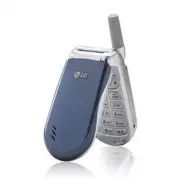
12 13 VX3200 VX3200 P h o n e O v e r P h o n e O v e r v i e w v i e w 1. Earpiece 2. Flip Flip open the case to answer an incoming call and close to end the call. 3. LCD Screen Displays messages and indicator icons. 4. Speakerphone Key Use to set the Speaker Phone Mode. 5. Left Soft Key Use to dis...
Page 9 - Tools; Press Left Soft Key; Menu
15 VX3200 14 VX3200 M e n u s O v e r M e n u s O v e r v i e w v i e w Tools 1. Schedule2. Alarm Clock 1. Alarm 12. Alarm 23. Alarm 34. Quick Alarm 3. Voice Memo4. Notepad5. EZ Tip Calc6. Calculator7. World Clock Settings 1. Sounds 1. Ringers2. Key Tone3. Volume4. Alerts5. Power On/Off Tone6. DTMF ...
Page 10 - The Battery; LOW BATTERY; Turning the Phone On and Off; NOTE: Like any other radio device, avoid any unnecessary; Getting Y
17 VX3200 16 VX3200 The Battery The phone comes with a rechargeable battery. Keep the batterycharged while not in use in order to maximize talk and standbytime. The battery charge level is shown at the top of the LCDscreen. Installing the Battery To install the battery, insert the battery into the o...
Page 11 - Making Calls; Call Failed; Receiving Calls; NOTE: If you press or the side keys while the phone is; Description
19 VX3200 Making Calls 1. Make sure the phone is turned on. If not, press for about 3 seconds. 2. Enter the phone number (include the area code if needed). 3. Press . lf the phone is locked, enter the lock code. Call Failed - indicates the call did not go through. Restricted - indicates outgoing cal...
Page 12 - Mute Function; Mute; Volume Quick Adjustment; NOTE: Key beep volume is adjusted through the Menu.; Quick Access to Convenient Featur; Manner Mode; Unlock; NOTE: The lock code/password is the last 4 digits of your phone
21 VX3200 20 VX3200 Mute Function The Mute function prevents the other party from hearing yourvoice, but allows you to hear the other party. Mute Quick Activation 1. Press Left Soft Key Mute during a call. Mute Quick Cancellation 1. Press Left Soft Key again. Volume Quick Adjustment Use the side key...
Page 13 - Speed Dialing; Dialing Speed Dials from 2 to 9; Voice Dialing; Call Waiting
23 VX3200 22 VX3200 Speed Dialing Speed dialing is a convenient feature that allows you to makephone calls quickly and easily with a few keystrokes. Your phonerecalls the number from your Contacts, displays it briefly, andthen dials it. Speed Dial Number 1 is assigned to Voice Mail bydefault, but yo...
Page 14 - Text Input Modes; Symbols Mode; Changing Letter Case; Entering and Editing Infor; Text Input; Key Functions; Shift; T9 text; Next
25 VX3200 24 VX3200 Text Input Modes There are five modes for entering text, numbers, specialcharacters, and punctuation. In a text entry field, pressing RightSoft Key (or Left Soft Key ) displays a pop-up list of text modes. T9Word (T9) Mode Use to type text using one keystroke per letter. The phon...
Page 15 - Text Input Examples; Using T9 Mode Text Input
27 VX3200 26 VX3200 Using the NEXT Key After you have finished entering a word, if the word displayedis not the one you want, press to display additional choices of words from the database. 1. Press . Good is displayed. 2. Press . The display gives you additional choices such as: Home , Gone , Hood ...
Page 16 - Contacts Entries; The Basics of Storing Contacts Entries
29 VX3200 28 VX3200 6. Continue saving the entry as a Speed Dial, press to select Speed Dial. 7. Enter a Speed Dial digit (e.g., 2) Use the keypad and press or Use to highlight the Speed Dial location and press . 8. Continue saving the entry to have Voice Dial access use to highlight Voice Dial and ...
Page 17 - Changing the Call Ringer; Default Ringer; Changing the Message Ringer; Default Text Msg Ringer; Contacts in Y; Options to Customize Your Contacts; Adding or Changing the Group; No Group
31 VX3200 30 VX3200 Changing the Call Ringer Allows you to identify who is calling by setting different ringersfor different phone numbers in your Contacts. It is automaticallyset to the default ringer when the Contact is saved. 1. Press Right Soft Key ( ) Contacts and use to highlight an entry, the...
Page 18 - Adding Speed Dial; Speed Dial; Adding Voice Dial; Voice Dial; Adding or Changing the Memo; Memo; Adding or Changing the Picture ID; Default
33 VX3200 32 VX3200 Adding Speed Dial 1. Press Right Soft Key ( ) Contacts and use to highlight an entry , then press . 2. Press Left Soft Key Edit . 3. Use to highlight the phone number you want to set with a Speed Dial and press . 4. Press to select Speed Dial and press . 5. Enter a Speed Dial dig...
Page 19 - Default Numbers; Changing the Default Number; Editing Stored Phone Numbers; NOTE: The Default Number cannot be deleted by itself. The entire; Editing Contacts Entries; Adding Another Phone Number; From the Main Menu Screen
35 VX3200 34 VX3200 Default Numbers The phone number saved when a Contact is created is theDefault Number. If more than one number is saved in a Contactentry, another number can be saved as the Default Number. Changing the Default Number 1. From Main Menu Screen, press Right Soft Key Contacts . Your...
Page 20 - Deleting; Deleting a Phone Number from a Contact; Editing Stored Names
37 VX3200 36 VX3200 Deleting Deleting a Phone Number from a Contact 1. Press Right Soft Key Contacts . 2. Use to highlight the Contact entry, then press . 3. Press Left Soft Key Edit . 4. Use to highlight the phone number to be deleted. 5. Press Right Soft Key Options . 6. Press Erase Number . 7. Pr...
Page 21 - Phone Numbers With Pauses; Storing a Number With Pauses; Deleting a Speed Dial
39 VX3200 38 VX3200 Phone Numbers With Pauses When you call automated systems such as voice mail or creditbilling numbers, you often have to enter a series of numbers.Instead of entering these numbers by hand, you can store thenumbers in your Contacts separated by special pausecharacters (P, T). The...
Page 22 - Searching Your Phone’s Memory; Scrolling Through Your Contacts; Adding a Pause to an Existing Number
41 VX3200 40 VX3200 Searching Your Phone’s Memory The VX3200 phone is able to perform a dynamic search of thecontents in your phone’s memory. A dynamic search comparesentered letters or numbers against the entries in your Contacts.A matching list is displayed in descending order. You can thenselect ...
Page 23 - Making a Call From Your Phone’s Memory; From Contacts; Searching Options
43 VX3200 42 VX3200 Making a Call From Your Phone’s Memory Once you have stored phone numbers into your Contacts, youcan place calls to those numbers quickly and easily. ● Pressing after you’ve searched for a phone number in Contacts or Recent Calls. ● Using Speed Dialing ● Using Voice Dialing From ...
Page 24 - Access and Options; U s i n g P h o n e M e n u s; Menu Access; NOTE: Press to cancel without saving.
45 VX3200 44 VX3200 Contacts (Menu ) The Contacts Menu allows you to store names, phone numbersand other information in your phone’s memory. When youaccess your Contacts, the number in parenthesis represents thenumber of entries you have stored (up to 299). Access and Options 1. Press Left Soft Key ...
Page 26 - NOTE: Recordings should be made in a normal use position; New
49 VX3200 48 VX3200 My VCard (Menu ) Allows you to enter your own virtual business card to be usedin text messages. 1. Press , , . 2. Use to select the feature you want to edit and press . 3. Edit the information as necessary. NOTE: Recordings should be made in a normal use position (speaker by your...
Page 27 - Received Calls (Menu; NOTE: To view a quick list of all your recent calls, press from
51 VX3200 50 VX3200 Dialed Calls (Menu ) Allows you to view the list of outgoing calls; up to 30 entries. 1. Press , , . 2. Use to highlight an entry, then ● Press to view the entry. ● Press to place a call to the number. ● Press Right Soft Key Options to select: Save / Send Msg. / Prepend / Erase /...
Page 28 - New Message Alert; Urgent message
52 VX3200 53 VX3200 Messages (Menu ) Text messages, pages, and the voice mail box become availableas soon as the phone is powered on. ● Check types of messages by pressing the message key . ● Make a call to the callback number by pressing during a message check. ● Read and edit messages saved in the...
Page 30 - Customizing the Text Message using options
57 VX3200 56 VX3200 Using contacts to send a Text Message You can designate an entry saved in your Contacts as Address 1instead of manually entering the destination. 1. Press , , . 2. Press Left Soft Key Contacts . 3. Select Contacts / Recent Call then press . 4. Use to highlight the Contact entry c...
Page 31 - Message Icon Reference; Text Options; Icons
59 VX3200 58 VX3200 Message Icon Reference Inbox (Menu ) The phone alerts you in 3 ways when you receive a newmessage: ● By displaying a message notification on the screen. ● By sounding a beep, vibrating or sound, if set. ● By blinking . (Only when you get a urgent message) Received text messages, ...
Page 32 - Out of Memory Warning; Reply
61 VX3200 60 VX3200 Save Object Saves animations and sounds to be usedas wallpaper or ring tone. Save Quick-Text Saves the message into the Quick-Text list. Save Message Saves Inbox message into the Saved Folder. Lock/Unlock Locks or unlocks the selected message.Locked messages can not be deleted by...
Page 34 - Message Settings Sub-Menu Descriptions
65 VX3200 64 VX3200 Quick-Text (Menu ) Allows you to display, edit, and add text phrases. These textstrings allow you to reduce manual text input into messages. Auto Play (Menu ) Display automatically scrolls down while viewing messages. Erase All (Menu ) Allows you to erase all text messages stored...
Page 36 - Set As Contacts / Set As Caller ID / Set As No Caller ID / Set As
69 VX3200 68 VX3200 Tools (Menu ) Your phone tools include a Schedule, Alarm Clock, Voice Memo, Notepad, Ez Tip Calc, Calculator, and World Clock. Access and Options 1. Press Left Soft Key Menu . 2. Press Tools . 3. Select a sub-menu. ● Schedule ● Alarm Clock ● Voice Memo ● Notepad ● Ez Tip Calc ● C...
Page 37 - Alarm 1; NOTE: Scheduler will not alert you during a call or during SMS
71 VX3200 70 VX3200 1. Press , , . 2. Select the alarm you want to edit. Alarm 1 / Alarm 2 / Alarm 3 / Quick Alarm 3. Use to highlight the alarm time then press . 4. Set the time for alarm and press . 5. Use to highlight Once (recurring setting) and press . 6. Press to select one of the following an...
Page 38 - NOTE: Calculations can be made with up to 29 characters at one
73 VX3200 72 VX3200 Settings (Menu ) The Setup menu has options to customize your phone. Access and Options 1. Press Left Soft Key Menu . 2. Press Settings . 3. Select a sub-menu. ● Sounds ● Display ● System ● Security ● Call Setup ● Data Settings ● Voice Services ● Location ● Phone Info U s i n g P...
Page 39 - NOTE: Additional Ringers (Ring Tones) can be downloaded by
75 VX3200 74 VX3200 Alerts (Menu ) Allows you to set any of the four Alert options to either On or Off . 1. Press , , , . 2. Select an alert option. Service Change (Menu ) Alerts you when service changes. When you enter aservice area, the phone displays Entering Service Area message. When you leave ...
Page 40 - Display; Timer Options
77 VX3200 76 VX3200 Display (Menu ) Options to customize the phone’s display screen. Banner (Menu ) Allows you to enter a string of up to 16 characters which displayon the LCD screen. 1. Press , , , . 2. Enter you banner text then press . Backlight (Menu ) Allows you to set the duration for illumina...
Page 41 - Calling Digits (Menu; Brightness
79 VX3200 78 VX3200 Clocks (Menu ) Allows you to choose the kind of clock to be displayed on theLCD screen. 1. Press , , , . 2. Select Normal / Analog / Digital then press Left Soft Key Save . Theme Colors (Menu ) Allows you to choose the color of the background screen. 1. Press , , , . 2. Select De...
Page 42 - Serving System (Menu
81 VX3200 80 VX3200 System (Menu ) The System menu allows you to designate specific systemnetwork settings. Select System (Menu ) Allows you to set up the phone producer’s managementenvironment. Leave this setting as the default unless you wantto alter system selection as instructed by your service ...
Page 44 - Erase Contacts (Menu
85 VX3200 84 VX3200 Answer Call (Menu ) Allows you to determine how to initiate an answered call. 1. Press , , , . 2. Select Flip Open / Any Key / SEND Only then press . Auto-Answer (Menu ) Allows you to select the number of rings before the phoneautomatically answers a call. This feature is intende...
Page 46 - My Phone Number (Menu; Voice Services (Menu; Voice Dial Prompt (Menu; Location On; NOTE: GPS satellite signals are not always transmitted,
89 VX3200 88 VX3200 Phone Info (Menu ) The Phone Info menu provides you with specific informationpertaining to your phone model. My Phone Number (Menu ) Allows you to view your phone number. 1. Press , , , . S/W Version (Menu ) Allows you to view the software, PRL, ERI. 1. Press , , , . Icon Glossar...
Page 47 - TIA Safety Infor mation
91 VX3200 90 VX3200 Phone Operation NORMAL POSITION: Hold the phone as you would any other telephone with the antenna pointed up and over your shoulder. Tips on Efficient Operation For your phone to operate most efficiently: Do not touch the antenna unnecessarily when the phone is in use.Contact wit...
Page 49 - Safety Infor mation; S a f e t y; Charger and Adapter Safety
95 VX3200 94 VX3200 Safety Infor mation Please read and observe the following information for safe andproper use of your phone and to prevent damage. Also, keep theuser’s guide in an accessible place at all the times after reading it. Explosion, Shock, and Fire Hazards ● Make sure that no sharp-edge...
Page 50 - General War nings and Cautions
97 VX3200 96 VX3200 ● Do not place items containing magnetic components such as a credit card, phone card, bank book or subway ticket near your phone. The magnetism of the phone may damage the data stored in the magnetic strip. ● Do not hold or let the antenna come in contact with your body during a...
Page 51 - FDA Consumer Update; Do wireless phones pose a health hazard?
99 VX3200 98 VX3200 ● Support needed research into possible biological effects of RFof the type emitted by wireless phones; ● Design wireless phones in a way that minimizes any RF exposureto the user that is not necessary for device function; and ● Cooperate in providing users of wireless phones wit...
Page 52 - The FDA has been a leading participant in the World Health
101 VX3200 100 VX3200 possible association between the use of wireless phones andprimary brain cancer, glioma, meningioma, or acoustic neuroma,tumors of the brain or salivary gland, leukemia, or other cancers.None of the studies demonstrated the existence of any harmfulhealth effects from wireless p...
Page 54 - Where can I find additional information?; What about children using wireless phones?; based on scientific evidence that any health hazard exists.; What about wireless phone interference with medical
105 VX3200 104 VX3200 sponsored by the Institute of Electrical and Electronic Engineers(IEEE). This standard specifies test methods and performancerequirements for hearing aids and wireless phones so that nointerference occurs when a person uses a “compatible” phone anda “compatible” hearing aid at ...
Page 55 - 0 Driver Safety Tips
6. Dial sensibly and assess the traffic; if possible, place calls when you are not moving or before pulling into traffic. Try to plan your calls before you begin your trip or attempt to coincide your calls with times you may be stopped at a stop sign, red light or otherwise stationary. But if you ne...
Page 56 - Consumer Infor mation on SAR
109 VX3200 108 VX3200 The highest SAR value for this model phone when tested for use at the ear is 1.17 W/kg and when worn on the body, as described in this user guide, is 0.914 W/kg (body-worn measurements differ among phone models, depending upon available accessories and FCC requirements). While ...
Page 57 - NOTE: It operates in vibration/no sound mode on; A c c e s s o r i e s
111 VX3200 110 VX3200 Headset The headset connects to your phone allowing hands-free operation. It includes earpiece, microphone. USB Converter Cable Connects your phone to your PC. Battery Pack Charger The battery pack charger allows you to charge the battery pack itself without the phone. It can c...
Page 60 - World Clock 72; I n d e x
R Received Calls 19, 51Recent Calls 50Reset Default 84Restrict 83Ringers 74 S S/W Version 89Safety Information 95Saved 62Schedule 70Screen Icons 18Screens 78Searching Your PhoneMemory 41Security 82Select System 81Serving System 81Set NAM 81Settings 73Shortcut Help 89Signal Strength 17Signature 64Sma...
Page 64 - Teclado de 18 teclas.
7 VX3200 6 VX3200 Seguridad . . . . . . . . . . . . . . . . . . . . . . . . . . . . . . . . . . 90 Información de seguridad de la TIA . . . . . . . . . . . . . . . . . . . . . . 90 Exposición a las señales de radiofrecuencia . . . . . . . . . . . . 90 Cuidado de la antena . . . . . . . . . . . . . ....
Page 65 - Información importante; Cumplimiento de clase B según el artículo 15 de la FCC; Estándar de CDMA; Institución designada
9 VX3200 8 VX3200 Información importante Esta guía del usuario contiene información importante acercadel uso y funcionamiento del teléfono. Lea toda la informacióncon cuidado antes de usar el teléfono para obtener undesempeño óptimo y evitar cualquier daño o mal uso delaparato. Cualquier cambio o mo...
Page 67 - Tecla de altavoz Úsela para fijar el Modo de altavoz.; Utilice para el
12 13 VX3200 VX3200 Descripción general del teléfono Descripción general del teléfono 1. Audífono 2. Tapa Abra la tapa para contestar una llamada entrante y ciérrela para terminar la llamada. 3. Pantalla de cristal líquido Muestra mensajes e iconos indicadores. 4. Tecla de altavoz Úsela para fijar e...
Page 68 - Aparato; desactivación; Contactos; Mensajes; Configuraciones de mensaje; Media; Oprima la tecla suave izquierda; Menú; Presione
15 VX3200 14 VX3200 Descripción general de los menús Descripción general de los menús Aparato 1. Plan2. Alarma de reloj 1. Alarma 12. Alarma 23. Alarma 34. Alarma rápida 3. Memo Vocal4. Nota5. Ez Sugerencia6. Calculadora7. Reloj universal Ambiente 1. Sonidos 1. Timbres2. Tono de tecla3. Volumen4. Al...
Page 69 - NOTA: Es importante cargar completamente la batería antes de usar; ¡ADVERTENCIA DE BATERÍA BAJA!; innecesario con la antena cuando el teléfono esté encendido.; Para hacer funcionar su teléfono por primera vez
17 VX3200 16 VX3200 La batería El teléfono viene con una batería recargable. Conserve cargadala batería cuando no use el teléfono, para mantener al máximoel tiempo de llamada y de espera. El nivel de carga de la bateríase muestra en la parte superior de la pantalla de cristal líquido. Instalación de...
Page 70 - Hacer llamadas; Llamada fallida; Recibir llamadas; NOTA: Si presiona o las teclas laterales, cuando el teléfono está; Descripción; Icono; Indicador digital. Servicio digital disponible.
19 VX3200 Hacer llamadas 1. Cerciórese de que el teléfono esté encendido. En casocontrario, presione . 2. Introduzca el número de teléfono (incluya el código de área si fuera necesario). 3. Oprima . Si el teléfono está bloqueado, introduzca el código de bloqueo. Llamada fallida - indica que la llama...
Page 71 - Función de Mudo; Mudo; Ajuste rápido del volumen; NOTA: El volumen del sonido de las teclas se ajusta por medio; Acceso rápido a funciones prácticas; Modo de bloqueo; Desbloq; NOTA: El código de bloqueo o contraseña son las 4 últimas cifras
21 VX3200 20 VX3200 Función de Mudo La función de silencio impide que la otra persona escuche lavoz de usted, pero le permite a usted escuchar a la otrapersona. Activación rápida del silencio 1. Presione la tecla suave izquierda Mudo durante una llamada. Cancelación rápida del silencio 1. Oprima otr...
Page 72 - Marcado rápido; Marcados rápidos del 2 al 9; Marcado por voz; Llamada en espera
23 VX3200 22 VX3200 Marcado rápido El marcado rápido es una práctica función que le permite hacerllamadas telefónicas de manera rápida y fácil con solo tocarunas pocas teclas. Su teléfono recuerda el número de susContactos, lo muestra brevemente y lo marca. El número 1 demarcado rápido siempre es pa...
Page 73 - Modos de introducción de texto; Modo de Símbolos; Cambiar a mayúsculas o minúsculas; Intr; Introducción de texto; Funciones de las teclas; Abc
25 VX3200 24 VX3200 Modos de introducción de texto Hay cinco modos de introducir texto, números, caracteresespeciales y signos de puntuación. En un campo de entrada detexto, al oprimir la Tecla suave derecha ( o Tecla suave izquierda ) aparece una lista emergente de modos de texto. Modo PalabraT9 (T...
Page 74 - Uso de la tecla SIG; Home; Agregar palabras a la base de datos T9; Ejemplos de introducción de texto; Uso de la entrada de texto Abc (Multi toques); Ball vie office
27 VX3200 26 VX3200 Uso de la tecla SIG Cuando haya terminado de introducir una palabra, si la palabraque aparece no es la que usted desea, presione para mostrar otras opciones de palabras de la base de datos. 1. Presione . Aparece Home . 2. Presione . La pantalla le da opciones adicionales tales co...
Page 75 - Entradas de contactos
29 VX3200 28 VX3200 6. Siga guardando la entrada como Marcación Rápida, presione para seleccionar Marcación Rápida. 7. Introduzca un dígito de Marcación Rápida (p. ej. 2) Use el teclado y presione o bien Use para resaltar la ubicación de Marcación Rápida y presione . 8. Siga guardando la entrada par...
Page 76 - Cambiar el timbre de llamada; Implicito Timbre; Cambiar el timbre de mensaje; Contactos en la memoria del teléfono; Opciones para personalizar sus contactos; Agregar o cambiar el grupo; No Grupo; NOTA: Puede cambiar el nombre del grupo, y agregar o borrar
31 VX3200 30 VX3200 Cambiar el timbre de llamada Le permite identificar quién está llamando configurandotimbres distintos para distintos números de teléfono de susContactos. El timbre predeterminado se fija automáticamentecuando se guarda el Contacto. 1. Oprima la Tecla suave derecha ( ) Contactos y...
Page 77 - Agregar marcado rápido; Marcacion Rápida; Agregar marcado por voz; Marca De la Voz; OK; Agregar o cambiar el memorándum; Agregar o cambiar la imagen de identificación; Implicito
33 VX3200 32 VX3200 Agregar marcado rápido 1. Oprima la Tecla suave derecha ( ) Contactos y use para resaltar una entrada, luego oprima . 2. Presione la tecla suave izquierda Modific. . 3. Use para resaltar el número de teléfono para el que quiere configurar un Marcacion rápido y presione . 4. Presi...
Page 78 - Números predeterminados; Cambiar el número predeterminado; para resaltar el número de teléfono que desea fijar como; Opcion; Editar números telefónicos almacenados; NOTA: El Número predeterminado no puede eliminarse solo. Se puede; Modificar entradas de contactos; Agregar otro número de teléfono; Desde la pantalla del menú principal; Mediante los contactos
35 VX3200 34 VX3200 Números predeterminados El número de teléfono guardado cuando se crea un Contacto es elnúmero predeterminado. Si se guarda más de un número en la entradade un Contacto, se puede guardar otro número como predeterminado. Cambiar el número predeterminado 1. Desde modo de espera, pre...
Page 79 - Borrar; Borrado de un número de teléfono de un contacto; Modificar números almacenados
37 VX3200 36 VX3200 Borrar Borrado de un número de teléfono de un contacto 1. Oprima la Tecla suave derecha Contactos . 2. Use para resaltar la entrada del contacto y presione . 3. Presione la tecla suave izquierda Modific. . 4. Use para resaltar el número telefónico que va a borrar. 5. Oprima la Te...
Page 80 - Números de teléfono con pausas; Almacenar un número con pausas; Borrar un marcado rápido
39 VX3200 38 VX3200 Números de teléfono con pausas Al llamar a sistemas automatizados como son los de correo devoz o de facturación de crédito, con frecuencia tiene queintroducir una serie de números. En lugar de introducir esosnúmeros a mano, puede almacenarlos en sus Contactos,separados por caract...
Page 81 - Búsqueda en la memoria del teléfono; Desplazamiento por sus contactos; Agregar una pausa a un número ya existente
41 VX3200 40 VX3200 Búsqueda en la memoria del teléfono El teléfono VX3200 puede llevar a cabo una búsqueda dinámicadel contenido de su memoria. La búsqueda dinámica comparalas letras o números introducidos con las entradas de susContactos. Se muestra una lista de coincidencias en ordendescendente. ...
Page 82 - Hacer llamadas desde la memoria del teléfono; Desde Contactos; Opciones de búsqueda
43 VX3200 42 VX3200 Hacer llamadas desde la memoria del teléfono Una vez que haya almacenado números de teléfono en susContactos, puede llamar a esos números de manera rápida ysencilla. ● Presionando después de haber buscado un número de teléfono en Contactos o en Llamadas recientes. ● Con Marcado r...
Page 83 - Acceso y opciones; Uso de los menús del teléfono; Acceso al menú; NOTA: Presione para cancelar sin guardar
45 VX3200 44 VX3200 Contactos (Menú ) El Menú de contactos le permite almacenar nombres, númerosde teléfono y otros datos en la memoria de su teléfono. Alentrar a sus Contactos, el número en paréntesis representa elnúmero de entradas que ha almacenado (hasta 299). Acceso y opciones 1. Oprima la tecl...
Page 84 - Lista de Contactos (Menú
47 VX3200 46 VX3200 Nuevo E-mail (Menú ) Le permite guardar una nueva dirección de correo electrónico. 1. Presione , , . 2. Introduzca la dirección de correo electrónico y oprima . 3. Introduzca el nombre y presione . 4. Siga guardando la entrada según lo necesite. Grupos (Menú ) Le permite ver sus ...
Page 85 - Marcaciones Rápidas (Menú
49 VX3200 48 VX3200 Mi tarjeta V (Menú ) Le permite introducir su propia tarjeta de visita virtual en losmensajes de texto. 1. Presione , , . 2. Use eleccione la característica que desea editar resaltándola y presionando . 3. Modifique la información según sea necesario. NOTA: Las grabaciones deben ...
Page 86 - NOTA: Para ver una lista rápida de todas sus llamadas recientes,
51 VX3200 50 VX3200 Llam. saliente (Menú ) Le permite ver la lista de llamadas que ha hecho, puede tenerhasta 30 entradas. 1. Presione , , . 2. Use para resaltar una entrada y luego ● Presione para ver la entrada. ● Presione para llamar a ese número. ● Oprima la Tecla suave derecha Opcion para selec...
Page 87 - Aviso de mensaje nuevo; NOTA: Si recibe el mismo mensaje dos veces, su teléfono borrará; Contador de KB (Menú
52 VX3200 53 VX3200 Mensajes (Menú ) Los mensajes de texto, los mensajes de localizador y el buzónde correo de voz están disponibles en cuanto se enciende elteléfono. ● Compruebe los tipos de mensajes presionando la tecla demensajes . ● Haga una llamada al número de devolución de llamadapresionando ...
Page 89 - Personalización de los mensajes con las opciones; Noticia de entrega Informa que el mensaje ha sido entregado
57 VX3200 56 VX3200 Uso de los contactos para enviar un mensaje Puede designar una entrada guardada en Contactos comoDirección 1 en lugar de introducir el destino manualmente. 1. Presione , , . 2. Oprima la Tecla suave derecha Contactos . 3. Seleccione Contactos / Lista Llam y presione . 4. Use para...
Page 90 - Opciones de texto; Insertar texto rápido Inserta frases predefinidas.; Iconos; Pendiente
59 VX3200 58 VX3200 Message Icon Reference Entrada (Menú ) El teléfono le avisa de 3 formas cuando recibe un mensajenuevo: ● Mostrando una notificación de mensaje en pantalla. ● Haciendo un sonido o vibrando, si así lo ha configurado. ● Haciendo parpadear . (Sólo cuando recibe un mensaje urgente.) S...
Page 91 - Reenviar; Advertencia de memoria agotada; Respond; Bloquear/Desbloquear Bloquea un mensaje de modo que no se
61 VX3200 60 VX3200 de correo electrónico y los números delos datos del usuario incluidos en elmensaje recibido. Guardar objeto Guarda las imágenes, animaciones,sonidos, melodías y objetos de vcard enMi carpeta y Contactos permitiéndoleusar el Papel tapiz y el Tono de timbre. Guardar texto rápido Gu...
Page 92 - Guardar dirección; Resumir
63 VX3200 62 VX3200 Configuraciones de mensaje (Menú ) Le permite configurar diez valores para los mensajes recibidos. 1. Presione , , . 2. Use para resaltar uno de los valores y presione para seleccionarlo. Autoguardar Autoguardar / Preguntar / No guardar Autoborrar Encendido / Apagarse Llame al # ...
Page 93 - Reporduccion automatica (Menú; Descripciones de submenús de configuración de mensajes
65 VX3200 64 VX3200 texto rápido (Menú ) Le permite mostrar, modificar y agregar frases de texto. Éstascadenas de texto le permiten reducir la introducción manual detexto en los mensajes. Reporduccion automatica (Menú ) La pantalla se desplaza hacia abajo automáticamente cuando seven mensajes. Borra...
Page 95 - Mis Animaciones (Menú; adicionales visitando
69 VX3200 68 VX3200 Aparato (Menú ) Las herramientas del teléfono incluyen un Plan, Alarma de reloj, Memo Vocal, Nota, Ez Sugerencia, Calculadora y Reloj universal. Acceso y opciones 1. Oprima la tecla suave izquierda Menú . 2. Presione Aparato . 3. Seleccione un submenú. ● Plan ● Alarma de reloj ● ...
Page 96 - Inf sobre memoria Muestra la información de memoria; Alarma de reloj (Menú; NOTA: Si el SMS se está enviando durante una llamada o el
71 VX3200 70 VX3200 1. Presione , , . 2. Seleccione la alarma que desea modificar: Alarma 1 / Alarma 2 / Alarma 3 / Alarma rápida 3. Fije la hora de la alarma y oprima Aceptar . 4. Fije la hora de la alarma y oprima la Tecla suave izquierda Guardar . 5. Use para resaltar Una vez (configuración recur...
Page 97 - Reloj universal (Menú; NOTA: Se pueden hacer cálculos con hasta 32 caracteres de una
73 VX3200 72 VX3200 Ambiente (Menú ) El menú de Configuración tiene opciones parapersonalizar el teléfono. Acceso y opciones 1. Oprima la tecla suave izquierda Menú . 2. Presione Ambiente . 3. Seleccione un submenú. ● Sonidos ● Mostrar ● Sistema ● Seguridad ● Funciones ● Configuración de datos ● Mar...
Page 98 - Seleccione; Timbre
75 VX3200 74 VX3200 Alertas (Menú ) Le permite configurar como Encendido o Apagado cualquiera de las cuatro opciones de Aviso. 1. Presione , , , . 2. Seleccione una opción de aviso. Cambiar de servicio (Menú ) Le avisa cuando cambia el servicio. Al entrar a un área deservicio, el teléfono muestra el...
Page 99 - Mostrar; Iluminación de fondo (Menú; segundos; NOTA: Frecuencia múltiple de tono dual (DTMF) Señales mediante
77 VX3200 76 VX3200 Mostrar (Menú ) Opciones para personalizar la pantalla del teléfono. Banner (Menú ) Le permite introducir una cadena de hasta 16 caracteres que semuestran en la pantalla de cristal líquido. 1. Presione , , , . 2. Introduzca el texto de la pancarta y presione . Iluminación de fond...
Page 100 - Brillo
79 VX3200 78 VX3200 Relojes (Menú ) Le permite seleccionar el tipo de reloj que se muestra en elteléfono. 1. Presione , , , . 2. Seleccione Normal / Analógico / Digital y luego oprima la Tecla suave izquierda Guardar . Colores de tema (Menú ) Le permite elegir el color de la pantalla de fondo. 1. Pr...
Page 101 - Seleccione Sistema (Menú; Editor de texto (Menú
81 VX3200 80 VX3200 Sistema (Menú ) El menú Sistema le permite designar configuraciones específicasde red del sistema. Seleccione Sistema (Menú ) Le permite configurar el entorno de administración delproductor del teléfono. Deje esta configuración comopredeterminada a menos que desee alterar la sele...
Page 102 - Cambiar Código (Menú; Cambiar Código; Al encender el teléfono El teléfono está bloqueado al
83 VX3200 82 VX3200 Restringir (Menú ) Le permite restringir las llamadas que se hacen. Si configura estafunción como Encendido , sólo puede hacer llamadas a números de emergencia y números almacenados en sus Contactos. Enmodo restringido podrá seguir recibiendo llamadas. 1. Presione , , . 2. Introd...
Page 103 - Abrir; y oprima
85 VX3200 84 VX3200 Respuesta de llamada (Menú ) Le permite determinar cómo iniciar una llamada contestada. 1. Presione , , , . 2. Seleccione Abrir / Cualquier tecla / Sólo SEND y oprima . Auto Respuesta automát (Menú ) Le permite seleccionar el número de timbrazos antes de que elteléfono responda a...
Page 104 - Configuración de datos (Menú; Conexión al PC (Menú; Privacidad de voz (Menú
87 VX3200 86 VX3200 Configuración de datos (Menú ) Este menú le permite usar servicios de comunicación de datosinalámbricos. Los servicios de comunicación de datos inalámbricosse refieren a la utilización de terminales de suscriptor para entrar aInternet con computadoras personales o portátiles a 19...
Page 105 - Marcaciones para voz (Menú; Indicador de marcado por voz (Menú
89 VX3200 88 VX3200 Info de tel (Menú ) El menú Información del teléfono le da información concretarespecto al modelo del teléfono. Mi # de tel (Menú ) Le permite ver su número de teléfono. 1. Presione , , , . S/W Versión (Menú ) Le permite ver la versión del software, PRL, ERI y navegador. 1. Presi...
Page 106 - S e g u r i d a d; Información de seguridad de la TIA; Lo que sigue es la Información completa de seguridad de la TIA
91 VX3200 90 VX3200 Funcionamiento del teléfono POSICIÓN NORMAL: Sostenga el teléfono como cualquier otroteléfono con la antena apuntando hacia arriba por sobre su hombro. Sugerencias para un funcionamiento más eficiente Para que su teléfono funcione con la máxima eficiencia:No toque la antena innec...
Page 108 - Información de seguridad; Explosión, descargas y riesgo de incendio; Seguridad del cargador y el adaptador
95 VX3200 94 VX3200 ● El uso intensivo de la luz trasera, el Mininavegador y los kits de conectividad de datos afectan la vida de la batería y los tiempos de espera y de llamada. Información de seguridad Lea y atienda la información siguiente para el uso seguro y adecuadode su teléfono y para evitar...
Page 109 - Adver tencias y precauciones generales
97 VX3200 96 VX3200 ● Nunca coloque el teléfono en un horno de microondas ya que esto haría que estallara la batería. Adver tencias y precauciones generales ● Sólo use baterías, antenas y cargadores proporcionados por LG. La garantía no se aplicará a productos proporcionados por otros proveedores. ●...
Page 110 - Actualización de la FDA para los consumidores; ¿Representan un riesgo para la salud los teléfonos
99 VX3200 98 VX3200 2. ¿Cuál es el papel de la FDA en cuanto a que losteléfonos inalámbricos sean seguros? Según las leyes, la FDA no comprueba la seguridad de los productospara el consumidor que emitan radiación antes de que puedanvenderse, como sí lo hace con los nuevos medicamentos odispositivos ...
Page 111 - límites de seguridad de la FCC.; Occupational Safety and Health Administration; ¿Qué tipos de teléfonos son el tema de esta actualización?
101 VX3200 100 VX3200 funcionan a niveles de potencia mucho menores y por tantoproducen exposiciones a RF que están muy por debajo de los límites de seguridad de la FCC. 4. ¿Cuáles son los resultados de la investigación que ya seha realizado? La investigación realizada hasta la fecha ha producido re...
Page 112 - modelo de teléfono que se usa.
103 VX3200 102 VX3200 necesidades de investigación que ha impulsado el establecimientode nuevos programas de investigación por todo el mundo. Elproyecto también ha ayudado a desarrollar una serie dedocumentos de información pública sobre temas de EMF. La FDA yla Asociación de Telecomunicaciones e In...
Page 113 - ¿Qué hay del uso de teléfonos inalámbricos por parte
105 VX3200 104 VX3200 9. ¿Qué pasos puedo dar para reducir mi exposición a laenergía de radiofrecuencia de mi teléfono inalámbrico? Si estos productos presentan un riesgo, cosa que en este momentono sabemos que ocurra, es probablemente muy pequeño. Pero si lepreocupa evitar incluso los riesgos poten...
Page 114 - ¿Dónde puedo hallar información adicional?
107 VX3200 106 VX3200 12. ¿Dónde puedo hallar información adicional? Para obtener información adicional, por favor consulte los recursossiguientes: Página Web de la FDA sobre teléfonos inalámbricos(http://www.fda.gov/cdrh/phones/index.html) Programa de seguridad de RF de la Comisión Federal deComuni...
Page 115 - 0 Consejos de Seguridad para Conductores
6. Marque con cuidado y observe el tráfico; si es posible, realice las llamadas cuando no esté circulando o antes de ponerse en circulación.Intente planificar sus llamadas antes de iniciar el viaje o intente que éstas coincidan con los momentos en los que esté parado en una señal de Stop, en un semá...
Page 116 - * En Estados Unidos y Canadá, el límite de SAR de los teléfonos; Información al consumidor sobre la SAR
según lo demanda la FCC para cada modelo. El valor SAR más altode este modelo de teléfono cuando se probó usándolo cerca deloído es de 1.17 W/kg y al usarlo en el cuerpo, como se describe enesta guía del usuario es de 0.914 W/kg (las mediciones de uso en elcuerpo difieren según los modelos de teléfo...
Page 117 - NOTA: Funciona en modo de vibración/sin sonido en; A c c e s o r i o s; El adaptador de CA le permite activar su
113 VX3200 112 VX3200 Diadema La diadema se conecta al teléfonopermitiendo un funcionamiento de manoslibres. Incluye auriculares, micrófono ybotón integrado de contestación/fin dellamada. Cable del Convertidor USB Conecta su teléfono con su computadorapersonal. Cargador de baterías El cargador de ba...
Page 119 - CÓMO OBTENER SERVICIO POR LA GARANTÍA:
10 Consejos de Seguridadpara Conductores 108 A Aeronaves 93Ajuste rápido del volumen 21Alarma de reloj 70Alertas 75Ambiente 73Animaciones 68Aparato 69Áreas de explosivos 93Auto Respuesta automát 85Auto Volumen 86Auto-NAM 81Autoborrar 64Autoguardar 64Ayuda de acceso directo 89 B Banner 77Bienvenidos ...


 LG A7110
User Manual
LG A7110
User Manual
 LG AX5000
User Manual
LG AX5000
User Manual
 LG C1300
User Manual
LG C1300
User Manual
 LG C1300A
User Manual
LG C1300A
User Manual
 LG C1300I
User Manual
LG C1300I
User Manual
 LG C1500
User Manual
LG C1500
User Manual
 LG C2000
User Manual
LG C2000
User Manual
 LG CB630
User Manual
LG CB630
User Manual
 LG CE500
User Manual
LG CE500
User Manual
 LG CF360
User Manual
LG CF360
User Manual
 LG CF360A
User Manual
LG CF360A
User Manual
 LG CG180
User Manual
LG CG180
User Manual
 LG CG225
User Manual
LG CG225
User Manual
 LG CG300
User Manual
LG CG300
User Manual
 LG CP150
User Manual
LG CP150
User Manual
 LG CU320
User Manual
LG CU320
User Manual
 LG CU400
User Manual
LG CU400
User Manual
 LG CU405
User Manual
LG CU405
User Manual
 LG CU500
User Manual
LG CU500
User Manual