LG LGUX245 - Manuals
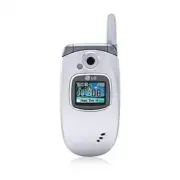
User Manual LG LGUX245


Summary
Getting to Know Your Phone Right Soft Key Power/ End Key OK Key Clear & Back Key Left Soft Key Microphone Navigation Key Camera Key Send Key Camera Volume Up/Down Charging Port Headset Jack Flash/Voice Command Key Camera Key Flash Speaker Vibrate Mode Key
Sending a vCard Save needless keystroking by sending contact information from your phone directly to another device’s address book wirelessly via Bluetooth. 1. From standby mode, press the Left Soft Key for Menu and select Contacts (1) . 2. Select My Name Card (5) . 3. Press the Right Soft Key for O...
Taking a Picture Take rich photos day or night using the VGA camera with flash. Then let everyone else in on the fun by sending them instantly to your favorite contacts. 1. To take a picture, press the Key. 2. Press left or right on the Navigation Key to adjust brightness. Press up or down for zoom....
LG Cell Phones Manuals
-
 LG A7110
User Manual
LG A7110
User Manual
-
 LG AX5000
User Manual
LG AX5000
User Manual
-
 LG C1300
User Manual
LG C1300
User Manual
-
 LG C1300A
User Manual
LG C1300A
User Manual
-
 LG C1300I
User Manual
LG C1300I
User Manual
-
 LG C1500
User Manual
LG C1500
User Manual
-
 LG C2000
User Manual
LG C2000
User Manual
-
 LG CB630
User Manual
LG CB630
User Manual
-
 LG CE500
User Manual
LG CE500
User Manual
-
 LG CF360
User Manual
LG CF360
User Manual
-
 LG CF360A
User Manual
LG CF360A
User Manual
-
 LG CG180
User Manual
LG CG180
User Manual
-
 LG CG225
User Manual
LG CG225
User Manual
-
 LG CG300
User Manual
LG CG300
User Manual
-
 LG CP150
User Manual
LG CP150
User Manual
-
 LG CU320
User Manual
LG CU320
User Manual
-
 LG CU400
User Manual
LG CU400
User Manual
-
 LG CU405
User Manual
LG CU405
User Manual
-
 LG CU500
User Manual
LG CU500
User Manual
-
LG CU500
Manual