Page 2 - ENG; Table of Contents
2 ENG Introduction 3 - Included in the package 3 Description of Parts 3 How to Use 4 - Power On / Power Off 4 - Charging 4 - Low Battery 4 - Battery Status Alert 4 - Pairing 5 - ANC - Ambient Noise Cancelling 6 - Multi-connection 7 - Auto Reconnect 8 - Calling 8 • Answering a Call 8 • Transferring a...
Page 3 - Included in the Package; The LG TONE ULTRA; Bluetooth; Introduction
3 ENG Included in the Package Headset The LG TONE ULTRA TM (HBS-800) is a lightweight wireless headset that uses Bluetooth technology. This product can be used as an audio accessory for devices supporting either the A2DP or Hands-Free Bluetooth Profile. Ear Gels (2 Sets) *Charger User Manual Introdu...
Page 4 - Charging; - While charging, the LED indicator will show a solid red light.; Low Battery; - A low battery alert will play once every 2 minutes.; How to Use; Battery Status Alert; battery level. There are 3 levels of battery power:
4 ENG Charging - When the charger is connected (with the power on or off) the headset will turn off. - While charging, the LED indicator will show a solid red light. - When charging is complete, the LED indicator will turn off. - When ANC is ON, the LED remains lit in violet and charging is not comp...
Page 5 - Pairing; - Before using the headset for the first time, you must pair it with a
5 ENG Pairing - Before using the headset for the first time, you must pair it with a Bluetooth -enabled device. - There are 2 pairing mode methods with the HBS-800. 1) Easy Pairing a) Slide the power switch to the ON position. b) If it is your first time pairing the device it will automatically ente...
Page 6 - ANC - Ambient Noise Cancelling; noise cancellation technology.; ) Precautions when using Ambient Noise Cancelling; warning signals or alarms.
6 ENG How to Use ANC - Ambient Noise Cancelling Ambient Noise Cancelling is new technology that reduces ambient noise in a noisy environment. It provides a better listening experience to you. 1) Performance Ambient Noise Cancelling actively reduces more background noise than any other noise cancella...
Page 7 - Advanced Multipoint; Calling Function; - To end both calls briefly press the CALL button.
7 ENG Multi-connection Advanced Multipoint The HBS-800 is capable of having two devices connected to the headset at the same time. This will give you the freedom of using call waiting between calls on both of your connected phones. Connection 1. Pair the headset with one of your Bluetooth -enabled p...
Page 8 - Calling; - When there is an incoming call, the headset will ring and vibrate.; Transferring a Call; the voice dialing tag through your headset.; Last Number Redial; The headset will beep and then call the last number dialed.; Auto Reconnect; from the list of devices in the; Out of Range
8 ENG How to Use Calling Answering a Call - When there is an incoming call, the headset will ring and vibrate. - Briefly press the VOLUME DOWN button to stop vibration. - Briefly press the CALL button to answer the incoming call. Transferring a Call - If you make a call from the phone, the call will...
Page 9 - Volume Control; - There are 8 levels of speaker volume in Audio Streaming mode.; Audio Streaming Controls; to the original call.
9 ENG Volume Control - Press the VOLUME UP or VOLUME DOWN button to adjust the speaker volume. - There are 8 levels of speaker volume in Hands-Free mode. - There are 8 levels of speaker volume in Audio Streaming mode. Audio Streaming Controls Play - Briefly press the PLAY/PAUSE/STOP Button. Pause - ...
Page 10 - SMS Reader; device to use this function.; aptX; technology that ensures audio content transmitted; Fast Forward; - Press and hold the FAST FORWARD button.; Rewind; - While playing music, press and hold the VOLUME UP and VOLUME DOWN
10 ENG SMS Reader The HBS-800 Bluetooth headset supports SMS reading on Android TM based devices. In Google Play™ search for the LG BT Reader Plus application and install it on your device to use this function. * The QR code shown here helps you download the LG BT Reader Plus application from Google...
Page 11 - Summary of Button Functions
11 ENG Function HBS-800 Status Action Power on Power off Slide the power switch to the ON position. Power off Power on Slide the power switch to the OFF position. ANC on ANC off Power on/off Slide the ANC switch to the ON position. Slide the ANC Switch to the OFF position. Volume up Talking/Playing ...
Page 12 - LED Indicator
12 Function HBS-800 Status Action Operating Power on The blue LED light flickers 5 times. Power off The blue LED light flickers 5 times and then turns off. ANC on The solid violet LED light stays on. Pairing mode The solid blue LED light stays on. Headset / hands-free profile connected The blue LED ...
Page 13 - • Dispose of used batteries according to the instructions.; Specifications
13 ENG Item Description Bluetooth ® specification 3.0 (Headset / Hands-Free / A2DP Profiles) Battery Battery 3.7 V / 195 mAh Li-Polymer Talk Time Up to 10 hours Music play time Up to 10 hours Standby time Up to 500 hours ANC time(with power off or Standby) Up to 18 hoursANC time(with playing or talk...
Page 14 - Radio frequency exposure; This; Declaration of Confirmation
14 1. Radio frequency exposure This Bluetooth ® Stereo Headset HBS-800 is a radio transmitter and receiver. When in operation it communicates with a Bluetooth ® equipped mobile device by receiving and transmitting radio frequency (RF) electromagnetic fields (microwaves) in the frequency range 2.4 to...
Page 15 - Potentially explosive atmosphere; Battery information; or dealer for assistance.; Recycling the battery in your; headset; The battery in your; Additional Information
15 ENG 2. Potentially explosive atmosphere Turn off your electronic device when in any area with a potentially explosive atmosphere. Although this is uncommon, your electronic device could generate sparks. Sparks in such areas could cause an explosion or fire resulting in bodily injury or even death...
Page 17 - to get further information.; Avoiding hearing damage; • Limit the amount of time you use the headset at high volume.; Using headsets safely; Limited Warranty
17 Subject to the conditions of this Limited Warranty, LG Electronics warrants this product to be free from defects in design, material and workmanship at the time of its original purchase by a consumer, and for a subsequent period of one (1) year. Should your product need warranty service, please r...
Page 18 - MEMO
Page 19 - English; Français; Manuel d’utilisation; Casque stéréo
English Français Rév. 2.0 CA Tous droits réservés. LG Electronics Inc., 2014 Remarque : Afin de profiter de performances optimales du casque HBS-800 et d’éviter de l’endommager, lisez attentivement toute cette documentation avant de l’utiliser. Toute modification apportée à ce manuel pour corriger u...
Page 20 - FRA; Table des matières
2 FRA Introduction 3 - Contenu de l’emballage 3Description des pièces 3 Utilisation 4 - Mise sous tension/hors tension 4 - Charge 4 - Batterie faible 4 - Alerte d'état de la batterie 4 - Couplage 5 - ANC - Annulation du bruit ambiant 6 - Connexions multiples 7 - Reconnexion automatique 8 - Appel 8 •...
Page 21 - Contenu de l'emballage; Les écouteurs LG TONE ULTRA; technologie
3 FRA Contenu de l'emballage Écouteurs Les écouteurs LG TONE ULTRA TM (HBS-800) sont légers, sans fil et utilisent la technologie Bluetooth . Vous pouvez les utiliser comme accessoire audio pour des appareils compatibles avec les profils Bluetooth A2DP ou mains libres. Embouts (deux paires) *Chargeu...
Page 22 - Charge; Si vous chargez le produit hors de la plage de tension désignée,; Batterie faible; Utilisation; Alerte d'état de la batterie; niveaux de charge de la batterie :
4 FRA Charge - Les écouteurs s'éteignent lorsque le chargeur est branché (qu'il soit allumé ou non). - Pendant la charge, le voyant DEL est allumé en rouge et ne clignote pas. - Une fois la charge terminée, le voyant DEL s'éteint. - Lorsque la fonction ANC est activée, le voyant DEL demeure fixe en ...
Page 23 - Couplage; un appareil; ) Couplage simplifié; • Le voyant DEL sera bleu fixe.; ) Couplage manuel (couplage avec un autre téléphone ou nouveau; environ deux secondes.
5 FRA Couplage - Avant d'utiliser les écouteurs pour la première fois, vous devez les coupler avec un appareil Bluetooth . - Il existe deux méthodes de couplage avec les écouteurs HBS-800. 1) Couplage simplifié a) Glissez l'interrupteur en position ON.b) Si c'est la première fois que vous couplez l'...
Page 24 - ANC - Annulation du bruit ambiant; autre technologie de réduction du bruit.; du bruit ambiant; d'activer cette fonction dans un environnement silencieux.
6 FRA Utilisation ANC - Annulation du bruit ambiant L'annulation du bruit ambiant est une nouvelle technologie qui permet de réduire le bruit ambiant dans un environnement bruyant. Elle vous permet de profiter d'une meilleure expérience d'écoute. 1) Rendement L'annulation du bruit ambiant réduit act...
Page 25 - Connexions multiples; Appel en attente; une seconde pour basculer vers un appel entrant.
7 FRA Connexions multiples Multipoint avancé Les écouteurs HBS-800 peuvent être connectés à deux appareils simultanément. Cela vous permet de naviguer entre deux appels sur les téléphones auxquels ils sont connectés. Connexion 1. Couplez les écouteurs avec l'un de vos téléphones Bluetooth (suivez le...
Page 26 - Appel; - Lorsque vous recevez un appel, les écouteurs sonnent et vibrent.; Transfert d'un appel; Si votre téléphone ne prend pas en charge la composition vocale,; Reconnexion automatique; - Si les écouteurs HBS-800 sont éteints (accidentellement ou; Hors de portée; - Lorsque les appareils coupl
8 FRA Utilisation Appel Répondre à un appel - Lorsque vous recevez un appel, les écouteurs sonnent et vibrent. - Appuyez brièvement sur la touche de réduction du volume pour arrêter la vibration. - Appuyez brièvement sur la touche d'appel pour répondre à l'appel entrant. Transfert d'un appel - Si vo...
Page 27 - Réglage du volume; et de réduction du volume.; Commandes de diffusion audio; enfoncée pendant une seconde.
9 FRA Réglage du volume - Pour régler le volume du haut-parleur, servez-vous des touches d'augmentation et de réduction du volume. - Il existe huit niveaux de volume du haut-parleur en mode mains libres. - Il existe huit niveaux de volume du haut-parleur en mode diffusion audio. Commandes de diffusi...
Page 28 - Lecture de SMS; Chanson suivante
10 FRA Lecture de SMS Les écouteurs Bluetooth HBS-800 prennent en charge la lecture de SMS sur les appareils Android TM . Dans Google Play™ Store, recherchez l'application LG BT Reader Plus et installez-la sur votre appareil pour l'utiliser. * Le code QR affiché ici vous aidera à télécharger l'appli...
Page 29 - Récapitulatif des fonctions des boutons
11 FRA Fonction État des écouteurs HBS-800 Action Mise sous tension Mise hors tension Glissez l'interrupteur en position ON. Éteints Allumés Glissez l'interrupteur en position OFF. Activation d'ANC Désactivation d'ANC Allumés/éteints Glissez le commutateur ANC en position ON. Glissez le commutateur ...
Page 30 - Voyant DEL
12 Fonction État des écouteurs HBS-800 Action Fonctionnement Allumés Le voyant DEL clignote rapidement en bleu 5 fois. Éteints Le voyant DEL clignote rapidement en bleu 5 fois, puis il s'éteint. ANC activé Le voyant DEL demeure fixe en violet. Mode de couplage Le voyant DEL demeure fixe en bleu. Pro...
Page 31 - Ne laissez pas tomber l’appareil.; Spécifications
13 FRA Élément Description Norme Bluetooth ® 3.0 (profils écouteurs/mains libres/A2DP) Batterie Batterie 3,7 V, lithium-polymère, 195 mA Autonomie en communication Jusqu'à 10 heures Autonomie en lecture de musique Jusqu'à 10 heures Autonomie en veille Jusqu'à 500 heures Durée de la fonction ANC (éco...
Page 32 - Exposition aux fréquences radio; Cette oreillette; INFORMATIONS RELATIVES À LA RÉGLEMENTATION FCC :; Son fonctionnement est sujet aux deux conditions suivantes :; REMARQUE IMPORTANTE :; du système et annuler le droit d’utiliser cet appareil.; Attestation de conformité
14 1. Exposition aux fréquences radio Cette oreillette Bluetooth ® HBS-800 est un émetteur-récepteur radio. Durant le fonctionnement, elle communique avec un appareil mobile Bluetooth ® en recevant et en émettant des champs électromagnétiques (micro-ondes) de fréquences radio (RF) dans la plage de f...
Page 33 - Zone avec risque de déflagration; Information sur la pile; Informations supplémentaires
15 FRA 2. Zone avec risque de déflagration Éteignez votre appareil électronique dans les zones où il y a risque de déflagration. Bien que ce soit rare, il peut émettre des étincelles. Dans de telles zones, une étincelle peut provoquer une explosion ou un incendie entraînant des blessures, voire la m...
Page 34 - original du produit auprès du revendeur.
16 6. Conditions - La garantie est valable uniquement si le justificatif d’achat original que le vendeur a remis à l’acheteur original, spécifiant la date d’achat et le numéro de série, est présenté avec le produit à réparer ou à remplacer. LG Electronics se réserve le droit de refuser d’assurer le ...
Page 35 - amples renseignements.; Prévention par rapport à la diminution de l’acuité auditive; • Limitez le temps passé à utiliser votre casque d’écoute à un; Utilisation de l’oreillette en toute sécurité; Garantie limitée
17 Sous réserve des conditions de la présente garantie limitée, LG Electronics garantit que le présent produit est exempt de défauts de conception, de matériaux et de fabrication au moment de l’achat initial par un consommateur, et cela pendant un (1) an. Si votre produit nécessite une réparation co...
Page 36 - Printed in Korea
www.lg.com Any modifications or changes to this manual due to typographical errors or inaccuracies of stated information shall only be made by LG Electronics Inc Printed in Korea
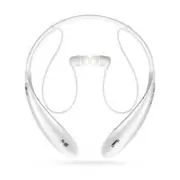


 LG HBS-FN7
User Manual
LG HBS-FN7
User Manual
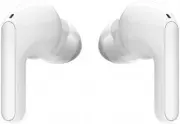 LG HBS-FN7 True Wireless White
User Manual
LG HBS-FN7 True Wireless White
User Manual
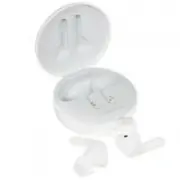 LG TONE Free FN4
User Manual
LG TONE Free FN4
User Manual
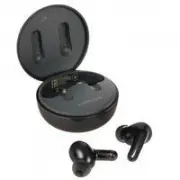 LG TONE Free FP5
User Manual
LG TONE Free FP5
User Manual
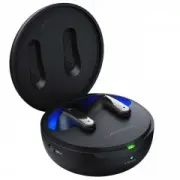 LG Tone Free FP9 True Wireless Black (TONE-FP9)
User Manual
LG Tone Free FP9 True Wireless Black (TONE-FP9)
User Manual
 LG TONE-FP8W True Wireless White
User Manual
LG TONE-FP8W True Wireless White
User Manual
 LG HBM-290
User Manual
LG HBM-290
User Manual
 LG HBS-1010
User Manual
LG HBS-1010
User Manual
 LG HBS-1100
User Manual
LG HBS-1100
User Manual
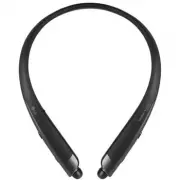 LG HBS-1120
User Manual
LG HBS-1120
User Manual
 LG HBS-1125
User Manual
LG HBS-1125
User Manual
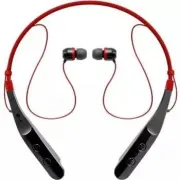 LG HBS-510
User Manual
LG HBS-510
User Manual
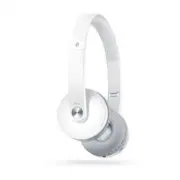 LG HBS-600
User Manual
LG HBS-600
User Manual
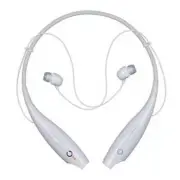 LG HBS-700
User Manual
LG HBS-700
User Manual
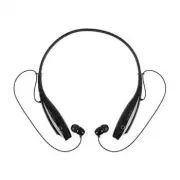 LG HBS-730
User Manual
LG HBS-730
User Manual
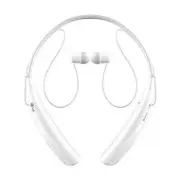 LG HBS-750
User Manual
LG HBS-750
User Manual
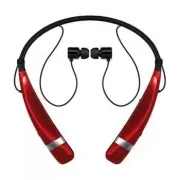 LG HBS-760
User Manual
LG HBS-760
User Manual
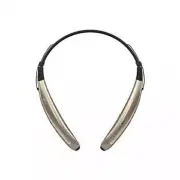 LG HBS-770
User Manual
LG HBS-770
User Manual