Page 2 - Contents; Specifications and Features; ENGLISH
Contents Safety Cautions ...............................................................................................................................................1Precautions When Using the Product ...................................................................................................
Page 3 - Bluetooth; Safety Cautions; CAUTION; WARNING
1 ENGLISH The LG TONE PLATINUM SE (HBS-1120) is a lightweight wireless headset that uses Bluetooth technology. This product can be used as an audio accessory for devices supporting either the A2DP or Hands-Free Bluetooth Profile. Safety Cautions ! CAUTION Do not disassemble, adjust, or repair the pr...
Page 4 - Precautions When Using the Product; Refer to the following to use the product for its normal life span.; HD Speaker
2 ENGLISH Precautions When Using the Product Refer to the following to use the product for its normal life span. Do not pull the earphone cable with excessive force. If the product is exposed to excessive sweat, clean the product. Keep the earbuds clean. For your safety, do not wear the product whil...
Page 5 - Product Components; NOTE: Actual product design may differ from images shown in manual.; LG; NOTE
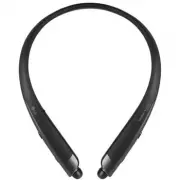
3 ENGLISH Product Components LG TONE PLATINUM SE HBS-1120 (medium ear gels installed) Extra Ear Gels (small & large) Micro USB Charging Cable User Manual Warranty Card NOTE: Actual product design may differ from images shown in manual. Make sure authentic LG Electronics components are used. Usin...
Page 6 - Product Description
4 ENGLISH Product Description ON OFF *The appearance and specifications of the actual product may differ depending on the model. NOTE: To prevent hearing loss, a control sound is played twice or at length when controlling the volume at high volumes. Google Assistant button Indicator lamp Power switc...
Page 7 - Pairing and Connecting; Power switch; Connecting Quickly; Settings
5 ENGLISH Pairing and Connecting Put in your earbuds to easily pair and connect by following the voice prompts. NOTE: If you are prompted for the authorization code (PIN code), type 0000 . If you hear that the battery is insufficient, recharge the battery before proceeding with pairing. If pairing i...
Page 8 - Connecting Manually (pairing with another phone or re-pairing); Multiple Connections
6 ENGLISH Fast Pair 1 From the mobile phone’s Settings menu, turn on Bluetooth . 2 On the headset, slide the Power switch towards the ON position to turn on the power. 3 The blue Indicator lamp turns on, and the headset enters Search mode. 4 Please place the mobile phone whose screen is unlocked or ...
Page 9 - device you want to connect to and connect it manually.; Indicator Lamp
7 ENGLISH Automatic Reconnection If you turn on the headset, it will automatically connect to the most recent device it was connected to. (If a device cannot be found, Search mode will be activated.)If the product does not automatically connect to the device you want, search for your product in the ...
Page 10 - Mobile Calling Functions
8 ENGLISH Mobile Calling Functions Function Status Description Answering a Call Ringing Briefly press the MFB. NOTE: The headset will not vibrate if the Vibration function has been turned off. Making a Call Idle If you make a call using a mobile phone, the call is automatically connected to the head...
Page 11 - Playing Music; Switching Music Players; the headset’s music playback and control change to that device.
9 ENGLISH NOTE: The Voice Dial and Redial functions work on the Main Connected Device or on the device on which you made the last call. (The Voice Dial and Redial functions may work differently depending on the mobile phone being used.) Playing Music Function Status Description Play Idle Briefly pre...
Page 12 - The Google Assistant; You can use the feature you want right away by pressing the
10 ENGLISH The Google Assistant You can use the feature you want right away by pressing the Google Assistant button dedicated for the Google Assistant even without looking at the screen of your mobile device or the connected mobile device.The Google Assistant can perform various commands as follows:...
Page 14 - Google
12 ENGLISH Using the Google Assistant Once the Google Assistant is configured, its functions can be used by pressing the dedicated Google Assistant button. NOTE: To learn more about the Google Assistant, go to visit: g.co/headphones/help 2 1 3 Function Usage Method Talk to the Google Assistant While...
Page 15 - Are there any good coffee shops nearby?
13 ENGLISH Using Google Translate through the Google Assistant 1 Press the Google Assistant button of the headset, speak “Help me interpret Spanish”, and release the Google Assistant button . The Google Translate app will open. 2 If you press the Google Assistant button of the headset, speak, and re...
Page 16 - Battery Charging and Alerts; Vibration Alert Settings
14 ENGLISH Battery Charging and Alerts Open the Charging port cover and connect the charger to the Charging port. Indicator Lamp Red Purple Blue Battery Status Charging 80% Completed If the charging cable is removed while the Power switch is ON, the power turns on and the product automatically conne...
Page 17 - automatic reconnection function is not supported.
15 ENGLISH If a device that is not in use goes out of communication range when multiple devices are connected, the product vibrates and a voice message will indicate that the connection is lost. In this case, the automatic reconnection function is not supported. LG Tone & Talk™ Tone & Talk s...
Page 18 - Troubleshooting
16 ENGLISH Troubleshooting Problem Solution The power does not turn on Check the battery level and charge it. Cannot make a call with the headset If the mobile phone does not support headset and hands-free functions, you cannot use the calling features.Check the battery level and charge it. Cannot r...
Page 20 - Declaration of Confirmation; interference by one or more of the following measures:
18 ENGLISH Declaration of Confirmation FCC NOTICE TO USERS: This device complies with part 15 of the FCC Rules.Operation is subject to the following two conditions: (1) This device may not cause harmful interference, and(2) This device must accept any interference received, including interference th...
Page 21 - Additional Information; Radio frequency exposure
19 ENGLISH Bluetooth ® is a registered trademark of Bluetooth SIG, Inc. worldwide. Google, Android, Google Translate, Google Play, the Google Play logo and other related marks and logos are trademarks of Google LLC. FCC ID: ZNFHBS1120 Additional Information 1. Radio frequency exposure This Bluetooth...
Page 22 - atmosphere are often but not always clearly marked.; Battery information; The battery in your
20 ENGLISH an explosion or fire resulting in bodily injury or even death. Areas with a potentially explosive atmosphere are often but not always clearly marked. 4. Emergency calls IMPORTANT!This Bluetooth headset and the electronic device connected to the headset operate using radio signals and mobi...
Page 23 - resulting from liquid.; Limited Warranty
21 ENGLISH -This warranty does not cover any failure of the product due to normal wear and tear, or due to misuse, including but not limited to use in other than the normal and customary manner, in accordance with instructions for use and maintenance of the product. Nor does this warranty cover any ...
Page 24 - Important Safety Information; Avoiding hearing damage; sound normal but can be damaging to your hearing.; Using headsets safely
22 ENGLISH Important Safety Information Avoiding hearing damage Permanent hearing loss may occur if you use your headset at a high volume.Set the volume to a safe level. Over time you can become accustomed to a higher volume that may sound normal but can be damaging to your hearing. If you experienc...
Page 25 - Manual del usuario; Auriculares estéreo inalámbricos con
ESPAÑOL Rev 1.0 US Lea la Información importante de seguridad para poder utilizar este producto correctamente.Después de leerla, guarde este Manual del usuario en un lugar al que todos los usuarios puedan acceder fácilmente. NOTA: Lea toda la información detenidamente antes de utilizar los auricular...
Page 26 - Contenido; Configuración de la alerta de vibración
Contenido Precauciones de seguridad ........................................................................................................................1Precauciones de uso del producto ........................................................................................................2Altav...
Page 27 - Precauciones de seguridad; PRECAUCIÓN; ADVERTENCIA
1 ESPAÑOL Los LG TONE PLATINUM SE (HBS-1120) son unos livianos audífonos inalámbricos que utilizan tecnología Bluetooth . Este producto se puede utilizar como un accesorio de audio para dispositivos que admiten perfiles A2DP o manos libres Bluetooth . Precauciones de seguridad ! PRECAUCIÓN No desmon...
Page 28 - Precauciones de uso del producto; Altavoz HD; llamadas y escuchar música en alta definición.
2 ESPAÑOL Precauciones de uso del producto Consulte la siguiente información al utilizar el producto para que tenga una vida útil normal. No tire del cable del auricular con excesiva fuerza. Si el producto está expuesto a sudor excesivo, límpielo. Mantenga siempre limpia la almohadilla del auricular...
Page 29 - Componentes del producto; se podría dañar el producto y, por lo tanto, se anularía la garantía.; NOTA
3 ESPAÑOL Componentes del producto LG TONE PLATINUM SE HBS-1120 (adaptadores de silicona medianos instalados) Adaptadores para oído adicionales (pequeños y grandes) Cable de carga micro USB Manual del usuario Documento de garantía NOTA: El diseño real del producto puede ser distinto de las imágenes ...
Page 30 - Descripción del producto; cuando el volumen sea muy alto.
4 ESPAÑOL Descripción del producto ON OFF *La apariencia y las especificaciones del producto real pueden variar dependiendo del modelo. NOTA: Para evitar la pérdida de la audición, se reproducirá un control de sonido dos veces o prolongado cuando el volumen sea muy alto. Luz indicadora Interruptor d...
Page 31 - Emparejamiento y conexión; Conexión rápida; Emparejamiento rápido
5 ESPAÑOL Emparejamiento y conexión Póngase los auriculares para emparejarlos y conectarlos fácilmente siguiendo las instrucciones de voz. NOTA: Si el sistema le solicita el código de autorización (código PIN), escriba 0000 . Si escucha que el nivel de batería es insuficiente, cargue la batería ante...
Page 32 - Múltiples conexiones; Reconexión automática
6 ESPAÑOL 4 Seleccione el teléfono móvil cuya pantalla está desbloqueada o un dispositivo cercano para ser conectado y conéctelo a los audífonos de acuerdo con las instrucciones visualizadas en la pantalla. 5 Se escuchará un mensaje de voz en el que se indica que la conexión se ha establecido. NOTA:...
Page 33 - Luz indicadora; Funciones de llamada con dispositivo móvil
7 ESPAÑOL Luz indicadora Estado Descripción Encendido/apagado La Luz indicadora azul parpadeará. Modo de búsqueda La Luz indicadora azul permanece encendida. Perfil de audífonos/manos libres conectado/Llamada conectada La Luz indicadora parpadeará de color azul cada cinco segundos. Funciones de llam...
Page 34 - Reproducción de música
8 ESPAÑOL Recepción de una llamada mientras habla por teléfono Conversación Para recibir otra llamada mientras habla por teléfono, mantenga presionado el MFB durante un segundo. La llamada actual cambiará al estado de llamada en espera. Vuelva a mantener presionado el MFB durante un segundo para reg...
Page 35 - Cambio de reproductor de música; Asistente de Google; Botón Asistente de Google
9 ESPAÑOL Retroceso o avance rápido Música activada Deslice el Selector giratorio anterior/siguiente hacia la posición Anterior ( ) o Siguiente ( ) hasta llegar a la sección deseada. Cambio de modo del ecualizador Música activada Presione el Selector giratorio de volumen en la dirección Bajar volume...
Page 36 - Instalación y requisitos de uso del Asistente de Google; • 1.4 GB de memoria y una resolución de pantalla; Instalación del Asistente de Google; , aparecerá una notificación emergente del
10 ESPAÑOL Instalación y requisitos de uso del Asistente de Google Su dispositivo debe estar conectado a Internet y debe haberse conectado a su cuenta de Google para utilizar esta característica.Es posible que algunos países e idiomas no sean compatibles con la característica del Asistente de Google...
Page 37 - Uso del Asistente de Google; Botón Asistente
11 ESPAÑOL Uso del Asistente de Google Una vez configurado el Asistente de Google, puede utilizar sus funciones si pulsas el Botón Asistente de Google diseñado para él. NOTA: Si desea obtener más información acerca del Asistente de Google, visite g.co/headphones/help 2 1 3 Función Método de uso Habl...
Page 38 - Uso de Google Translate a través del Asistente de Google; Are there any good
12 ESPAÑOL Uso de Google Translate a través del Asistente de Google 1 Presione el Botón Asistente de Google de los audífonos, diga “Ayúdame a traducir el inglés” y libere el Botón Asistente de Google . Se abrirá la aplicación Google Translate. 2 Si presiona el Botón Asistente de Google de los audífo...
Page 39 - Alertas y carga de la batería; al dispositivo cuya configuración de conexión se ha finalizado.
13 ESPAÑOL Alertas y carga de la batería Abra la tapa del Puerto de carga y conecte el cargador al Puerto de carga . Luz indicadora Roja Morada Azul Estado de la batería Cargando 80 % Completado Si el cable de carga se desconecta mientras el Interruptor de encendido está encendido, el producto se en...
Page 40 - Fuera de alcance; presione el
14 ESPAÑOL Fuera de alcance Si el dispositivo conectado al producto está fuera del alcance efectivo de comunicación (10 metros/33 pies), disminuirá la calidad de la señal y se perderá la comunicación. Si el dispositivo vuelve a estar dentro del alcance efectivo de comunicación, el producto se volver...
Page 41 - Solución de problemas
15 ESPAÑOL Ajuste de realización de llamadas Uso de favoritos para efectuar una llamada:Puede hacer una llamada de teléfono seleccionando el contacto favorito en LG Tone & Talk. Marcación rápida para realizar una llamada:Puede realizar una llamada de teléfono seleccionando el contacto establecid...
Page 42 - Especificaciones y funciones
16 ESPAÑOL Especificaciones y funciones Ítem Descripción Especificaciones de la tecnología Bluetooth V 4.2 (Auricular/Manos Libres/A2DP/AVRCP) Batería Batería de polímero de iones de litio de 3,7 V/ 220 mAh Tiempo en espera Hasta 354 horas* Tiempo de conversación Hasta 12 horas* Tiempo de reproducci...
Page 43 - Aviso de conformidad; AVISO DE LA FCC PARA LOS USUARIOS; funcionamiento no deseado.
17 ESPAÑOL Aviso de conformidad AVISO DE LA FCC PARA LOS USUARIOS Este dispositivo cumple con el artículo 15 de las Reglas de la FCC.El funcionamiento está sujeto a las dos condiciones siguientes:(1) Este dispositivo no puede causar interferencia nociva,(2) Este dispositivo debe aceptar cualquier in...
Page 44 - Información adicional; Exposición a la radiofrecuencia
18 ESPAÑOL Bluetooth ® es una marca registrada de Bluetooth SIG, Inc., en todo el mundo. Google, Android, Google Translate, Google Play, el logotipo de Google Play y otras marcas y logotipos relacionados son marcas comerciales de Google LLC. FCC ID: ZNFHBS1120 Información adicional 1. Exposición a l...
Page 45 - Llamadas de emergencia; Información sobre la batería; La batería del auricular
19 ESPAÑOL áreas pueden causar una explosión o un incendio y provocar lesiones personales o incluso la muerte. Las zonas con riesgo de explosión suelen estar claramente señaladas, aunque no en todos los casos. 4. Llamadas de emergencia ¡IMPORTANTE!Este auricular Bluetooth y el dispositivo electrónic...
Page 46 - Garantía limitada
20 ESPAÑOL el uso de unidades reacondicionadas con funciones equivalentes. Los componentes o las piezas reemplazadas pasarán a ser propiedad de LG Electronics. -La presente garantía no cubre fallas por desgaste natural ni uso indebido, entre otros casos, usos fuera de lo normal y habitual, conforme ...
Page 47 - Información importante de seguridad; Reducción de la capacidad auditiva
21 ESPAÑOL Información importante de seguridad Reducción de la capacidad auditiva Si utiliza el auricular con un nivel de volumen alto, podría sufrir hipoacusia permanente. Configure el volumen en un nivel inocuo. Con el tiempo, podría acostumbrarse a un volumen de sonido más alto que podría parecer...