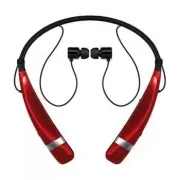
Page 2 - ENG; Table of Contents; Included in the Package; The LG TONE PRO; Bluetooth
2 ENG Introduction 3 - Included in the Package 3 Description of Parts 4 How to Use 5 - Power On / Power Off 5 - Charging 5 - Low Battery 5 - Battery Status Alert 5 - Pairing 5 - Multi-connection 6 - Auto Reconnect 7 - Calling 7 • Answering a Call 7 • Transferring a Call 7 • Voice Dialing 8 • Last Nu...
Page 3 - Introduction
3 ENG Included in the Package The LG TONE PRO TM (HBS-760) is a lightweight wireless headset that uses Bluetooth technology. This product can be used as an audio accessory for devices supporting either the A2DP or Hands-Free Bluetooth Profile. Extra Ear Gels (small & large) *USB Charging Cable U...
Page 4 - Description of Parts; Charging; Voice Prompt; Headset
4 Description of Parts ENG Charging - When the charger is connected (with the power on or off) the headset will turn off. - While charging, the LED indicator will show a solid red light and then change to violet when charged 80% and above. - When charging is completed, the LED indicator will show a ...
Page 5 - Pairing; How to Use
5 ENG Charging - When the charger is connected (with the power on or off) the headset will turn off. - While charging, the LED indicator will show a solid red light and then change to violet when charged 80% and above. - When charging is completed, the LED indicator will show a solid blue light. Low...
Page 6 - Auto Reconnect; Calling; - When there is an incoming call, the headset will ring and vibrate.
6 Auto Reconnect - The headset and handset will automatically reconnect when the HBS-760 is turned back on while in range. - The secondary handset will need to be connected manually. Select LG HBS760 from the list of devices in the Bluetooth menu and pair. Out of Range - If the paired devices are se...
Page 8 - Volume Control; Equalizer; - Briefly press the CALL button to terminate both calls at once.
8 How to Use Volume Control - Slide the VOLUME switch to the + or - position to adjust the speaker volume. - To prevent hearing loss, which is caused by listening to music for long periods of time, the HBS-760 will emit a long beep tone or two beeps when you use the upper 6 volume levels. Vibration ...
Page 10 - To download the application, search for Tone & Talk in; * or scan the QR code. Follow the installation
10 Function Action Current time alert Slide the FF/REW switch to the FF position for 1 second. Read latest SMS or MMS Slide the FF/REW switch to the REW position for 1 second. Designated contact 1. Select Designated contact in the Headset call settings of the app. 2. Press the CALL button twice on y...
Page 11 - Summary of HBS-760 Functions; Function
11 Summary of HBS-760 Functions Function Action Current time alert Slide the FF/REW switch to the FF position for 1 second. Read latest SMS or MMS Slide the FF/REW switch to the REW position for 1 second. Designated contact 1. Select Designated contact in the Headset call settings of the app. 2. Pre...
Page 12 - • Dispose of used batteries according to the instructions.
12 LED Indicator Troubleshooting Function HBS-760 Status Indicator Operating Pairing mode Solid blue LED light. Headset / hands-free profile connected The blue LED light flickers 1 time. Call connected The blue LED light flickers 1 time. Charging Charging Solid red LED light, which changes to violet...
Page 13 - Item
13 Specifications Precautions Item Description Bluetooth specification 4.1 (Headset / Hands-Free / A2DP Profiles) Battery Battery 3.7 V / 210 mAh Li-Polymer Talk Time Up to 16 hours Music play time Up to 10.5 hours Standby time Up to 540 hours Charging time Less than 2 hours Rated Input Power DC 4.7...
Page 14 - Radio frequency exposure; Potentially explosive atmosphere; Battery information; headset
14 Declaration of Confirmation Additional Information 1. Radio frequency exposure This Bluetooth Stereo Headset HBS-760 is a radio transmitter and receiver. When in operation it communicates with a Bluetooth equipped mobile device by receiving and transmitting radio frequency (RF) electromagnetic fi...
Page 15 - Additional Information
15 1. Radio frequency exposure This Bluetooth Stereo Headset HBS-760 is a radio transmitter and receiver. When in operation it communicates with a Bluetooth equipped mobile device by receiving and transmitting radio frequency (RF) electromagnetic fields (microwaves) in the frequency range 2.4 to 2.4...
Page 16 - purchase of the product from the dealer.; Avoiding hearing damage
16 Additional Information 6. Conditions - The warranty is valid only if the original receipt issued to the original purchaser by the dealer, specifying the date of purchase and serial number, is presented with the product to be repaired or replaced. LG Electronics reserves the right to refuse warran...
Page 17 - Limited Warranty; to get further information.
17 6. Conditions - The warranty is valid only if the original receipt issued to the original purchaser by the dealer, specifying the date of purchase and serial number, is presented with the product to be repaired or replaced. LG Electronics reserves the right to refuse warranty service if this info...
Page 18 - Manual del usuario; Auricular estéreo; MEMO
HBS-760 Manual del usuario Auricular estéreo Bluetooth ® MEMO
Page 19 - Español; English
Español English Todos los derechos reservados. LG Electronics Inc., 2015 Nota: lea atentamente toda la información antes de usar los audífonos HBS-760 para evitar daños en el producto y lograr un mejor funcionamiento. ADVERTENCIA: Este producto contiene químicos reconocidos por el estado de Californ...
Page 20 - ESP; Contenido; Contenido del empaque; El LG TONE PRO; emplea tecnología
2 ESP Introducción 3 - Contenido del empaque 3 Descripción de las piezas 4 Modo de uso 4 - Encendido / Apagado 5 - Carga 5 - Batería baja 5 - Alerta de estado de la batería 5 - Vincular 5 - Multiconexión 6 - Reconexión automática 7 - Llamadas 7 • Contestar una llamada 7 • Transferir una llamada 8 • ...
Page 21 - Introducción
3 ESP Introducción 3 - Contenido del empaque 3 Descripción de las piezas 4 Modo de uso 4 - Encendido / Apagado 5 - Carga 5 - Batería baja 5 - Alerta de estado de la batería 5 - Vincular 5 - Multiconexión 6 - Reconexión automática 7 - Llamadas 7 • Contestar una llamada 7 • Transferir una llamada 8 • ...
Page 22 - Descripción de las piezas; Carga; ) Vinculación sencilla; • El indicador LED se iluminará de color azul.; Alerta de estado de la batería; Violeta intermitente; Auricular
4 Descripción de las piezas Carga - Una vez conectado el cargador, con la unidad encendida o apagada, el auricular se apagará. - Durante la carga, el indicador LED mostrará una luz roja constante y luego cambiará a violeta cuando haya cargado 80 % o más. - Una vez que se complete la carga, el indica...
Page 23 - Modo de uso
5 Carga - Una vez conectado el cargador, con la unidad encendida o apagada, el auricular se apagará. - Durante la carga, el indicador LED mostrará una luz roja constante y luego cambiará a violeta cuando haya cargado 80 % o más. - Una vez que se complete la carga, el indicador LED mostrará una luz a...
Page 24 - Reconexión automática; en la lista de dispositivos en el menú; Multiconexión; Llamadas
6 Reconexión automática - El auricular y el teléfono volverán a conectarse automáticamente cuando el HBS-760 vuelva a encenderse y esté dentro del rango. - El teléfono secundario tendrá que ser conectado manualmente. Seleccione LG HBS760 en la lista de dispositivos en el menú Bluetooth . Fuera del r...
Page 26 - Control de volumen; superiores de volumen.; Control de vibración; Ecualizador; activar el Remarcado del último número.; aptX; Transmisión de audio
8 Modo de uso Control de volumen - Deslice el interruptor de VOLUMEN a la posición + o - para ajustar el volumen del altavoz. - Para prevenir la pérdida de audición, causada por escuchar música por periodos prolongados, el HBS-760 emitirá un pitido largo o dos pitidos cuando use los 6 niveles superi...
Page 28 - Resumen de las funciones del HBS-760; Función
10 Modo de uso 11 Función Estado del HBS-760 Acción Encendido Apagado Deslice el interruptor de encendido a la posición de encendido. Apagado Encendido Deslice el interruptor de encendido a la posición de apagado. Subir volumen Hablar / Música encendido Deslice el interruptor de VOLUMEN a la posició...
Page 30 - Evite las caídas del dispositivo.
12 Indicador LED Solución de problemas Evite las caídas del dispositivo. No modifique, repare ni desmonte el dispositivo. Para limpiar el dispositivo, no lo moje con agua, alcohol, bencina ni otros líquidos. No exponga la unidad directamente a materiales inflamables. No coloque ni guarde el disposit...
Page 31 - Especificaciones
13 Ítem Descripción Especificación Bluetooth 4.1 (perfiles manos libres/auricular/A2DP) Batería Batería de polímero litio de 3.7 V/210 mAh Duración en conversación Hasta 16 horas Tiempo de reproducción de música Hasta 10.5 horas Duración en espera Hasta 540 horas Tiempo de carga Menos de 2 horas Pot...
Page 32 - Aviso de conformidad
14 2. Atmósferas potencialmente explosivas Cuando se encuentre en una atmósfera potencialmente explosiva, apague el dispositivo electrónico. Aunque es muy poco frecuente, el dispositivo electrónico podría generar chispas. En esos lugares, las chispas podrían ocasionar una explosión o un incendio y, ...
Page 33 - Información adicional
15 2. Atmósferas potencialmente explosivas Cuando se encuentre en una atmósfera potencialmente explosiva, apague el dispositivo electrónico. Aunque es muy poco frecuente, el dispositivo electrónico podría generar chispas. En esos lugares, las chispas podrían ocasionar una explosión o un incendio y, ...
Page 35 - Información de seguridad importante
17 Sujeta a las condiciones de la presente garantía limitada, LG Electronics garantiza que este producto no presenta fallos de diseño, materiales ni mano de obra en el momento en que un consumidor realiza la compra original, y que no las presentará por un período posterior de un (1) año. En caso de ...