Page 2 - Table of Contents
2 ENG ENG Introduction 3 - Included in the Package 3 Description of Parts 4 How to Use 5 - Power On/Power Off 5 - Charging 5 - Low Battery 5 - Battery Status Alert 5 - Retractable Earbuds 5 - Pairing 5 - Advanced Multipoint 6 - Auto Reconnect 7 - Calling 7 • Answering a Call 7 • Transferring a Call ...
Page 3 - Included in the Package; The LG TONE ULTRA; Bluetooth; Introduction
3 ENG ENG Included in the Package The LG TONE ULTRA TM (HBS-810) is a lightweight wireless headset that uses Bluetooth technology. This product can be used as an audio accessory for devices supporting either the A2DP or hands-free Bluetooth profile. Extra Ear Gels (1 Set - Small) *USB Charging Cable...
Page 4 - Description of Parts; Headset; Charging Port
4 ENG ENG Description of Parts Headset FF/REW Jog Button Charging Port Microphone Earbud (L) LED Indicator CALL Button Power Switch VOLUME Jog Button (+/-) PLAY/PAUSE/STOP Button Earbud (R)
Page 5 - Charging; - Slide the VOLUME jog button to the; Pairing; How to Use; Before using the headset for the first time, you must pair it with a
5 ENG ENG Charging - When the charger is connected (with the power on or off) the headset will power off. - While charging, the LED indicator will show a solid red light. When charged 80% or more, the indicator will show a violet light. - When the device is fully charged, the LED indicator will show...
Page 6 - Advanced Multipoint
6 ENG ENG 1) Easy Pairing a) Slide the Power switch to the ON position. b) If it is your first time pairing the device or it does not detect a previously paired device, it will enter Pairing mode. The LED indicator will be solid blue. c) Make sure the device you wish to pair with is discoverable. Un...
Page 7 - Auto Reconnect; mobile device will automatically reconnect.; Out of Range; the mobile device that made the last outgoing call).; Call Waiting; - When receiving an incoming call, the headset will ring and vibrate.; Transferring a Call
7 ENG ENG Auto Reconnect - If in range of each other when the headset is powered on, the headset and the primary mobile device will automatically reconnect. - The secondary mobile device will need to be manually connected. Select LG HBS810 from the list of devices in the Bluetooth menu and pair. NOT...
Page 8 - Volume Control; beep when you are using the upper 6 volume levels.
8 ENG ENG How to Use Volume Control - Slide the VOLUME jog button to the “+” or “-” position to adjust the speaker volume. Caution: Listening to music for long periods of time at high volume levels may cause hearing damage or loss. To prevent this, the headset will emit a warning beep when you are u...
Page 9 - Vibration Control; call or when it is out of range of a paired mobile device.; aptX; Equalizer; NOTE: The size of the ear gel can affect the amount of bass you hear.; Audio Streaming
9 ENG ENG Vibration Control - To activate or deactivate the device vibration, slide the VOLUME jog button to the “+” position for 2 seconds. You will hear “Vibrate on” or “Vibrate off” when it is activated or deactivated. - When vibration is deactivated, the headset will not vibrate when receiving a...
Page 10 - To download the app, search for Tone & Talk in Google Play; or scan the QR code. Follow the installation instructions.
10 ENG ENG Function Action Current time alert Slide the FF/REW jog button to the FF position for 1 second. Read latest SMS or MMS Slide the FF/REW jog button to the REW position for 1 second. Designated contact 1. Select Designated contact in the headset call settings of the app. 2. To call the Desi...
Page 11 - Summary of Button Functions; Function
11 ENG ENG Summary of Button Functions Function Headset Status Action Power on Power off Slide the Power switch to the ON position. Power off Power on Slide the Power switch to the OFF position. Volume up Talking/Music on Slide the VOLUME jog button to the “+” position. Volume down Talking/Music on ...
Page 12 - LED Indicator
12 ENG ENG LED Indicator Troubleshooting Function Headset Status Indicator Operating Power on The blue LED light flickers 4 times. Power off The blue LED light flickers 4 times, then powers off. Pairing mode Solid blue LED light. Headset/hands-free profile connected The blue LED light flickers 1 tim...
Page 13 - Specifications; Item; • Risk of damage or explosion if incorrect battery is used.
13 ENG ENG Specifications Precautions Item Description Bluetooth version 4.1 (Headset/Hands-Free/A2DP profiles) Battery Battery 3.7 V/220 mAh Li-Polymer Talk time Up to 17 hours Music play time Up to 13 hours Standby time Up to 550 hours Charging time Less than 2 hours Rated input power DC 4.75 V ~ ...
Page 14 - Declaration of Confirmation; Radio frequency exposure
14 ENG ENG Declaration of Confirmation Additional Information 1. Radio frequency exposure This Bluetooth Stereo Headset HBS-810 is a radio transmitter and receiver. When in operation it communicates with a Bluetooth -equipped mobile device by receiving and transmitting radio frequency (RF) electroma...
Page 15 - Additional Information; Potentially explosive atmosphere; This; Battery information; or dealer for assistance.; Recycling the battery in your; headset; The battery in your
15 ENG ENG Additional Information 2. Potentially explosive atmosphere Power off your electronic device when in any area with a potentially explosive atmosphere. Although this is uncommon, your electronic device could generate sparks. Sparks in such areas could cause an explosion or fire resulting in...
Page 16 - purchase of the product from the dealer.
16 ENG ENG Additional Information 6. Conditions - The warranty is valid only if the original receipt issued to the original purchaser by the dealer, specifying the date of purchase and serial number, is presented with the product to be repaired or replaced. LG Electronics reserves the right to refus...
Page 17 - Limited Warranty; to get further information.; Avoiding hearing damage; • Limit the amount of time you use the headset at high volume.; Using headsets safely
17 ENG ENG Limited Warranty Important Safety Information Subject to the conditions of this Limited Warranty, LG Electronics warrants this product to be free from defects in design, material and workmanship at the time of its original purchase by a consumer, and for a subsequent period of one (1) yea...
Page 18 - NOTES
Page 19 - Español; English; Manual del usuario; Auricular estéreo
Español English Rev 2.0 US Todos los derechos reservados. LG Electronics Inc., 2015 Nota: Lea toda la información con detención antes de usar el adaptador HBS-810 para evitar daños en el producto y obtener el mejor rendimiento. ADVERTENCIA: Este producto contiene químicos conocidos en el Estado de C...
Page 20 - Contenido
2 ESP ESP Introducción 3 - Contenido del embalaje 3 Descripción de las partes 4 Modo de uso 5 - Encendido/Apagado 5 - Carga 5 - Batería baja 5 - Alerta del estado de la batería 5 - Auriculares retráctiles 5 - Vinculación 5 - Conexión avanzada de varios puntos 6 - Reconexión automática 7 - Llamadas 7...
Page 21 - Contenido del embalaje; Introducción
3 ESP ESP Contenido del embalaje El LG TONE ULTRA TM (HBS-810) de LG es un auricular inalámbrico liviano que utiliza tecnología Bluetooth . Este producto se puede utilizar como un accesorio de audio para los dispositivos que admiten los perfiles A2DP o manos libres Bluetooth . Adaptadores de silicon...
Page 22 - Descripción de las partes; Auricular
4 ESP ESP Descripción de las partes Auricular Tecla para AVANZAR/ RETROCEDER Puerto de carga Micrófono Auricular (I) Indicador LED Botón para LLAMAR Tecla de encendido/ apagado Tecla de VOLUMEN (+/-) Botón para REPRODUCIR/ PAUSAR/DETENER Auricular (D)
Page 23 - Batería baja; Alerta del estado de la batería; - Deslice la tecla del VOLUMEN a la posición; Auriculares retráctiles; 0 % de la carga o más, el indicador mostrará una luz violeta.; Carga; Modo de uso
5 ESP ESP Batería baja - Se emitirá una alerta de batería baja cada 2 minutos. - Si la batería no está cargada, se apagará el auricular. Encendido/Apagado - Deslice la tecla hacia la posición ON (Encendido) u OFF (Apagado). Vinculación Antes de usar el auricular por primera vez, debe vincularlo con ...
Page 24 - ) Vinculación manual; Conexión avanzada de varios puntos
6 ESP ESP 1) Vinculación fácil a) Deslice la tecla hacia la posición ON (Encendido). b) Si es la primera vez que vincula el dispositivo o no detecta un dispositivo vinculado con anterioridad, se iniciará el modo de vinculación. El indicador LED se iluminará de color azul. c) Asegúrese de que el disp...
Page 25 - Reconexión automática; HBS810 desde la lista de dispositivos en el menú; Fuera de rango; y manténgala ahí durante 2 segundos.; responder una llamada entrante.; Llamadas; Responder una llamada
7 ESP ESP Reconexión automática - Si ambos dispositivos se encuentran dentro del mismo rango cuando se enciende el auricular, el auricular y el dispositivo móvil principal se volverán a conectar de forma automática. - El dispositivo móvil secundario deberá conectarse manualmente. Seleccione LG HBS81...
Page 26 - Control de volumen
8 ESP ESP Modo de uso Control de volumen - Deslice la tecla de VOLUMEN a la posición “+” o “-” para ajustar el volumen del altavoz. Precaución: Escuchar música durante periodos prolongados en un nivel de volumen alto puede causar daño o perdida de la audición. Para evitar esto, el auricular emitirá ...
Page 27 - Control de vibración; Ecualizador; Transmisión de audio
9 ESP ESP Control de vibración - Para activar o desactivar la vibración del dispositivo, deslice la tecla de VOLUMEN a la posición “+” durante dos segundos. Escuchará “Vibrar activado” o “Vibrar desactivado” cuando se active o desactive la función. - Si la vibración está desactivada, el auricular no...
Page 28 - Función
10 ESP ESP Modo de uso Función Acción Alerta de tiempo actual Deslice la tecla AVANZAR/RETROCEDER a la posición AVANZAR durante un segundo. Leer SMS o MMS más recientes Deslice la tecla AVANZAR/RETROCEDER a la posición RETROCEDER durante un segundo. Contacto designado 1. Seleccione “Contacto designa...
Page 29 - Resumen de las funciones de los botones
11 ESP ESP Función Estado del auricular Acción Encender Apagado Deslice la tecla de encendido a la posición de encendido. Apagar Encendido Deslice la tecla de encendido a la posición de apagado. Subir volumen Hablar/Música encendido Deslice la tecla de VOLUMEN a la posición “+”. Bajar volumen Hablar...
Page 30 - Indicador LED
12 ESP ESP Indicador LED Solución de problemas Función Estado del auricular Indicador En funcionamiento Encendido La luz de LED azul parpadea 4 veces. Apagado La luz LED azul parpadea 4 veces y luego se apaga. Modo de vinculación Luz LED azul fija. Perfiles de auriculares/ manos libres conectados La...
Page 31 - No deje caer el dispositivo.; Especificaciones
13 ESP ESP Ítem Descripción Versión de Bluetooth 3.0 (perfiles manos libres/auricular/A2DP) Batería Batería de polímero litio de 3,7 V/220 mAh Duración en conversación Hasta 17 horas Tiempo de reproducción de música Hasta 13 horas Tiempo de reserva Hasta 550 horas Tiempo de carga Menos de 2 horas Po...
Page 32 - Aviso de conformidad; Exposición a la radiofrecuencia; AVISO DE LA FCC PARA LOS USUARIOS:
14 ESP ESP Aviso de conformidad Información adicional 1. Exposición a la radiofrecuencia Este auricular estéreo Bluetooth , modelo HBS-810 es un transmisor y receptor de radio. Cuando está en funcionamiento, se comunica con un dispositivo móvil compatible con Bluetooth , recibiendo y transmitiendo c...
Page 33 - Atmósferas potencialmente explosivas; Información sobre la batería; Información adicional
15 ESP ESP 2. Atmósferas potencialmente explosivas Cuando se encuentre en una atmósfera potencialmente explosiva, apague el dispositivo electrónico. Aunque es muy poco frecuente, el dispositivo electrónico podría generar chispas. En esos lugares, las chispas podrían ocasionar una explosión o un ince...
Page 34 - producido por algún líquido.
16 ESP ESP Información adicional 6. Condiciones - La garantía tiene validez únicamente si, junto con el producto que se va a reparar o reemplazar, se presenta la factura original que el distribuidor le emitió al comprador original. LG Electronics se reserva el derecho de denegar el servicio de garan...
Page 35 - Reducción de la capacidad auditiva; • Limitar el tiempo de uso del auricular a volumen alto.; Uso seguro de los auriculares; Información de seguridad importante
17 ESP ESP Sujeta a las condiciones de la presente garantía limitada, LG Electronics garantiza que este producto no presenta fallas de diseño, materiales ni mano de obra en el momento en que un consumidor realiza la compra original, y que no las presentará por un período posterior de un (1) año. En ...
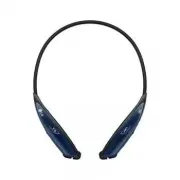


 LG HBS-FN7
User Manual
LG HBS-FN7
User Manual
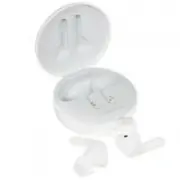 LG TONE Free FN4
User Manual
LG TONE Free FN4
User Manual
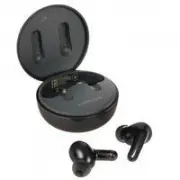 LG TONE Free FP5
User Manual
LG TONE Free FP5
User Manual
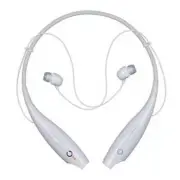 LG HBS-700
User Manual
LG HBS-700
User Manual
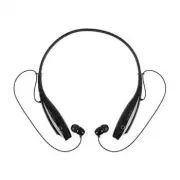 LG HBS-730
User Manual
LG HBS-730
User Manual
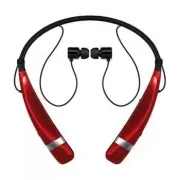 LG HBS-760
User Manual
LG HBS-760
User Manual
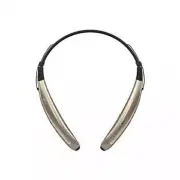 LG HBS-770
User Manual
LG HBS-770
User Manual
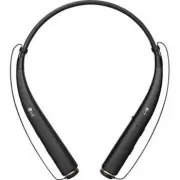 LG HBS-780
User Manual
LG HBS-780
User Manual
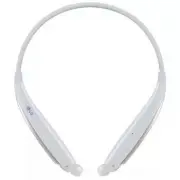 LG HBS-830
User Manual
LG HBS-830
User Manual
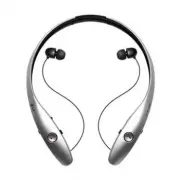 LG HBS-900
User Manual
LG HBS-900
User Manual
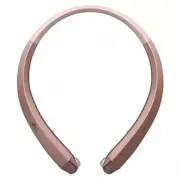 LG HBS-910
User Manual
LG HBS-910
User Manual
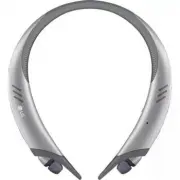 LG HBS-A100
User Manual
LG HBS-A100
User Manual
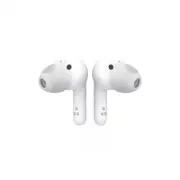 LG HBS-FN4
User Manual
LG HBS-FN4
User Manual
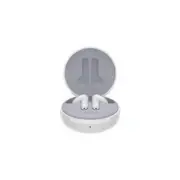 LG HBS-FN5W
User Manual
LG HBS-FN5W
User Manual
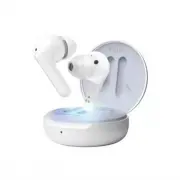 LG HBS-FN6
User Manual
LG HBS-FN6
User Manual
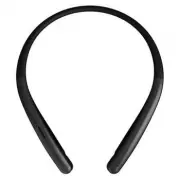 LG HBS-SL6S
User Manual
LG HBS-SL6S
User Manual
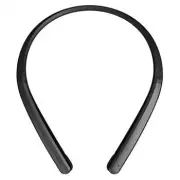 LG HBS-XL7
User Manual
LG HBS-XL7
User Manual
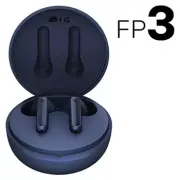 LG TONE-FP3
User Manual
LG TONE-FP3
User Manual