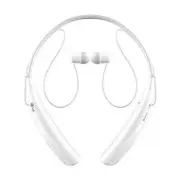
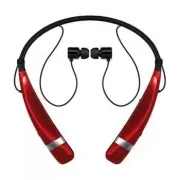
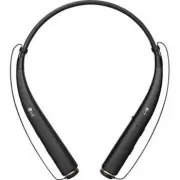
Page 2 - ENG; Included in the Package; The LG GRUVE; (HBS-600) is a lightweight wireless headset that uses Bluetooth; Table of Contents
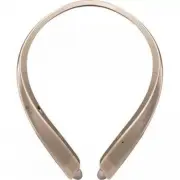
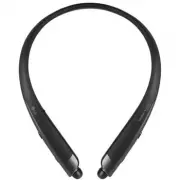
2 ENG Included in the Package The LG GRUVE TM (HBS-600) is a lightweight wireless headset that uses Bluetooth ® technology.This product can be used as an audio accessory for devices supporting either the A2DP or Hands-Free Bluetooth Profile. Introduction 3 - Included in the package 3 Description of ...
Page 3 - Introduction
3 ENG Included in the Package The LG GRUVE TM (HBS-600) is a lightweight wireless headset that uses Bluetooth ® technology.This product can be used as an audio accessory for devices supporting either the A2DP or Hands-Free Bluetooth Profile. AUX Cable USB Charging Cable Introduction HBS-600 User Man...
Page 4 - Charging; • The LED indicator will be solid blue.; Battery Status Alert
4 Description of Parts How to Use Charging - When the charger is connected, with the power switched on or off, the headset will turn off. - While charging, the LED indicator will show a solid red light. - When charging is complete, the LED indicator will turn off. Low Battery - A low battery alert w...
Page 5 - - Slide the power switch to the ‘ON’ or ‘OFF’ position.; Pairing; a) Slide the power switch to the “ON” position.; There are 3 levels of battery power:; How to Use
5 Power On / Power Off - Slide the power switch to the ‘ON’ or ‘OFF’ position. Pairing - Before using the headset for the first time, you must pair it with a Bluetooth-enabled device. - There are 2 pairing mode methods with the HBS-600. 1) Easy Pairing a) Slide the power switch to the “ON” position....
Page 6 - Auto Reconnect; - To end both calls briefly press the CALL button.; Audio Streaming Controls
6 Auto Reconnect - If the HBS-600 is turned off (either accidentally or intentionally) while connected to a phone, the phone and handset will disconnect. The phone and handset will automatically reconnect when the HBS-600 is turned back on while in range. - The secondary phone will need to be connec...
Page 8 - Volume Control; - Briefly press the CALL button to answer the incoming call.; Equalizer; - Briefly press the CALL button to terminate both calls at once.; SMS Reader
8 How to Use Volume Control - Press the VOLUME UP or VOLUME DOWN button to adjust the speaker volume. - There are eight levels of speaker volume in Hands-Free mode. - There are eight levels of speaker volume in Audio Streaming mode. aptX ® - The HBS-600 features aptX ® technology that ensures audio ...
Page 10 - Summary of Button Functions
10 Function HBS-600 Status Action Power on Power off Slide the power switch to the ‘ON’ position. Power off Power on Slide the power switch to the ‘OFF’ position. Volume up Talking/Playing music Briefly press the VOLUME UP button. Volume down Talking/Playing music Briefly press the VOLUME DOWN butto...
Page 12 - Item; • Dispose of used batteries according to the instructions.; Radio frequency exposure
12 Specification Precautions Item Description Bluetooth ® specification 3.0 (Headset / Hands-Free / A2DP Profiles) Battery Battery 3.7V / 370mAh Li-Polymer Talk Time Up to 18Hrs Music play time Up to 18Hrs Standby time Up to 900Hrs Charging time < 3.0Hrs Operation temperature 14°F ~ 140°F (-10°C ...
Page 13 - Declaration of Confirmation
13 Do not drop the headset.Do not modify, repair, or disassemble.Do not expose directly to water, alcohol, benzene, etc for cleaning. Do not expose directly to flammables.Do not place or keep the headset near flammables. Keep the headset away from excessive humidity and dust.Do not place heavy objec...
Page 14 - Additional Information
14 2. Potentially explosive atmosphere Turn off your electronic device when in any area with a potentially explosive atmosphere. Although this is uncommon, your electronic device could generate sparks. Sparks in such areas could cause an explosion or fire resulting in bodily injury or even death. Ar...
Page 16 - to get further information.; Avoiding hearing damage; • Limit the amount of time you use the headset at high volume.; Using Headsets safely; Limited Warranty; Manual del usuario; Auricular estéreo BLUETOOTH
16 Subject to the conditions of this Limited Warranty, LG Electronics warrants this product to be free from defects in design, material and workmanship at the time of its original purchase by a consumer, and for a subsequent period of one (1) year. Should your product need warranty service, please r...
Page 17 - English; Español
Subject to the conditions of this Limited Warranty, LG Electronics warrants this product to be free from defects in design, material and workmanship at the time of its original purchase by a consumer, and for a subsequent period of one (1) year. Should your product need warranty service, please retu...
Page 18 - Contenido del embalaje; El auricular LG GRUVE; utiliza tecnología Bluetooth; Contenido
2 Contenido del embalaje El auricular LG GRUVE TM (HBS-600) es un dispositivo inalámbrico muy liviano que utiliza tecnología Bluetooth ® . Este producto se puede utilizar como un accesorio de audio para los dispositivos que admiten los perfiles A2DP o manos libres Bluetooth ® . ESP Introducción 3 - ...
Page 19 - que admiten los perfiles A2DP o manos libres; Introducción; ESP
3 Contenido del embalaje El auricular LG GRUVE TM (HBS-600) es un dispositivo inalámbrico muy liviano que utiliza tecnología Bluetooth ® . Este producto se puede utilizar como un accesorio de audio para los dispositivos que admiten los perfiles A2DP o manos libres Bluetooth ® . Cable AUX Cable de ca...
Page 20 - Descripción de las partes; Carga
4 Encendido / apagado - Deslice el interruptor de encendido hacia la posición "ON" (Encendido) u "OFF" (Apagado). Asociación - Antes de usar el auricular por primera vez, debe emparejarlo con un dispositivo con Bluetooth activado. - Existen 2 modos de emparejamiento para el auricular...
Page 21 - Asociación; - Existen 2 modos de emparejamiento para el auricular HBS-600.; Alerta de estado de la batería; Modo de uso
5 Encendido / apagado - Deslice el interruptor de encendido hacia la posición "ON" (Encendido) u "OFF" (Apagado). Asociación - Antes de usar el auricular por primera vez, debe emparejarlo con un dispositivo con Bluetooth activado. - Existen 2 modos de emparejamiento para el auricular...
Page 22 - Reconexión automática; 00” desde la lista de dispositivos en el menú Bluetooth y empareje.; Controles de transmisión de audio; Multiconexión
6 Reconexión automática - Si se apaga el auricular HBS-600 (ya sea intencional o accidentalmente) mientras está conectado a un teléfono, el auricular y el teléfono se desconectarán. El auricular y el teléfono volverán a conectarse automáticamente cuando el HBS-600 vuelva a encenderse y esté dentro d...
Page 24 - Lector de texto; Control de volumen; rediscado del último número.; Ecualizador
8 Llamada en espera - Atienda una segunda llamada sin cortar la llamada en curso, presionando y manteniendo presionado el botón LLAMAR durante 1 segundo. Vuelva a presionar el botón LAMAR durante 1 segundo y volverá a la llamada original. - Presione brevemente el botón de llamada para finalizar amba...
Page 26 - Resumen de las funciones de los botones
10 Función Estado de HBS-600 Acción En funcionamiento Encender La luz de LED azul parpadea 4 veces. Apagar La luz de LED azul parpadea 4 veces y luego se apaga. Modo de asociación La luz LED color azul estático permanece encendida. Perfil auricular / manos libres conectado El indicador LED azul parp...
Page 28 - Especificaciones; Elemento
12 1. Exposición a la radiofrecuencia Este auricular estéreo Bluetooth ® , modelo HBS-600, es un transmisor y receptor de radio. Cuando está en funcionamiento, se comunica con un dispositivo móvil compatible con Bluetooth ® mediante la recepción y la transmisión de campos electromagnéticos (microond...
Page 29 - Aviso de conformidad
13 1. Exposición a la radiofrecuencia Este auricular estéreo Bluetooth ® , modelo HBS-600, es un transmisor y receptor de radio. Cuando está en funcionamiento, se comunica con un dispositivo móvil compatible con Bluetooth ® mediante la recepción y la transmisión de campos electromagnéticos (microond...
Page 30 - fortuito o daño producido por algún líquido.; Atmósferas potencialmente explosivas; Información adicional
14 6. Condiciones - La garantía tiene validez únicamente si, junto con el producto que se va a reparar o reemplazar, se presenta la factura original que el distribuidor le emitió al comprador original. LG Electronics se reserva el derecho de denegar el servicio de garantía si no se presenta dicha in...
Page 32 - Electronics en su región para obtener más información.; Reducción de la capacidad auditiva:; auricular a un volumen alto.; Uso seguro de los auriculares; Garantía limitada
16 Sujeta a las condiciones de la presente garantía limitada, LG Electronics garantiza que este producto no presenta fallas de diseño, materiales ni mano de obra en el momento en que el consumidor realiza la compra original, y que no las presentará por un período posterior de un (1) año. En caso de ...
Page 34 - MEMO