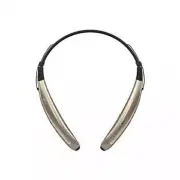
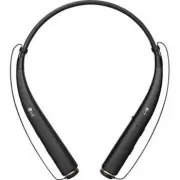
Page 2 - Contents; Specifications and Features; ENGLISH
Contents Safety Cautions ........................................................................................................................ 1Precautions When Using the Product .......................................................................... 2HD Speaker ..................................
Page 3 - Bluetooth; Safety Cautions; CAUTION; WARNING
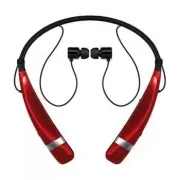
1 ENGLISH The LG TONE TRIUMPH (HBS-510) is a lightweight wireless stereo headset that uses Bluetooth technology.This product can be used as an audio accessory for devices supporting either the A2DP or Hands-Free Bluetooth profile. Safety Cautions ! CAUTION Do not disassemble, adjust, or repair the p...
Page 4 - Precautions When Using the Product; Refer to the following to use the product for its normal life span.; HD Speaker
2 ENGLISH Precautions When Using the Product Refer to the following to use the product for its normal life span. Do not pull the earphone cable with excessive force. If the product is exposed to excessive sweat, clean the product. Keep the earbuds clean. For your safety, do not wear the product whil...
Page 5 - Product Components; NOTE: Actual product design may differ from images shown in manual.; LG; NOTE
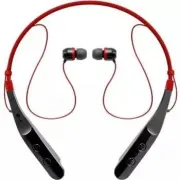
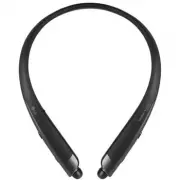
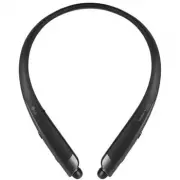
3 ENGLISH Product Components LG TONE TRIUMPH HBS-510 (medium ear gels installed) Extra Ear Gels (small) Micro USB Charging Cable LG TONE TRIUMPH User Manual Warranty Card NOTE: Actual product design may differ from images shown in manual. Make sure authentic LG Electronics components are used. Using...
Page 6 - Product Description
4 ENGLISH Product Description NOTE: To prevent hearing loss, you will hear a sound with each press of the Volume up/down button, depending on the volume level: one beep (lower levels), two beeps (middle levels), or a long tone (higher levels). MFB (Multi-Function Button): Call/Play/Pause Button Powe...
Page 7 - HBS-510 Pairing and Connecting; Connecting Quickly; Connecting Manually (pairing with another phone or re-pairing)
5 ENGLISH HBS-510 Pairing and Connecting If you start the process after putting in your earbuds, you can easily pair and connect following the voice prompts. If you hear that the battery is insufficient, recharge the battery before proceeding with pairing.If pairing is not completed within three min...
Page 8 - Automatic Reconnection; Indicator Lamp
6 ENGLISH Multiple Connections The HBS-510 can be connected to a mobile phone and a PC simultaneously.The HBS-510 can be connected to an additional device while it is already connected to a device. 1 With the HBS-510’s power off, simultaneously press and hold the Power button and the MFB for three s...
Page 9 - Mobile Calling Functions; depending on the mobile phone being used.)
7 ENGLISH Mobile Calling Functions Function Status Description Answering Call Ringing Briefly press the MFB. To turn off the vibration alert, briefly press the Volume down button. Making a Call Idle If you make a call using a mobile phone, the call is automatically connected to the HBS-510. Switchin...
Page 10 - Playing Music; Switching Music Players; playback and control change to that device.
8 ENGLISH Playing Music Function Status Description Play Idle Briefly press the MFB. Pause Music on Briefly press the MFB. Play Previous/Next Song Music on Press and hold the Volume up button or Volume down button for two seconds. Equalizer Music on Briefly press the MFB twice to switch between Bass...
Page 11 - Battery Charging and Alerts; Charging port; Vibration Alert Settings; Volume up button; Out of Range; MFB
9 ENGLISH Battery Charging and Alerts Open the Charging port cover and connect the charger to the Charging port. Indicator Lamp Red Purple Blue Battery Status Charging 80% Completed Press and hold the Volume down button for two seconds to check the battery level using voice prompts and the Indicator...
Page 12 - Search for “LG Tone & Talk” in the Google PlayTM store or scan the QR code; Troubleshooting
10 ENGLISH LG Tone & Talk™ Search for “LG Tone & Talk” in the Google Play™ store or scan the QR code on the right to install LG Tone & Talk. HBS-510 can use the following functions in LG Tone & Talk.NOTE: Tone & Talk can be used on Android™ smartphones. Function Button / Descript...
Page 13 - Declaration of Confirmation; undesired operation.
11 ENGLISH Specifications and Features Item Comments Bluetooth Specifications V 4.1 (Headset/Hands-Free/A2DP/AVRCP) Battery Battery 3.7 V / 210 mAh, lithium-ion polymer Standby Time Up to 530 hours* Talk Time Up to 14 hours* Music Play Time Up to 13 hours* Charging Time Less than 2 hours Rated Input...
Page 15 - Additional Information; Radio frequency exposure
13 ENGLISH Additional Information 1. Radio frequency exposure This Bluetooth Wireless Stereo Headset HBS-510 is a radio transmitter and receiver. When in operation, it communicates with a Bluetooth -equipped mobile device by receiving and transmitting radio frequency (RF) electromagnetic fields (mic...
Page 16 - The battery in your
14 ENGLISH 5. Battery information A rechargeable battery has a long service life if treated properly. A new battery or one that has not been used for a long period of time could have reduced capacity the first few times it is used. Do not expose the battery to extreme temperatures, never above +50°C...
Page 17 - DAMAGES CAN BE DISCLAIMED BY LAW.; Limited Warranty; center to get further information.
15 ENGLISH - THERE ARE NO EXPRESS WARRANTIES, WHETHER WRITTEN OR ORAL, OTHER THAN THIS PRINTED INCLUDING WITHOUT LIMITATION THE IMPLIED WARRANTIES OF MERCHANTABILITY OR FITNESS FOR A PARTICULAR PURPOSE, ARE LIMITED TO THE DURATION OF THIS LIMITED WARRANTY. IN NO EVENT SHALL LG ELECTRONICS OR ITS VEN...
Page 18 - Important Safety Information; Avoiding hearing damage; may sound normal but can be damaging to your hearing.; Using headsets safely
16 ENGLISH Important Safety Information Avoiding hearing damage Permanent hearing loss may occur if you use your headset at a high volume.Set the volume to a safe level. Over time you can become accustomed to a higher volume that may sound normal but can be damaging to your hearing. If you experienc...
Page 19 - Manual del usuario; Auriculares estéreo inalámbricos con; Copyright © 2017 LG Electronics Inc. Todos los derechos reservados.
ESPAÑOL Any modifications or changes to this manual due to typographical errors or inaccuracies of stated information shall only be made by LG Electronics Inc. Las modificaciones o cambios de este manual por errores tipográficos o de información serán realizados exclusivamente por LG Electronics, In...
Page 20 - Contenido
Contenido Precauciones de seguridad ................................................................................................. 1 Precauciones de uso del producto ................................................................................. 2Altavoz HD ........................................
Page 21 - Precauciones de seguridad; PRECAUCIÓN
1 ESPAÑOL El LG TONE TRIUMPH (HBS-510) es un auricular estéreo inalámbrico liviano que utiliza tecnología Bluetooth . Este producto se puede utilizar como un accesorio de audio para dispositivos que admiten perfiles A2DP o manos libres Bluetooth . Precauciones de seguridad ! PRECAUCIÓN No desmonte, ...
Page 22 - Precauciones de uso del producto; Altavoz HD; realizar llamas y escuchar música en alta definición.
2 ESPAÑOL Precauciones de uso del producto Consulte la siguiente información al utilizar el producto para que tenga una vida útil normal. No tire del cable del auricular con fuerza excesiva. Si el producto está expuesto a sudor excesivo, límpielo. Mantenga siempre limpia la almohadilla del auricular...
Page 23 - Componentes del producto; NOTA
3 ESPAÑOL Componentes del producto LG TONE TRIUMPH HBS-510 (puntas medianas de silicona instaladas) Adaptadores de silicona adicionales (pequeño) Cable de carga micro USB LG TONE TRIUMPH Manual del usuario Documento de garantía NOTA: el diseño real del producto puede diferir de las imágenes que apar...
Page 24 - Descripción del producto
4 ESPAÑOL Descripción del producto NOTA: para prevenir la pérdida de la audición, escuchará un sonido cada vez que presione el botón para subir o bajar el volumen, según dicho nivel: un pitido (niveles bajos), dos pitidos (niveles medios) o un tono prolongado (niveles altos). MFB (Botón multifunción...
Page 25 - Emparejamiento y conexión del HBS-510; Conexión rápida
5 ESPAÑOL Emparejamiento y conexión del HBS-510 Si inicia el proceso después de ponerse los auriculares, podrá emparejarlos y conectarlos fácilmente siguiendo las indicaciones de voz.Si oye que el nivel de batería es insuficiente, cargue la batería antes de continuar con el emparejamiento.Si el empa...
Page 26 - Conexiones múltiples; botón de encendido; Reconexión automática; Luz indicadora
6 ESPAÑOL Conexiones múltiples El HBS-510 se puede conectar simultáneamente a un teléfono móvil y a una PC.Mientras el HBS-510 se encuentra conectado con un dispositivo, puede conectarse a uno adicional. 1 Con el HBS-510 apagado, mantenga presionados simultáneamente el botón de encendido y el MFB du...
Page 27 - Funciones de llamada de voz
7 ESPAÑOL Funciones de llamada de voz Función Estado Descripción Responder una llamada Suena Presione brevemente el MFB. Para desactivar la alerta de vibración, presione brevemente el botón para bajar el volumen. Realizar una llamada Inactivo Si realiza una llamada con un teléfono móvil, la llamada ...
Page 28 - Reproducción de música; Cambio de reproductor de música; reproducción de música del HBS-510 pasarán a ese dispositivo.
8 ESPAÑOL PRECAUCIÓN: No desactive ni active la función de silencio mientras conduce, ya que necesita utilizar ambas manos. NOTA: las funciones de marcación por voz y volver a marcar son para el dispositivo principal conectado o para el dispositivo en el que se realizó la última llamada. (Las funcio...
Page 29 - Alertas y carga de la batería; puerto de carga; Configuración de la alerta de vibración; botón para subir el volumen; Fuera de alcance
9 ESPAÑOL Alertas y carga de la batería Abra la tapa del puerto de carga y conecte el cargador en él. Luz indicadora Roja Morada Azul Estado de la batería Cargando 80 % Cargada Mantenga presionado el botón para bajar el volumen durante dos segundos para comprobar el nivel de la batería con las indic...
Page 30 - o lea el código QR de la derecha.; Solución de problemas
10 ESPAÑOL LG Tone & Talk™ Para instalar LG Tone & Talk, busque "LG Tone & Talk" en Google Play™ Store o lea el código QR de la derecha. El HBS-510 puede utilizar las siguientes funciones de LG Tone & Talk.NOTA: Tone & Talk se puede utilizar en teléfonos inteligentes con ...
Page 31 - Especificaciones y funciones; y otros métodos de uso.; Aviso de conformidad; AVISO DE LA FCC PARA LOS USUARIOS; funcionamiento no deseado.
11 ESPAÑOL Especificaciones y funciones Ítem Descripción Especificaciones de Bluetooth V 4.1 (auricular/manos libres/A2DP/AVRCP) Batería Batería de polímero de iones de litio de 3,7 V/210 mAh Duración en espera Hasta 530 horas* Tiempo de conversación Hasta 14 horas* Tiempo de reproducción de música ...
Page 33 - Información adicional; Exposición a la radiofrecuencia; Este auricular estéreo inalámbrico; Precauciones para la conexión; y el dispositivo conectado.; Atmósferas potencialmente explosivas; proveedor de servicio local.
13 ESPAÑOL Información adicional 1. Exposición a la radiofrecuencia Este auricular estéreo inalámbrico Bluetooth , modelo HBS-510, es un transmisor y receptor de radio. Cuando está en funcionamiento, se comunica con un dispositivo móvil compatible con Bluetooth mediante la recepción y la transmisión...
Page 34 - La batería del auricular
14 ESPAÑOL 5. Información sobre la batería Las baterías recargables tienen una vida útil prolongada si reciben el tratamiento adecuado. Las baterías nuevas o que no se hayan utilizado por mucho tiempo podrían tener una capacidad reducida las primeras veces que se utilizan. No exponga la batería a te...
Page 35 - Reducción de la capacidad auditiva; Uso seguro de los auriculares; requiera toda su atención.
15 ESPAÑOL - En algunos estados y países, no se permite la exclusión o la limitación de daños fortuitos y emergentes, ni la limitación del plazo de las garantías implícitas. Por lo tanto, las exclusiones o limitaciones de los párrafos anteriores podrían no aplicarse en su caso. La garantía provista ...