Page 3 - WARNING
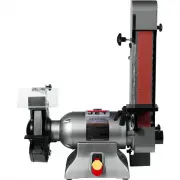
3 WARNING Wear eye protection. Always keep guards in place and in proper operating condition. Do not operate the machine without the guards for any reason. This disc/belt sander is intended to be used with wood and wood products only. Use of this disc/belt sander and a dust collector with metal prod...
Page 4 - SAND with the grain of the wood.
4 • ALWAYS DISCONNECT THE MACHINE FROM THE POWER SOURCE BEFORE SERVICING. • REDUCE THE RISK OF UNINTENTIONAL STARTING. Make sure the switch is in the off positionbefore plugging in. • USE RECOMMENDED ACCESSORIES. The use of accessories and attachments notrecommended by JET may cause hazards or risk ...
Page 5 - Grounding Instructions; Repair or replace a damaged or worn cord immediately.
5 Grounding Instructions Caution: This tool must be grounded while in use to protect the operator from electric shock. In the ev ent of a malfunction or breakdown, grounding prov ides a path of least resistance for electriccurrent to reduce the risk of electric shock. This tool is equipped with an e...
Page 7 - Read and understand the entire contents of; Unpacking
7 Contents of the Shipping Carton 1. Sander 1. Sanding Belt 1. Sanding Disc 2. Tables 1. Center Point 3. Handles (one w/brass insert) 2. 5/16” Flat W ashers 1. Miter Gauge 1. Owner's Manual 1. W arranty Card Tools Required for Assembly 1. 13mm W rench or socket (stand) 1. 12mm W rench or socket (sta...
Page 8 - Assembly; CAUTION; Machine is heavy! Use care when lifting out
8 Assembly CAUTION Machine is heavy! Use care when lifting out of the shipping carton and moving to a final location. Stand or bench must be stable enough to support weight of machine. 1. Mov e the sander to a workbench or one ofJET’s optional stands. Bolt the unit firmly tohold in place. JET’s clos...
Page 9 - Sanding Belt Table Adjustment; Always disconnect the sander from the; Set a combination square on the
9 Sanding Belt Table Adjustment WARNING Always disconnect the sander from the power source before servicing or making any adjustments. Failure to comply may cause serious injury! 1. Place a square on the sanding belt tablewith one edge along the graphite pad, orsanding belt (Figure 4). 2. If the tab...
Page 10 - Horizontal Sanding Workstop; Tighten the; Sanding Belt Replacement; Slide the belt off of both sanding drums.
10 Horizontal Sanding Workstop 1. Loosen the socket head cap screw (A, Fig. 7)so that the sanding belt can be rotated tothe horizontal position. 2. Rotate the sander until the stop (B, Fig. 7)contacts the sander base. Tighten the socket head cap screw. 3. W hen the sanding belt is used in thehorizon...
Page 11 - Belt Tracking Adjustment; Note: when tightening the; Disc Table Adjustment
11 Belt Tracking Adjustment 1. Connect the machine to the power source.One time quickly turn the machine “ON” and“OFF”. This will allow you to v iew the beltstendency to run down the middle, to theright, or to the left. The belt should run centered on the sanding drums. Do not letthe belt run off th...
Page 14 - Sander will not start
14 Troubleshooting Trouble Possible Cause Solution Sander will not start 1. Sander unplugged from wallor motor 2. Fuse blown or circuit breakertripped 3. Cord damaged 1. Check all plug connections 2. Replace fuse or reset circuitbreaker 3. Replace cord Sanding belt does not comeup to speed 1. Extens...
Page 15 - Disc Sander Assembly Breakdown
Page 16 - Index
16 Parts List For The JSG-96 Sander Disc Sander Assembly Index Part No. No. Description Size Qty. 1 .......... JSG96-101....................... Base .............................................................. ................................... 12 .......... JSG96-102....................... Motor...
Page 18 - Belt Sander Assembly Breakdown
Page 19 - Belt Sander Assembly
19 Belt Sander Assembly Index Part No. No. Description Size Qty. 1 .......... JSG96-201....................... Bracket .......................................................... ................................... 12 .......... TS-0208071 ..................... Hex Socket Cap Screw......................
Page 21 - Open Stand Breakdown
Page 22 - JSG-96 Open Stand Assembly
22 JSG-96 Open Stand Assembly Index Part No. No. Description Size Qty. 1 .......... JSG96-401....................... Stand Top (front and rear, short).................... ................................... 22 .......... JSG96-402....................... Stand Top (left and right, long) ................
Page 23 - Closed Stand Breakdown
Page 24 - Closed Stand Assembly
24 Closed Stand Assembly Index Part No. No. Description Size Qty. 1 .......... JSG96-301....................... Base .............................................................. ................................... 12 .......... JSG96-302....................... Lock Nut ...............................