Jet 414551 - User Manual
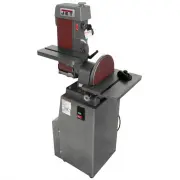
Jet 414551 Grinding Machine – User Manual, read for free online in PDF format. We hope this helps you resolve any issues you may have. If you have further questions, please contact us through the contact form.


Table of Contents:
- Page 2 – Warranty and Service
- Page 3 – Table of contents
- Page 4 – Safety Warnings; General Cautions; General Machinery Warnings
- Page 6 – Machine and Manual Overview
- Page 7 – Specifications
- Page 8 – Operating instructions; Belt sander
- Page 9 – Adjusting disc sander table; Use of the Miter Gauge
- Page 10 – Maintenance; Belt replacement
- Page 11 – Installing abrasive discs
- Page 13 – Machine setup; Basic setup; Disc table angle adjustment
- Page 15 – Adjusting or replacing the platen; Electrical connections
- Page 16 – Single phase electrical hookup
- Page 17 – Troubleshooting
- Page 18 – Replacement parts; Model J-4200A Belt and Disc Sander Assembly – Exploded View
- Page 19 – Model J-4200A Belt and Disc Sander Assembly – Parts List
- Page 21 – Model J-4300A Belt Sander Assembly – Exploded View
- Page 22 – Model J-4300A Belt Sander Assembly – Parts List
- Page 24 – Model J-4400A Disc Sander Assembly – Exploded View
- Page 25 – Model J-4400A Disc Sander Assembly – Parts List
- Page 34 – Electrical schematic – single phase
- Page 35 – Electrical schematic – 3 phase
Operating Instructions and Parts Manual
Disc, Belt and Combination Disc/Belt Sanders
Models: J-4200A
J-4300A
J-4400A
J-4200A-2
J-4301A
J-4401A
J-4202A
J-4200A Disc/Belt Sander J-4300A Belt Sander J-4400A Disc Sander
JET
427 New Sanford Road
LaVergne, Tennessee 37086
Part No. M-414551
Ph.: 800-274-6848
Revision E 12/2016
www.jettools.com
Copyright © 2016 JET
This .pdf document is bookmarked
"Loading the manual" means you need to wait until the file loads and becomes available for online reading. Some manuals are very large, and the time they take to appear depends on your internet speed.
Was this manual helpful?
About this manual
- Brand
- Jet
- Model
- 414551
- Document type
- User Manual
- Category
- Grinding Machine
- Language(s)
- English
- Pages
- 36
- File size
- 1.6 MB
- Format
Summary
2 1.0 Warranty and Service JET warrants every product it sells against manufacturers’ defects. If one of our tools needs service or repair, please contact Technical Service by calling 1-800-274-6846, 8AM to 5PM CST, Monday through Friday. Warranty Period The general warranty lasts for the time perio...
3 2.0 Table of contents Section Page 1.0 Warranty and Service ..................................................................................................................................... 2 2.0 Table of contents ...................................................................................
4 3.0 Safety Warnings General Cautions - Misuse of this machine can cause serious injury. - For safety, the machine must be set up, used and serviced properly. - Read, understand and follow the instructions in the operator’s and parts manual which was shipped with your machine. When setting up the m...
Ask a question
Related manuals
More Jet Grinding Machines models


Other Jet appliances
 Jet 16-32 Plus Manual
 Jet 22-44 Plus Manual
 Jet 30 Manual
- Jet 50 Manual
 Jet 500 Manual
 Jet 414458 User Manual
 Jet 414559 User Manual
 Jet 414560 User Manual
 Jet 708115K User Manual
 Jet 716000 User Manual
 Jet AFS-400 Manual
 Jet AFS-1000B Manual
 Jet AFS-2000 Manual
 Jet BD-920N Manual
 Jet BD-920W Manual
 Jet DC-650A Manual
 Jet DC-650TS Manual
 Jet DC-1100A Manual