Page 2 - Read and save these instructions.; For assistance with this product please visit; Table of contents
About your new thermostat Thermostat features ................................... 1Quick reference to controls ....................... 3Quick reference to display ........................ 4 Operation Select system setting ................................ 5Select fan setting ............................
Page 3 - Features; Operating Manual
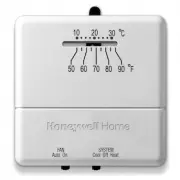
RTH111 1 69-2731ES—02 About your new thermostat About your new thermostat Your new Honeywell thermostat has been designed to give you many years of reliable service and easy-to-use, push-button climate control. Features • Displays ambient (measured) temperature at all times• One-touch access to setp...
Page 4 - About your new thermostat; Select system setting:; Preset to
Operating Manual 69-2731ES—02 2 About your new thermostat This thermostat is ready to go! Simply perform the three steps below and the thermostat is in operation: 1. Select system setting: Preset to Off ................................ To change, see page 5 2. Select fan setting: Preset to Auto .......
Page 5 - Quick reference to controls; Fan Switch
RTH111 3 69-2731ES—02 About your new thermostat M33586 Heat Off Cool Auto On Fan Quick reference to controls Up/Down buttons Press to adjust temperature. Fan Switch (see page 6) On: Fan runs continuously. Auto: Fan runs only when heating or cooling system is on. System switch (see page 5) • Cool: Co...
Page 6 - Set; Cool; Quick reference to display screen; or
Operating Manual 69-2731ES—02 4 About your new thermostat Lo Batt Set Cool 77 M32763 On Quick reference to display screen Low battery warning (see page 9) Temperature The ambient (measured) temperature is normally displayed. To view the setpoint temperature, press the Up or Down button once. The set...
Page 7 - Select the system setting; The; switch can be set to control; SYSTEM; switch to control the
RTH111 5 69-2731ES—02 M33586 Heat Off Cool Auto On Fan Select the system setting The SYSTEM switch can be set to control your heating or cooling system, depend-ing on the season. • Cool: Cooling system control. • Off: All systems are off. • Heat: Heating system control. Set SYSTEM switch to control ...
Page 8 - Select the fan setting; Set the; switch to Auto or; FAN; switch to choose whether the fan
Operating Manual 69-2731ES—02 6 M33586 Heat Off Cool Auto On Fan Select the fan setting Set the FAN switch to Auto or On . In “Auto” mode (the most commonly used setting), the fan runs only when the heat-ing or cooling system is on. If set to “On,” the fan runs continuously. Set FAN switch to choose...
Page 9 - Adjust the temperature; Press
RTH111 7 69-2731ES—02 About your new thermostat M33587 Heat Off Cool Auto On Fan Set Cool 77 On Adjust the temperature Press s or t to adjust the temperature. Note: Make sure the thermostat is set to the system you want to control (heat or cool). 69-2731ES_A.indd 7 3/28/2012 12:45:01 PM
Page 10 - Built-in compressor protection; Damage can occur if the compressor is
Operating Manual 69-2731ES—02 8 Built-in compressor protection This feature helps prevent damage to the compressor in your air conditioning or heat pump system. Damage can occur if the compressor is restarted too soon after shutdown. This fea-ture forces the compressor to wait 5 minutes before resta...
Page 11 - Battery replacement; Install two fresh AAA batteries when; Lo Batt; flashes on the screen.; appears for 60 days before the
RTH111 9 69-2731ES—02 RTHXXXX M32707 W/ Aux Not Used M33588 Heat Off Cool Auto On Fan Heat Off Cool Auto On Fan Battery replacement Install two fresh AAA batteries when Lo Batt flashes on the screen. Lo Batt appears for 60 days before the batteries are depleted.Replace batteries once a year, or when...
Page 12 - Customer assistance; Or call Honeywell Customer Care toll-
Operating Manual 69-2731ES—02 10 RTHXXXX M32707 W/ Aux Not Used M33588 Heat Off Cool Auto On Fan Heat Off Cool Auto On Fan Customer assistance For assistance with this product, please visit http://yourhome.honeywell.com . Or call Honeywell Customer Care toll- free at 1-800-468-1502 . To save time, p...
Page 13 - Display is blank; • Set system switch to; In case of difficulty
RTH111 11 69-2731ES—02 If you have difficulty with your thermostat, please try the following suggestions. Most problems can be corrected quickly and easily. Display is blank • Make sure furnace door is closed securely.• Make sure fresh AAA alkaline batteries are correctly installed (see page 9). Hea...
Page 16 - Automation and Control Solutions; Honeywell International Inc.
Automation and Control Solutions Honeywell International Inc. 1985 Douglas Drive NorthGolden Valley, MN 55422http://yourhome.honeywell.com ® U.S. Registered Trademark © 2012 Honeywell International Inc. 69-2731ES— 02 M.S. 03-12 Printed in Mexico 69-2731ES_A.indd 14 3/28/2012 12:45:02 PM
Page 17 - Termostato no programable
69-2731ES-02 Manual de funcionamiento RTH111 Series Termostato no programable 69-2731ES_A.indd 1 3/28/2012 12:45:02 PM
Page 18 - Índice; Acerca de su nuevo termostato; En caso de inconvenientes; Lea y guarde estas instrucciones.; ¿Necesita asistencia?; PRECAUCIÓN : PELIGRO DE DAÑO
Índice Acerca de su nuevo termostato Características del termostato. ................. 1Rápida referencia de los controles ........... 3Rápida referencia de la pantalla ............... 4 Funcionamiento Seleccione la configuración del sistema ...... 5Seleccione la configuración del ventilador ..........
Page 19 - Características
RTH111 1 69-2731ES—02 Acerca de su nuevo termostato Su nuevo termostato ha sido diseñado para brindarle muchos años de funcionamiento confiable y para brindarle un control climático fácil de usar y con sólo apretar un botón. Características • Indica la temperatura ambiente (medida) en todo momento.•...
Page 20 - Manual de funcionamiento; ¡Este termostato está listo para funcionar!; Seleccione la configuración del sistema:; Predetermine la función; Seleccione la configuración del ventilador:; Para cambiar, vea la página 6
69-2731ES—02 2 Acerca de su nuevo termostato Manual de funcionamiento ¡Este termostato está listo para funcionar! Basta con llevar a cabo las tres etapas siguientes para poner el termostato en marcha: 1. Seleccione la configuración del sistema: Predetermine la función “Off” ............................
Page 21 - El ventilador funciona sin; Rápida referencia de los controles; Apaga todos
RTH111 3 69-2731ES—02 Acerca de su nuevo termostato Interruptor “Fan” (ventilador) vea la página 6. “On” (encendido): El ventilador funciona sin interrupción. “Auto” (automático): El ventilador funciona solamente cuando la calefacción o el sistema de refrigeración están encendidos. Rápida referencia...
Page 22 - El sistema de refrigeración está encendido.; Rápida referencia de la pantalla; Aviso de batería baja
69-2731ES—02 4 Acerca de su nuevo termostato Manual de funcionamiento Estado del sistema “Cool on” (frío encendido): El sistema de refrigeración está encendido. “Heat on” (calor encendido): El sistema de calefacción está encendido. Cuando Cool On parpadean, la protección del compresor está activada ...
Page 23 - Mueva el interruptor “; ” para; PRECAUCIÓN: PELIGRO DE DAÑO EN; Para evitar posibles daños en; Seleccione la configuración del sistema; El interruptor “; ” puede configurarse para
RTH111 5 69-2731ES—02 Acerca de su nuevo termostato M33586 Heat Off Cool Auto On Fan Mueva el interruptor “ SYSTEM ” para controlar los sistemas de calefacción y refrigeración. PRECAUCIÓN: PELIGRO DE DAÑO EN EL EQUIPO. Para evitar posibles daños en el compresor, no haga que el termostato funcione cu...
Page 24 - ” hasta la posición; Configure el botón “; ” para seleccionar; Seleccione la configuración del ventilador
69-2731ES—02 6 Acerca de su nuevo termostato Manual de funcionamiento M33586 Heat Off Cool Auto On Fan Mueva el interruptor “ FAN ” hasta la posición “Auto” u “ On ”. En el modo “Auto”, la configuración usada comúnmente, el ventilador funciona solamente cuando la calefacción o el sistema de refriger...
Page 25 - Acerca de su nuevo term; Presione
RTH111 7 69-2731ES—02 Acerca de su nuevo termostato M33587 Heat Off Cool Auto On Fan Set Cool 77 On Acerca de su nuevo term Presione s o t to para ajustar la temperatura. Nota: Asegúrese de que el termostato esté configurado con el sistema que usted quiere controlar (calor o frío). 69-2731ES_A.indd ...
Page 26 - Esta función ayuda a prevenir el daño del; El mensaje titila hasta que haya; Protección del compresor incorporada
69-2731ES—02 8 Acerca de su nuevo termostato Manual de funcionamiento Esta función ayuda a prevenir el daño del compresor en su acondicionador de aire o en su sistema de bomba de calor. El compresor puede dañarse si se vuelve a iniciar inmediatamente después de ser apagado. Esta característica hace ...
Page 27 - Reemplazo de la batería; aun cuando se hayan sacado las baterías.; Instalar dos pilas AAA nuevas cuando; parpadee en la pantalla.; aparecerá 60 días antes de que las pilas; Hale de la parte
RTH111 9 69-2731ES—02 Acerca de su nuevo termostato RTHXXXX M32707 W/ Aux Not Used M33588 Heat Off Cool Auto On Fan Heat Off Cool Auto On Fan Reemplazo de la batería Ponga el conmutador del sistema en OFF antes de retirar las pilas. De lo contrario, el sistema de calefacción/enfriamiento puede perma...
Page 28 - Para obtener asistencia relacionada con; Asistencia al cliente
69-2731ES—02 10 Acerca de su nuevo termostato Manual de funcionamiento RTHXXXX M32707 W/ Aux Not Used M33588 Heat Off Cool Auto On Fan Heat Off Cool Auto On Fan Para obtener asistencia relacionada con este producto, visite http://yourhome.honeywell.com . O comuníquese con el número gratuito del serv...
Page 29 - • Asegúrese de que la puerta del sistema de calefacción esté bien
RTH111 11 69-2731ES—02 Acerca de su nuevo termostato Si tiene dificultades con el termostato, intente seguir las sugerencias que se indican a continuación. La mayoría de los problemas pueden corregirse rápida y fácilmente. La pantalla está vacía • Asegúrese de que la puerta del sistema de calefacció...
Page 31 - Garantía limitada de 1 año
RTH111 13 69-2731ES—02 Acerca de su nuevo termostato Honeywell garantiza este producto, a excepción de la batería, por el término de un (1) año contra cualquier defecto de fabricación o de los materiales, a partir de la fecha de compra por parte del consumidor. Si en cualquier momento durante el per...
Page 32 - Automatización y control desenlace
® Marca Registrada en los EE. UU. © 2012 Honeywell International Inc. 69-2731ES— 02 M.S. 03-12 Impreso en México Automatización y control desenlace Honeywell International Inc. 1985 Douglas Drive NorthGolden Valley, MN 55422http://yourhome.honeywell.com 69-2731ES_A.indd 14 3/28/2012 12:45:03 PM