Page 2 - CONTENTS
2 WE’RE THINKING OF YOU Thank you for purchasing an Electrolux appliance. You’ve chosen a product that brings with it decades of professional experience and innovation. Ingenious and stylish, it has been designed with you in mind. So whenever you use it, you can be safe in the knowledge that you’ll ...
Page 3 - SAFETY INFORmATION; Read the following carefully to avoid damage or injury.
3 Children and vulnerable people safety WarnIng! risk of suffocation, injury or permanent disability. Do not let persons, children included, with reduced physical sensory, reduced mental functions or lack of experience and knowledge use the appliance. They must have supervision or instruction for th...
Page 5 - PRODUCT DESCRIPTION; general overview
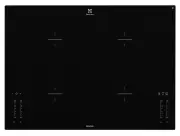
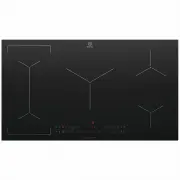
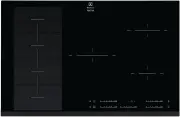
5 PRODUCT DESCRIPTION general overview 1 Induction cooking zone (210mm) 2300W, with Power function 3200W 2 Induction cooking zone (210mm) 2300W, with Power function 3200W 3 Induction cooking zone (210mm) 2300W, with Power function 3200W 4 Control panel 5 Induction cooking zone (210mm) 2300W, with Po...
Page 6 - Display; The cooking zone is deactivated; Heat setting displays; OptiHeat Control shows the level of the residual heat. The
6 PRODUCT DESCRIPTION Display Description The cooking zone is deactivated The cooking zone operates The function operatesThe automatic heat up function operates Power function operates + digit There is a malfunction OptiHeat Control (3 step Residual heat indicator) : continue cook / stay warm / resi...
Page 7 - OPERATING INSTRUCTIONS
7 OPERATING INSTRUCTIONS On and off Touch for 1 second to activate or deactivate the appliance. automatic switch off The function deactivates the appliance automatically if:• All cooking zones are deactivated ( ). • You do not set the heat setting after you activate the appliance. • You spill someth...
Page 9 - does not stop the timer function.; Lock; Touch for 4 seconds. The symbol comes on.; Deactivation of the sounds
9 OPERATING INSTRUCTIONS Stop+go The function sets all cooking zones that operate to the lowest heat setting ( ). When operates, you cannot change the heat setting. does not stop the timer function. • To activate this function touch . comes on. • To deactivate this function touch . The heat setting ...
Page 10 - HELPFUL HINTS AND TIPS; Use the induction cooking zones with correct cookware.; The noises during operation; • whistle sound: you use one or more cooking zones
10 HELPFUL HINTS AND TIPS InDuCTIOn COOkIng zOnES For induction cooking zones a strong electro-magnetic field creates the heat in the cookware very quickly. Cookware for induction cooking zones WarnIng! Use the induction cooking zones with correct cookware. Cookware material: • correct: cast iron, s...
Page 11 - Examples of cooking applications
11 HELPFUL HINTS AND TIPS Examples of cooking applications The relation between the heat setting and the cooking zone consumption of power is not linear. When you increase the heat setting it is not proportional to the increase of the cooking zone consumption of power.It means that the cooking zone ...
Page 12 - To remove the dirt
12 CARE AND CLEANING TROUBLESHOOTING Clean the appliance after each use. always use cookware with clean bottom. Scratches or dark stains on the glass ceramic have no effect on how the appliance operates. To remove the dirt 1. remove immediately: melted plastic, plastic foil, and food with sugar. If ...
Page 13 - TROUBLESHOOTING
13 TROUBLESHOOTING If you tried the above solutions and cannot repair the problem, speak to your dealer or the customer service centre. Give the data from the rating plate and an error message that comes on. make sure you operated the appliance correctly. If not the servicing by a customer service t...
Page 14 - INSTALLATION; Refer to “Safety information” chapter.; bEFOrE InSTaLLaTIOn
14 INSTALLATION WarnIng! Refer to “Safety information” chapter. bEFOrE InSTaLLaTIOn Before the installation of the appliance, record the information below from the rating plate. The rating plate is on the bottom of the appliance casing. model PNC Serial number If you use a protection box (an additio...
Page 15 - ELECTROLUX; Cooking zone; Right rear
15 TECHNICAL INFORmATION ENVIRONmENT CONCERNS model. EHI645BA Typ 58 GBD C3 AU Induction 7.4 kW Ser.Nr. ELECTROLUX Prod.Nr. 305 518 302220-240 V 50-60 Hz made in CHINA 7.4 kW Cooking zone nominal Power (max heat setting) (W) Power Function activated (W) Power function maximum duration (min) minimum ...
Page 16 - NOTES
Page 17 - Warranty
17 This document sets out the terms and conditions of the product warranties for Electrolux Appliances. It is an important document. Please keep it with your proof of purchase documents in a safe place for future reference should you require service for your Appliance. 1. In this warranty (a) ‘accep...