Canon PowerShot G16- Manuals
Canon PowerShot G16– User Manual, Manual in PDF format online.
Manuals:
User Manual Canon PowerShot G16
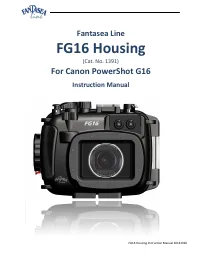
Summary
FG16 Housing Instruction Manual 20141020 2 TABLE OF CONTENTS TABLE OF CONTENTS ................................................................................................................................................ 2 DISCLAIMER ..................................................................
FG16 Housing Instruction Manual 20141020 3 DISCLAIMER While every effort has been made in order to ensure that the information included in this instruction manual is accurate and complete, no liability will be accepted for any errors or omissions. Fantasea Line reserves the right to change product s...
FG16 Housing Instruction Manual 20141020 4 Features & Specifications Depth rated to 60m/200 feet Made from durable injection molded Polycarbonate Access to all camera controls and functions Shock resistant Double O-ring main seal Special cold-shoe mount for lighting accessories Rem...
FG16 Housing Instruction Manual 20141020 5 INCLUDED IN PACKAGE 1. FG16 Housing 2. Removable flash diffuser with secure line 3. Hand lanyard 4. Silicone grease 5. Anti-glare hood for LCD screen 6. Screwdriver 7. Silica gel packs 8. O-ring remover 9. Spare back door O-ring seal 10. Diffuser quick rele...
FG16 Housing Instruction Manual 20141020 6 IDENTIFICATION OF HOUSING PARTS Top/Front Side of Housing - Corresponding numbered descriptions are found on the following page Note 1. Please refer to the Canon PowerShot G16 camera instruction manual for detailed descriptions and instructions regarding al...
FG16 Housing Instruction Manual 20141020 7 Numbered descriptions below refer to corresponding numbers on the top/front housing graphic on the previous page: 1. Front Dial - Turning this dial swivels the front dial of the camera to the opposite direction. This allows for altering shutter speed and ap...
FG16 Housing Instruction Manual 20141020 8 c. Note: Housing and camera mode dials may not remain aligned during your dive. Therefore, it is important to check the shooting mode selected and displayed on the camera LCD screen when switching modes. Even in such cases, since mode labels on the housing ...
FG16 Housing Instruction Manual 20141020 9 10. Lens Port- The housing lens port is compatible with a wide variety of accessory filters and lenses. For a selection of lens accessories available, please visit the Fantasea website – www.fantasea.com 11. Tripod Mounting Screw Holes – Enable mounting the...
FG16 Housing Instruction Manual 20141020 10 13. Movie Button – a. Press the Movie Button in any shooting mode to start recording a video. The record symbol (●) appears and displayed with the elapsed time. b. Press the Movie Button again in order to stop recording. 14. ISO / Delete – a. In shooting m...
FG16 Housing Instruction Manual 20141020 11 24. AF Frame Selector / Wi-Fi – a. In shooting mode, press this button to move or resize the AF frame. b. In playback mode, press this button to operate the camera Wi-Fi functions. 25. Anti-Glare Hood Rails – Enable the attachment of the anti-glare hood to...
FG16 Housing Instruction Manual 20141020 12 Canon PowerShot G16 Highlights 12MP 1/1.7" Canon CMOS sensor 28-140mm equivalent F1.8-2.8 lens, 6-stop 'Intelligent IS' High Speed AF with a continues shooting speed of up to 9.3 fps Full HD video recording capabilities at 1080p/60p resolution ...
FG16 Housing Instruction Manual 20141020 13 a. Peel the screen protector off the back side of the housing. b. Install the hand lanyard on the housing by inserting it through the lanyard loop on the bottom right of the housing (facing from back), then pulling it through itself and testing it in order...
FG16 Housing Instruction Manual 20141020 14 OPENING THE HOUSING 1. Pull the small red tab located at the bottom of the latch dial outwards (away from the housing), as indicated by the arrow direction (image #5). There is no need to apply any force. 2. While holding the lock dial up, turn the latch d...
FG16 Housing Instruction Manual 20141020 15 CHECKING THE O-RING 1. Prior to each closure of the housing, the back door O-ring should be visually inspected. If there is any debris present, including dirt, sand, dust, hair, grease or any other matter, it must be cleaned to ensure a proper watertight s...
FG16 Housing Instruction Manual 20141020 16 2. Lift the housing Mode Dial so it doesn’t interfere with camera installation (image #9). 3. Hold the camera parallel to the housing and then gently install it inside (image #10). Avoid inserting one side of the camera prior to the other, as this will mak...
FG16 Housing Instruction Manual 20141020 17 4. Gently try pulling the back door away from the front door. If the housing is properly closed, it should be impossible to open the back door. 5. Visually inspect the O-ring through the transparent back door for proper closure. Make sure it isn’t twisted ...
FG16 Housing Instruction Manual 20141020 18 2. When opening the housing, it is important to hold it so the lens port is facing down. This will prevent the camera from slipping out of the housing while being opened. 3. Open the housing as described in the section “Opening the Housing”, pull up the mo...
FG16 Housing Instruction Manual 20141020 19 5. Turn the Flash Up dial counterclockwise in order to pop up the camera built-in flash. 6. Note that once the camera built-in flash has been popped up, it can be disabled again using the Flash Push Down Control on top of the housing. Turning the Flash Up ...
FG16 Housing Instruction Manual 20141020 21 external slave flash illuminates the subject. This diminishes the effects of backscatter, as well as eliminates any shadowing effect caused by housing lens port, especially when lens accessories are mounted on the housing. 4. Follow the instructions in you...
FG16 Housing Instruction Manual 20141020 22 EyeGrabber Lens Holders : Attach to Flex or Ball & Joint arms, enabling safe, secure and easily accessible storage for your lens accessories when not in use during the dive. For a selection of lens accessories available, please visit the Fantasea web...
FG16 Housing Instruction Manual 20141020 23 5. To use, slide right hand from back side to front of the Hand Strap with knuckles protruding slightly out of the front (lens side) of the strap (image #24). Have it snug but not too tight, to allow for control manipulation. 6. Always use the wrist lanyar...
FG16 Housing Instruction Manual 20141020 24 the detector out and peeling off the protective film which holds the battery in place. For further instructions and Fantasea Moisture Detectors available, please visit the Fantasea website – www.fantasea.com FG16 HOUSING ACCESSORY SYSTEM Slave Flash Flex A...
FG16 Housing Instruction Manual 20141020 26 13. It is likewise recommended to visually monitor the housing during every descent, especially for the first 10 meters/33 feet. If water is observed entering the housing or bubbles escaping from it, the housing should be rotated to a port down position an...
FG16 Housing Instruction Manual 20141020 27 FANTASEA MOISTURE DETECTOR The alarm unit of the Moisture Detector is installed inside the housing, opposite the latch dial (image #25 – item A ). The Moisture Sensor unit is installed just under the camera (image #25 – item B ). A thin wire connects these...
FG16 Housing Instruction Manual 20141020 28 SILENCING THE ALARM 1. In order to silence the alarm after it goes off, wipe the Moisture Sensor unit at the bottom of the housing gently with a soft dry cloth in order to dry it off. 2. If this doesn’t help, remove the alarm unit from the housing by gentl...
FG16 Housing Instruction Manual 20141020 29 7. Gently push the new battery it into the battery compartment and make sure it doesn’t fall off easily. WARNING Install only 3V Lithium #CR1220 batteries inside the Moisture Alarm unit. Using any other type of batteries will cause irreparable damage to th...
Manual Canon PowerShot G16
Canon Manuals
-
Canon 6130280
User Manual
-
Canon imageCLASS MF284dw
User Manual
-
Canon imageCLASS MF289dw
User Manual
-
Canon imageCLASS LBP172dw
User Manual
-
Canon 248
User Manual
-
Canon 323
User Manual
-
Canon 323
Installation Manual
-
Canon 323
Manual
-

Canon 250
User Manual
-
Canon 251
User Manual
-
Canon 251
Manual
-
Canon 251
Troubleshooting Guide
-
Canon 6710C002
User Manual
-
Canon K10605
User Manual
-
Canon K10613
User Manual
-
Canon K10608
User Manual
-
Canon K10609
User Manual
-
Canon imageRUNNER C3326i
User Manual
-
Canon imageCLASS MF465dw
User Manual
-
Canon K10617
User Manual
