Bosch GLM165 27CGL - Manual
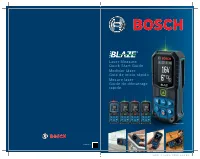
A user manual for the Bosch Blaze Laser Measure device outlines its core functionalities, including precise laser measurements, customizable settings, and connectivity features. The guide covers essential topics like button functions, measurement modes (length/area), unit adjustments, and battery compatibility across supported models. It also highlights cloud-based data management via the MeasureOn app, enabling Bluetooth connectivity for project storage and sharing. Language support includes English, Spanish, French, and Portuguese, though the manual’s primary focus remains on operational capabilities rather than procedural instructions.
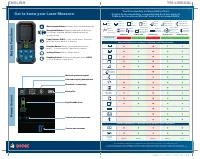
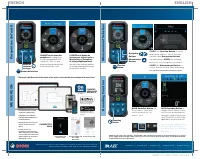
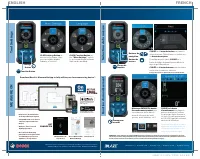
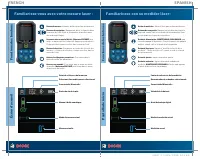

Table of Contents:
- Page 1 – Product Identification and Compatible Models
- Page 2 – Device Functionality and Model Compatibility Chart
- Page 3 – Accessing Measurement Settings and App Connectivity
- Page 4 – Interface Navigation and Measurement Precision
- Page 5 – Display Screen and Button Operations
- Page 6 – Measurement Modes and Cloud Integration
Laser Measure
Quick Start Guide
Medidor láser
Guía de inicio rápido
Mesure laser
Guide de démarrage
rapide
GLM165-27CGL
GLM165-27C
GLM165-25G
GLM165-22
GLM165-27CG
2610054125
SHEET: 11 x 8.5 / PAGE: 5.5 x 8.5
"Loading the manual" means you need to wait until the file loads and becomes available for online reading. Some manuals are very large, and the time they take to appear depends on your internet speed.
Was this manual helpful?
About this manual
- Brand
- Bosch
- Model
- GLM165 27CGL
- Document type
- Manual
- Language(s)
- English, Spanish, French
- Pages
- 6
- File size
- 6.1 MB
- Format
Other Manuals for Bosch GLM165 27CGL
Summary
Cover information listing compatible models for the Bosch Blaze Laser Measure and product usage images.
Details button functions, home screen indicators, and a chart comparing functionality and battery compatibility across different model variants.
Instructions for accessing parameter settings, changing language, selecting measurement types, adjusting unit rounding, and using the MeasureOn app for cloud storage and Bluetooth connectivity.