Autel EVO II Enterprisegged Bundle V3 (102001510) - User Manual
Autel EVO II Enterprisegged Bundle V3 (102001510) Quadcopter – User Manual, read for free online in PDF format. We hope this helps you resolve any issues you may have. If you have further questions, please contact us through the contact form.

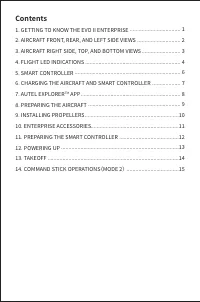
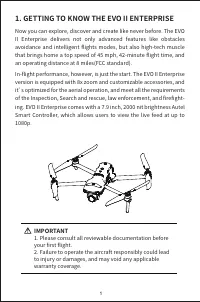
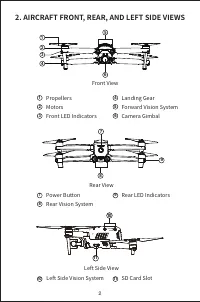
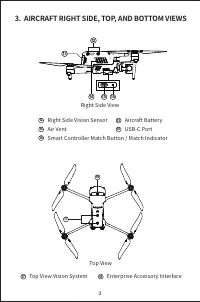
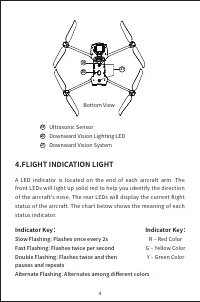
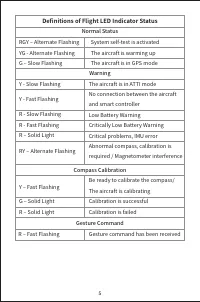
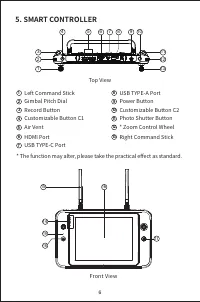
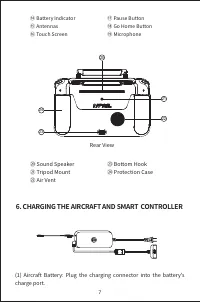
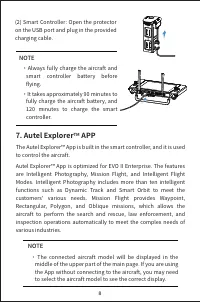
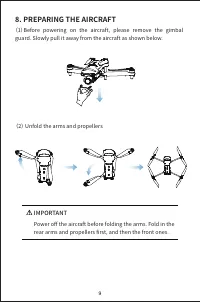
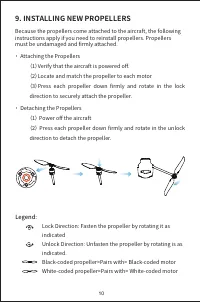
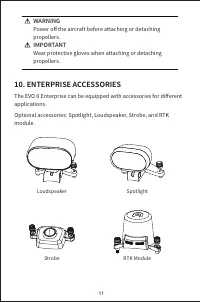
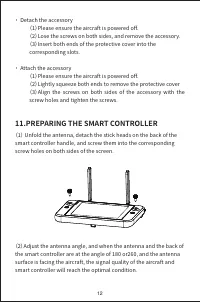
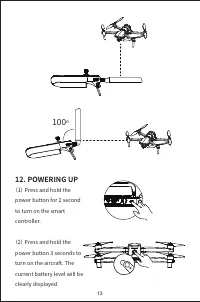
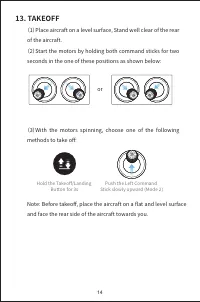
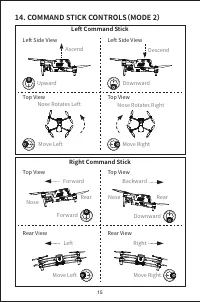


Table of Contents:
- Page 3 – Contents; APP
- Page 4 – GETTING TO KNOW THE EVO II ENTERPRISE; IMPORTANT; �. Please consult all reviewable documentation before
- Page 7 – FLIGHT INDICATION LIGHT; Bottom View; Indicator Key:; R ‒ Red Color
- Page 8 – Definitions of Flight LED Indicator Status; RY ‒ Alternate Flashing
- Page 10 – Rear View; CHARGING THE AIRCRAFT AND SMART CONTROLLER
- Page 11 – NOTE
- Page 12 – PREPARING THE AIRCRAFT; (�)Before powering on the aircraft, please remove the gimbal
- Page 13 – INSTALLING NEW PROPELLERS; must be undamaged and firmly attached.
- Page 14 – ENTERPRISE ACCESSORIES
- Page 15 – PREPARING THE SMART CONTROLLER; (�) Unfold the antenna, detach the stick heads on the back of the
- Page 17 – (�)Place aircraft on a level surface, Stand well clear of the rear
- Page 18 – COMMAND STICK CONTROLS(MODE 2)
QUICK START GUIDE
Enterprise
"Loading the manual" means you need to wait until the file loads and becomes available for online reading. Some manuals are very large, and the time they take to appear depends on your internet speed.
Summary
Contents �. GETTING TO KNOW THE EVO II ENTERPRISE�. AIRCRAFT FRONT, REAR, AND LEFT SIDE VIEWS�. AIRCRAFT RIGHT SIDE, TOP, AND BOTTOM VIEWS�. FLIGHT LED INDICATIONS�. SMART CONTROLLER�. CHARGING THE AIRCRAFT AND SMART CONTROLLER�. AUTEL EXPLORER TM APP �. PREPARING THE AIRCRAFT�. INSTALLING PROPELLER...
1. GETTING TO KNOW THE EVO II ENTERPRISE Now you can explore, discover and create like never before. The EVO II Enterprise delivers not only advanced features like obstacles avoidance and intelligent flights modes, but also high-tech muscle that brings home a top speed of �� mph, ��-minute flight time...
4 21 20 19 19 20 21 4.FLIGHT INDICATION LIGHT A LED indicator is located on the end of each aircraft arm. The front LEDs will light up solid red to help you identify the direction of the aircraft's nose. The rear LEDs will display the current flight status of the aircraft. The chart below shows the m...