AEG SOLO 15 - User Manual

AEG SOLO 15 – User Manual, read for free online in PDF format. We hope this helps you resolve any issues you may have. If you have further questions, please contact us through the contact form.


Table of Contents:
- Page 3 – Package Content for single model
- Page 4 – Handset & Base Connection; InSTALLInG YOUR PHOnE; Installing and Charging the Rechargeable Batteries (See P5)
- Page 5 – unit may block the radio signal.; Out of Range; GETTInG TO KnOW YOUR PHOnE; Icon; Press and hold to switch the key lock on or off
- Page 10 – Transfer an External Call to another Handset; DIRECT ACCESS MEMORY; Add Direct Access Memory
- Page 11 – PHOnEBOOK
- Page 13 – REDIAL LIST
- Page 14 – CLOCK AnD ALARM SETTInGS; Date and Time Settings
- Page 15 – Set the Alarm Tone; PERSOnAL SETTInGS; Set the Ring Volume
- Page 16 – ADVAnCED SETTInGS; Handset Registration
- Page 18 – RESET THE UnIT; “ADVANCED SET”
- Page 22 – TROUBLESHOOTInG; Everyday use
- Page 25 – While the unit is under Guarantee; Pack up all parts of your phone system, using the original package.; After the Guarantee has expired; If the unit is no longer under Guarantee, contact us via; CE DECLARATIOn
DECT
PHONE
SOLO 10/15
USER GUIDE
UK
"Loading the manual" means you need to wait until the file loads and becomes available for online reading. Some manuals are very large, and the time they take to appear depends on your internet speed.
Was this manual helpful?
About this manual
- Brand
- AEG
- Model
- SOLO 15
- Document type
- User Manual
- Language(s)
- English
- Pages
- 28
- File size
- 578.8 KB
- Format
Summary
2 UK 1 BECAUSE WE CARE Thank you for purchasing this product. This product has been designed and assembled with utmost care for you and the environment. This is why we supply this product with a quick installation guide to reduce the number of paper (pages) and therefor save trees to be cut for maki...
3 3.2 Handset & Base Connection • When purchased, all handsets are already registered to the base unit and should link to it when they are all powered up. • To use your cordless handset and base unit together, you must be able to establish a radio link between them. The signal between the handse...
4 UK 4.3 Handset & Base Connection • When purchased, all handsets are already registered to the base unit and should link to it when they are all powered up. • To use your cordless handset and base unit together, you must be able to establish a radio link between them. The signal between the han...
Ask a question
Related manuals
Popular AEG Other


-User-Manual/webp/1.webp)


More AEG Other models
 AEG SKS51200S0 User Manual
 AEG SKS51240S0 User Manual
 AEG SKS91240F0 User Manual
 AEG SKZ81800C0 User Manual
 AEG SM3300 User Manual
 AEG SOLAR POWER PLANT Manual
 AEG Solo combo 15 User Manual
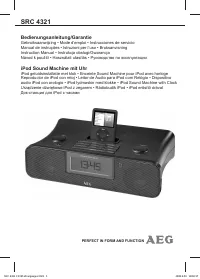 AEG SRC 4321 User Manual
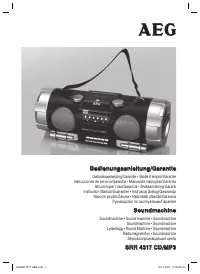 AEG SRR 4317 User Manual
 AEG ST 800 XE User Manual
 AEG STEP 90 x User Manual
 AEG STEP 1200 BX User Manual