AEG HK956600FB - User Manual

AEG HK956600FB – User Manual, read for free online in PDF format. We hope this helps you resolve any issues you may have. If you have further questions, please contact us through the contact form.


Table of Contents:
- Page 2 – CUSTOMER CARE AND SERVICE
- Page 4 – SAFETY INSTRUCTIONS; Installation
- Page 7 – PRODUCT DESCRIPTION; Cooking surface layout; Control panel layout
- Page 8 – Heat setting displays; OptiHeat Control (3 step
- Page 9 – DAILY USE
- Page 10 – Timer
- Page 12 – FLEXIBLE INDUCTION COOKING AREA; FlexiBridge function; FlexiBridge Standard
- Page 13 – FlexiBridge Big Bridge; FlexiBridge Max Bridge
- Page 14 – PowerSlide function
- Page 15 – HINTS AND TIPS; Cookware
- Page 16 – CARE AND CLEANING; General information
- Page 17 – Cleaning the hob; TROUBLESHOOTING
- Page 19 – If you cannot find a
- Page 20 – INSTALLATION; Before the installation
- Page 22 – Protection box; TECHNICAL DATA; Rating plate; Cooking zones specification
- Page 23 – ENERGY EFFICIENCY; Product information according to EU 66/2014; ENVIRONMENT CONCERNS
EN
User Manual
Hob
HK956600FB
"Loading the manual" means you need to wait until the file loads and becomes available for online reading. Some manuals are very large, and the time they take to appear depends on your internet speed.
Was this manual helpful?
About this manual
- Brand
- AEG
- Model
- HK956600FB
- Document type
- User Manual
- Language(s)
- English
- Pages
- 24
- File size
- 638.3 KB
- Format
Summary
CONTENTS 1. SAFETY INFORMATION.................................................................................................3 2. SAFETY INSTRUCTIONS................................................................................................ 4 3. PRODUCT DESCRIPTION...............................
• NEVER try to extinguish a fire with water, but switch off the appliance and then cover flame e.g. with a lid or a fire blanket. • CAUTION: The cooking process has to be supervised. A short term cooking process has to be supervised continuously. • WARNING: Danger of fire: Do not store items on the ...
3. PRODUCT DESCRIPTION 3.1 Cooking surface layout 3 2 1 1 1 Induction cooking zone 2 Control panel 3 Flexible induction cooking area consisting of four sections 3.2 Control panel layout 11 10 9 13 6 7 5 1 2 3 4 8 12 Use the sensor fields to operate the appliance. The displays, indicators and sounds ...
Ask a question
Related manuals
Popular AEG Other


-User-Manual/webp/1.webp)


More AEG Other models
 AEG HK854400XB User Manual
 AEG HK854401FB GA9 User Manual
 AEG HK854401XB User Manual
 AEG HK894400XG User Manual
 AEG HK953400FB User Manual
 AEG HK955070FB User Manual
 AEG HKA6507RAD User Manual
 AEG HKB75NB540 User Manual
 AEG HKB95540NB User Manual
 AEG HL7275-M/GB User Manual
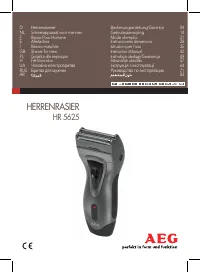 AEG HR 5625 User Manual
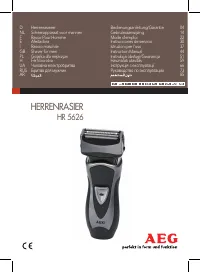 AEG HR 5626 User Manual