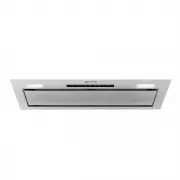
Smeg KSGAU6P4X Range Hood – User Manual, read for free online in PDF format. We hope this helps you resolve any issues you may have. If you have further questions, please contact us through the contact form.
1
2
3
4
5
6
7
8
9
10
11
12
13
14
Table of Contents:
Page 2 – Instructions for use; FUNZIONE DELAY; : Premendo questo pulsante si attiva il ritardo di; DIMMERAZIONE DELLA LAMPADA; : Tenendo premuto questo; BIANCO SINTONIZZABILE; : Tenendo premuto questo pulsante si
Page 3 – CONTROL UNIT; -button control panel
Page 4 – Button functions; Speed 1 button. Lights up when the motor is running at speed 1.
Page 5 – Light brightness adjustment; Briefly touching the; set each time the light is switched on by tapping the button once.; Filter alarm reset; After 100 hours of hood operation, buttons; 4h air exchange function; button
Page 6 – -button control panel; ) 24h air exchange function; Touch Technology; When power is turned on, the unit will be in the off mode. Only the
Page 8 – Light colour temperature adjustment; Touch
Page 9 – GHOST function
Page 10 – Hob and hood connection; every 5 seconds
Page 12 – CONTROLS ON THE REMOTE CONTROL; : Press this button to; MINUS BUTTON; : Pressing this button decreases the fan speed of; PLUS BUTTON; : Pressing this button increases the fan speed of
Page 13 – DELAY FUNCTION; : Pressing this button activates the automatic; LAMP DIMMING; : Pressing and holding this button starts; TUNABLE WHITE; : Pressing and holding this button is activates
Loading the manual
IT
GRUPPO COMANDI
EN
USER INTERFACE
AR
مدختسملا ةهجاو
FR
GROUPE DE COMMANDES
DE
STEUEREINHEIT
DA
KONTROLPANEL
ES
GRUPO DE MANDOS
PL
GRUPA STEROWANIA
PT
GRUPO DE COMANDOS
NL
GROEP MET
COMMANDO’S
NO
KONTROLLENHET
RU
ПОЛЬЗОВАТЕЛЬСКИЙ ИНТЕРФЕЙС
SV
ANVÄNDARGRÄNSSNITT
FI
KÄYTTÖLIITTYMÄ
"Loading the manual" means you need to wait until the file loads and becomes available for online reading. Some manuals are very large, and the time they take to appear depends on your internet speed.
Summary
Page 2 - Instructions for use; FUNZIONE DELAY; : Premendo questo pulsante si attiva il ritardo di; DIMMERAZIONE DELLA LAMPADA; : Tenendo premuto questo; BIANCO SINTONIZZABILE; : Tenendo premuto questo pulsante si
13 Instructions for use IT EN FUNZIONE DELAY : Premendo questo pulsante si attiva il ritardo di spegnimento automatico di 10 minuti. Questa funzione puòessere attivata solo a velocità 1, 2 o 3. È possibile disattivarequesta funzione premendo nuovamente questo pulsante mentrela funzione è già attiva....
Page 3 - CONTROL UNIT; -button control panel
14 EN Instructions for use CONTROL UNIT For an optimal and efficient use of the product, it is recommendedthat you switch on the hood a few minutes before you start cookingand keep it on for at least 15 minutes after you have finished oruntil the steam and odours have been completely eliminated. The...
Page 4 - Button functions; Speed 1 button. Lights up when the motor is running at speed 1.
15 Instructions for use Button functions _______________________________________________________ Hood OFF button. (If the fan and the lights are on). Speed 1 button. Lights up when the motor is running at speed 1. Speed 2 button. Lights up when the motor is running at speed 2. Speed 3 button. Lights...
Page 5 - Light brightness adjustment; Briefly touching the; set each time the light is switched on by tapping the button once.; Filter alarm reset; After 100 hours of hood operation, buttons; 4h air exchange function; button
16 Instructions for use Light brightness adjustment _______________________________________________________ Briefly touching the button immediately switches the lights on or off. Touching and holding this button for more than 1 second graduallyincreases the brightness to the maximum level and then d...
Page 6 - -button control panel; ) 24h air exchange function; Touch Technology; When power is turned on, the unit will be in the off mode. Only the
17 Instructions for use 9-button control panel _______________________________________________________ A ) Shutdown timer B ) Speed selection C ) Turbo function D ) 24h air exchange function E ) Automatic switch-off F ) Filter alarm reset G ) Light brightness adjustment Light colour temperature adju...
Page 8 - Light colour temperature adjustment; Touch
19 Instructions for use Light brightness adjustment _______________________________________________________ Briefly touching the button immediately switches the lights on or off. Touching and holding this button for more than 1 secondgradually increases the brightness to the maximum level and thende...
Page 9 - GHOST function
20 Instructions for use GHOST function _______________________________________________________ When this product is turned off, only the button remains illuminated (at low brightness). If the button is pressed, the hood will be set to standby and all buttons will light up with abrightness of 5%. Whe...
Page 10 - Hob and hood connection; every 5 seconds
21 Instructions for use Hob and hood connection _______________________________________________________ Automatic operation specifications – Auto-Vent 2.0 Some models are provided with a wireless communication system toallow them to be controlled automatically via an induction hob. Automatic switch-...
Page 12 - CONTROLS ON THE REMOTE CONTROL; : Press this button to; MINUS BUTTON; : Pressing this button decreases the fan speed of; PLUS BUTTON; : Pressing this button increases the fan speed of
23 EN Instructions for use CONTROLS ON THE REMOTE CONTROL EN ON-OFF BUTTON : Press this button to enter Stand-By Mode while device isalready in Off Mode. Then, all buttonsare illuminated in low brightness manner.Press this button again to turn back tothe Off Mode, while device is in Stand-ByMode or ...
Page 13 - DELAY FUNCTION; : Pressing this button activates the automatic; LAMP DIMMING; : Pressing and holding this button starts; TUNABLE WHITE; : Pressing and holding this button is activates
24 Instructions for use EN EN DELAY FUNCTION : Pressing this button activates the automatic shutdown delay of 10 minutes. This function can only beactivated at speed 1, 2 or 3. You can disable this function bypressing this button again while function is already active. LAMP DIMMING : Pressing and ho...