Page 2 - Parts list
English-2 Parts list 1 Main body Basic Parts Remote control Docking Station Batteries (AAA type) (Option) User manual (Option) Quick reference guide Spare filter (Option) Power cord Battery Charger Virtual guard (Option) [A Type] [B Type] [C Type] [D Type] ✻ ✻ (Not included with SR1 ✴ M701 ✴✴✴ Serie...
Page 3 - Safety information; Important safety instructions
English-3 Safety information 2 -1 Safety information WARNING • Before operating the appliance, please read this manual thoroughly and retain it for your reference. WARNING • Because these following operating instructions cover various models, the characteristics of your vacuum cleaner may differ sli...
Page 7 - Charging
English-7 3 Charging Please install the docking station in a place where the floor is level and wall is straight. How to turn on the emergency switch Hold the robot vacuum cleaner and turn on the emergency switch without pressing any buttons. Check the charging status. For SR1 ✴ M701 ✴✴✴ Series, The...
Page 8 - Using the robot vacuum cleaner
English-8 4 -1 Using the robot vacuum cleaner Starting Auto clean mode The POWERbot moves and automatically cleans the set areas only once. ✻ ✻ SR1 ✴ M701 ✴✴✴ series : cleans repeatedly until the battery is depleted. Stop cleaning: Press and release the button Starting Spot clean mode Press and rele...
Page 10 - Setting time/schedule; Setting the time
English-10 Setting time/schedule Only Auto clean mode can be scheduled. 5 -1 Setting the time You must set the current time before using the One-time/daily schedule. Setting complete Start setting Select "Hour" Select "Minute" Select "AM/PM" Skip to previous, next setting Set...
Page 12 - Cleaning and maintaining; Dustbin
English-12 Cleaning and maintaining You must turn off the emergency switch before cleaning POWERbot. 6 -1 Dustbin 1 Press the button to remove the dustbin 2 Remove the dustbin cover 3 Remove dust in the dustbin and cyclone unit 'Click' 4 Detach the cyclone unit from the dustbin cover, and then wash ...
Page 13 - Brush and Auto shutter tool
English-13 Cleaning and maintaining You must turn off the emergency switch before cleaning POWERbot. 6 -2 Brush and Auto shutter tool 1 Remove the brush cover 2 Remove the brush 3 Clean the brush 4 Clean the auto shutter tool 5 Reassemble the brush 6 Reassemble the brush cover ✻ ✻ If a brush or brus...
Page 14 - Downloading the Samsung Connect App; Setting up a Samsung account; Note; Samsung Connect App
English-14 Downloading the Samsung Connect App f Download and install the Samsung Connect app from the markets (Google Play Store, Apple App Store, or Samsung Galaxy Apps). To find the app, use the keyword “Samsung Connect”. Note f The Samsung Connect app requires Android OS 6.0 (marshmallow) or lat...
Page 15 - POWERbot; Hurtig referencevejledning
POWERbot Hurtig referencevejledning SR1 ✴ M70 ✴✴✴✴ , SR2 ✴ M70 ✴✴✴✴ -serien • Læs brugervejledningen omhyggeligt, inden du bruger denne enhed.• Må kun anvendes indendørs. VR7000_Q_guide_13ge_00780C-01.indb 1 2017-10-30 오후 4:06:36
Page 16 - Stykliste
Dansk-2 Stykliste 1 Hovedenhed Grundlæggende dele Fjernbetjening Dockingstation Batterier (type AAA) (tilbehør) Brugervejledning (tilbehør) Hurtig referencevejledning Ekstra filter (tilbehør) Strømkabel Batterioplader Virtuelt hegn (tilbehør) [Type A] [Type B] [Type C] [Type D] ✻ ✻ (Følger ikke med ...
Page 17 - Sikkerhedsinformationer; Andre anvendte symboler; Vigtige sikkerhedsinstruktioner; Generelt
Dansk-3 Sikkerhedsinformationer 2 -1 Sikkerhedsinformationer ADVARSEL • Inden du bruger dette apparat, skal du læse denne vejledning omhyggeligt og gemme den til senere brug. ADVARSEL • Da følgende brugervejledning omfatter forskellige modeller, kan egenskaberne ved din støvsuger være lidt anderlede...
Page 18 - Batterioplader/dockingstation
Dansk-4 Sikkerhedsinformationer 2 -2 Batterioplader/dockingstation • Modificer ikke det polariserede stik, så det passer i en ikke-polariseret stikkontakt eller forlængerledning. • Brug den ikke udendørs eller på våde overflader. • Fjern batteriopladeren/dockingstationen fra stikkontakten, når den i...
Page 19 - Strømrelateret
Dansk-5 Sikkerhedsinformationer 2 -3 ADVARSEL Strømrelateret • Undgå enhver risiko for elektrisk stød eller brand. – Beskadig ikke strømkablet. – Træk ikke for hårdt i strømkablet, og rør ikke ved strømstikket med våde hænder. – Brug ikke en anden strømkilde end 100- 240 V~, og brug ikke en fordeler...
Page 20 - Inden brug
Dansk-6 Sikkerhedsinformationer 2 -4 FORSIGTIG Inden brug • Isæt støvbeholderen før brug af POWERbot. • Vær opmærksom på følgende for at få korrekt, automatisk genopladning. – Tænd altid for strømmen til dockingstationen. – Placer dockingstation et sted, hvor POWERbot nemt kan finde den. – Efterlad ...
Page 21 - Opladning
Dansk-7 3 Opladning Installer dockingstationen et sted, hvor gulvet og væggen er lige. Sådan aktiveres nødkontakten Hold robotstøvsugeren, og aktivér den bagerste nødkontakt uden at trykke på nogen knap. Tjek opladningsstatussen. For SR1 ✴ M701 ✴✴✴ -serier. Batteriindikatoren blinker med intervaller...
Page 22 - Brug af robotstøvsugeren
Dansk-8 4 -1 Brug af robotstøvsugeren Start af tilstanden Automatisk rengøring POWERbot kører rundt og rengør automatisk kun de angivne områder én gang. ✻ ✻ SR1 ✴ M701 ✴✴✴ -serien: regør gang på gang, indtil batteriet er tomt. Stop rengøring: Tryk på knappen , og slip den Starte tilstanden Pletrengø...
Page 26 - Rengøring og vedligeholdelse; Støvbeholder
Dansk-12 Rengøring og vedligeholdelse Du skal slukke for nødkontakten, inden du rengør POWERbot. 6 -1 Støvbeholder 1 Tryk på knappen for at fjerne støvbeholderen 2 Fjern dækslet til støvebeholderen. 3 Fjern støv støvbeholderen og cyklonenheden "Klik" 4 Fjern cyklon-enheden fra dækslet til st...
Page 27 - Børste og Automatisk lukker-værktøj
Dansk-13 Rengøring og vedligeholdelse Du skal slukke for nødkontakten, inden du rengør POWERbot. 6 -2 Børste og Automatisk lukker-værktøj 1 Fjern dækslet til børsten 2 Fjern børsten 3 Rengør børsten 4 Rengør Automatisk lukker-værktøjet 5 Genmonter børsten 6 Genmonter dækslet til børsten ✻ ✻ Hvis en ...
Page 28 - Download af appen Samsung Connect; Opsætning af Samsung-konto; Bemærk; Appen Samsung Connect
Dansk-14 Download af appen Samsung Connect f Download og installer appen Samsung Connect fra butikker (Google Play Store, Apple App Store eller Samsung Galaxy Apps). For at finde appen skal du bruge søgeordet “Samsung Connect”. Bemærk f Appen Samsung Connect kræver Android OS 6.0 (marshmallow) eller...
Page 29 - Kurzanleitung; Serien SR1
POWERbot Kurzanleitung Serien SR1 ✴ M70 ✴✴✴✴ , SR2 ✴ M70 ✴✴✴✴ • Lesen Sie die Anweisungen sorgfältig durch, ehe Sie das Gerät in Betrieb nehmen.• Nur zum Einsatz in geschlossenen Räumen geeignet. VR7000_Q_guide_13ge_00780C-01.indb 1 2017-10-30 오후 4:06:43
Page 30 - Teileliste
Deutsch-2 Teileliste 1 Gehäuse Basisteile Fernbedienung Dockingstation Batterien (Typ AAA) (optional erhältlich) Benutzerhandbuch (optional erhältlich) Kurzanleitung Ersatzfilter (optional erhältlich) Netzkabel Batterieladegerät Virtual Guard (optional erhältlich) [Typ A] [Typ B] [Typ C] [Typ D] ✻ ✻...
Page 31 - Sicherheitsinformationen
Deutsch-3 Sicherheitsinformationen 2 -1 Sicherheitsinformationen WARNUNG • Lesen Sie vor der Verwendung des Geräts das Benutzerhandbuch sorgfältig durch, und bewahren Sie sie zum späteren Nachschlagen auf. WARNUNG • Da die folgenden Hinweise zum Betrieb für verschiedene Modelle gelten, können die Ei...
Page 35 - Laden
Deutsch-7 3 Laden Stellen Sie die Dockingstation bitte in einem Raum mit ebenem Untergrund und geraden Wänden auf. Einschalten des Robo-Saugers mit dem Notschalter Halten Sie den Robo-Sauger fest, und schalten Sie ihn mit dem Notausschalter ein, ohne dabei irgendwelche anderen Tasten zu drücken. Übe...
Page 36 - Verwenden des Robo-Saugers
Deutsch-8 4 -1 Verwenden des Robo-Saugers Automatikbetrieb Der POWERbot fährt die eingestellten Bereiche nur einmal zur Reinigung ab. ✻ ✻ Serie SR1 ✴ M701 ✴✴✴ : Reinigt solange, bis die Batterie leer ist. Saugvorgang anhalten: Drücken Sie die Taste . Punktsaugen Drücken Sie diese Taste. Der POWERbot...
Page 40 - Reinigung und Pflege; Staubbehälter
Deutsch-12 Reinigung und Pflege Sie müssen den Notschalter auf die Aus-Position stellen, ehe Sie den POWERbot reinigen. 6 -1 Staubbehälter 1 Drücken Sie die Taste, um den Staubbehälter herauszunehmen 2 Nehmen Sie den Deckel des Staubbehälters ab 3 Entfernen Sie den Staub aus dem Staubbehälter und de...
Page 41 - Bürste und Auto-Shutter
Deutsch-13 Reinigung und Pflege Sie müssen den Notschalter auf die Aus-Position stellen, ehe Sie den POWERbot reinigen. 6 -2 Bürste und Auto-Shutter 1 Entfernen Sie die Bürstenabdeckung 2 Entfernen Sie die Bürste 3 Reinigen Sie die Bürste 4 Reinigen Sie den Auto-Shutter 5 Setzen Sie die Bürste wiede...
Page 42 - Herunterladen der Samsung Connect-App; Einrichten eines Samsung-Kontos; Hinweis
Deutsch-14 Herunterladen der Samsung Connect-App f Sie können die Samsung Connect-App aus den folgenden Shops herunterladen und anschließend installieren: Google Play Store, Apple App Store oder Samsung Galaxy Apps. Suchen Sie mit Hilfe des Schlagworts „Samsung Connect“ nach der App. Hinweis f Die S...
Page 43 - Kiirjuhend; Seeriad SR1
POWERbot Kiirjuhend Seeriad SR1 ✴ M70 ✴✴✴✴ , SR2 ✴ M70 ✴✴✴✴ • Lugege suunised enne seadme kasutamist hoolikalt läbi.• Kasutamiseks ainult siseruumides. VR7000_Q_guide_13ge_00780C-01.indb 1 2017-10-30 오후 4:06:50
Page 44 - Osade loend
Eesti-2 Osade loend 1 Põhiseade Põhiosad Kaugjuhtimispult Dokkimisjaam Akud (AAA-tüüpi) (valikuline) Kasutusjuhend (valikuline) Kiirjuhend Varufilter (valikuline) Toitejuhe Akulaadija Virtual guard (valikuline) [A-tüüp] [B-tüüp] [C-tüüp] [D-tüüp] ✻ ✻ (Pole kaasas seeriaga SR1 ✴ M701 ✴✴✴ ) VR7000_Q_g...
Page 45 - Ohutusalane teave; Olulised ohutusalased suunised; Üldine
Eesti-3 Ohutusalane teave 2 -1 Ohutusalane teave HOIATUS • Enne seadme kasutamist lugege käesolev kasutusjuhend hoolikalt läbi ja hoidke see hilisemaks ülevaatuseks alles. HOIATUS • Kuna järgnevad kasutussuunised hõlmavad erinevaid mudeleid, võivad teie tolmuimeja näitajad erineda veidi käesolevas j...
Page 46 - Akulaadija/dokkimisjaam
Eesti-4 Ohutusalane teave 2 -2 Akulaadija/dokkimisjaam • Ärge muutke polariseeritud pistikut selle sobitamiseks polariseerimata pistikupesa või pikendusjuhtmega. • Ärge kasutage õues ega märjal pinnal.• Kui te akulaadijat/dokkimisjaama ei kasuta või soovite seda hooldada, eemaldage see pistikupesast...
Page 47 - Toitega seotud teave
Eesti-5 Ohutusalane teave 2 -3 HOIATUS Toitega seotud teave • Vältige igasugust elektrilöögi- või tulekahjuohtu. – Ärge kahjustage toitejuhet. – Ärge tõmmake toitejuhet liiga tugevasti ega puudutage toitepistikut märgade kätega. – Ärge kasutage muud toiteallikat peale 100–240 V vahelduvvoolupingega ...
Page 48 - Enne kasutamist
Eesti-6 Ohutusalane teave 2 -4 ETTEVAATUST! Enne kasutamist • Sisestage tolmukamber enne POWERboti kasutamist. • Õige laadimise tagamiseks pöörake tähelepanu järgmisele. – Lülitage dokkimisjaama toide alati sisse. – Paigaldage dokkimisjaam kohta, kust POWERbot selle hõlpsasti leiab. – Ärge jätke dok...
Page 49 - Laadimine
Eesti-7 3 Laadimine Paigaldage dokkimisjaam kohta, kus põrand on loodis ja sein sirge. Hädaseiskamislüliti sisselülitamine Hoidke robottolmuimejat ja lülitage hädaseiskamislüliti sisse ilma muid nuppe vajutamata. Kontrollige laadimise olekut. Seeria SR1 ✴ M701 ✴✴✴ puhul vilgub akunäidik laadimise aj...
Page 50 - Robottolmuimeja kasutamine
Eesti-8 4 -1 Robottolmuimeja kasutamine Automaatpuhastusrežiimi käivitamine POWERbot liigub ja puhastab määratud alad ainult üks kord. ✻ ✻ Seeria SR1 ✴ M701 ✴✴✴ : koristab korduvalt, kuni aku on tühi. Puhastamise peatamine: vajutage nuppu ja vabastage see. Punktpuhastusrežiimi käivitamine Vajutage s...
Page 52 - Aja/graafiku määramine; Kellaaja seadistamine
Eesti-10 Aja/graafiku määramine Ajastada saab ainult automaatpuhastusrežiimi. 5 -1 Kellaaja seadistamine Enne ühekordse ajastamise / igapäevase graafiku kasutamist peate määrama praeguse kellaaja. Seadistamine on lõpule viidud Seadistamise alustamine Valige tunnid Valige minutid Valige EL/PL Eelmise...
Page 54 - Puhastamine ja hooldus; Tolmukamber
Eesti-12 Puhastamine ja hooldus Enne POWERboti puhastamist peate hädaseiskamislüliti välja lülitama. 6 -1 Tolmukamber 1 Vajutage nuppu tolmukambri eemaldamiseks. 2 Eemaldage tolmukambri kaas. 3 Eemaldage tolm tolmukambrist ja tsüklonseadmest. Klõps 4 Eemaldage tsüklonseade tolmukambri kaanest ning s...
Page 55 - Hari ja automaatluugi tööriist
Eesti-13 Puhastamine ja hooldus Enne POWERboti puhastamist peate hädaseiskamislüliti välja lülitama. 6 -2 Hari ja automaatluugi tööriist 1 Eemaldage harja kate. 2 Eemaldage hari. 3 Puhastage hari. 4 Puhastage automaatluugi tööriist. 5 Pange hari tagasi. 6 Pange harja kate tagasi. ✻ ✻ Kui hari või ha...
Page 56 - Rakenduse Samsung Connect allalaadimine; Samsungi konto seadistamine; Märkus; Rakendus Samsung Connect
Eesti-14 Rakenduse Samsung Connect allalaadimine f Rakenduse Samsung Connect saate alla laadida ja installida rakenduste poest (Google Play pood, Apple’i App Store või Samsung Galaxy Apps). Rakenduse leidmiseks otsige fraasi „Samsung Connect“. Märkus f Rakendus Samsung Connect nõuab operatsioonisüst...
Page 57 - Pikaopas
POWERbot Pikaopas SR1 ✴ M70 ✴✴✴✴ , SR2 ✴ M70 ✴✴✴✴ -sarjat • Lue ohjeet huolellisesti, ennen kuin käytät tätä laitetta.• Vain sisäkäyttöön. VR7000_Q_guide_13ge_00780C-01.indb 1 2017-10-30 오후 4:06:57
Page 58 - Osaluettelo
Suomi-2 Osaluettelo 1 Pääyksikkö Perusosat Kaukosäädin Telakointiasema Paristot (tyyppi AAA) (valinnainen) Käyttöopas (valinnainen) Pikaopas Varasuodatin (valinnainen) Virtajohto Akkulaturi Virtual guard (valinnainen) [Tyyppi A] [Tyyppi B] [Tyyppi C] [D Tyyppi] ✻ ✻ (Ei sisälly SR1 ✴ M701 ✴✴✴ -sarjaa...
Page 59 - Turvallisuusohjeet
Suomi-3 Turvallisuusohjeet 2 -1 Turvallisuusohjeet VAROITUS • Ennen kuin käytät laitetta, lue tämä käyttöopas huolellisesti ja pidä se tallessa tulevaa tarvetta varten. VAROITUS • Koska nämä käyttöohjeet koskevat useita eri malleja, oman pölynimurisi ominaisuudet saattavat poiketa jonkin verran ohje...
Page 63 - Lataaminen
Suomi-7 3 Lataaminen Asenna telakointiasema paikkaan, jossa lattia ja seinät ovat suoria. Hätäkytkimen käyttäminen Pidä robottipölynimurista kiinni ja käännä sen hätäkytkintä painamatta mitään painikkeita. Tarkista lataustila. SR1 ✴ M701 ✴✴✴ -sarjassa akun merkkivalo vilkkuu 1 sekunnin välein latauk...
Page 64 - Robottipölynimurin käyttäminen
Suomi-8 4 -1 Robottipölynimurin käyttäminen Automaattisen imurointitilan käynnistäminen POWERbot-imuri liikkuu ja automaattisesti siivoaa asetetut alueet vain kerran. ✻ ✻ SR1 ✴ M701 ✴✴✴ -sarja: puhdistaa toistuvasti, kunnes akku on tyhjentynyt. Imuroinnin lopettaminen: Paina -painiketta ja vapauta s...
Page 68 - Puhdistaminen ja huolto; Pölysäiliö
Suomi-12 Puhdistaminen ja huolto Hätäkatkaisin on kytkettävä pois päältä, ennen kuin POWERbot-imuria puhdistetaan. 6 -1 Pölysäiliö 1 Paina painiketta ja irrota pölysäiliö 2 Irrota pölysäiliön kansi 3 Poista pöly pölysäiliöstä ja sykloniyksiköstä Napsahdus 4 Irrota sykloniyksikkö pölysäiliön kannesta...
Page 69 - Harjatyökalu ja automaattinen suljintyökalu
Suomi-13 Puhdistaminen ja huolto Hätäkatkaisin on kytkettävä pois päältä, ennen kuin POWERbot-imuria puhdistetaan. 6 -2 Harjatyökalu ja automaattinen suljintyökalu 1 Irrota harjan kansi 2 Irrota harja. 3 Puhdista harja. 4 . Puhdista automaattinen suljin 5 Aseta harja takaisin paikalleen. 6 Aseta har...
Page 71 - Guide de référence rapide; Séries SR1
POWERbot Guide de référence rapide Séries SR1 ✴ M70 ✴✴✴✴ , SR2 ✴ M70 ✴✴✴✴ • Avant d'utiliser cet appareil, veuillez lire attentivement les instructions.• Utilisation en intérieur uniquement. VR7000_Q_guide_13ge_00780C-01.indb 1 2017-10-30 오후 4:07:04
Page 72 - Liste des pièces
Français-2 Liste des pièces 1 Unité principale Kit de base Télécommande Base Piles (type AAA) (en option) Manuel d'utilisation (en option) Guide de référence rapide Filtre de rechange (en option) Cordon d'alimentation Chargeur de batterie Virtual Guard (en option) [Type A] [Type B] [Type C] [Type D]...
Page 73 - Consignes de sécurité
Français-3 Consignes de sécurité 2 -1 Consignes de sécurité AVERTISSEMENT • Avant d'utiliser cet appareil, veuillez lire attentivement ce manuel et le conserver pour toute référence ultérieure. AVERTISSEMENT • Les instructions d'utilisation suivantes concernent plusieurs modèles ; il est donc possib...
Page 77 - Mise en charge
Français-7 3 Mise en charge Veuillez installer la base dans un endroit où le sol est plat et où le mur est droit. Comment activer le bouton d'arrêt d'urgence ? Maintenez le robot aspirateur entre vos mains et activez le bouton d'arrêt d'urgence sans appuyer sur un autre bouton. Vérifiez l'état de la...
Page 78 - Utilisation du robot aspirateur
Français-8 4 -1 Utilisation du robot aspirateur Démarrage du mode Nettoyage automatique Le POWERbot se déplace et nettoie automatiquement et une seule les zones réglées. ✻ ✻ Série SR1 ✴ M701 ✴✴✴ : nettoie en continu jusqu'à ce que la batterie soit entièrement déchargée. Arrêt du nettoyage : Appuyez...
Page 82 - Nettoyage et entretien; Réservoir de poussière
Français-12 Nettoyage et entretien Vous devez désactiver le bouton d'arrêt d'urgence avant de nettoyer le POWERbot. 6 -1 Réservoir de poussière 1 Appuyez sur le bouton pour retirer le réservoir de poussière. 2 Retirez le couvercle du réservoir de poussière. 3 Videz le réservoir de poussière et l'uni...
Page 83 - Brosse et volet obturateur automatique
Français-13 Nettoyage et entretien Vous devez désactiver le bouton d'arrêt d'urgence avant de nettoyer le POWERbot. 6 -2 Brosse et volet obturateur automatique 1 Retirez le cache de la brosse. 2 Retirez la brosse. 3 Nettoyez la brosse. 4 Nettoyez le volet obturateur automatique. 5 Réassemblez la bro...
Page 84 - Téléchargement de l'application Samsung Connect; Création d'un compte Samsung; Remarque; Application Samsung Connect
Français-14 Téléchargement de l'application Samsung Connect f Téléchargez et installez l'application Samsung Connect sur les marchés d'applications (Google Play Store, Apple App Store ou Samsung Galaxy Apps). Pour trouver l'application, recherchez le mot-clé « Samsung Connect ». Remarque f L'applica...
Page 85 - Guida di riferimento rapida; Serie SR1
POWERbot Guida di riferimento rapida Serie SR1 ✴ M70 ✴✴✴✴ , SR2 ✴ M70 ✴✴✴✴ • Prima di utilizzare questo prodotto, leggere attentamente le istruzioni.• Solo per uso in interno. VR7000_Q_guide_13ge_00780C-01.indb 1 2017-10-30 오후 4:07:10
Page 86 - Elenco delle parti
Italiano-2 Elenco delle parti 1 Corpo principale Parti base Telecomando Docking station Batterie (Tipo AAA) (opzionale) Manuale dell'utente (opzionale) Guida di riferimento rapida Filtro di ricambio (opzionale) Cavo di alimentazione Caricabatterie Virtual guard (opzionale) [Tipo A] [Tipo B] [Tipo C]...
Page 87 - Informazioni di sicurezza
Italiano-3 Informazioni di sicurezza 2 -1 Informazioni di sicurezza AVVERTENZA • Prima di utilizzare il prodotto, leggere attentamente questo manuale e conservarlo per future consultazioni. AVVERTENZA • Dal momento che queste istruzioni coprono diversi modelli di prodotto, le caratteristiche dell’as...
Page 91 - Ricarica
Italiano-7 3 Ricarica Installare la docking station in un luogo che presenti pavimento e pareti a livello. Come attivare l'interruttore di emergenza Afferrare il robot e attivare l'interruttore di emergenza senza premere alcun tasto. Controllare lo stato della carica. Per la Serie SR1 ✴ M701 ✴✴✴ , d...
Page 92 - Uso dell'aspirapolvere robot
Italiano-8 4 -1 Uso dell'aspirapolvere robot Avviamento della modalità di pulizia Auto POWERbot si sposta ed inizia a pulire automaticamente una volta le aree impostate. ✻ ✻ Serie SR1 ✴ M701 ✴✴✴ : pulisce ripetutamente fino alla scarica completa della batteria. Interruzione della pulizia: Premere e ...
Page 96 - Pulizia e manutenzione; Contenitore di raccolta della polvere
Italiano-12 Pulizia e manutenzione È necessario disattivare l'interruttore di emergenza prima di eseguire la pulizia di POWERbot. 6 -1 Contenitore di raccolta della polvere 1 Premere il tasto per rimuovere il contenitore di raccolta della polvere 2 Rimuovere il coperchio dal contenitore di raccolta ...
Page 97 - Pulizia della spazzola e della bocchetta automatica
Italiano-13 Pulizia e manutenzione È necessario disattivare l'interruttore di emergenza prima di eseguire la pulizia di POWERbot. 6 -2 Pulizia della spazzola e della bocchetta automatica 1 Rimuovere il coperchio della spazzola principale 2 Rimuovere la spazzola principale 3 Pulire la spazzola princi...
Page 98 - Download della app Samsung Connect; Impostazione di un account Samsung; Nota; App Samsung Connect
Italiano-14 Download della app Samsung Connect f Eseguire il download ed installare la app Samsung Connect dai vari market (Google Play Store, Apple App Store, o Samsung Galaxy Apps). Per trovare la app da scaricare usare la parola chiave “Samsung Connect.” Nota f La app Samsung Connect richiede OS ...
Page 99 - „POWERbot“; Trumpasis vadovas; serija
„POWERbot“ Trumpasis vadovas SR1 ✴ M70 ✴✴✴✴ , SR2 ✴ M70 ✴✴✴✴ serija • Prieš pradėdami dirbti su šiuo įrenginiu, atidžiai perskaitykite instrukcijas.• Naudoti tik patalpoje. VR7000_Q_guide_13ge_00780C-01.indb 1 2017-10-30 오후 4:07:17
Page 100 - Dalių sąrašas
Lietuvių k. 2 Dalių sąrašas 1 Pagrindinis korpusas Pagrindinės dalys Nuotolinio valdymo pultas Įkrovos stotelė Baterijos (AAA tipo) (pasirinktinai) Naudotojo vadovas (pasirinktinai) Trumpasis vadovas Atsarginis filtras (pasirinktinai) Maitinimo laidas Akumuliatoriaus įkroviklis Virtualusis sargas (p...
Page 101 - Saugumo informacija; Saugos informacija
Lietuvių k. 3 Saugumo informacija 2 -1 Saugos informacija ĮSPĖJIMAS • Prieš naudodami prietaisą, atidžiai perskaitykite šį vadovą ir pasilikite jį ateičiai dėl informacijos. ĮSPĖJIMAS • Šios instrukcijos pritaikytos įvairiems modeliams, tad jūsų turimo dulkių siurblio duomenys gali šiek tiek skirtis...
Page 105 - Įkrovimas
Lietuvių k. 7 3 Įkrovimas Sumontuokite įkrovos stotelę tokioje vietoje, kurioje grindys ir sienos yra lygios. Kaip įjungti avarinį jungiklį? Paimkite automatinį dulkių siurblį ir nespausdami jokių mygtukų įjunkite avarinį jungiklį. Patikrinkite įkrovimo būseną. SR1 ✴ M701 ✴✴✴ serijoje įkrovimo metu ...
Page 108 - Laiko / grafiko nustatymas; Laiko nustatymas
Lietuvių k. 10 Laiko / grafiko nustatymas Grafiko nustatymas galimas tik automatinio valymo režimui. 5 -1 Laiko nustatymas Jei norite naudotis vienkartinio / kasdienio grafiko funkcija, turite nustatyti dabartinį laiką. Nustatyta Nustatymo pradžia Pasirinkite valandas Pasirinkite minutes Pasirinkite...
Page 110 - Valymas ir priežiūra; Dulkių maišelis
Lietuvių k. 12 Valymas ir priežiūra Prieš pradėdami valyti „POWERbot“, turite išjungti avarinį jungiklį. 6 -1 Dulkių maišelis 1 Paspauskite mygtuką, kad išimtumėte šiukšlių konteinerį 2 Nuimkite šiukšlių konteinerio dangtelį 3 Pašalinkite dulkes iš šiukšlių konteinerio ir ciklono bloko Spragt! 4 Nuo...
Page 111 - Šepetys ir automatinis dangtelis
Lietuvių k. 13 Valymas ir priežiūra Prieš pradėdami valyti „POWERbot“, turite išjungti avarinį jungiklį. 6 -2 Šepetys ir automatinis dangtelis 1 Nuimkite šepečio dangtelį 2 Nuimkite šepetį 3 Nuvalykite šepetį 4 Nuvalykite automatinį dangtelį 5 Įstatykite atgal šepetį 6 Uždėkite šepečio dangtelį ✻ ✻ ...
Page 112 - „Samsung Connect“ programos atsisiuntimas; „Samsung“ paskyros sukūrimas; Pastaba; „Samsung Connect“ programa
Lietuvių k. 14 „Samsung Connect“ programos atsisiuntimas f Atsisiųskite ir įdiekite „Samsung Connect“ programą iš parduotuvės („Google Play Store“, „Apple App Store“ arba „Samsung Galaxy Apps“). Kad rastumėte programėlę, pasinaudokite raktažodžiu „Samsung Connect“. Pastaba f „Samsung Connect“ progra...
Page 113 - „POWERbot”; Ātrās uzziņas rokasgrāmata; sērijai
„POWERbot” Ātrās uzziņas rokasgrāmata SR1 ✴ M70 ✴✴✴✴ , SR2 ✴ M70 ✴✴✴✴ sērijai • Pirms sākat darbu ar šo ierīci, lūdzam uzmanīgi izlasīt šīs instrukcijas.• Izmantošanai tikai telpās. VR7000_Q_guide_13ge_00780C-01.indb 1 2017-10-30 오후 4:07:24
Page 114 - Detaļu saraksts
Latviešu-2 Detaļu saraksts 1 Ierīces korpuss Standarta detaļas Tālvadības pults Dokstacija Baterijas (AAA tipa) (papildaprīkojums) Lietotāja rokasgrāmata (papildaprīkojums) Ātrās uzziņas rokasgrāmata Rezerves filtrs (papildaprīkojums) Strāvas vads Baterijas lādētājs Virtuālais aizsargs (papildaprīko...
Page 115 - Drošības informācija
Latviešu-3 Drošības informācija 2 -1 Drošības informācija BRĪDINĀJUMS • Pirms ierīces lietošanas lūdzam rūpīgi izlasīt rokasgrāmatu un saglabāt to, lai vajadzības gadījumā varētu ieskatīties tajā arī turpmāk. BRĪDINĀJUMS • Tā kā zemāk sniegtās lietošanas instrukcijas attiecas uz vairākiem modeļiem, ...
Page 119 - Uzlāde
Latviešu-7 3 Uzlāde Lūdzu, uzstādiet dokstaciju vietā ar līdzenu grīdu un sienām. Kā ieslēgt avārijas apturēšanas slēdzi Satveriet putekļsūcēju-robotu un ieslēdziet avārijas apturēšanas slēdzi, nenospiežot nevienu citu pogu. Pārbaudiet uzlādes statusu. SR1 ✴ M701 ✴✴✴ sērijas modeļiem baterijas indik...
Page 120 - Putekļsūcēja-robota izmantošana
Latviešu-8 4 -1 Putekļsūcēja-robota izmantošana Automātiskā tīrīšanas režīma aktivizēšana „POWERbot” pārvietojas un vienu reizi automātiski iztīra izvēlētās zonas. ✻ ✻ SR1 ✴ M701 ✴✴✴ sērijai: atkārtoti tīra līdz brīdim, kad ir izlādējusies baterija. Tīrīšanas apturēšana: nospiediet un atlaidiet pogu...
Page 122 - Laika iestatīšana/grafiks; Laika iestatīšana
Latviešu-10 Laika iestatīšana/grafiks Grafiku iespējams iestatīt tikai automātiskās tīrīšanas režīmam. 5 -1 Laika iestatīšana Lai varētu izmantot vienas reizes/ikdienas grafiku, jāiestata pašreizējais laiks. Iestatīšana pabeigta Sāciet iestatīšanu Atlasiet „Stundas” Atlasiet „Minūtes” Atlasiet „Prie...
Page 124 - Tīrīšana un apkope; Putekļu tvertne
Latviešu-12 Tīrīšana un apkope Pirms „POWERbot” tīrīšanas ir jāizslēdz avārijas apturēšanas slēdzis. 6 -1 Putekļu tvertne 1 Nospiediet pogu, lai izņemtu putekļu tvertni 2 Noņemiet putekļu tvertnes pārsegu 3 Iztīriet putekļus no putekļu tvertnes un cikloniskās daļas Atskan klikšķis 4 Atvienojiet cikl...
Page 125 - Birste un automātiskais aizbīdnis
Latviešu-13 Tīrīšana un apkope Pirms „POWERbot” tīrīšanas ir jāizslēdz avārijas apturēšanas slēdzis. 6 -2 Birste un automātiskais aizbīdnis 1 Noņemiet birstes nodalījuma vāku 2 Izņemiet birsti 3 Iztīriet birsti 4 Iztīriet automātisko aizbīdni 5 Ievietojiet atpakaļ birsti 6 Uzstādiet atpakaļ birstes ...
Page 126 - „Samsung Connect” lietojumprogrammas lejupielāde; „Samsung” konta iestatīšana; Piezīme; „Samsung Connect” lietojumprogramma
Latviešu-14 „Samsung Connect” lietojumprogrammas lejupielāde f Lai lejupielādētu un uzinstalētu „Samsung Connect” lietojumprogrammu, meklējiet to kādā no veikaliem („Google Play Store”, Apple App Store” vai „Samsung Galaxy Apps”). Lai atrastu lietojumprogrammu, izmantojiet atslēgvārdu „Samsung Conne...
Page 127 - Beknopte handleiding
POWERbot Beknopte handleiding SR1 ✴ M70 ✴✴✴✴ -, SR2 ✴ M70 ✴✴✴✴ -serie • Lees deze instructies zorgvuldig door voordat u het apparaat in gebruik neemt.• Alleen voor gebruik binnenshuis. VR7000_Q_guide_13ge_00780C-01.indb 1 2017-10-30 오후 4:07:31
Page 128 - Onderdelenlijst
Nederlands-2 Onderdelenlijst 1 Hoofdcompartiment Basisonderdelen Afstandsbediening Dockingstation Batterijen (type AAA) (optie) Gebruiksaanwijzing (optie) Beknopte handleiding Reservefilter (optie) Netsnoer Batterijlader Virtual Guard (optie) [Type A] [Type B] [Type C] [Type D] ✻ ✻ (Niet meegeleverd...
Page 129 - Veiligheidsinformatie; Overige symbolen in deze handleiding
Nederlands-3 Veiligheidsinformatie 2 -1 Veiligheidsinformatie WAARSCHUWING • Voordat u het apparaat gebruikt, dient u deze handleiding zorgvuldig door te lezen. Bewaar de handleiding ter referentie. WAARSCHUWING • Omdat deze gebruiksinstructies gelden voor meerdere modellen, kunnen de eigenschappen ...
Page 130 - Batterijlader/dockingstation
Nederlands-4 Veiligheidsinformatie 2 -2 Batterijlader/dockingstation • Pas de gepolariseerde stekker niet aan voor gebruik in combinatie met een niet-gepolariseerd stopcontact of verlengsnoer. • Gebruik het apparaat niet buiten of op natte oppervlakken. • Trek de stekker van de batterijlader/het doc...
Page 131 - Stroomtoevoer
Nederlands-5 Veiligheidsinformatie 2 -3 • Zie voor informatie over de milieuverbintenissen en productspecifieke reglementaire verplichtingen van Samsung, bijvoorbeeld REACH: samsung.com/uk/aboutsamsung/samsungelectronics/corporatecitizenship/data_corner.html WAARSCHUWING Stroomtoevoer • Voorkom het ...
Page 132 - Vóór het gebruik
Nederlands-6 Veiligheidsinformatie 2 -4 LET OP Vóór het gebruik • Plaats de stofopvangbak voordat u de POWERbot in gebruik neemt. • Als u automatisch wilt opladen, moet u rekening houden met het volgende: – Zorg dat het dockingstation altijd is ingeschakeld. – Installeer het dockingstation op een lo...
Page 133 - Opladen
Nederlands-7 3 Opladen Installeer het dockingstation op een locatie met een vlakke vloer en rechte wand. De noodstopschakelaar inschakelen Houd de robotstofzuiger vast en schakel de noodstopschakelaar aan de achterzijde in zonder op andere toetsen te drukken. Controleer de oplaadstatus. Bij de SR1 ✴...
Page 134 - De robotstofzuiger gebruiken
Nederlands-8 4 -1 De robotstofzuiger gebruiken Automatische reiniging starten De POWERbot beweegt en reinigt de ingestelde gebieden automatisch één keer. ✻ ✻ SR1 ✴ M701 ✴✴✴ -serie: blijft het reinigen herhalen totdat de batterij bijna leeg is. Reinigen stoppen: Druk op de toets en laat los. Lokale r...
Page 136 - Tijd/programma instellen; De tijd instellen
Nederlands-10 Tijd/programma instellen Alleen Automatisch reinigen kan worden voorgeprogrammeerd. 5 -1 De tijd instellen U moet de huidige tijd instellen voordat u het programma Eenmalig/Dagelijks kunt gebruiken. Instellen voltooid Instellen starten "Uur" selecteren "Minuten" selecte...
Page 138 - Reiniging en onderhoud; Stofopvangbak
Nederlands-12 Reiniging en onderhoud Voordat u de POWERbot schoonmaakt, moet u de noodstopschakelaar uitschakelen. 6 -1 Stofopvangbak 1 Druk op de knop voor het losmaken van de stofopvangbak 2 Verwijder het deksel van de stofopvangbak 3 Verwijder het stof uit de stofopvangbak en de cycloonunit "...
Page 139 - De borstel en het automatische schuifdeksel
Nederlands-13 Reiniging en onderhoud Voordat u de POWERbot schoonmaakt, moet u de noodstopschakelaar uitschakelen. 6 -2 De borstel en het automatische schuifdeksel 1 Verwijder het afdekplaatje van de borstel 2 Verwijder de borstel 3 Reinig de borstel 4 Reinig het automatische schuifdeksel 5 Plaats d...
Page 140 - De Samsung Connect-app downloaden; Een Samsung-account instellen; Opmerking
Nederlands-14 De Samsung Connect-app downloaden f Download en installeer de Samsung Connect-app via een appstore (Google Play Store, Apple App Store of Samsung Galaxy Apps). Gebruik de trefwoorden "Samsung Connect" om de app te zoeken. Opmerking f De Samsung Connect-app vereist Android OS 6....
Page 141 - Hurtigreferanse
POWERbot Hurtigreferanse SR1 ✴ M70 ✴✴✴✴ -, SR2 ✴ M70 ✴✴✴✴ -serien • Les disse instruksjonene nøye før du tar i bruk enheten.• Bare for innendørs bruk. VR7000_Q_guide_13ge_00780C-01.indb 1 2017-10-30 오후 4:07:38
Page 142 - Deleliste
Norsk-2 Deleliste 1 Hovedhus Grunndeler Fjernkontroll Dokkingstasjon Batterier (AAA-type) (ekstrautstyr) Brukerhåndbok (ekstrautstyr) Hurtigreferanse Reservefilter (ekstrautstyr) Strømledning Batterilader Virtual Guard (ekstrautstyr) [A-type] [B-type] [C-type] [D-type] ✻ ✻ (Ikke inkludert med SR1 ✴ ...
Page 143 - Sikkerhetsinformasjon; Forsiktighets- og advarselssymboler; Viktige sikkerhetsinstrukser
Norsk-3 Sikkerhetsinformasjon 2 -1 Sikkerhetsinformasjon ADVARSEL • Les denne håndboken grundig før du tar i bruk apparatet, og ta vare på den for fremtidig referanse. ADVARSEL • Siden de følgende bruksinstruksjonene dekker forskjellige modeller, kan egenskapene til din støvsuger variere noe fra de ...
Page 144 - Batterilader / Dokkingstasjon
Norsk-4 Sikkerhetsinformasjon 2 -2 Batterilader / Dokkingstasjon • Det polariserte støpselet må ikke endres på noen måte for å få det til å passe inn i et ikke-polarisert strømuttak eller en skjøteledning. • Ikke bruk apparatet utendørs eller på vått underlag. • Koble batteriladeren/dokkingstasjonen...
Page 145 - Strømrelatert
Norsk-5 Sikkerhetsinformasjon 2 -3 ADVARSEL Strømrelatert • Unngå risiko for elektrisk støt eller brann. – Ikke skad strømledningen. – Ikke dra for hardt i ledningen når du skal trekke ut støpselet, og ikke rør støpselet med våte hender. – Ikke bruk en annen strømkilde enn 100–240 V~, og bruk heller...
Page 146 - Før bruk
Norsk-6 Sikkerhetsinformasjon 2 -4 FORSIKTIG Før bruk • Sett inn støvbeholderen før du bruker POWERbot. • Pass nøye på følgende, for riktig automatisk lading. – Alltid slå på strømmen til dokkingstasjonen. – Installer dokkingstasjonen et sted som POWERbot enkelt kan finne. – Ikke sett gjenstander fo...
Page 147 - Lading
Norsk-7 3 Lading Installer dokkingstasjonen på et sted hvor gulvet er i rett vinkel og veggen er rett Hvordan slå nødbryteren på Hold robotstøvsugeren og slå nødbryteren på uten å trykke på noen andre knapper. Sjekk ladestatusen. For SR1 ✴ M701 ✴✴✴ -serien blinker batteriindikatoren i intervaller på...
Page 148 - Bruke robotstøvsugeren
Norsk-8 4 -1 Bruke robotstøvsugeren Starte automatisk rengjøringsmodus POWERbot beveger seg og rengjør automatisk det angitte området én gang. ✻ ✻ SR1 ✴ M701 ✴✴✴ -serien: rengjør gjentatte ganger til batteriet er tomt. Stoppe støvsuging: Trykk på og slipp opp -knappen Starte Punktstøvsugingsmodus Tr...
Page 150 - Stille klokken / angi tidsplan; Stille inn klokkeslettet
Norsk-10 Stille klokken / angi tidsplan Bare automatisk rengjøringsmodus kan planlegges. 5 -1 Stille inn klokkeslettet Du må stille inn klokkeslettet før du kan bruke éngangsplan / daglig plan. Innstilling fullført Start innstilling Velg "Time" Velg "Minutt" Velg "AM/PM" Gå t...
Page 152 - Rengjøre og vedlikeholde
Norsk-12 Rengjøre og vedlikeholde Du må slå av nødbryteren før du rengjør POWERbot. 6 -1 Støvbeholder 1 Trykk på knappen for å fjerne støvbeholderen 2 Fjern dekselet til støvbeholderen 3 Fjern støvet i støvbeholderen og syklonenheten «Klikk» 4 Ta av syklonenheten fra dekselet til støvbeholderen, og ...
Page 153 - Børste- og automatisk lukkerverktøy
Norsk-13 Rengjøre og vedlikeholde Du må slå av nødbryteren før du rengjør POWERbot. 6 -2 Børste- og automatisk lukkerverktøy 1 Fjern børstedekselet 2 Ta av børsten 3 Rengjør børsten 4 Rengjør den automatiske lukkeverktøyet 5 Sett på børsten igjen 6 Sett på børstedekselet igjen ✻ ✻ Hvis en børste ell...
Page 154 - Laste ned Samsung Connect-appen; Konfigurere en Samsung-konto; Merknad
Norsk-14 Laste ned Samsung Connect-appen f Last ned og installer Samsung Connect-appen fra markedene (Google Play Store, Apple App Store eller Samsung Galaxy Apps). For å finne appen kan du bruke søkebegrepet «Samsung Connect». Merknad f Samsung Connect-appen krever Android OS 6.0 (marshmallow) elle...
Page 155 - Краткое руководство пользователя; Серия SR1
POWERbot Краткое руководство пользователя Серия SR1 ✴ M70 ✴✴✴✴ , SR2 ✴ M70 ✴✴✴✴ • Перед использованием данного устройства внимательно прочитайте инструкцию. • Устройство предназначено для эксплуатации только в помещении. VR7000_Q_guide_13ge_00780C-01.indb 1 2017-10-30 오후 4:07:45
Page 156 - Комплектация
Русский-2 Комплектация 1 Основное устройство Основные компоненты Пульт ДУ Док- станция Батареи (тип AAA) (приобретается отдельно) Руководство пользователя (приобретается отдельно) Краткое руководство пользователя Запасной фильтр (приобретается отдельно) Кабель питания Зарядное устройство Модуль Virt...
Page 157 - Меры предосторожности
Русский-3 Меры предосторожности 2 -1 Меры предосторожности ПРЕДУПРЕЖДЕНИЕ • Перед началом эксплуатации устройства внимательно прочитайте данное руководство и сохраните его для дальнейшего использования. ПРЕДУПРЕЖДЕНИЕ • Поскольку данное руководство по эксплуатации предназначено для устройств разных ...
Page 161 - Зарядка
Русский-7 3 Зарядка Док-станцию следует устанавливать в месте с ровным полом и прямой стеной. Включение аварийного переключателя Удерживая роботизированный пылесос, включите аварийный переключатель, не нажимая при этом другие кнопки. Проверьте уровень заряда. На пылесосах серии SR1 ✴ M701 ✴✴✴ во вре...
Page 163 - Использование роботизированного
Русский-9 1. Питание Включение/выключение пылесоса POWERbot 2. Подзарядка Активация автоматической подзарядки аккумулятора пылесоса POWERbot в док-станции 3. Пуск/Стоп Запуск или прекращение уборки 4. Уборка в режиме «Авто» Выполняется однократная уборка всех заданных участков с автоматическим возвр...
Page 164 - Настройка времени / расписания; Настройка времени
Русский-10 Настройка времени / расписания Можно настроить уборку по расписанию только в режиме «Авто». 5 -1 Настройка времени Перед использованием режимов уборки по расписанию «Один раз»/«Ежедневно», необходимо установить текущее время. Настройка завершена. Начало настройки Выберите «Час». Выберите ...
Page 166 - Чистка и обслуживание; Пылесборник
Русский-12 Чистка и обслуживание Перед очисткой пылесоса POWERbot необходимо перевести аварийный переключатель в положение «выключено». 6 -1 Пылесборник 1 Нажмите кнопку для извлечения пылесборника. 2 Снимите крышку пылесборника. 3 Удалите пыль из пылесборника и циклонного фильтра. «Щелчок» 4 Отсоед...
Page 167 - Щетка и автоматическая створка
Русский-13 Чистка и обслуживание Перед очисткой пылесоса POWERbot необходимо перевести аварийный переключатель в положение «выключено». 6 -2 Щетка и автоматическая створка 1 Снимите крышку щетки. 2 Извлеките щетку. 3 Очистите щетку. 4 Очистите автоматическую створку. 5 Установите щетку обратно. 6 Ус...
Page 168 - Загрузка приложения Samsung Connect; Настройка учетной записи Samsung; Примечание; Приложение Samsung Connect
Русский-14 Загрузка приложения Samsung Connect f Загрузите и установите приложение Samsung Connect из онлайн-магазина (Google Play Store, Apple App Store или Samsung Galaxy Apps). Чтобы найти приложение, используйте ключевое слово «Samsung Connect». Примечание f Для использования приложения Samsung ...
Page 169 - Snabbreferensguide; Serierna SR1
POWERbot Snabbreferensguide Serierna SR1 ✴ M70 ✴✴✴✴ och SR2 ✴ M70 ✴✴✴✴ • Läs igenom anvisningarna noggrant innan du använder den här enheten.• Endast för inomhusbruk. VR7000_Q_guide_13ge_00780C-01.indb 1 2017-10-30 오후 4:07:53
Page 170 - Artikellista
Svenska – 2 Artikellista 1 Huvudenhet Grundläggande delar Fjärrkontroll Dockningsstation Batterier (AAA-typ) (tillval) Bruksanvisning (tillval) Snabbreferensguide Reservfilter (tillval) Strömsladd Batteriladdare Virtual guard (tillval) [Typ A] [Typ B] [Typ C] [Typ D] ✻ ✻ (Ej inkluderad med SR1 ✴ M70...
Page 171 - Säkerhetsinformation
Svenska – 3 Säkerhetsinformation 2 -1 Säkerhetsinformation VARNING • Innan du använder apparaten ska du läsa igenom bruksanvisningen noggrant och spara den för framtida referens. VARNING • Eftersom de här anvisningarna täcker flera olika modeller kan egenskaperna hos din dammsugare variera något frå...
Page 175 - Laddning
Svenska – 7 3 Laddning Installera dockningsstationen på ett ställe där golvet är jämnt och väggen rak. Så här slår du på nödbrytaren Håll i den självgående dammsugaren och slå på nödbrytaren utan att trycka på några knappar. Kontrollera laddningsstatus. På SR1 ✴ M701 ✴✴✴ -serien blinkar batteriindik...
Page 180 - Rengöring och underhåll; Dammbehållare
Svenska – 12 Rengöring och underhåll Du måste slå av nödbrytaren innan du gör rent POWERbot. 6 -1 Dammbehållare 1 Tryck på knappen för att ta bort dammbehållaren. 2 Ta bort dammbehållarens lucka. 3 Ta bort damm i dammbehållaren och cyklonenheten. ”Klick” 4 Koppla bort cyklonenheten från dammbehållar...
Page 181 - Borsten och autoskyddet
Svenska – 13 Rengöring och underhåll Du måste slå av nödbrytaren innan du gör rent POWERbot. 6 -2 Borsten och autoskyddet 1 Ta bort borstskyddet 2 Ta bort borsten 3 Rengör borsten 4 Rengör autoskyddet 5 Sätta tillbaka borsten 6 Sätt tillbaka borstskyddet ✻ ✻ Om en borste eller ett borstskydd inte är...
Page 182 - Hämta appen Samsung Connect; Konfigurera ett Samsung-konto
Svenska – 14 Hämta appen Samsung Connect f Hämta och installera appen Samsung Connect från marknadsplatserna (Google Play Store, Apple App Store eller Samsung Galaxy Apps). För att hitta appen ska du använda sökordet ”Samsung Connect”. Obs! f Appen Samsung Connect kräver Android OS 6.0 (marshmallow)...
Page 183 - Memo
Svenska – 15 Memo VR7000_Q_guide_13ge_00780C-01.indb 15 2017-10-30 오후 4:07:58
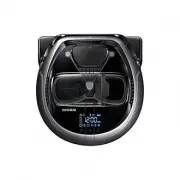


 Samsung SR10F71UB User Manual
 Samsung SR10J5010U User Manual
 Samsung SR10M7030WW User Manual
 Samsung SR20H9050U User Manual
 Samsung SR20K9350WK User Manual
 Samsung SR20M707BWD User Manual
 Samsung SR8730 User Manual
 Samsung SR8875 User Manual
 Samsung SR8895 User Manual
 Samsung VR05R503PWG User Manual
 Samsung VR05R5050WK User Manual
 Samsung VR30T80313W User Manual
 Samsung VR30T85513W User Manual
 Samsung VR50T95735W User Manual


