Page 3 - Important; precautions
Drive safely at all times Do not use a hand-held phone while driving. Park the vehicle first. Switch off the phone when refuelling Do not use the phone at a refuelling point (service station) or near fuels or chemicals. Switch off in an aircraft Wireless phones can cause interference. Using them in ...
Page 5 - About this Guide; Simple, sleek design with Intenna; Special; features of your phone; Phonebook
2 About this Guide This User’s Guide provides you with condensed information about how to use your phone. To quickly learn the basics for your phone, please refer to “Get started” and “Step outside the phone.” In this guide, the following instruction icons appear: Indicates that you need to pay care...
Page 6 - Game
3 Sp ecial feat ur es of your ph one • Game Enjoy embedded games on your phone. • Calendar Keep track of your daily and monthly schedule. • Alarm Use your phone as an alarm clock to wake you up in the morning or notify you of an impending event. • Calculator Perform basic calculations and do currenc...
Page 7 - Contents
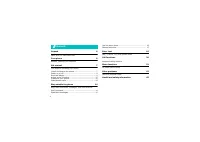
4 Contents Unpack 6 Make sure you have each item Your phone 6 Buttons, features, and locations Get started 7 First steps to operating your phone Install and charge the phone ..................................... 7Power on or off........................................................ 8Keys and displ...
Page 8 - Overview of menu functions
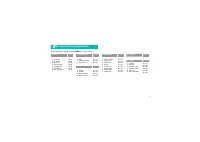
5 Overview of menu functions To access Menu mode, press < Menu > in Idle mode. 1 Calls 6 p.23 1 Missed2 Incoming3 Outgoing4 Air time5 Call forward6 Call waiting7 Call reject8 Int’l call prefix 6 p.23 6 p.24 6 p.24 6 p.24 6 p.24 6 p.25 6 p.25 6 p.25 2 Phonebook 6 p.26 1 Find2 Add3 Group setting...
Page 9 - Unpack; Your phone
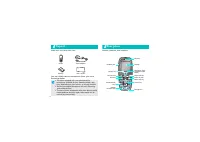
6 Unpack Make sure you have each item You can obtain various accessories from your local Samsung dealer. Your phone Buttons, features, and locations Phone Travel Adapter Battery User’s Guide • The items supplied with your phone and the accessories available at your Samsung dealer may vary, depending...
Page 10 - Get started; UIM card information; Install and charge the phone
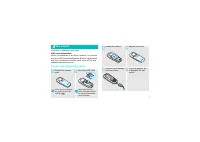
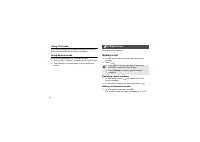
7 Get started First steps to operating your phone UIM card information When you subscribe to a cellular network, you receive a plug-in UIM (User Identification Module) card loaded with your subscription details, such as your PIN, and available optional services. Install and charge the phone Remove t...
Page 11 - Low battery indicator; Power on or off; Power on
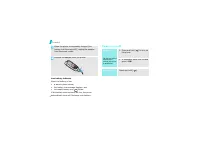
8 Get started Low battery indicator When the battery is low: • a warning tone sounds, • the battery low message displays, and • the empty battery icon blinks. If the battery level becomes too low, the phone automatically turns off. Recharge your battery. Power on or off When the phone is completely ...
Page 12 - Keys and display; Keys
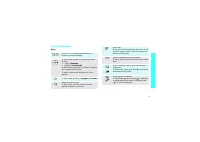
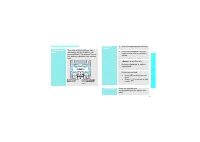
9 Ge t s ta rte d Keys and display Keys Perform the functions indicated on the bottom line of the display. In Idle mode, access the following menus directly.• [Left]: Message • [Right]: View month In Idle mode, press [Up] or [Down] to adjust the keypad tone volume.In Menu mode, scroll through the me...
Page 13 - Display; Icons
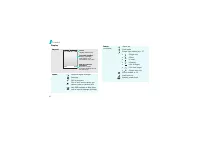
10 Get started Display Layout Icons Received signal strength Roaming Call in progress Out of your service area; you cannot make or receive calls New SMS message or New Voice mail or urgent message (blinking) Text and graphics display messages, instructions, and information you enter. Soft key functi...
Page 14 - Access menu functions; Select
11 Ge t s ta rte d Access menu functions Use the soft keys The roles of the soft keys vary depending on the function you have selected. The bottom line of the display indicates their current role. Press the left soft key to access Menu mode. Press the right soft key to access Find in the Phonebook m...
Page 15 - Customise your phone
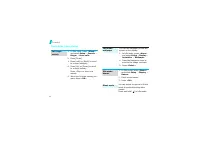
12 Get started Customise your phone 1. In Idle mode, press < Menu > and select Setup → Sounds → Ringer → Voice calls . 2. Press [Down]. 3. Press [Left] or [Right] to scroll to a ringer category. 4. Press [Up] or [Down] to scroll to a ringer melody. Press <Play> to listen to a melody. 5. ...
Page 17 - Step outside the phone; Use Phonebook
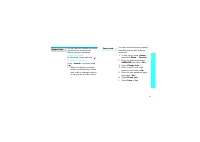
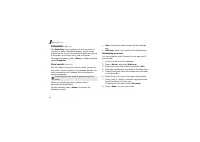
14 Make/Answer calls Step outside the phone Begin with Phonebook, messages, and other features Use Phonebook 1. Enter an area code and phone number. 2. Press [ ]. 3. To end the call, press [ ] . 1. When the phone is ringing, press [ ]. 2. To end the call, press [ ] . Press [Up] or [Down]. Make a cal...
Page 18 - Step out
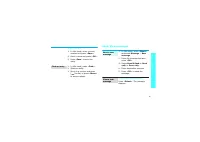
15 Step out side the phone Send/View messages To the UIM card: 1. In Idle mode, enter a phone number and press < Save >. 2. Enter a name and press < OK >. 3. Press < Save > to save the entry. 1. In Idle mode, press < Find >. 2. Select an entry. 3. Scroll to a number and press...
Page 19 - Use the alarm clock
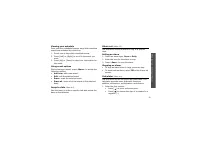
16 Step outside the phone Use the alarm clock From the Inbox: 1. In Idle mode, press < Menu > and select Message → Inbox → Phone or Card . 2. Select a message. When a notification appears: 1. Press [ ]. The phone dials the voicemail centre. 2. Follow the instructions from the system. From the ...
Page 20 - Manage schedule
17 Step out side the phone Manage schedule 1. In Idle mode, press < Menu > and select Scheduler → View month . 2. Scroll to a day from the calendar. 3. Press < Menu > and select Add new . 4. Enter event information and press < OK >. 5. Enter the starting time and date for the event...
Page 21 - Enter text; Changing the text input mode; Mode; Using ABC mode
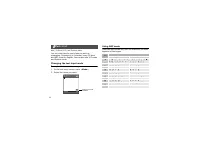
18 Enter text ABC, T9 Word, 123, and Symbol mode You can enter text for some features such as messaging, Phonebook, or Calendar, using T9 Word and ABC mode for English. You can also use 123 mode and Symbol mode. Changing the text input mode Example: Writing a text message 1. In the text entry screen...
Page 22 - ex; Using T9 Word mode
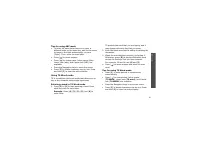
Enter t ex t 19 Tips for using ABC mode • To enter the same letter twice or to enter a different letter on the same key, wait for the cursor to move to the right automatically, or press [Right]. Then, enter the next letter. • Press [ ] to insert a space. • Press [ ] to change case. Initial capital (...
Page 23 - Using Symbol mode; Call functions; Making a call; Redialling recent numbers
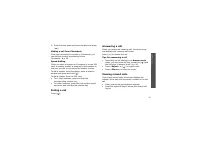
20 Using 123 mode 123 mode enables you to enter numbers. Press the keys corresponding to the digits you want. Using Symbol mode Symbol mode enables you to enter symbols. 1. Press [Left] or [Right] to display more symbol sets. 2. Press the key corresponding to the symbol you want. Call functions Adva...
Page 24 - all fun; Ending a call; Viewing missed calls
C all fun ctions 21 2. Enter the area code and phone number and press [ ]. Making a call from Phonebook Once you have stored a number in Phonebook, you can dial the number by selecting it from Phonebook. 6 p. 26 Speed dialling When you store a number in Phonebook or on the UIM card, a location numbe...
Page 25 - Using the headset; Adjusting the volume during a call
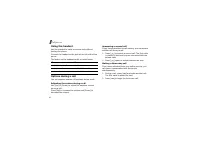
22 Call functions Using the headset Use the headset to make or answer calls without holding the phone. Connect the headset to the jack on the left side of the phone. The button on the headset works as listed below: Options during a call You can access a number of functions during a call. Adjusting t...
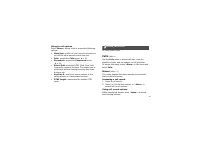
Page 26 - Menu functions; Calls; Missed
23 Using In-call options Press < Menu > during a call to access the following options: • Mute/Quit : switch off your phone’s microphone, so that the other person cannot hear you. • Calls : access the Calls menu. 6 p. 23 • Phonebook : access the Phonebook menu. 6 p. 26 • Silent/Quit : mute the ...
Page 27 - Incoming
24 Menu functions • Talk : call the caller back. • Save : save the number to Phonebook. • Prepend : add an area code or service number before dialling the number. • Erase : erase the call record. Incoming (Menu 1.2) This menu displays the most recent calls you have received. Outgoing (Menu 1.3) This...
Page 28 - Call waiting
Menu fu nc tio ns C a lls (M e n u 1 ) 25 • Unconditional : all incoming calls are forwarded. 2. Select Enable . To deactivate, select Disable . 3. Enter a phone number to which calls are forwarded and press < Send >. Call waiting (Menu 1.6) This network feature alerts you of incoming calls wh...
Page 29 - Find
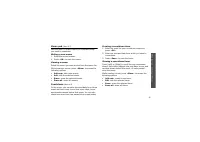
26 Menu functions Phonebook (Menu 2) You can store phone numbers and their corresponding names in your card and the phone’s memory. The card and phone’s memory, although physically separate, are used as if they were a single entity, called Phonebook. To access this menu, press < Menu > in Idle...
Page 30 - Add
Menu fu nc tio ns Phone book ( M e n u 2 ) 27 • Add new : add a new entry to Phonebook. You can create a new entry or add it to an existing entry. Add (Menu 2.2) Use this menu to add a new entry to Phonebook. In the phone’s memory, a name can contain up to 5 numbers in different categories: Mobile, ...
Page 31 - Group settings; New message
28 Menu functions Adding information to an existing entry 1. Select an information type. 2. Enter a phone number and press < Save >, or an e-mail address or a memo and press < OK >. 3. Select Find . The list of entries stored in the phone’s memory is displayed. 4. Select an entry. 5. Sel...
Page 32 - Inbox
Menu fu nc tio ns M e ssa ge ( M e n u 3 ) 29 1. Enter the message text and press < OK >. 2. Select one of the following saving options and press < OK >. • Save & Send : save a copy of the message and then send the message. • Send only : send the message. The message will be deleted ...
Page 33 - Outbox
30 Menu functions • Copy to Phone / Copy to Card : copy the message to the card or phone’s memory. While viewing the message list, press < Menu > to access the following options: • Erase : erase the currently selected message. • Erase Multi : erase the messages you select. • Erase All : erase ...
Page 34 - Msg settings
Menu fu nc tio ns M e ssa ge ( M e n u 3 ) 31 • Copy to Phone / Copy to Card : copy the message to the phone’s memory or the card. While viewing the message list, press < Menu > to access the following options: • Erase : erase the currently selected message. • Erase Multi : erase the selected ...
Page 35 - Scheduler; View month
32 Menu functions Scheduler (Menu 4) The Scheduler menu enables you to keep track of monthly or daily schedule and tasks, set an alarm, make a memo, or use the convenient features, such as a calculator, world time clock, and countdown. To access this menu, press < Menu > in Idle mode and selec...
Page 36 - Jump to date
Menu fu nc tio ns S c h e dule r (M e n u 4 ) 33 Viewing your schedule Once you have scheduled events, days with scheduled events are indicated by a pink box. 1. Select one of days with scheduled events. 2. Press [Left] or [Right] to scroll to the event you want. 3. Press [Up] or [Down] to view time...
Page 37 - Today
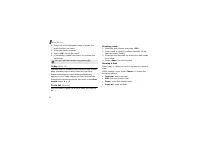
34 Menu functions 2. Press one of the Navigation keys to access the math function you want. 3. Enter the second number. 4. Press < OK > to get the result. 5. If necessary, repeat from step 2 to continue the calculation. Today (Menu 4.5) Use this menu to schedule new events for the current date...
Page 38 - Memo pad; Countdown
Menu fu nc tio ns S c h e dule r (M e n u 4 ) 35 Memo pad (Menu 4.7) Use this menu to make memos of important things you need to remember. Writing a new memo 1. Enter the memo content. 2. Press < OK > to save the memo. Viewing a memo Select the memo you want to view from the memo list. While v...
Page 39 - World time; Games; Starting a game
36 Menu functions World time (Menu 4.9) Use this menu to find out what time it is in another part of the world. Viewing world time Press the Navigation keys to scroll to the time zone you want to check. Applying Daylight Savings Time (DST) 1. Scroll to the time zone to which you want to apply DST, a...
Page 40 - Setup
Menu fu nc tio ns S e tu p (M e n u 6 ) 37 Setup (Menu 6) Many different features of your phone can be customised to suit your preferences. To access this menu, press < Menu > in Idle mode and select Setup . Sounds (Menu 6.1) Use this menu to customise various sound settings. Ringer (Menu 6.1....
Page 42 - Auto key lock
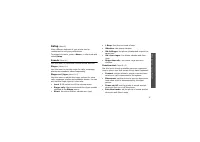
Menu fu nc tio ns S e tu p (M e n u 6 ) 39 Main clock You can set the current time and date. While in a service area, you are not allowed to change the time and date setting since the phone receives time information from the network. Use this menu when you are out of a service area. Enter the time i...
Page 43 - Answer mode
40 Menu functions Select the length of time the phone waits before locking the keypad. Answer mode (Menu 6.4) Use this menu to select how to answer an incoming call. • By send key : the phone answers only when you press [ ]. • By any key : the phone answers when you press any key, except the soft ke...
Page 45 - Entry method
42 Menu functions Clear memory (Menu 6.5.6) Use this menu to clear Phonebook entries or messages stored in the card’s memory and phone’s memory.1. Select Phonebook or Messages . 2. Select the memory location you want to clear. To clear both memories, select All . 3. Select Yes to confirm the clearin...
Page 46 - Solve problems; PIN check; Your correspondent cannot reach you
43 Solve problems Help and personal needs To save the time and expense of an unnecessary service call, perform the simple checks in this section before contacting a service professional. When you switch on your phone, the following messages may appear: “Card is empty insert card” • Be sure that the ...
Page 47 - Your correspondent cannot hear you speaking
44 Solve problems Your correspondent cannot hear you speaking • Be sure that you have switched on the microphone. • Be sure that you are holding the phone close enough to your mouth. The microphone is located at the bottom of the phone. The phone starts beeping and “LOW BATTERY WARNING!” flashes on ...
Page 48 - Health and safety information; Precautions when using batteries
45 Health and safety information Precautions when using batteries • Never use any charger or battery that is damaged in any way. • Use the battery only for its intended purpose. • If you use the phone near the network’s base station, it uses less power; talk and standby time are greatly affected by ...
Page 49 - Road safety
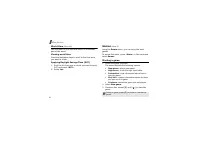
46 Health and safety information battery in a pocket or bag. Short-circuiting the terminals may damage the battery or the object causing the short-circuiting. • Dispose of used batteries in accordance with local regulations. Always recycle. Do not dispose of batteries in a fire. Road safety Your wir...
Page 50 - Pacemakers; Hearing aids
47 H ealth an d s afet y i nfor m ati on Pacemakers Pacemaker manufacturers recommend that a minimum distance of 15 cm (6 inches) be maintained between a wireless phone and a pacemaker to avoid potential interference with the pacemaker. These recommendations are consistent with the independent resea...
Page 51 - Potentially explosive atmospheres
48 Health and safety information Potentially explosive atmospheres Switch your phone off when in any area with a potentially explosive atmosphere and obey all signs and instructions. Sparks in such areas could cause an explosion or fire resulting in bodily injury or even death. Users are advised to ...
Page 52 - Other important safety information
49 H ealth an d s afet y i nfor m ati on If certain features are in use (call barring, for example), you may first need to deactivate those features before you can make an emergency call. Consult this document and your local cellular service provider. When making an emergency call, remember to give ...
Page 53 - Care and maintenance
50 Health and safety information Care and maintenance Your phone is a product of superior design and craftsmanship and should be treated with care. The suggestions below will help you fulfill any warranty obligations and allow you to enjoy this product for many years. • Keep your phone and all its p...