Page 2 - GETTING STARTED; Table of Contents
1 Contents GETTING STARTED Unpacking .............................................................................................. 7Phone Layout ......................................................................................... 8 Key Functions ...................................................
Page 4 - Safety Precautions and Important Notices; ROAD SAFETY COMES FIRST
4 Contents 5 Safety Precautions Safety Precautions and Important Notices Read these simple guidelines. Failure to comply with theseguidelines may be dangerous or illegal. For more detailed safety information, see Safety Informationon page 67. ROAD SAFETY COMES FIRST Do not use a hand-held phone whil...
Page 5 - QUALIFIED SERVICE; Getting Started; Unpacking
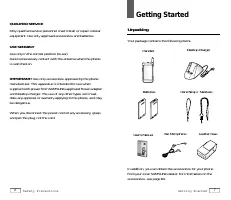
6 Safety Precautions 7 Getting Started MENU OK/ 2 3 1 . ´ 6 4 5 8 7 9 0 Desktop Charger In addition, you can obtain the accessories for your phonefrom your local SAMSUNG dealer. For information on theaccessories, see page 64. Handset Batteries User’s Manual Ear Microphone Hand Strap / Necklace QUALI...
Page 6 - Voice Dial; Phone Layout; Messages
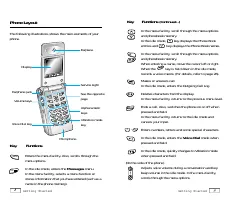
8 Getting Started 9 Getting Started Key Functions (Continued...) In the menu facility , scroll through the menu options and phonebook memory. In the idle mode , key displays the Phone Book entries and key displays the Phone Book names. In the menu facility , scroll through the menu options and phone...
Page 7 - Installing Battery; To Install the Battery; Display
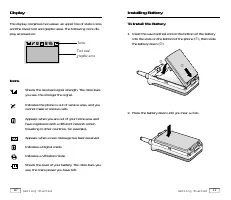
Installing Battery To Install the Battery 1. Insert the saw-toothed end on the bottom of the battery into the slots on the bottom of the phone ( ➀ ), then slide the battery down ( ➁ ). 2. Press the battery down until you hear a click. 10 Getting Started 11 Getting Started Display The display compris...
Page 8 - Charging a Battery; To Remove the Battery
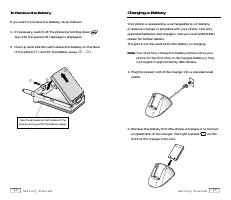
Charging a Battery Your phone is powered by a rechargeable Li-ion battery. A desk top charger is provided with your phone. Use onlyapproved batteries and chargers. Ask you local SAMSUNGdealer for further details.The phone can be used while the battery is charging. Note : You must fully charge the ba...
Page 9 - Switching the Phone On/Off; Low Battery Indicator
Switching the Phone On/Off 1. Open the flip cover. 2. Hold down key for more than one second to switch the phone on. The red light flashes, an alert sounds: • When the system locates services, the greeting message displays along with the date and time. You can nowplace and receive calls. • If the sy...
Page 10 - Making a Call; Correcting the Number; Emergency Dialing; Prepend
General Functions Making a Call When the idle screen is displayed, key in the area code andphone number and press key. Note : If you have set Auto Retry option ( 7-1 ) to On (see page 53), and the call does not connect, the phone automatically retries to make the call. Correcting the Number To clear...
Page 11 - Making a Call from the Phone Book; To Search an Entry, Then Dial; To Search a Name, Then Dial; Speed Dial
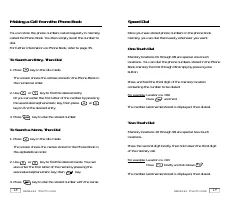
18 General Functions 19 General Functions Making a Call from the Phone Book You can store the phone numbers called regularly in memory,called the Phone Book. You then simply recall the number todial. For further information on Phone Book, refer to page 35. To Search an Entry, Then Dial 1. Press key ...
Page 12 - Voice Dialing; Cannot Recognize Name.; Last Number Redial
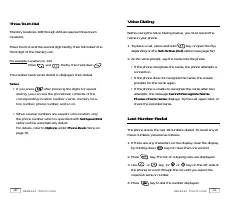
21 General Functions 20 General Functions Three-Touch Dial Memory locations 100 through 229 are special three-touch locations. Press the first and the second digit briefly, then hold down thethird digit of the memory cell. For example: Location no. 123 Press and briefly, then hold down . The number ...
Page 13 - Answering a Call; Viewing Missed Calls
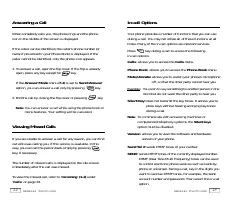
22 General Functions 23 General Functions Answering a Call When somebody calls you, the phone rings and the phoneicon in the middle of the screen is displayed. If the caller can be identified, the caller’s phone number (orname if pre-stored in your Phone Book) is displayed. If thecaller cannot be id...
Page 14 - Call Waiting; Adjusting the Volume
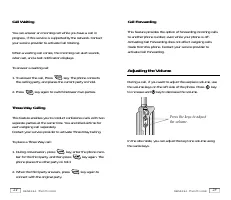
24 General Functions 25 General Functions Call Waiting You can answer an incoming call while you have a call inprogress, if this service is supported by the network. Contactyour service provider to activate Call Waiting. When a waiting call comes, the incoming call alert sounds,when set, and a text ...
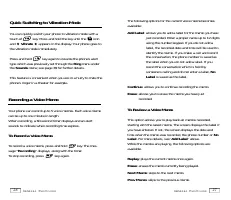
Page 15 - To Review a Voice Memo; Recording a Voice Memo; To Record a Voice Memo; Quick Switching to Vibration Mode
26 General Functions 27 General Functions The following options for the current voice memo becomesavailable: Add Label : allows you to add a label for the memo you have just recorded. Enter a proper name up to 12 digitsusing the number keypad. If you do not add alabel, the recorded date and time wil...
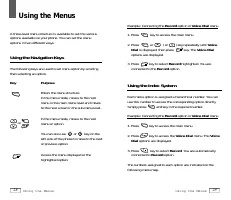
Page 16 - Using the Menus; Using the Navigation Keys; Using the Index System
28 Using the Menus 29 Using the Menus Using the Menus A three-level menu structure is available to set the variousoptions available on your phone. You can set the menuoptions in two different ways. Using the Navigation Keys The following keys are used to set menu option by scrollingthen selecting an...
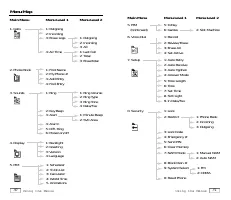
Page 17 - Menu Map
30 Using the Menus 31 Using the Menus Main Menu Menu Level 1 Menu Level 2 1. Calls 1: Outgoing2: Incoming3: Erase Logs 1: Outgoing2: Incoming3: All 4: Air Time 1: Last Call2: Total3: EraseTotal 2. Phone Book 1: Find Name2: My Phone # 3: Add Entry4: Find Entry 3. Sounds 1: Ring 1: Ring Volume2: Ring ...
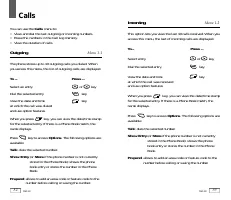
Page 18 - Outgoing; Incoming
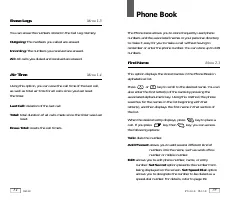
Calls You can use the Calls menu to: • View and dial the last outgoing or incoming numbers. • Erase the numbers in the Call Log memory.• View the duration of calls. Outgoing Menu 1-1 The phone stores up to 10 outgoing calls you dialed. Whenyou access this menu, the list of outgoing calls are display...
Page 19 - Find Name; Set Secret; Erase Logs
Phone Book The Phone book allows you to store frequently used phonenumbers and the associated names in your personal directoryto make it easy for you to make a call without having toremember or enter the phone number. You can store up to 229numbers. Find Name Menu 2-1 This option displays the stored...
Page 20 - My Phone Number; Add Entry; Creating a New Entry
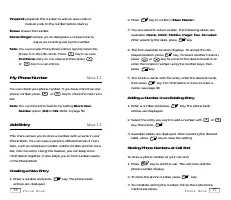
2. Press key to confirm <New Name> . 3. You are asked to select a label. The following labels are available: Home , Work , Mobile , Pager , Fax , No Label . After selecting the label, press key. 4. The first available location displays. To accept the dis- played location, press key. To select ...
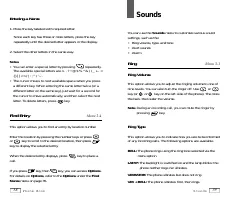
Page 21 - Sounds; Ring; Ring Volume; Ring Type; Entering a Name; Find Entry
Sounds You can use the Sounds menu to customize various sound settings, such as the:• Ring volume, type, and tone• Alert sounds• Alarm Ring Menu 3-1 Ring Volume This option allows you to adjust the ringing volume to one ofnine levels. You can also turn the ringer off. Use orkey (or or key on the lef...
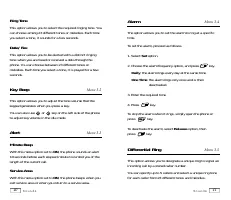
Page 22 - Ring Tone; Key Beep; Minute Beep; Alarm
Ring Tone This option allows you to select the required ringing tone. Youcan choose among 23 different tones or melodies. Each timeyou select a tone, it sounds for a few seconds. Data/Fax This option allows you to be alerted with a distinct ringingtone when you are faxed or received a data through t...
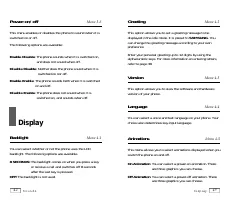
Page 23 - Animations; Backlight
Greeting Menu 4-2 This option allows you to set a greeting message to be displayed in the idle mode. It is preset to SAMSUNG . You can change the greeting message according to your ownpreference. Enter your personal greeting up to 12 digits by using thealphanumeric keys. For more information on ente...
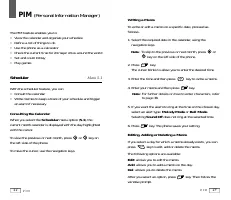
Page 24 - PIM; Scheduler
Writing a Memo To write or edit a memo on a specific date, proceed as follows. 1. Select the required date in the calendar, using the navigation keys. Note : To skip to the previous or next month, press or key on the left side of the phone. 2. Press key. The cursor blinks to allow you to enter the d...
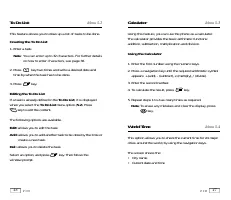
Page 25 - Calculator; Using the Calculator; World Time; To Do List; Creating the To Do List; Editing the To Do List
Calculator Menu 5-3 Using this feature, you can use the phone as a calculator. The calculator provides the basic arithmetic functions: addition, subtraction, multiplication and division. Using the Calculator 1. Enter the first number using the numeric keys. 2. Press a navigation key until the requir...
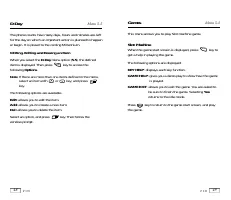
Page 26 - Games; Slot Machine
49 P I M 48 P I M D-Day Menu 5-5 The phone counts how many days, hours and minutes are leftfor the day on which an important action is planned to happenor begin. It is preset to the coming Millennium. Writing, Editing and Erasing an Item When you select the D-Day menu option ( 5-5 ), the defined ite...
Page 27 - Record; Recorded; Tips on Recording Name
Voice Dial You can call up to 20 stored entries by speaking the name intothe microphone. Before using the Voice Dialing feature, youmust record the name in your phone. Record Menu 6-1 This option allows you to register numbers for subsequentvoice dialing. The phone provides voice prompts and screend...
Page 28 - Setup; Auto Retry; Auto Receive; ON; Auto Hyphen; ON; Answer Mode; Erase All
Setup Many different features of your phone can be customized tosuit your preferences. Auto Retry Menu 7-1 With this menu option set to ON , when you place a call and the call does not connect, the phone automatically retries tomake the call. Auto Receive Menu 7-2 With this menu option set to ON , t...
Page 29 - Service Light; Tone Length; Tone
Service Light Menu 7-8 The SVS Light option allows you to select whether or not the service light in the top right-hand corner of the phone is used.See the phone layout on page 8. The following options are available. OFF: the service light is not used. ON: the service light flashes when the phone is...
Page 30 - Lock; OFF; Restrict; Lock Code
Security Your phone provides many security options, including a user-programmable lock code and call restriction features. To access the security menu, you must enter a four-digit lockcode. Lock Menu 0-1 When the phone is locked, you cannot access most of yourphone’s memory and menu features or make...
Page 31 - Send PIN
58 Security 59 Security Send PIN Menu 0-5 This feature prevents the phone from being used by unauthorized persons. The feature is only available when ifyour system supplier provides this service and you have a PINassigned by the system supplier. These options are available: Never : The option is not...
Page 32 - Received Messages; System Select
60 Security 61 M e s s a g e s Messages Your phone receives voicemail notification, text messages,and pages. And your phone transmits text messages andpages if your system supplier provides this service. When thephone receives a message, an alert sounds, and a text notification displays. The icon re...
Page 33 - Transmitting Messages
Page ( 1-2) : An indexed list of page messages displays. An exclamation point next to an entry indicates an urgentmessage. A check mark next to an entry indicates that youhave read and stored the message. Select the desired message to review, then press key. After reviewing the message, press key to...
Page 34 - Accessories; Batteries; Using the Batteries; Precautions When Using Batteries
65 Using the Batteries 64 Accessories Accessories Batteries Three types of Li-ion batteries are available for use with yourphone:• SLIM Battery• STANDARD Battery• EXTENDED Battery Cigarette Lighter Adapter The Cigarette Lighter Adapter charges your phone in a vehiclewhile you drive and enables you t...
Page 35 - Safety Information; Road Safety
• Use only Samsung-approved batteries and recharge your battery only with Samsung-approved chargers. When acharger is not in use, disconnect it from the power source.Do not leave the battery connected to a charger for morethan a week, since overcharging may shorten its life. • Extreme temperatures w...
Page 36 - Care and Maintenance
69 Safety Information 68 Safety Information Care and Maintenance Your phone is a product of superior design and craftsmanshipand should be treated with care. The suggestions below willhelp you fulfill the warranty obligations and enjoy this productfor many years. • Keep the phone and all its parts a...
Page 37 - Emergency Calls; Glossary of Terms
71 Glossary of Te r m s 70 Safety Information • Do not use harsh chemicals, cleaning solvents or strong detergents to clean the phone. Wipe it with a soft clothslightly dampened in mild, soapy water. • If the phone or any of its accessories are not working properly, take them to your nearest qualifi...
Page 39 - SCH-A101 Quick Reference Card; BASIC OPERA; Memo
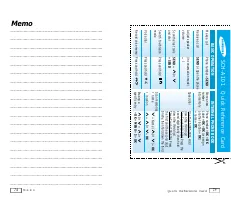
SCH-A101 Quick Reference Card BASIC OPERA TION Make a call Phone number + SEND Receive a call SEND or Open the phone Adjust speaker (in conversation mode) volume „ / Scan the last calls SEND + 0r and dial + SEND Switch to vibration Press and hold mode Voice dial Press and hold Record voice memo Pres...
Page 40 - MENU TREE
76 Quick Reference Card MENU TREE Main Menu (T o access, press MENU) 1 : Calls 1 : Outgoing 2 : Incoming 3 : Erase Logs 4 : Air T ime 2 : Phone Book 1 : Find Name 2 : My Phone # 3 : Add Entry 4 : Find Entry 3 : Sounds 1 : Ring 2 : Key Beep 3 : Alert 4 : Alarm 5 : Diff. Ring 6 : Power -on/off 4 : Dis...