Page 2 - Table of Contents
3 Important Safety Precautions .................................................. 7 Unpacking ................................................................................... 9 Your Phone Phone Layout ............................................................................... 10Display .........
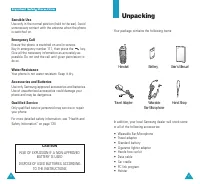
Page 5 - Unpacking; CAUTION; RISK OF EXPLOSION IF A NON-APPROVED
8 IIm mp po orrtta an ntt S Sa affe etty y P Prre ec ca au uttiio on ns s 9 Sensible Use Use only in the normal position (held to the ear). Avoidunnecessary contact with the antenna when the phoneis switched on. Emergency Call Ensure the phone is switched on and in service. Key in emergency number 1...
Page 6 - Your Phone; Phone Layout; Key Functions; Keys; Display; Layout; Messages
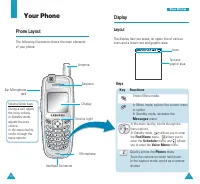
11 Y Yo ou urr P Ph ho on ne e 10 Your Phone Phone Layout The following illustration shows the main elementsof your phone. In the menu facility , scrolls through the menu options. In Standby mode , allows you to enter the Find Name menu, allows you to enter the Scheduler menu, and allows you to ente...
Page 7 - Icons
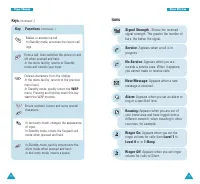
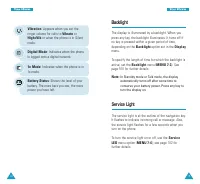
13 Y Yo ou urr P Ph ho on ne e Roaming: Appears when you are out of your home area and have logged onto adifferent network, when traveling in othercountries, for example . Ringer On : Appears when you set the ringer volume for calls from Level 1 to Level 8 or to 1-Beep . Ringer Off : Appears when yo...
Page 8 - Backlight; Service Light
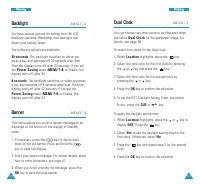
15 Y Yo ou urr P Ph ho on ne e 14 Y Yo ou urr P Ph ho on ne e Backlight The display is illuminated by a backlight. When youpress any key, the backlight illuminates. It turns off ifno key is pressed within a given period of time,depending on the Backlight option set in the Display menu. To specify th...
Page 9 - Getting Started; Using the Battery; Removing the Battery
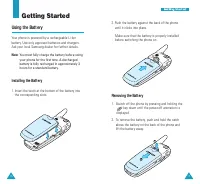
17 G Ge ettttiin ng g S Stta arrtte ed d 16 Getting Started Using the Battery Your phone is powered by a rechargeable Li-Ionbattery. Use only approved batteries and chargers.Ask your local Samsung dealer for further details. Note : You must fully charge the battery before usingyour phone for the fir...
Page 10 - Charging the Battery; Using the Travel Adapter
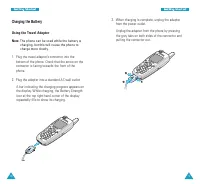
19 G Ge ettttiin ng g S Stta arrtte ed d 18 G Ge ettttiin ng g S Stta arrtte ed d 3. When charging is complete, unplug the adapter from the power outlet. Unplug the adapter from the phone by pressingthe grey tabs on both sides of the connector andpulling the connector out. Charging the Battery Using...
Page 11 - Your Phone’s Modes; Standby Mode; OK; Low Battery Indicator; Switching the Phone On or Off
21 G Ge ettttiin ng g S Stta arrtte ed d 20 G Ge ettttiin ng g S Stta arrtte ed d 2. When you wish to switch the phone off, hold the key down for more than two seconds. WARNING! Do not switch the phone on when mobile phone useis prohibited or when it may cause interference ordanger. Note : As with a...
Page 12 - Locking or Unlocking the Keypad; Auto Key; Talk Mode; MENU; Power Save Mode; Lock Phone; Silent Mode
23 G Ge ettttiin ng g S Stta arrtte ed d 22 G Ge ettttiin ng g S Stta arrtte ed d In Standby mode, press and hold until “EnteringSilent Mode” and the Vibration indicator ( ) display. To exit and reactivate the previous sound settings,press and hold again until “Exiting Silent Mode”appears. The Vibra...
Page 13 - Emergency Dialing; Call Functions; Making a Call
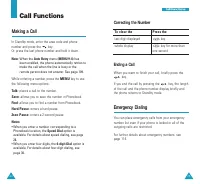
25 C Ca allll F Fu un nc cttiio on ns s Correcting the Number To clear the Press the last digit displayed key. whole display key for more than one second. Ending a Call When you want to finish your call, briefly press the key. If you end the call by pressing the key, the length of the call and the p...
Page 14 - Prepend Dialing; Redialing the Last Number
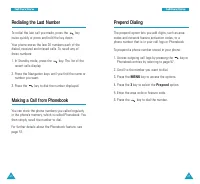
27 C Ca allll F Fu un nc cttiio on ns s 26 C Ca allll F Fu un nc cttiio on ns s Prepend Dialing The prepend option lets you add digits, such as areacodes and network feature activation codes, to aphone number that is in your call logs or Phonebook. To prepend a phone number stored in your phone: 1. ...
Page 15 - Speed Dialing
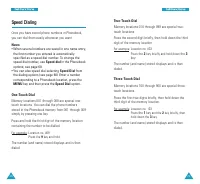
29 C Ca allll F Fu un nc cttiio on ns s 28 C Ca allll F Fu un nc cttiio on ns s Speed Dialing Once you have stored phone numbers in Phonebook,you can dial them easily whenever you want. Notes : • When several numbers are saved in one name entry, the first number you entered is automaticallyspecified...
Page 16 - Storing Pauses in a Phonebook Entry; Pause Dialing
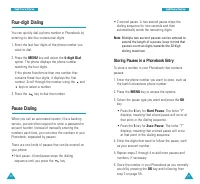
31 C Ca allll F Fu un nc cttiio on ns s 30 C Ca allll F Fu un nc cttiio on ns s • 2-second pause: A two second pause stops the dialing sequence for two seconds and thenautomatically sends the remaining digits. Note : Multiple two second pauses can be entered to extend the length of a pause. keep it ...
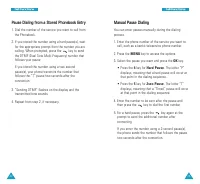
Page 17 - Manual Pause Dialing; Pause Dialing from a Stored Phonebook Entry
33 C Ca allll F Fu un nc cttiio on ns s Manual Pause Dialing You can enter pauses manually during the dialingprocess. 1. Enter the phone number of the service you want to call, such as a bank’s teleservice phone number. 2. Press the MENU key to access the options. 3. Select the pause you want and pr...
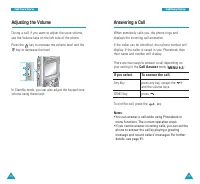
Page 18 - Answering a Call; Call Answer; Adjusting the Volume
35 C Ca allll F Fu un nc cttiio on ns s 34 C Ca allll F Fu un nc cttiio on ns s Answering a Call When somebody calls you, the phone rings anddisplays the incoming call animation. If the caller can be identified, their phone number willdisplay. If the caller is saved in your Phonebook thentheir name ...
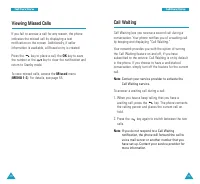
Page 20 - Call Waiting; Viewing Missed Calls
39 C Ca allll F Fu un nc cttiio on ns s 38 C Ca allll F Fu un nc cttiio on ns s Call Waiting Call Waiting lets you receive a second call during aconversation. Your phone notifies you of a waiting callby beeping and displaying “Call Waiting.” Your network provides you with the option of turningthe Ca...
Page 21 - Entering Text; Alphabet
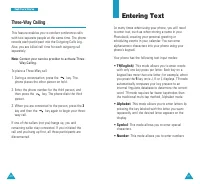
41 Entering Text At many times when using your phone, you will needto enter text, such as when storing a name in yourPhonebook, creating your personal greeting orscheduling events in your calendar. You can enteralphanumeric characters into your phone using yourphone’s keypad. Your phone has the foll...
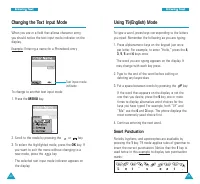
Page 22 - Smart Punctuation; L e t ‘ s e a t .; Changing the Text Input Mode
43 E En ntte erriin ng g T Te ex xtt 42 E En ntte erriin ng g T Te ex xtt Using T9(English) Mode To type a word, press keys corresponding to the lettersyou need. Remember the following as you are typing: 1. Press alphanumeric keys on the keypad just once per letter. For example, to enter “Hello,” pr...
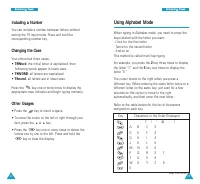
Page 23 - Using Alphabet Mode; Including a Number
45 E En ntte erriin ng g T Te ex xtt 44 E En ntte erriin ng g T Te ex xtt Using Alphabet Mode When typing in Alphabet mode, you need to press thekeys labeled with the letter you want:- Once for the first letter- Twice for the second letter- And so onThis method is called multi-tap typing. For exampl...
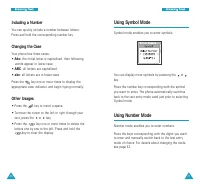
Page 24 - Abc; Other Usages
47 E En ntte erriin ng g T Te ex xtt 46 E En ntte erriin ng g T Te ex xtt You can display more symbols by pressing the or key. Press the number key corresponding with the symbolyou want to enter. The phone automatically switchesback to the text entry mode used just prior to selectingSymbol mode. Usi...
Page 25 - Using the Menus; Accessing a Menu Function by Scrolling; Using Shortcuts
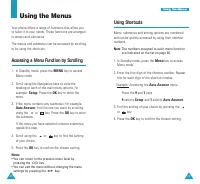
48 49 U Us siin ng g tth he e M Me en nu us s Using the Menus Your phone offers a range of functions that allow youto tailor it to your needs. These functions are arrangedin menus and submenus. The menus and submenus can be accessed by scrollingor by using the shortcuts. Accessing a Menu Function by...
Page 26 - List of Menu Functions
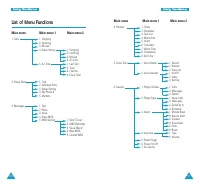
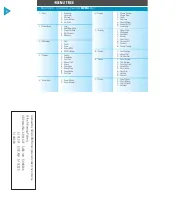
51 U Us siin ng g tth he e M Me en nu us s 50 U Us siin ng g tth he e M Me en nu us s List of Menu Functions Main menu Main menu 1 Main menu 2 1. Calls 1. Outgoing2. Incoming3. Missed4. Erase History 1. Outgoing2. Incoming3. Missed4. All Calls 5. Air Time 1. Last Call2. Total3. Lifetime4. Erase Tota...
Page 27 - Calls; Outgoing
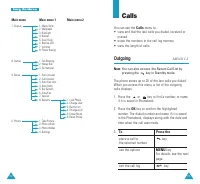
53 Calls You can use the Calls menu to: • view and dial the last calls you dialed, received or missed. • erase the numbers in the call log memory.• view the length of calls. Outgoing MENU 1-1 Note : You can also access the Recent Call List by pressing the key in Standby mode. The phone stores up to ...
Page 28 - Missed
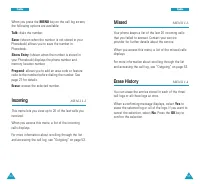
55 C Ca alllls s 54 C Ca alllls s Missed MENU 1-3 Your phone keeps a list of the last 20 incoming callsthat you failed to answer. Contact your serviceprovider for further details about the service. When you access this menu, a list of the missed callsdisplays. For more information about scrolling th...
Page 29 - Phone Book; Find; Air Time
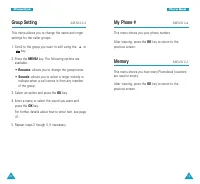
57 56 C Ca alllls s Phone Book Phonebook allows you to store frequently used phonenumbers and the associated names in your personaldirectory to make it easy for you to make a callwithout having to remember or enter the phonenumber. You can store up to 900 entries including E-mail and URL addresses.M...
Page 30 - Add New Entry; Creating a New Entry
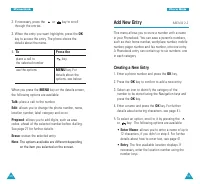
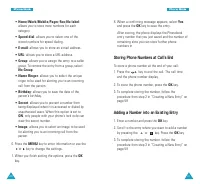
59 P Ph ho on ne e B Bo oo ok k 58 P Ph ho on ne e B Bo oo ok k Add New Entry MENU 2-2 This menu allows you to store a number with a namein your Phonebook. You can save a person’s numbers,such as their home number, workplace number, mobilenumber, pager number and fax number, into one entry.A Phonebo...
Page 33 - Text; New MSG
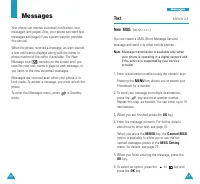
M Me es ss sa ag ge es s 65 64 Text MENU 3-1 New MSG ( MENU 3-1-1 ) You can create a SMS (Short Message Service) message and send it to other mobile phones. Note : Message transmission is available only when your phone is operating in a digital network andif the service is supported by your servicep...
Page 34 - Inbox
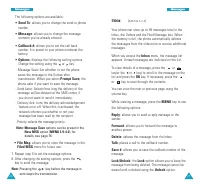
67 M Me es ss sa ag ge es s 66 The following options are available: • Send To : allows you to change the send-to phone number. • Message : allows you to change the message contents you’ve already entered. • Callback #: allows you to set the call back number. It is preset to your phone numberat thefa...
Page 36 - Photo; Sending a Multimedia Message
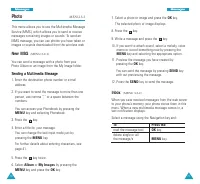
71 M Me es ss sa ag ge es s 70 7. Select a photo or image and press the OK key. The selected photo or image displays. 8. Press the key. 9. Write a message and press the key. 10. If you want to attach sound, select a melody, voice memo or record something new by pressing the MENU key and selecting th...
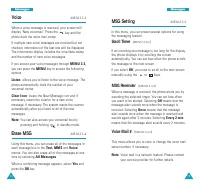
Page 38 - MSG Setting; Scroll Timer; Voice
M Me es ss sa ag ge es s 75 74 MSG Setting MENU 3-5 In this menu, you can preset several options for using the messaging feature. Scroll Timer ( MENU 3-5-1 ) If an incoming text message is too long for the display,the phone displays it by scrolling the screenautomatically. You can set how often the ...
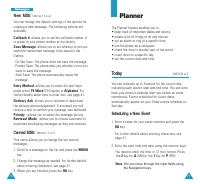
Page 39 - Planner; Today; Scheduling a New Event
77 M Me es ss sa ag ge es s 76 New MSG ( MENU 3-5-4 ) You can change the default settings of the options forcreating a new message. The following options areavailable: Callback # : allows you to set the call back number. It is preset to your phone number at the factory. Save Message : allows you to ...
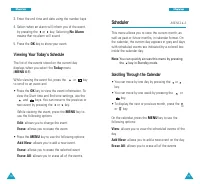
Page 40 - Scheduler; Scrolling Through the Calendar
79 P Plla an nn ne err 78 80 Scheduler MENU 4-2 This menu allows you to view the current month, aswell as past or future months, in calendar format. Onthe calendar, the current day appears in gray and dayswith scheduled events are indicated by a colored boxinside the calendar day. Note : You can qui...
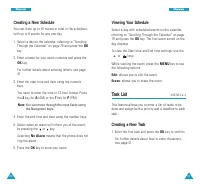
Page 41 - Viewing Your Schedule; Task List; Creating a New Task
81 P Plla an nn ne err 80 P Plla an nn ne err Viewing Your Schedule Select a day with scheduled events on the calendar,referring to “Scrolling Through the Calendar” on page79 and press the OK key. The first event stored on the day displays. To view the Start time and End time settings, use the or ke...
Page 42 - Memo Pad; Writing a New Memo; Viewing a Task
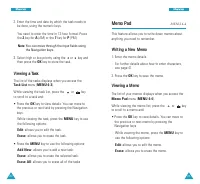
83 P Plla an nn ne err 82 P Plla an nn ne err Memo Pad MENU 4-4 This feature allows you to write down memos aboutanything you need to remember. Writing a New Memo 1. Enter the memo details. For further details about how to enter characters,see page 41. 2. Press the OK key to save the memo. Viewing a...
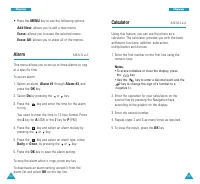
Page 43 - Calculator; Alarm
85 P Plla an nn ne err 84 P Plla an nn ne err Calculator MENU 4-6 Using this feature, you can use the phone as a calculator. The calculator provides you with the basicarithmetic functions; addition, subtraction,multiplication and division. 1. Enter the first number on the first line using the numeri...
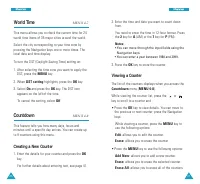
Page 44 - Viewing a Counter; World Time; Creating a New Counter
87 P Plla an nn ne err 86 P Plla an nn ne err 2. Enter the time and date you want to count down from. You need to enter the time in 12-hour format. Pressthe 2 key for A (AM) or the 7 key for P (PM). Notes : • You can move through the input fields using the Navigation keys. • You can enter a year bet...
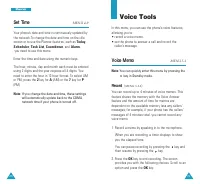
Page 45 - Voice Tools; Voice Memo; Record; Set Time
89 88 P Plla an nn ne err Voice Tools In this menu, you can use the phone’s voice features,allowing you to:• record a voice memo.• set the phone to answer a call and record the caller’s message. Voice Memo MENU 5-1 Note : You can quickly enter this menu by pressing the key in Standby mode. Record ( ...
Page 46 - Voice Answer; Review
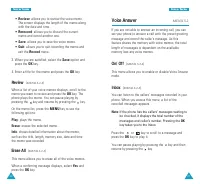
91 V Vo oiicce e TTo oo ollss 90 V Vo oiicce e TTo oo ollss Voice Answer MENU 5-2 If you are not able to answer an incoming call, you canset your phone to answer a call with the preset greetingmessage and record the caller’s message. As thisfeature shares the memory with voice memos, the totallength...
Page 47 - Setting
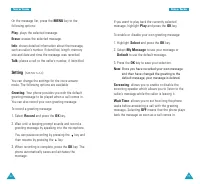
93 V Vo oiicce e TTo oo ollss 92 V Vo oiicce e TTo oo ollss If you want to play back the currently selectedmessage, highlight Play and press the OK key. To enable or disable your own greeting message: 1. Highlight Select and press the OK key. 2. Select My Message to use your message or Default to us...
Page 48 - Sounds; Ringer Volume; Ringer Type
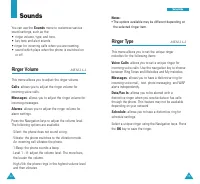
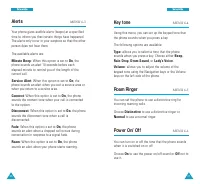
95 94 Sounds You can use the Sounds menu to customise various sound settings, such as the:• ringer volume, type, and tone.• key tone and alert sounds.• ringer for incoming calls when you are roaming.• sound which plays when the phone is switched on or off. Ringer Volume MENU 6-1 This menu allows you...
Page 50 - Menu Style; Escalating
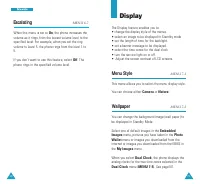
99 98 Display The Display feature enables you to:• change the display style of the menus.• select an image to be displayed in Standby mode• set the length of time for the backlight.• set a banner message to be displayed.• select the time zones for the dual clock.• turn the service light on or off.• ...
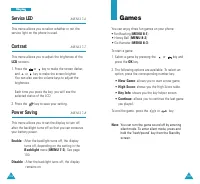
Page 52 - Games; Service LED
103 Games You can enjoy three fun games on your phone: • Fun Bowling ( MENU 8-1 ) • Honey Ball ( MENU 8-2 ) • Go Hamster ( MENU 8-3 ) To start a game: 1. Select a game by pressing the or key and press the OK key. 2. The following options are available. To select an option, press the corresponding nu...
Page 53 - Key Commands
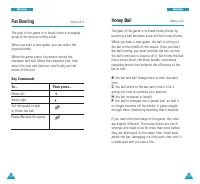
105 104 Honey Ball Menu 8-2 The goal of the game is to break honey blocks bybouncing a ball between a bat and the honey blocks. When you start a new game, the ball is sitting onthe bat in the middle of the screen. Once you startthe ball moving, you must position the bat, so thatthe ball continues to...
Page 54 - Go Hamster
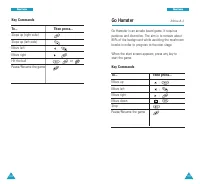
107 106 Go Hamster Menu 8-3 Go Hamster is an arcade board game. It requirespatience and discretion. The aim is to remove about80% of the background while avoiding the mushroombombs in order to progress to the next stage. When the start screen appears, press any key tostart the game. Key Commands To....
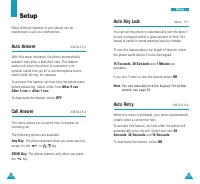
Page 55 - Auto Key Lock; Auto Retry; Setup; Auto Answer
109 S Se ettu up p 108 Auto Key Lock Menu 9-3 You can set the phone to automatically lock the keys ifno key is pressed within a given amount of time.Thisfeatue is useful to avoid pressing keys by mistake. To use this feature,select the length of time for whichthe phone waits before it locks the keyp...
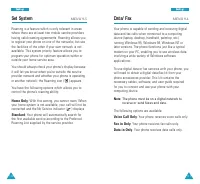
Page 56 - Voice Call Only; Set System; Home Only
111 S Se ettu up p 110 S Se ettu up p Data/ Fax MENU 9-6 Your phone is capable of sending and receiving digitaldata and fax calls when connected to a computingdevice (laptop, desktop, handheld, palmtop, etc.)running Windows 95, Windows 98, Windows NT orlater versions. The phone functions just like a...
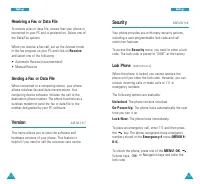
Page 57 - Security; Version
113 S Se ettu up p 112 S Se ettu up p Security MENU 9-8 Your phone provides you with many security options,including a user-programmable lock code and callrestriction features. To access the Security menu, you need to enter a lock code. The lock code is preset to “0000” at the factory. Lock Phone ( ...
Page 58 - Erase Pbook
115 S Se ettu up p 114 S Se ettu up p To store an emergency number: 1. Press the or key to select a location and press the OK key. 2. If necessary, press and hold the CLR key to clear the old number. 3. Enter the number you want. Each emergency number can be up to 32 digits long. 4. Press the OK key...
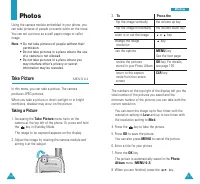
Page 59 - Photos; Take Picture; Taking a Picture
117 116 3. To Press the flip the image vertically the volume up key. flip the image horizontally the volume down key zoom in or out the image or key. change the image key. resolution use the options MENU key. See the next page. review the pictures OK key. For details, stored in your Photo Album see ...
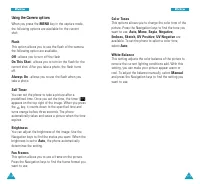
Page 60 - Using the Camera options
119 118 Color Tones This options allows you to change the color tone of thepicture. Press the Navigation keys to find the tone youwant to use. Auto, Mono , Sepia , Negative , Emboss, Sketch, UV Positive , UV Negative are available. To set the phone to select a color tone,select Auto . White Balance ...
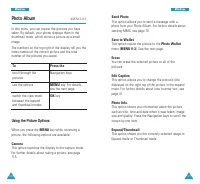
Page 61 - Photo Album; Using the Picture Options
121 120 Send Photo This option allows you to send a message with aphoto from your Photo Album. For further details aboutsending MMS, see page 70. Save to Wallet This option copies the picture to the Photo Wallet menu ( MENU 0-3 ). See the next page. Erase You can erase the selected picture or all of...
Page 62 - Settings; Photo Wallet
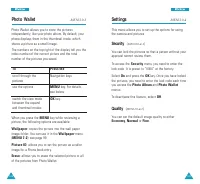
123 122 Settings MENU 0-4 This menu allows you to set up the options for usingthe camera and pictures. Security ( MENU 0-4-1 ) You can lock the pictures so that a person without yourapproval cannot review them. To access the Security menu, you need to enter the lock code. It is preset to “0000” at t...
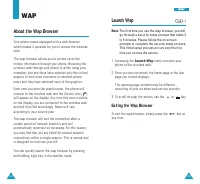
Page 63 - Launch Wap; Exiting the Wap Browser; About the Wap Browser
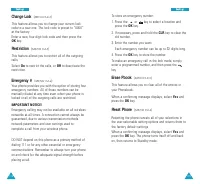
125 124 W WA AP P Launch Wap -1 Note : The first time you use the wap browser, you willgo through a security setup process that takes 3to 5 minutes. Please follow the on-screenprompts to complete the security setup process.This initial setup process occurs only the firsttime you access the service. ...
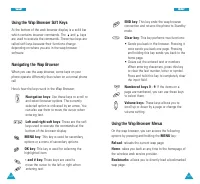
Page 64 - Using the Wap Browser Menus; Using the Wap Browser Soft Keys
127 126 END key : This key ends the wap browser connection and returns the phone to Standbymode. Clear key : This key performs two functions: • Sends you back in the browser. Pressing it once sends you back one page. Pressingand holding this key sends you back to thehome page. • Clears out the enter...
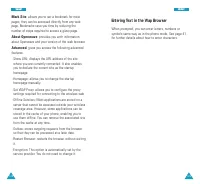
Page 65 - Entering Text in the Wap Browser; Mark Site
129 128 W WA AP P Entering Text in the Wap Browser When prompted, you can enter letters, numbers orsymbols same way as in the phone mode. See page 41for further details about how to enter characters. Mark Site : allows you to set a bookmark for most pages; they can be accessed directly from any webp...
Page 66 - Precautions When Using Batteries
131 H He ea alltth h a an nd d S Sa affe etty y IIn nffo orrm ma attiio on n 130 Precautions When Using Batteries • Never use any charger or battery that is damaged in any way. • Use the battery only for its intended purpose. • If you use the phone near the network’s base station, it uses less power...
Page 68 - Electronic Devices; Pacemakers; Hearing Aids
135 H He ea alltth h a an nd d S Sa affe etty y IIn nffo orrm ma attiio on n 134 H He ea alltth h a an nd d S Sa affe etty y IIn nffo orrm ma attiio on n Other Medical Devices If you use any other personal medical devices, consultthe manufacturer of your device to determine if it isadequately shield...
Page 71 - Glossary
141 140 H He ea alltth h a an nd d S Sa affe etty y IIn nffo orrm ma attiio on n Glossary Airtime - Actual time spent talking on the wireless phone. Most carriers bill customers based on howmany minutes of airtime they use each month. Antenna - A device for transmitting or receiving signals. The siz...
Page 73 - Index
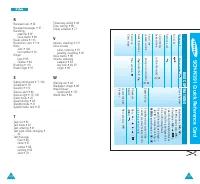
145 IIn nd de ex x 144 I Icon description • 13Inbox, messages • 67Installing battery • 16Incoming calls • 54 K Keys description • 12 Key tone setting • 97 L Last number redialing • 26Letters, entering • 41Lock code, changing • 114Lock mode, setting • 113Low battery indicator • 20 M Maintenance • 139...
Page 74 - BASIC OPERA
147 Save a Number Enter Number + OK + OK + / to select Label + OK + Enter Name + OK + / t o select Entry/Home/W ork/Mobile /Pager/Fax/No label/Speed dial/ E-mail/URL/Group/Name Ringer/Birthday/Secret/Image) + / to change the settings or MENU to enter information + OK + OK Speed dialing Enter Memory ...
Page 75 - MENU TREE
1 4 8 Licensed by QUALCOMM Incorporated under one or more of the following Patents. U.S Patent No. 4,901,307 5,056,109 5,099,204 5,101,501 5,103,459 5,107,225 5,109,390 MENU TREE Main Menu (To access, press the MENU key) 1 : Calls 1 : Outgoing2 : Incoming3 : Missed4 : Erase History5 : Air Time 2 : P...