Page 2 - Instructions
2 Instructions Use this camera in the following order Insert the USB cable Set up the camera driver Before connecting the camera to a PC, via theUSB cable, you will need to set up the cameradriver. Install the camera driver that is contained inthe Application S/W CD-ROM.(p.76) Take a picture (p.21) ...
Page 3 - Contents; READY
3 Getting to know your camera 5 About the icons 5 Danger 6 Warning 6 Caution 7 An FCC warning 7 This digital camera can be used for 8 Manufacturer's contents 10 Identification of features 11 Front & Top 11 Back & Bottom 11 Side/ 5-function button 12 Mode dial 12 Connecting to a Power Source ...
Page 4 - SOFTWARE
4 Voice memo / Up button 45 Play & Pause / Down button 46 LEFT / RIGHT/ MENU/ OK button 46 LCD button 47 Delete button 47 Setting up the play back function using the LCD monitor 48 Starting the slide show 49 Protecting images 50 Deleting all images 51 Copy to card 52 DPOF : Setting the Number of...
Page 5 - Getting to know your camera; About the icons
5 Thank you for buying a Samsung Digital Camera. Prior to using this camera, please read the user manual thoroughly. When you require After Sales service, please bring the camera and the cause of the camera malfunction (such as Batteries, Memory card etc.) to the A/S center. Please check that the ca...
Page 6 - Danger; Warning
6 Do not attempt to modify this camera in any way. This may result in fire, injury, electric shock or severe damage to you or your camera. Internal inspection, maintenance and repairs should be carried out by your dealer or Samsung Camera Service Center. Please do not use this product in close proxi...
Page 7 - Caution; An FCC warning
7 Leaking, overheating, or burst batteries could result in fire or injury. Use batteries with the correct specification for the camera. Do not short circuit, heat or dispose of batteries in fire. Do not insert the batteries with the reverse polarities. Remove the batteries when not planning to use t...
Page 8 - This digital camera can be used for
8 This digital camera can be used for Printing images using a dedicatedprinter, DPOF-compatible printer orDPOF-equipped photo lab.(refer to page 53) Downloading image files fromcamera to computer. (refer to page 83) Editing images on a PC.(refer to page 90) V i e w i n g i m a g e s o n a T V .(refe...
Page 10 - Manufacturer's contents
10 Manufacturer's contents Please check that you have the correct contents before using this product. marked contents are optional. Digital Camera VIDEO cable Pouch 2 AA Alkaline Batteries USB cable Product warranty User manual Camera strap Software CD AC adapter (3.3V) Battery pack (SBP-3603) SD me...
Page 11 - Identification of features
11 Identification of features Front & Top Back & Bottom * When using the digital zoom to take a picture, the composition of the picture may be different depending on whether you are using the LCD monitor or the viewfinder. The picture will betaken in the composition of the picture as it appe...
Page 12 - Mode dial
12 Identification of features You can select the desired working mode by using the mode dial located on the back of thecamera. This digital camera has 6 recording modes. These are listed below. Side/ 5-function button Mode dial Memory card slot Battery chamber Battery chamber cover FLASH/ LEFT butto...
Page 14 - Connecting to a Power Source
14 Identification of features Camera status lamp Color Status Camera Status Blinking and off Power on processing When the LCD monitor is turned off When the USB cable is connected Blinking slowly Flash recharging Image processing(compression/decompression) USB busy On Blinking fast Green Self-timer ...
Page 15 - INFORMATION
If you have access to a mains supply, using an ACAdapter (3.3V 2.0A) allows the camera to be usedfor long periods of time.P l u g t h e a d a p t e r i n t o t h e c o n n e c t i o n p o i n t (DC IN 3.3V) on the camera.Remove the batteries from the camera when usingan AC adapter. 15 Connecting to ...
Page 17 - Instructions on how to use the memory card
17 Instructions on how to use the memory card The camera comes with 16MB of internal flash memory, allowing you to store images andmovie clips in the camera. However, you can expand the memory capacity by using anoptional memory card so that you can store more images and movie clips. Be sure to form...
Page 19 - Inserting the memory card; Removing the memory card
19 Inserting the memory card Do not insert the memory card the wrong way round . Doing so may damage thememory card slot. INFORMATION 1. Turn the power off using the power button. Open the battery chamber cover and press the memory cardas shown in the image and release. 2. Remove the memory card and...
Page 20 - LCD monitor indicator
20 [ Image & Full Status ] No. Description Icons Page 1 Battery p.16 2 Recording mode p.12~13 3 Camera shake warning p.23 4 Flash p.28 5 Self-timer p.29 6 Voice memo p.26 7 Macro p.31 8 Metering p.36~37 9 Time 01:00 PM p.61 10 Date 2003/ 10/ 01 p.61 11 Exposure compensation -2.0 ~ 0 ~ +2.0 EV p....
Page 21 - Starting the recording mode
21 LCD monitor indicator 14 Sharpness p.37 15 Image quality p.35~36 16 Image size 2048, 1600, 1024, 640 p.35 Number of available shots remaining 54 Remaining time( Movie clip/ Voice recording) 02:00/ 00:05:00 p.22 18 Digital Zoom rate X3.0 p.25 19 Digital zoom Starting the recording mode 1. Insert t...
Page 24 - Using the camera buttons to adjust the camera
24 Using the camera buttons to adjust the camera The RECORDING mode function can be set up by using the camera buttons. POWER button SHUTTER button Used for digital zooming in / out.When you press the zoom (W/T) button, the zoom bar willdisplay in the upper and center part of the LCD monitor. WIDE /...
Page 26 - Down button
26 Voice memo( )/ UP button While the menu is showing, press the UP button to move up the submenu cursor. When the menu is not displayed on the LCD monitor, the UP button operates as the voicememo button. You can add your voice-over to a stored still image. Recording a voice memo 1. Select the STILL...
Page 31 - Focus lever
31 Focus lever To prevent the image from being dim, maintain the focus range at 0.19m ~ 0.21m. INFORMATION To prevent the image from being dim, maintain the focus range at 1.0m ~ infinity. INFORMATION Normal( ) focus modeThe focus range is 1.0m ~ infinity. No icons will display onthe LCD monitor whe...
Page 32 - LCD button
32 MENU/ OK button If the menu is displayed, use the 5-Function buttons to change the data values and for yourchanges to be accepted. If the menu is not displayed, press the MENU/OK button to display a menu for the currentcamera mode on the LCD monitor. Press the button again to return to the previo...
Page 33 - Using the LCD monitor to adjust the camera settings
33 Using the LCD monitor to adjust the camera settings You can use the menu on the LCD monitor to set up recording functions. The following functions are available, depending on the mode you have selected.The items indicated by are default settings. The menu will not be displayed on the LCD monitor ...
Page 34 - How to use the menu
34 Using the LCD monitor to adjust the camera settings How to use the menu 3. Use the UP and DOWN buttons to select a sub menu. 4. Select a sub menu, and then press the OK button. The value you set will be saved and the menu will disappear. 1. Turn on the camera and press the MENU button. A menu for...
Page 35 - Size; Quality
35 Size You can select the image size appropriate for your application. You can select from STILLIMAGE, PHOTO FRAME, NIGHT SCENE and MySET modes. The higher the resolution, the lower the number ofavailable shots will be because high resolution imagesrequire more memory than lower resolution images. ...
Page 37 - Metering
37 Metering If the subject is not the centre of the focus area, do not use the spot metering as this mayresult in an exposure error. In this circumstance, rather use exposure compensation. INFORMATION Sharpness You can adjust the sharpness of the picture you want to take. You cannot check thesharpne...
Page 38 - White balance
38 White balance : The white balance control allows you to adjust the colours to appear more natural looking. The White Balance is available in STILL IMAGE, PHOTOFRAME, MOVIE CLIP and MySET mode. White balance - AUTO : The camera automatically selects the appropriate white balance settings, dependin...
Page 39 - Effect; Photo Frame
39 Effect Selecting a Photo Frame 1. Rotate the Mode Dial to Photo Frame mode ( ).2. Press the MENU button, and then use the LEFT and RIGHT buttons to select [P. FRAME]. 3. Use the UP and DOWN buttons to select the FRAME menu. 4. Press the OK button. A window where you can choose a photo frame will ...
Page 41 - Starting play mode
41 Starting play mode Turn the camera on and select Play mode by pressing the play mode button ( ). The camera can now play back the images stored in the memory. Press the play mode button ( ) again to switch to the Recording mode. You can set up the PLAY mode function by using the camera buttons an...
Page 48 - Setting up the play back function using the LCD monitor
48 Setting up the play back function using the LCD monitor PLAY mode functions can be changed by using the LCD monitor. In the PLAY mode,pressing the MENU button displays the menu on the LCD monitor. The menus you can setup in Play mode are as follows. To capture an image after setting up the play m...
Page 49 - Starting the slide show
49 Images can be displayed continuously at pre-set intervals. You can view the slide show byconnecting the camera to an external monitor. (p.63) Starting the slide show 1. Press the play mode button and press the menu button.2. Press the LEFT/ RIGHT button and select the [SLIDE] menu tab. 3. Press t...
Page 50 - Protecting images
50 Protecting images Protecting Images 1. Press the play mode button and press the menu button.2. Press the LEFT/ RIGHT button and select the [PROTECT] menu tab. 3. Select a desired sub menu by pressing the UP/ DOWN button and press the OK button. - [ONE PIC] : Only an image that is displayed on the...
Page 51 - Deleting all images
51 Of all the files stored in the memory card, the unprotected files in the DCIM subfolder will bedeleted. Deleting all images Deleting All images 1. Press the play mode button and press the menu button.2. P r e s s t h e L E F T / R I G H T b u t t o n a n d s e l e c t t h e [DEL.ALL] menu tab. 3....
Page 52 - Copy to card
52 Copy to card This enables you to copy image files to the memory card. Copy to card 1. Press the play mode button and press the MENU button.2. Select the [COPY TO CARD] menu tab by pressing the LEFT/ RIGHT button. 3. Select the desired sub menu by pressing the UP/DOWN button and press the OK butto...
Page 53 - DPOF : Setting the Number of Copies to Print
53 DPOF : Setting the Number of Copies to Print This function allows you to embed print quantity information on your memory card. This function is not available for Movie clips. The DPOF file is only stored on the memory card. Specifying the Number of Prints 1. Press the play mode button and press t...
Page 54 - Rotating an image
54 Rotating an image You can rotate the stored images by 90, 180, or 270 degrees. 1. Press the play mode button and press the menu button.2. P r e s s t h e L E F T / R I G H T b u t t o n a n d s e l e c t t h e [ROTATE] menu tab. 3. Select a desired sub menu by pressing the UP/ DOWN button. If [OF...
Page 55 - Resize
55 Size 1600X1200 1024X768 640X480 S.IMAGE 2048 O O O O 1600 X O O O 1024 X X O O 640 X X X O A stored image size can be changed and used as a logo image. The resized image will havea new file name. Resize 1. Press the play mode button and press the menu button.2. Press the LEFT/ RIGHT button and se...
Page 56 - Setup menu
56 Setup menu In this mode, you can set up basic settings. You can use the setup menu in all cameramodes, except Voice Recording mode.The items indicated by are default settings. Menu tab Main menu Sub menu Secondary menu Page RESET - SERIES - ENGLISH - KOREAN - FRENCH - GERMAN - SPANISH - ITALIAN -...
Page 57 - File name
57 Setup menu Menu tab Main menu Sub menu Secondary menu Page ON OFF NTSC PAL OFF NO YES NO YES 1 ~ 3 SEC BEEP VIDEO Q.VIEW LATEST RESET This function allows the user to select the file naming format. Assigning File Names 1. In any mode other than Voice Recording mode, press the MENU button. 2. Pres...
Page 59 - Language; Formatting a memory card
59 Language Setting Language 1. In any mode other than Voice Recording mode, press the MENU button. 2. Press the LEFT/ RIGHT button and select the [SETUP] menu tab. 3. Select the [LANGUAGE] menu by pressing the UP/ DOWN button and press the RIGHT button. 4. Select a desired sub menu by pressing the ...
Page 60 - Setting up the Date type
60 Formatting a memory card Formatting a Memory Card from a PCWhen formatting a memory card from a Windows 2000 or XP-based PC, format the cardunder the "FAT" files system. When formatting a memory card, connect the camera to yourPC with the USB cable. (See p. 82) 3. Select [FAT] file format...
Page 61 - Date Setup; Time Setup
61 Date Setup You can change the time that will be displayed on the captured images. Setting the Time 1. In a mode other than Voice Recording mode, press the MENU button. 2. Press the LEFT/ RIGHT button and select the [SETUP] menu tab. 3. Use the UP and DOWN buttons to select [TIME], and then press ...
Page 62 - Imprinting date recording; Beep
62 There is an option to include DATE/TIME on still images. Imprinting date recording Beep If you set the operation sound to ON, various sounds will be activated for camera startup,when buttons are pressed, and if there is a card error, so that you can be aware of thecamera operation status. Setting...
Page 63 - Selecting Video out type
63 Selecting Video out type The Movie output signal from the camera can be NTSC or PAL. Your choice of output will begoverned by the type of device (monitor or TV, etc.) to which the camera is connected. PALmode can support only BDGHI. Setting the Video Out Type 1. In any mode other than Voice Recor...
Page 64 - Quick view
64 Quick view If you enable Quick View before capturing an image, you can view the image you justc a p t u r e d o n t h e L C D m o n i t o r f o r t h e d u r a t i o n s e t i n t h e [ Q . V I E W ] s e t u p . Quick view is possible only with still images. Setting Quick View 1. In any mode othe...
Page 65 - Latest; Setting up the MYCAM menu
65 Latest The most recent changes made to the camera setting values since [LATEST] has been set to[YES] will be maintained. The changed setting values are maintained even after the camerais turned off and then back on. Saving Camera Functions 1. In any mode other than Voice Recording mode or MySET m...
Page 66 - Start up sound; Start up image
66 You can set the startup sound at power-on. Start up sound Setting the Startup Sound 1. In any mode other than Voice Recording mode, press the MENU button. 2. Press the LEFT/ RIGHT button and select the [MYCAM] menu tab. 3. Select the [S.BEEP] menu by pressing the UP/ DOWN button and press the RIG...
Page 67 - Important notes
67 Important notes Be sure to observe the following precautions! This unit contains precision electronic components. Do not use or store this unit in thefollowing locations. - Areas exposed to severe changes in temperature and humidity.- Areas exposed to dust and dirt.- Areas exposed to direct sunli...
Page 69 - Warning indicator
69 Warning indicator There are several warnings that may appear on the LCD display Warning indicator Causes Remedy Insert a new CARD or delete stored images to free up some memory. There is insufficient memory capacity to take an image. When taking pictures in dark places. The memory card is locked ...
Page 70 - Before contacting a service center
70 Before contacting a service center Please check the following Symptom Causes Remedy - Insert fresh batteries - Connect an AC Power Adapter - There is low battery capacity - An AC Power Adapter is not connected - The batteries are exhausted - The Camera is turned off automatically. - The Adapter p...
Page 72 - Specifications
72 Specifications Type 1/2.7" CCD Image Sensor Effective Pixels Approx. 3.2 Mega-pixel Total Pixels Approx. 3.3 Mega-pixel Lens f = 5.1mm (35mm film equivalent : 33mm) Lens F No. F2.9/ F8.0 Still Image mode : 1.0X ~ 3.0X Play mode : 1.0X ~ 5.0X (depends on image size) Optical Viewfinder Optical ...
Page 74 - Software Notes; System Requirements
74 Software Notes Please ensure that you read the instruction manual carefully before use. The attached software is a camera driver and image editing software tool for Windows.Under no circumstances should all or part of either the software or the user manual bereproduced.Copyrights for software are...
Page 75 - About the software
75 About the software After inserting the CD-ROM provided with this camera into the CD-ROM drive, the followingwindow should automatically run. Before connecting the camera to thePC, you should first install the cameradriver. Camera driver : This enables images to transfer between the camera and PC....
Page 76 - Setting up the application software
76 Setting up the application software To use this camera with a PC, install the application software first. After this has been done, thestored images in the camera can be moved to the PC and can be edited by an image editingprogram. You can visit the Samsung web-site through the internet. http://w...
Page 82 - Starting PC Mode
82 Starting PC Mode If you insert the USB cable into the USB connection terminal, the camera working mode willchange to the PC mode automatically. In this mode, you can download stored images to your PC through the USB cable. The LCD monitor is always turned off in PC mode. The camera status lamp wi...
Page 85 - Removing the USB Driver for Windows 98SE
85 Removing the USB Driver for Windows 98SE To remove the USB driver, refer to the process shown below. 1. Trace [Start Settings] and click [Control Panel]. [Click!] [Click!] 4. A window will open. Click the [YES] button and the camera driver will be removed. 2. Double-click [Add/Remove programs]. 3...
Page 86 - Removable Disk
86 Removable Disk To use this camera as a Removable Disk, install (p.76) the USB Driver. 1. Before turning the camera power on, connect the camera to the PC with the USB cable. 2. Click [Removable Disk] under [My computer] or [Windows Explorer]. 3. Image files stored in the Removable Disk (DCIM 100S...
Page 87 - Removing the removable disk
87 Removing the removable disk [Click!] [Double-click!] [Click!] [Click!] Windows 98SE 1. Check whether the camera and PC are transferring a file. If the camera status lamp blinks, you have to wait until the lamp illuminates. 2. Unplug the USB cable. Windows 2000/ME/XP 1. Check whether the camera an...
Page 88 - Using the USB Driver for MAC
88 Removing the removable disk 1. A USB Driver for MAC is not included with the software CD as MAC OS supports the camera driver. 2. Check the MAC OS. You can check the MAC OS version during MAC OS start-up. This camera is compatible with MAC OS 9.1~10.2. 3. Connect the camera to the Macintosh and t...
Page 89 - Digimax Viewer
89 Digimax Viewer This software is only compatible with Windows. 1. To open Digimax Viewer, click the [ Start Programs Samsung Digimax Viewer 2.0 Digimax Viewer 2.0 ] and Digimax Viewer 2.0 will then open. 2. If the [Auto Launch] option is selected, this program will be executed automatically upon r...
Page 90 - MGI PhotoSuite III SE
90 MGI PhotoSuite III SE This software is only compatible with Windows.To open MGI PhotoSuite lll SE, click the [Start Programs MGI PhotoSuite lll SE MGI PhotoSuite lll SE] and MGI PhotoSuite lll SE will then open. An introduction to the Welcome screen Get Get images. Prepare A number of photo editi...
Page 100 - FAQ
100 FAQ Please check the following if the USB connection malfunctions. [Case 1] The camera power is off.Turn the camera power on. We recommend using an AC power adapter in PCmode. [Case 2] USB Driver is not installed correctly.Install the USB Driver correctly. Refer to page 76. [Case 3] The USB cabl...
Page 102 - MEMO




 Samsung WB352F Manual
 Samsung Digimax 200 Manual
 Samsung Digimax 201 Manual
 Samsung Digimax 202 Manual
 Samsung Digimax 240 Manual
 Samsung Digimax 250 Manual
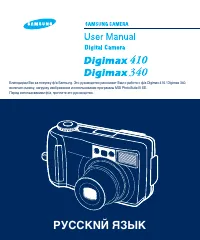 Samsung Digimax 340 Manual
 Samsung Digimax A4 Manual
 Samsung Digimax A402 Manual
 Samsung Digimax V10 Manual
 Samsung Digimax V4000 Manual
 Samsung DV50 Manual
 Samsung DV90 Manual