Page 2 - Instructions; Use this camera in the following order
2 Instructions Use this camera in the following order Set up the camera driver Before connecting the USB cable to the PC and this camera, you have to set up the camera driver. I n s t a l l t h e c a m e r a d r i v e r t h a t i s c o n t a i n e d i n t h e Application S/W CD-ROM. (p.99) Take a pi...
Page 3 - An FCC warning
3 READY Special features This digital camera has the following features. A fine resolution of 2.0 mega pixels A 3X optical and 2X digital zoom lens Movie clip recording function Date imprinting on a still image Multiple language support An FCC warning This device has been tested in accordance with t...
Page 4 - Contents; Ready
4 Contents Getting to know your camera 6 Safety note 7 This digital camera can be used for 10 Manufacturer s contents 12 Identification of features 13 Product Exterior(Front / Top / Side) 13 Product Exterior (Back) 14 Viewfinder/ AF indicator lamp/ Flash indicator lamp 15 LCD monitor indicator 17 Ca...
Page 5 - Software
5 READY Contents MENU button 63 THUMBNAIL / ZOOM W button 64 ZOOM T button 65 5-function button 66 UP button 67 PLAY/STOP/DOWN button 67 LEFT button 67 RIGHT button 68 OK button 68 Setting up the play back function using theLCD monitor 69 SLIDE SHOW 69 PROTECT 70 DELETE ALL 71 LCD BRIGHTNESS 72 COPY...
Page 6 - Getting to know your camera; Thank you for buying a Samsung Digital Camera.; About the symbols; DANGER
6 Getting to know your camera Thank you for buying a Samsung Digital Camera. Prior to using this camera, please read the user manual thoroughly. Keep the manual in a safe place. About the symbols This manual contains instructions on using this camera that will help you to use this camera safely and ...
Page 8 - Safety note; WARNING
8 Safety note WARNING Do not use the flash in close proximity topeople or animals. Positioning the flash tooclose to your subject’s eyes, may causeeyesight damage. When taking photographs, never point the lensof the camera directly into very strong light.This may result in permanent damage to thecam...
Page 9 - CAUTION
9 READY Safety note CAUTION Leaking, overheating, or burst batteries could result in fire or injury. Use batteries with the correct specification for the camera. Do not short circuit, heat or dispose of batteries in fire. Do not use old batteries with new ones, or mix brands of batteries. Ensure the...
Page 10 - This digital camera can be used for
10 This digital camera can be used for Viewing images on TV (refer to page 83) Printing images using a dedicated printer, DPOF-compatible printer or DPOF-equipped photo lab. (refer to page 75) Editing images on a PC (refer to page 114 ~ 128) Taking a picture. (refer to page 35 ~ 57) Downloading imag...
Page 12 - Manufacturer’s contents; Warning
12 Manufacturer’s contents Please check that you have the correct contents before using this product. marked contents are optional. Digital camera 2 AA Alkaline Batteries Video cable Pouch USB cable Applications S/W- Driver CD-ROM Product warranty Camera strap User manual SD memory card AC Adapter (...
Page 14 - Identification of features
14 Identification of features Product Exterior (Back) 5-function button LCD monitor Tripod socket Zoom(T) / Digitalzoom button(p.41) MENU button (p.40) Zoom(W) / Thumbnailbutton(p.41) Autofocus indicator (Green) lamp LCD button (p.39) MACRO/ DELETE button(p.62) Strap eyelet Viewfinder FLASH/ LEFT( )...
Page 15 - Viewfinder/ AF indicator lamp/ Flash indicator lamp; Camera status lamp; When the autofocus can t activate
15 READY Identification of features Viewfinder/ AF indicator lamp/ Flash indicator lamp Optimum picture area over 1.5m Autofocus indicator lamp(Green) Camera status lamp lamp Status Camera status AF/Flash lamp Off System ready When the autofocus can t activate (when the shutter button is pressed hal...
Page 16 - INFORMATION; Mode dial lamp
16 Identification of features INFORMATION Self-timer lamp Color Status Camera condition For the first seven seconds, the LED blinks slowly. For the final three seconds, the LED blinks quickly. Blinking once When the shutter button is released after being pressed. Red Mode dial lamp Color Status Came...
Page 17 - LCD monitor indicator; Recording mode
17 READY Identification of features LCD monitor indicator No. Description Icons Page 1 Recording mode p.35/36 2 Battery p.27 3 Camera shake warning p.37/44 4 Flash p.44 5 Macro indicator p.47 6 Self-timer p.46 7 White balance p.54 8 Exposure compensation +0.5 EV (Exposure Value) p.52 9 Digital zoom(...
Page 18 - Play mode
18 Identification of features Play mode No. Description Icons Page 12 Quality p.50 13 Memory card indicator p.30 14 Time 13:00 15 Date 2003/01/10 No. Description Icons Page 1 Battery p.27 2 Protect indicator p.70 3 DPOF indicator p.74 4 Digital zoom indicator p.55 5 Digital zoom magnification rate i...
Page 19 - Camera mode definition
19 READY Identification of features Camera mode definition You can select the desired working mode by using the mode dial located on the top of the camera. This digital camera has 4 working modes. These are listed below MOVIE CLIP mode ( ) This mode is used for movie clips. The flash is changed to F...
Page 20 - Selecting camera mode and menu
20 Identification of features Selecting camera mode and menu You can select a camera mode or a camera mode menu by pressing the MODE dial or MENU button as below. Power on MOVIE CLIP mode ( ) MOVIE CLIP mode menu PLAY MODE ( ) STILL IMAGE mode menu STILL IMAGE mode ( ) PLAY mode menu Connecting the ...
Page 21 - LCD monitor menu indicator
21 READY Identification of features LCD monitor menu indicator Camera mode MOVIE CLIP ( ) WHITE BALANCE AUTO* DAYLIGHT CLOUDY SUNSET TUNGSTEN FLUORESCENT LCD BRIGHTNESS -5~0*~+5 Main menu Sub menu Each mode has a menu as shown below. * marked sub menu is the default setting. (p.53) (p.57)
Page 27 - Connecting to a Power source; Battery condition indicator
27 READY Preparation Connecting to a Power source There are two ways in which to provide the camera with power. You can use batteries(AA Alkaline, Ni- MH, CR-V3), or alternatively, you can use an AC(100V ~ 250V) Adapter (DC 3.3V 2.0A). Battery condition indicator There are 3 indicators for battery c...
Page 28 - Preparation; NOTICE
28 Preparation INFORMATION The date & time setting menu will be displayed on the LCD monitor in the following circumstances: Check the date & time. If the date & time are incorrect, change them before taking a picture. When the camera is used for the first time. Even if the batteries or ...
Page 29 - Using the AC power adapter
29 READY Preparation Using the AC power adapter If you have access to a mains supply, using an AC Adapter allows the camera to be used for long periods of time. If you connect the camera to a computer, it is advisable to use an AC adapter, as this will enable extended use. Plug the adapter into the ...
Page 30 - Inserting the memory card
30 Preparation Inserting the memory card The camera comes with 8MB of internal flash memory, allowing you to store images and movie clips inthe camera. However, you can expand the memory capacity by using an optional memory card so thatyou can store more images and movie clips. 1. Turn off the camer...
Page 32 - Removing the memory card; Instructions on how to use the memory card; Using a new memory card for the first time
32 Preparation Removing the memory card 1. Turn the power off using the power switch. 2. Open the memory card cover and press the memory card as shown in the image and release. 3. Remove the memory card and close the memory card cover. NOTICE Don’t remove the memory card when the AF lamp(Green) is i...
Page 33 - Maintenance of the memory card
33 READY Preparation These figures are approximate as image capacities can be affected by variables such as memory performance and subject matter. Maintenance of the memory card Turn off the camera power whenever the CARD is being inserted or removed. Repeated use of the CARD will eventually reduce ...
Page 34 - Preserving the memory card data
34 Preparation Preserving the memory card data If the memory card is subjected to any of the following, the recorded data may become corrupted : - When the CARD is used incorrectly. - If the power is switched off or the CARD is removed while recording, deleting(formatting) or reading. Samsung cannot...
Page 35 - Starting Recording Mode; Recording a Movie clip
35 ADV ANCED Recording mode Starting Recording Mode Recording a Movie clip 1. Insert the batteries(p.27). Insert the batteries taking note of the polarity (+ / -). 2. Insert the CARD(p.30). As this camera has an 8MB internal memory, you do not need to insert the SD memory card. If the CARD is not in...
Page 36 - Recording a still image
36 Recording mode Steps 1 - 4 are the same as those for recording a still image. 5. Select the STILL IMAGE( ) mode by rotating the mode dial. 6. Point the camera towards the subject and compose the image by using either the viewfinder or LCD monitor. 7. Press the shutter button to capture an image. ...
Page 38 - Using the camera button to adjust the camera; POWER switch
38 Recording mode Using the camera button to adjust the camera The STILL IMAGE/MOVIE CLIP mode function can be set up by using the camera button. POWER switch Used for turning the camera power on / off. If this camera isn t operated during the specified time(about 60 SEC.), the camera power will be ...
Page 39 - LCD button
39 ADV ANCED Recording mode Image & full information Pressing the LCD button Pressing the LCD button Pressing the LCD button Image & basic information LCD off LCD off - STILL IMAGE mode - MOVIE CLIP mode Image & full information Image & basic information LCD button Pressing the LCD b...
Page 40 - MENU button
40 Recording mode Pressing the MENU button A menu option can be displayed when the following are selected : STILL IMAGE mode, MOVIE CLIP mode, PLAY mode and SETUP mode. There is no menu available when the PC mode is selected. Refer to page 86~88 for information on the camera mode menu. MENU off MENU...
Page 41 - Optical Zoom
41 ADV ANCED Recording mode ZOOM (W/T) button Used for digital or optical zooming in / out (STILL IMAGE mode) This camera has a 3X optical zoom and a 2X digital zoom function. Using both will offer a total zoom ratio of 6X. When you press the zoom (W/T) button, the zoom bar will display in the upper...
Page 44 - Flash mode indicator
44 Recording mode FLASH MODE Indicator Definition Flash mode indicator Auto & Red eye reduction Auto flash Slow synchro Fill in flash Flash off If the subject or background is dark, the camera flash will operate automatically. If a subject or background is dark, the camera flash will workautomat...
Page 47 - OK button
47 ADV ANCED Recording mode OK button When the menu is displayed on the LCD monitor, the OK button is used for confirming data that is changed by using the / / / buttons. MACRO( ) button Used for macro shots Selecting the Macro focus 1. Turn the camera power on. 2. Select the STILL IMAGE mode by rot...
Page 48 - Using the LCD monitor to adjust the camera
48 Recording mode Using the LCD monitor to adjust the camera Recording functions can be changed by using the LCD monitor. In the RECORDING (STILL IMAGE/MOVIE CLIP) mode, pressing the MENU button displays the menu on the LCD monitor. The following functions are available, depending on the mode you ha...
Page 50 - Selecting the image quality
50 Recording mode Selecting the image quality 1. Turn the camera power on. 2. Select the STILL IMAGE mode by rotating the mode dial. 3. Do not turn the LCD monitor off. 4. Press the MENU button to display the menu on the LCD monitor. 5. Press the UP( )/ DOWN( ) button and select [QUALITY]. 6. Press ...
Page 51 - JPEG
51 ADV ANCED Recording mode JPEG [Joint Photographic Experts Group] : The name of the committee that designed the standard image compression algorithm. The JPG file format is designed for compressing digital images without harmful influence to the original image. It is the most common type of compre...
Page 52 - EV COMPENSATION
52 Recording mode EV COMPENSATION This camera automatically adjusts the exposure according to the ambient lighting conditions. However, you can select the exposure value by using the [EXPOSURE] sub menu. In the STILL IMAGE mode, you can select the exposure value. If you increase the exposure value, ...
Page 53 - WHITE BALANCE; Selecting the white balance
53 ADV ANCED Recording mode NOTICE Exposure compensation setting range : -2.0 ~ +2.0 EV (0.5 EV steps)This change to the exposure will remain until the camera is switched off. When the camera isturned on again, the exposure compensation setting returns to 0.0EV (discarding theexposure compensation)....
Page 55 - DIGITAL ZOOM
55 ADV ANCED INFORMATION To use the digital zoom the LCD monitor has to be turned on. Images taken using the digital zoom may take a little longer for the camera to process. Allow time for this to take place. The digital zoom cannot be used in the MOVIE CLIP mode. You may notice a decrease in image ...
Page 56 - QUICK VIEW
56 Recording mode QUICK VIEW Selecting the quick view function 1. Turn the camera power on. 2. Select the STILL IMAGE mode by rotating the mode dial. 3. Do not turn the LCD monitor off. 4. Press the MENU button to display [STILL IMAGE 1/2] menu on the LCD monitor. 5. Select [STILL IMAGE 2/2] menu by...
Page 57 - LCD BRIGHTNESS
57 ADV ANCED Recording mode LCD BRIGHTNESS Selecting the LCD brightness 1. Turn the camera power on. 2. Select the MOVIE CLIP/STILL IMAGE mode by rotating the mode dial. 3. Do not turn the LCD monitor off. 4. Press the MENU button in the STILL IMAGE mode to display [STILL IMAGE 1/2] menu on the LCD ...
Page 58 - Starting Play Mode; Playing back a still image
58 Play mode Starting Play Mode Turn the camera on and select the PLAY mode by rotating the MODE dial. The camera can now play back the images stored on a memory. You can set up the PLAY mode function by using the camera buttons and LCD monitor. 1. Slide the power switch to turn on the camera. 2. Se...
Page 59 - PLAY mode functions are listed below
59 ADV ANCED Play mode PLAY mode functions are listed below Thumbnail, Enlarging a image Image information, Movie clip play/pause/stop Slide Show, Protect, Delete All, LCD brightness, Copy to memory card Quantity Camera button Play back Print setting (DPOF) LCD monitor Playing back a movie clip Step...
Page 61 - Setting up the play back function by using the camera button; Power switch
61 ADV ANCED Play mode Setting up the play back function by using the camera button You can set up the PLAY mode function by using the camera buttons. Power switch Used for turning the camera power on / off. If this camera is not in operation during the specified time(about 60 SEC), the camera power...
Page 62 - DELETE button
62 Play mode DELETE button This deletes an image stored on the internal memory or memory card. Deleting an image A protected image can t be deleted. 1. Turn the camera power on. 2. Select the PLAY mode( ) by rotating the mode dial. 3. Select an image that you want to delete by pressing the LEFT( )/ ...
Page 64 - THUMBNAIL / ZOOM W button
64 Play mode 5. Press the UP( )/ DOWN( )/ LEFT( )/ RIGHT( ) button to move to the desired image. The selected image is highlighted. Icons are displayed to indicate the type of file selected. ( ) : Movie clip file ( ) : DPOF indicator ( ) : Protect indicator 6. When viewing a thumbnail image, press t...
Page 65 - ZOOM T button
65 ADV ANCED Play mode ZOOM T button When viewing a single image in PLAY mode, use the ZOOM T button to enlarge the selected image. Image enlargement 1. Turn the camera power on. 2. Select PLAY mode( ) by pressing the MODE button. 3. Select a image that you want to enlarge by pressing the LEFT/ RIGH...
Page 69 - Setting up the play back function using the LCD monitor
69 ADV ANCED Play mode Setting up the play back function using the LCD monitor PLAY mode functions can be changed by using the LCD monitor. In the PLAY mode, pressing the MENU button displays the menu on the LCD monitor. SLIDE SHOW Images can be displayed continuously at pre-set intervals. This is u...
Page 70 - PROTECT
70 Play mode PROTECT This is used to protect specific shots from being accidentally erased (LOCK). It also releases images that have been previously protected (UNLOCK). Protecting images 1. Turn the camera power on. 2. Press the MODE button to select the PLAY mode( ). 3. Do not turn the LCD monitor ...
Page 71 - Deleting all images; DELETE ALL
71 ADV ANCED Play mode NOTICE An image in LOCK mode will be protected from [DELETE] or [DELETE ALL] functions, but will NOT be protected from the [FORMAT] function. Deleting all images 1. Turn the camera power on. 2. Select the PLAY mode( ) by rotating the mode dial. 3. Do not turn the LCD monitor o...
Page 72 - Selecting the LCD brightness
72 Play mode LCD BRIGHTNESS You may adjust the LCD brightness. Brightness range : -5 ~ 0 ~ +5 Selecting the LCD brightness 1. Turn the camera power on. 2. Select the PLAY mode( ) by rotating the mode dial. 3. Do not turn the LCD monitor off. 4. Press the MENU button to display the PLAY mode menu on ...
Page 75 - Setting up DPOF
75 ADV ANCED Play mode DPOF (Digital Print Order Format) DPOF(Digital Print Order Format) allows you to embed printing information on your memory card. Select the pictures to be printed and how many prints to make. Images can then be printed on DPOF printers, or at an increasing number of photo labo...
Page 76 - Setup mode; Starting the SETUP mode; BEEP
76 Setup mode Starting the SETUP mode BEEP A beep will sound when you press the camera button and you can check the camera conditions. Rotate the mode dial to the SETUP mode, allowing you to set up the basic camera settings. Selecting the beep sound 1. Turn the camera power on. 2. Select the SETUP m...
Page 77 - Formatting the memory
77 ADV ANCED Setup mode Remove the memory card to format the internal memory. Insert the memory card to format the memory card. This is used for formatting the internal memory / SD memory card. All the files in the memory are deleted by [FORMAT] function. Formatting the memory 1. Turn the camera pow...
Page 78 - POWER OFF; Time for power off
78 Setup mode POWER OFF This function switches the camera off after a set amount of time in order to prevent unnecessary battery drainage. You can set the power to switch off at any specified time( 3, 5, 10, 30MIN) from the last operation. If you select [CANCEL], the power off function will not oper...
Page 79 - RESET; The default camera setting
79 ADV ANCED Setup mode RESET This menu allows you to reset the camera settings to the default. Selecting the default camera setting 1. Turn the camera power on. 2. Select the SETUP mode( ) by rotating the mode dial. 3. [SETUP 1/3] menu will display. 4. Press the UP( )/ DOWN( ) button and select [RE...
Page 80 - DATE IMPRINT; Selecting the date imprint function
80 Setup mode DATE IMPRINT There is an option to include DATE/TIME on still images. Selecting the date imprint function 1. Turn the camera power on. 2. Select the SETUP mode( ) by rotating the mode dial. 3. [SETUP 1/3] menu will display. 4. Select [SETUP 2/3] menu by pressing the RIGHT( ) button. 5....
Page 81 - DATE TYPE; Selecting the date format
81 ADV ANCED Setup mode DATE TYPE You can select the date format that is imprinted on the image. - Y/M/D : year /month/ day - M/D/Y : month/ day /year - D/M/Y : day /month /year Selecting the date format 1. Turn the camera power on. 2. Select the SETUP mode( ) by rotating the mode dial. 3. [SETUP 1/...
Page 82 - DATE SETUP
82 Setup mode DATE SETUP Changing the date/time 1. Turn the camera power on. 2. Select the SETUP mode( ) by rotating the mode dial. 3. [SETUP 1/3] menu will display. 4. Select [SETUP 2/3] menu by pressing the RIGHT( ) button. 5. Press the UP( )/ DOWN( ) button and select [DATE SETUP]. 6. Press the R...
Page 83 - VIDEO OUT
83 ADV ANCED Setup mode VIDEO OUT Selecting the video out type 1. Turn the camera power on. 2. Select the SETUP mode( ) by rotating the mode dial. 3. [SETUP 1/3] menu will display. 4. Select [SETUP 2/3] menu by pressing the RIGHT( ) button. 5. Press the UP( )/ DOWN( ) button and select [VIDEO OUT]. ...
Page 84 - Connecting to an external monitor
84 Setup mode Connecting to an external monitor In STILL IMAGE/ MOVIE CLIP/ PLAY mode, you can view the stored still images or movie clips by connecting the camera to an external monitor via the video cable. When the camera is connected to an external monitor, the LCD monitor will be turned off auto...
Page 85 - Selecting a language
85 ADV ANCED Setup mode LANGUAGE INFORMATION The changed language is maintained until a new language is selected. Selecting a language 1. Turn the camera power on. 2. Select the SETUP mode( ) by rotating the mode dial. 3. [SETUP 1/3] menu will display. 4. Select [SETUP 3/3] menu by pressing the RIGH...
Page 86 - Starting PC mode; PC mode; Connecting the camera to PC
86 Starting PC mode PC mode If you insert the USB cable to a USB connection terminal, the camera working mode will change to the PC mode automatically. In this mode, you can download stored images to your PC through the USB cable. There is no associated menu in PC mode and the LCD monitor is always ...
Page 87 - Downloading stored images
87 ADV ANCED PC mode Downloading stored images Once you have downloaded images to your PC, they can be edited and printed. 1. Connect the camera to your PC with the USB cable. (p.86) 2. O n y o u r c o m p u t e r s d e s k t o p d i s p l a y , s e l e c t [ M y computer] and double click [Removabl...
Page 90 - Important notes
90 Important notes If the digital camera is not used for a long period, an electric discharge can occur. It is a good idea to remove the batteries and the CARD, the camera is not used for some time. If the camera is exposed to electronic interference, it will turn itself off to protect the CARD. Mai...
Page 91 - Warning indicator
91 ADV ANCED Important notes Warning indicator There are several warnings that may appear in the LCD display Warning indicator NO CARD ! NO IMAGE ! MEMORY FULL ! MEMORY ERROR ! A memory card is not inserted. The camera can t recognize the memory card. Insert a memory card and do [COPY TO CARD] Turn ...
Page 92 - Before contacting a service center; Please check the following
92 Before contacting a service center Please check the following Symptom The camera doesn t switch on The camera power is down whilst in use Batteries drain quickly There is low battery capacity An AC Power Adapter is not connected Insert fresh batteries Connect an AC Power Adapter The batteries are...
Page 94 - Specifications
94 Specifications Type 1/3.2" CCD Image Sensor Effective Pixels Approx. 2.0 Mega pixels Total Pixels Approx. 2.1 Mega pixels Samsung SHD lens f=5.2 ~ 15.6mm (35mm film equivalent : 39 ~ 117mm) Lens F No. F 2.8 ~ F 4.8 Still Image mode : 2X (Large size only) Play mode : 2X Optical Viewfinder Real...
Page 96 - Software manual; Software Notes
96 Software manual Software Notes Please ensure that you read the instruction manual carefully before use. The attached software is a camera driver and image editing software tool for Windows. Under no circumstances should all or part of either the software or the user manual be reproduced. Copyrigh...
Page 97 - About software
97 SOFTW ARE Software manual About software After inserting the CD-ROM provided with this camera into the CD-ROM drive, the following window is automatically run. Before connecting the camera to the PC, you should first install the camera driver. Driver and Application : for connecting the camera to...
Page 98 - Application MGI PhotoSuite III SE : Image editing program
98 Software manual Image Viewer Digimax Viewer 1.0 : Program for viewing a stored image You can see the stored images in the memory directly on the PC monitor. And you can copy, move, delete the images and scale up /downscale the image sizes with Digimax Viewer. For windows only. Using Digimax Viewe...
Page 99 - Setting up the application software
99 SOFTW ARE Software manual Setting up the application software 1. Click [Driver and Application] menu n the Autorun frame. 2. A [Welcome] window will open. Click the [Next>] button. 3. A [Start installation] window will open. Click the [Next>] button. INFORMATION If you select [Cancel] at th...
Page 107 - Removing the USB Driver for Windows 98SE
107 SOFTW ARE Software manual Removing the USB Driver for Windows 98SE 1. Trace [Start Settings] and click [Control Panel] 2. Double-click [Add/Remove programs].
Page 109 - Removable Disk; Important information whilst using the Removable Disk
109 SOFTW ARE Software manual Removable Disk To use this camera as a Removable Disk, install(p.99~106) the USB Driver. 1. Before turning the camera power on, connect the camera to the PC with the USB cable. 2. Click [ Removable Disk ] under [My computer] or [ Windows Explorer]. 3. Image files stored...
Page 110 - Removing the removable disk
110 Software manual Removing the removable disk Windows 98SE 1. Check whether the camera and PC are transferring a file. If the green camera status LED (next to viewfinder) blinks, you have to wait until the LED is off. 2. Unplug the USB cable. Windows 2000/ME/XP 1. Check whether the camera and PC a...
Page 112 - Setting up the USB Driver for MAC
112 Software manual Setting up the USB Driver for MAC 1. A USB Driver for MAC is not included with the Application CD as MAC OS support the camera driver. 2. Check the MAC OS. You can check the MAC OS version during MAC OS start-up. This camera is compatible with MAC OS 8.6~10.2. 3. Connect the came...
Page 113 - Digimax Viewer
113 SOFTW ARE Software manual Digimax Viewer This software is only compatible with Windows. To open Digimax Viewer, click the [ Start Programs Samsung Digimax Viewer 1.0 Digimax Viewer 1.0 ] and Digimax Viewer 1.0 will then open. Select an image and press the right mouse button. A pop-up menu will o...
Page 114 - MGI PhotoSuite III SE; This software is only compatible with Windows.
114 Software manual MGI PhotoSuite III SE This software is only compatible with Windows. To open MGI PhotoSuite lll SE, click the [Start Programs MGI PhotoSuite lll SE MGI PhotoSuite lll SE] and MGI PhotoSuite lll SE will then open.
Page 115 - An introduction to the Welcome screen
115 SOFTW ARE Software manual An introduction to the Welcome screen Get Get images. Prepare A number of photo editing activities can be performed within this module. Compose Use your photos in a variety of fun, creative and interesting ways. Organize Organize your photos and other media files into a...
Page 117 - To obtain images from the computer; GET
117 SOFTW ARE Software manual To obtain images from the computer 1. To acquire images, Click the large [Get] button on the Welcome screen, or the [Get] button on the Navigation bar. Click [Computer] from the list of options displayed on the activity panel. 2. The Open file selector is displayed. Now...
Page 118 - When you obtain images from the digital camera.
118 Software manual When you obtain images from the digital camera. Before transferring an image file, check the USB connection. 1. To acquire images, click the large [Get] button on the Welcome screen, or the [Get] button on the Navigation bar. Click [Computer] from the list of options displayed on...
Page 120 - Acquiring images from an Album.
120 Software manual Acquiring images from an Album. Refer to page 124 for more information about creating an Album. 1. To acquire images, click the large [Get] button on the Welcome screen, or the [Get] button on the Navigation bar. Click [Album] from the list of options displayed on the activity pa...
Page 121 - PREPARE; Touchup; Stitching
121 SOFTW ARE Software manual PREPARE When the image is loaded, the step changes to Prepare automatically. Menu of [PREPARE] steps Rotate & Crop You can rotate, flip or crop images along with a host of others. Touchup Remove Red eye, Remove Scratches etc.. are available in this menu. Special Eff...
Page 122 - COMPOSE
122 Software manual COMPOSE Add text, Compound Images etc. are available in this step. Menu of [COMPOSE] steps Collages : A collage consists of several photos o r s e c t i o n s o f p h o t o s a r r a n g e d together on a common background. Photo Layouts : The Photo Layouts activity includes many...
Page 123 - ORGANIZE
123 SOFTW ARE Software manual ORGANIZE Organize your photos and other media files into albums. Menu of [ORGANIZE] steps [ Choose a photo album to view or edit] Select Album : To create an Album, click [Organize] in the welcome screen or navigation bar. Album.. : Open Master Album. [ Select a photo, ...
Page 124 - Creating an Album
124 Software manual Creating an Album 1. To create an Album, click the large Organize button on the Welcome screen, or the Organize button on the Navigation bar. 2. Click [Album..] in [ Choose a photo album to view or edit.] 3. The Master Album window will be displayed, then click [New..]. 4. Put a ...
Page 125 - Add images to the album
125 SOFTW ARE Software manual Add images to the album 1. Select [ Choose an action to manage your album. Add..] to add images to the album. 2. Click [Computer] in Add Photos menu. NOTICE [Digital Camera(Direct)], [Scanner(TWAIN)], [Digital Camera(TWAIN)] sources can't be used. [Click!] [Click!]
Page 127 - SHARE; Save; Save As; Slide Show
127 SOFTW ARE Software manual Saving or sharing images. Menu of [SHARE] step SHARE Save To save the active file according to its current name and path. Save As To assign a new name or path to the file. Send E-mail e-mailing images. Slide Show Viewing images as a slide show.
Page 128 - PRINT; Print
128 Software manual You can print images. Menu for the [PRINT] step PRINT Print Printing images. Print Multiples Print multiple copies of a photo or project, or one copy of each of the photos included in an album, according to a predefined template. Choose a printer, an orientation, the print size, ...
Page 129 - About USB; Please check the following if the USB connection malfunctions.
129 SOFTW ARE FAQ About USB Please check the following if the USB connection malfunctions. [Case 1] The camera power is off. Turn the camera power on. We recommend using an AC power adapter in PC mode. If you use batteries, check the battery condition. [Case 2] USB Driver is not installed correctly....
Page 130 - FAQ
130 About USB FAQ [Case 6] How do I know my computer supports a USB Interface? Check the USB port in your computer or keyboard. Check OS version. USB Interface is available in Windows 98, 98SE, 2000, ME .XP. Check [Universal serial bus controller] in Device Manager. Do the following to check [Univer...
Page 132 - SAMSUNG OPTO-ELECTRONICS GMBH; ENGLISH
Thank you for buying a Samsung Camera. This manual will guide you through using the Digimax 240, including taking images, downloading images and using the MGI PhotoSuite III SE software. Please read this manual before using your new camera. 6806-1384 SAMSUNG TECHWIN CO., LTD.OPTICS & DIGITAL IMA...




 Samsung WB350F Manual
 Samsung WB351F Manual
 Samsung WB352F Manual
 Samsung Digimax 200 Manual
 Samsung Digimax 201 Manual
 Samsung Digimax 202 Manual
 Samsung Digimax 250 Manual
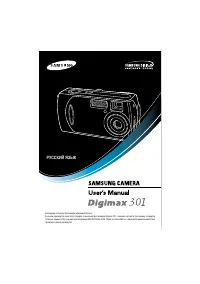 Samsung Digimax 301 Manual
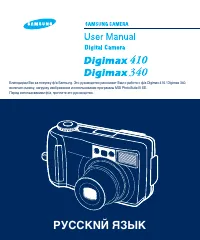 Samsung Digimax 340 Manual
 Samsung Digimax A4 Manual
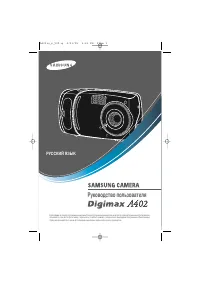 Samsung Digimax A402 Manual
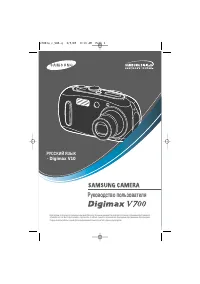 Samsung Digimax V10 Manual
 Samsung Digimax V4000 Manual