Philips TAB8405/10 - User Manual
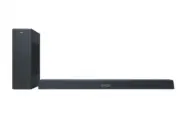
This user manual covers the Philips Soundbar 8000 Series (model TAB8405), detailing its setup, operation, connectivity, and troubleshooting for a comprehensive understanding of its features. The document emphasizes safety protocols, including electrical hazards and battery handling, alongside detailed instructions on connecting audio sources–such as HDMI, Bluetooth, Wi-Fi, or optical inputs–and configuring advanced settings like Dolby Atmos and Play-Fi compatibility. It also addresses installation (including wall mounting), subwoofer pairing, remote control usage, and firmware updates to ensure seamless integration with TVs, smartphones, and streaming services.


Table of Contents:
- Page 1 – Product Identification and Support Information
- Page 2 – Table of Contents Overview
- Page 3 – Safety Warnings and Precautions
- Page 4 – Environmental Compliance and Usage Restrictions
- Page 5 – Radio Frequency Compliance Statements
- Page 6 – Product Introduction and Main Unit Controls
- Page 7 – Connectivity and Subwoofer Setup
- Page 8 – Remote Control Operation
- Page 9 – Initial Setup and Physical Placement
- Page 10 – Soundbar Wall Mounting Installation
- Page 11 – HDMI Audio Connection Setup
- Page 12 – Alternative Audio Input Connections
- Page 13 – Subwoofer Pairing and Power Connection
- Page 14 – Wi-Fi Setup via Philips Sound App
- Page 15 – Wi-Fi Setup with AirPlay and WPS
- Page 16 – Core Operation Modes and Sound Settings
- Page 17 – Advanced Audio Configuration and Synchronization
- Page 18 – Bluetooth Connectivity Operation
- Page 19 – Audio Input Modes and USB Playback
- Page 20 – Firmware Upgrade and Media Control
- Page 21 – Product Technical Specifications
- Page 22 – System Troubleshooting Guidance
- Page 23 – Advanced System Troubleshooting
- Page 24 – Trademarks and Licensing Information
- Page 25 – Legal Notice and Manufacturer Information
TAB8405
8000 Series
Register your product and get support at
www.philips.com/support
User manual
"Loading the manual" means you need to wait until the file loads and becomes available for online reading. Some manuals are very large, and the time they take to appear depends on your internet speed.
Was this manual helpful?
About this manual
- Brand
- Philips
- Model
- TAB8405/10
- Document type
- User Manual
- Language(s)
- English
- Pages
- 25
- File size
- 1.4 MB
- Format
Other Manuals for Philips TAB8405/10
Summary
Identification details, model reference, and links for product registration and support resources.
Outline of the manual structure detailing sections on safety, components, connections, operation, specifications, and troubleshooting.
Critical warnings regarding electric shock, fire hazards, overheating, battery contamination risks, and safe handling procedures for installation and batteries.
Ask a question
Related manuals
Popular Philips Other


More Philips Other models
 Philips TAB6405/10 User Manual
 Philips TAB7207/10 User Manual
 Philips TAB7305/10 User Manual
 Philips TAB7807/10 User Manual
 Philips TAB7908/10 User Manual
 Philips TAB8205/10 User Manual
 Philips TAB8505/10 Quick Guide
 Philips TAB8507/10 User Manual
 Philips TAB8507B/10 User Manual
 Philips TAB8805/10 User Manual
 Philips TAB8905/10 User Manual
 Philips TAB8907/10 User Manual