Philips TAB8507/10 - User Manual
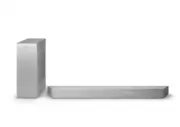
Philips TAB8507/10 – User Manual, read for free online in PDF format. We hope this helps you resolve any issues you may have. If you have further questions, please contact us through the contact form.


Table of Contents:
- Page 2 – Contents; Your Soundbar; Turn ON and OFF; Important safety instructions 3
- Page 3 – Safety; Know these safety symbols; CAUTION; CAUTION: TO REDUCE THE RISK OF ELECTRIC; Risk of electric shock or fire!
- Page 4 – Risk of contamination!; Note; Care for your product; Disposal of your old product and
- Page 5 – Pour un appareil Wi-Fi 5G; Declaration of conformity
- Page 6 – FCC information
- Page 7 – Your Soundbar; What’s in the box; CTN; Soundbar
- Page 8 – Turns white when in Eco standby; Connectors; This section includes an overview of the
- Page 9 – Pair; Power
- Page 10 – Navigation buttons; Prepare the remote control; Replace the remote control battery
- Page 11 – Precautions concerning batteries; Never use different types of batteries; Placement
- Page 12 – Screw length/diameter; The distance between the holes
- Page 13 – Connect; Dolby Atmos®; Use Dolby Atmos®; Connect to HDMI socket; HDMI eARC (Enhance Audio Return; HDMI ARC
- Page 14 – Option 2: Standard HDMI; Connect to Optical socket
- Page 15 – Automatic pairing; ON; LED state; Manual pairing; The indicator on the subwoofer; Tips
- Page 17 – the device name. There are several; AirPlay setup; Done
- Page 18 – WPS mode; The button is normally marked with; Connect the soundbar to; Power up your DTS Play-fi TV; Surround sound Setup
- Page 19 – TV Audio Setup; You can also stream the TV’s audio; Use your; This section helps you use the soundbar; Before you start; When you first connect the unit to
- Page 20 – Select modes; BT; Display; O P T; Adjust the volume; Adjust the system’s volume; Enjoy Dolby Atmos; STANDARD; Setup menu; Button
- Page 21 – B T P A I R; Display off setting; Update firmware via USB; EQ; BT PAIR; Adjust speaker level
- Page 22 – AV SYNC
- Page 23 – To disconnect and pair a new; Listen to an external
- Page 24 – When selecting a different audio; Dolby TrueHD; PCM; Play audio through USB; such as an MP3 player and USB flash; USB; Button Action; Factory reset; Turn on the soundbar, press and hold; RESET
- Page 25 – Specifications and design are subject; Bluetooth profiles; Network supported; Temperature; USB direct version; Extension Codec
- Page 26 – Supported audio formats; Format; marked below; Input; Dolby; Dolby Atmos
- Page 27 – Troubleshooting; Warning; Risk of electric shock. Never remove the; Main unit
- Page 28 – I can’t find the Bluetooth name of this; Cannot discover the Play-fi supported
User manual
Register your product and get support at
www.philips.com/support
TAB8507
8000
Series
Soundbar
"Loading the manual" means you need to wait until the file loads and becomes available for online reading. Some manuals are very large, and the time they take to appear depends on your internet speed.
Was this manual helpful?
About this manual
- Brand
- Philips
- Model
- TAB8507/10
- Document type
- User Manual
- Language(s)
- English
- Pages
- 30
- File size
- 11.6 MB
- Format
Other Manuals for Philips TAB8507/10
Summary
2 EN Contents Safety 3 Care for your product 4 Care of the environment 4 Declaration of conformity 5 Help and support 5 FCC information 6 2 Your Soundbar 7 What’s in the box 7 Soundbar 7 Connectors 8 Wireless subwoofer 9 Remote control 9 Prepare the remote control 10 Placement 11 Wall mount 12 3 Con...
3 EN 1 Important safety instructions Read and understand all instructions before you use your product. If damage is caused by failure to follow instructions, the warranty does not apply. Safety Know these safety symbols CAUTION CAUTION: TO REDUCE THE RISK OF ELECTRIC SHOCK, DO NOT REMOVE COVER (OR B...
4 EN • Never place the product or any objects on power cords or on other electrical equipment. • If the product is transported in temperatures below 5°C, unpack the product and wait until its temperature matches room temperature before connecting it to the power outlet. • Parts of this product can b...
Ask a question
Related manuals
Popular Philips Other


More Philips Other models
 Philips TAB7305/10 User Manual
 Philips TAB7807/10 User Manual
 Philips TAB7908/10 User Manual
 Philips TAB8205/10 User Manual
 Philips TAB8405/10 User Manual
 Philips TAB8505/10 Quick Guide
 Philips TAB8507B/10 User Manual
 Philips TAB8805/10 User Manual
 Philips TAB8905/10 User Manual
 Philips TAB8907/10 User Manual
 Philips TADR402/12 User Manual
 Philips TAE1105BK/00 Quick Guide