Philips TAB7807/10 - User Manual
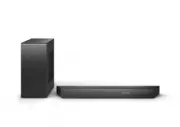
Philips TAB7807/10 – User Manual, read for free online in PDF format. We hope this helps you resolve any issues you may have. If you have further questions, please contact us through the contact form.


Table of Contents:
- Page 2 – Contents; Important safety instructions; ŏľĚġĚ1⁄2ĚÞġŻ; ԟ ~ľġÞŏØŊłĻâØÿžØ1⁄2ŊÿġĚł
- Page 3 – Safety; Know these safety symbols; CAUTION; ÿłĐġõâēâØŊľÿØłüġØĐġľžľâ֨; ⁄2ØØâłłġľÿâłĚâ1⁄2ľĚ1⁄2ĐâÞs1⁄2ęâłġľġŊüâľ; ÿłĐġõłüġľŊØÿľØŏÿŊġľžľâ֨; ġľÿÞâĚŊÿžØ1⁄2ŊÿġĚ1⁄2ĚÞłŏĻĻēŮľ1⁄2ŊÿĚöł֤; Risk of injury or damage to this
- Page 4 – ÿłĐġõġŧâľüâ1⁄2ŊÿĚö֨; ØġĚžĚâÞłĻ1⁄2Øâ֣ēŨ1⁄2Ůłēâ1⁄2ŧâ1⁄2; ÿłĐġõØġĚŊ1⁄2ęÿĚ1⁄2ŊÿġĚ֨; Note; Care for your product; łâġĚēŮęÿØľġž×âľØēġŊüŊġØēâ1⁄2ĚŊüâ; Care of the environment; Disposal of your old product and
- Page 5 – Declaration of conformity; EԜԚԛԡ^ġԛԜԚԠ֣±ġŏØ1⁄2ĚžĚÞŊüâ; Help and support; žĚÞ1⁄2ĚłŨâľłŊġõľâĽŏâĚŊēŮ1⁄2ĚłŨâľâÞ
- Page 6 – FCC information
- Page 7 – ×âĚâžŊõľġęŊüâłŏĻĻġľŊŊü1⁄2Ŋ~üÿēÿĻł; What’s in the box; Soundbar; Volume
- Page 8 – LED State; Fast blink
- Page 9 – Source; Prepare the remote control; ġĻâľ1⁄2ŊâÞŨÿŊüÿĚŊüââŻâØŊÿŧâľ1⁄2Ěöâ
- Page 10 – ^âŧâľŏłâÞÿŻâľâĚŊŊŮĻâłġõ×1⁄2ŊŊâľÿâł; Placement
- Page 11 – Wall mount; Screw length/diameter
- Page 12 – Connect; Dolby Atmos®; For use Dolby Atmos®; Connect to HDMI socket; HDMI eARC (Enhance Audio Return; HDMI ARC
- Page 13 – Option 2: Standard HDMI; Connect to Optical socket; Connect to Audio in; Audio in
- Page 14 – Automatic pairing; ON; Pair; Tips
- Page 15 – Before you start; «üâĚŮġŏžľłŊØġĚĚâØŊŊüâłġŏĚÞ×1⁄2ľ; Select modes; Display; A U X; Adjust the volume; Adjust the system’s volume
- Page 16 – Dolby sound mode; ŊġŊŏľĚ%ġē×ŮęġÞâġĚġľġŻ֣; On; Standard; Setup menu; üâŏĚÿŊ1⁄2ēēġŨłŮġŏŊġØġĚžöŏľâ1⁄2Þŧ1⁄2ĚØâÞ; EQ; âēâØŊĻľâÞâžĚâÞłġŏĚÞęġÞâłŊġłŏÿŊ; MUSIC; ľâ1⁄2ŊâłġŏĚÞâŻâØŊŨüÿØü; STADIUM
- Page 17 – üâÞÿłĻē1⁄2ŮŊġ×âŊŏľĚâÞġŻ1⁄2õŊâľÿÞēÿĚö; DIM; Factory reset
- Page 18 – Play from Bluetooth; Ø1⁄2ĚēÿłŊâĚŊġŊüâ1⁄2ŏÞÿġžēâłłŊġľâÞġĚŊüâ
- Page 19 – Listen to an external device; «üâĚłâēâØŊÿĚö1⁄2ÞÿŻâľâĚŊ1⁄2ŏÞÿġ; Play audio through USB; USB; Button Action
- Page 20 – ĻâØÿžØ1⁄2ŊÿġĚł1⁄2ĚÞÞâłÿöĚ1⁄2ľâłŏ×čâØŊ; ēŏâŊġġŊüĻľġžēâł; ęĻēÿžâľ âØŊÿġĚ; ԢwŭԠ; Subwoofer; ԝw; USB direct version 2.0 Full Speed
- Page 21 – Troubleshooting; Warning; Main unit; AV; Bluetooth; ØġęĻ1⁄2Ŋÿ×ēâĻľġžēâłľâĽŏÿľâÞõġľŊüâ
- Page 22 – Dolby Atmos; Cannot achieve outstanding Dolby; Remote control does not work
User manual
Register your product and get support at
www.philips.com/support
TAB7807
7000
Series
Soundbar
"Loading the manual" means you need to wait until the file loads and becomes available for online reading. Some manuals are very large, and the time they take to appear depends on your internet speed.
Was this manual helpful?
About this manual
- Brand
- Philips
- Model
- TAB7807/10
- Document type
- User Manual
- Language(s)
- English
- Pages
- 23
- File size
- 2.1 MB
- Format
Other Manuals for Philips TAB7807/10
Summary
2 EN Contents 1 Important safety instructions 3 Safety 3 Care for your product 4 Care of the environment 4 Declaration of conformity 5 Help and support 5 FCC information 6 2 Your Soundbar 7 What’s in the box 7 Soundbar 7 Connectors 8 Wireless subwoofer 8 Remote control 9 Prepare the remote control 9...
3 EN 1 Important safety instructions Read and understand all instructions before you use your product. If damage is caused by failure to follow instructions, the warranty does not apply. Safety Know these safety symbols CAUTION CAUTION: TO REDUCE THE RISK OF ELECTRIC SHOCK, DO NOT REMOVE COVER (OR B...
4 EN • Never place the product or any objects on power cords or on other electrical equipment. • If the product is transported in temperatures below 5°C, unpack the product and wait until its temperature matches room temperature before connecting it to the power outlet. • Parts of this product can b...
Ask a question
Related manuals
Popular Philips Other


More Philips Other models
 Philips TAB5706/37 User Manual
 Philips TAB6305/10 User Manual
 Philips TAB6309/10 User Manual
 Philips TAB6405/10 User Manual
 Philips TAB7207/10 User Manual
 Philips TAB7305/10 User Manual
 Philips TAB7908/10 User Manual
 Philips TAB8205/10 User Manual
 Philips TAB8405/10 User Manual
 Philips TAB8505/10 Quick Guide
 Philips TAB8507/10 User Manual
 Philips TAB8507B/10 User Manual