Philips TAB8205/10 - User Manual
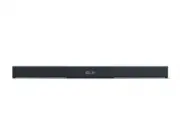
Philips TAB8205/10 – User Manual, read for free online in PDF format. We hope this helps you resolve any issues you may have. If you have further questions, please contact us through the contact form.


Table of Contents:
- Page 2 – Contents
- Page 3 – Important; Safety
- Page 4 – Care for your product; Compliance
- Page 5 – Help and support; FCC INFORMATION
- Page 6 – What’s in the Box
- Page 7 – Connectors; Remote control
- Page 8 – Prepare the Remote Control; Precautions Concerning Batteries
- Page 9 – Placement; Wall mount
- Page 11 – Connect; Connect to HDMI Socket; Connect to Optical Socket
- Page 12 – Connect to AUX Socket; Connect to Power
- Page 15 – Use your
- Page 16 – AV SYNC; Setup Menu; EQ
- Page 17 – DIM; Bluetooth Operation; What you need
- Page 18 – USB Operation; Button; Listen to spotify
- Page 20 – Network supported
- Page 21 – Troubleshooting; Main unit; Bluetooth
- Page 22 – Remote control does not work
- Page 23 – Trademarks
Register your product and get support at
www.philips.com/support
User manual
8000 Series
TAB8205
"Loading the manual" means you need to wait until the file loads and becomes available for online reading. Some manuals are very large, and the time they take to appear depends on your internet speed.
Was this manual helpful?
About this manual
- Brand
- Philips
- Model
- TAB8205/10
- Document type
- User Manual
- Language(s)
- English
- Pages
- 24
- File size
- 3.9 MB
- Format
Other Manuals for Philips TAB8205/10
Summary
2 1 Important 3 Safety 3 Care for your product 4 Care of the environment 4 Compliance 4 Help and support 5 Caution FCC and IC statement for Users (USA and Canada only) 5 2 Your Soundbar 6 What’s in the Box 6 Main unit 6 Connectors 7 Remote control 7 Prepare the Remote Control 8 Placement 9 Wall moun...
E ngl ish 3 1 Important Read and understand all instructions before you use your product. If damage is caused by failure to follow instructions, the warranty does not apply. Safety Risk of electric shock or fire! • Before you make or change any connections, make sure that all devices are disconnecte...
4 • If you suspect that a battery has been swallowed or placed inside any part of the body, seek immediate medical attention. • When you change the batteries, always keep all new and used batteries out of reach of children. Ensure that the battery compartment is completely secure after you replace t...
Ask a question
Related manuals
Popular Philips Other


More Philips Other models
 Philips TAB6309/10 User Manual
 Philips TAB6405/10 User Manual
 Philips TAB7207/10 User Manual
 Philips TAB7305/10 User Manual
 Philips TAB7807/10 User Manual
 Philips TAB7908/10 User Manual
 Philips TAB8405/10 User Manual
 Philips TAB8505/10 Quick Guide
 Philips TAB8507/10 User Manual
 Philips TAB8507B/10 User Manual
 Philips TAB8805/10 User Manual
 Philips TAB8905/10 User Manual