Page 4 - English; Instructions for use
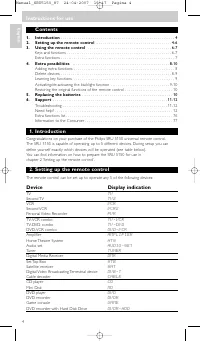
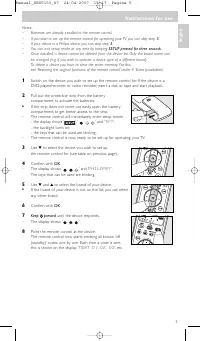
Contents 1. Introduction . . . . . . . . . . . . . . . . . . . . . . . . . . . . . . . . . . . . . . . . . . . . . . . . . . . . . . . . . . . . 4 2. Setting up the remote control . . . . . . . . . . . . . . . . . . . . . . . . . . . . . . . . . . . . . . . . 4-6 3. Using the remote control . . . . ...
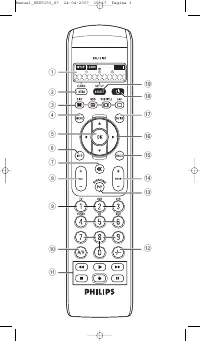
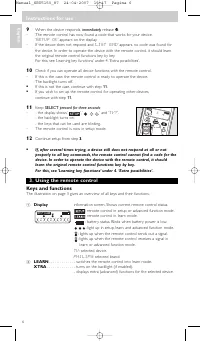
Page 6 - Using the remote control; Display; TV; LEARN
9 When the device responds, immediately release y y . – The remote control has now found a code that works for your device.’ SETUP OK ’ appears on the display. – If the device does not respond and ’ LIST END ’ appears, no code was found for the device. In order to operate the device with the remote ...
Page 7 - Extra functions
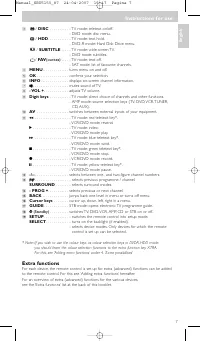
3 / DISC . . . . . . . . . . - TV mode: teletext on/off. - DVD mode: disc menu. / HDD . . . . . . . . . . . - TV mode: text hold. - DVD-R mode: Hard Disk Drive menu. / SUBTITLE . . . . - TV mode: wide screen TV. - DVD mode: subtitles. / FAV (ourites) . . . . - TV mode: text off. - SAT mode: list of ...
Page 8 - pressed for 3 seconds:; Delete devices
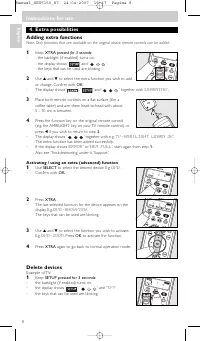
4. Extra possibilities Adding extra functions Note: Only functions that are available on the original device remote controls can be added. 1 Keep XTRA pressed for 3 seconds: – - the backlight (if enabled) turns on.- the display shows ‘ ’ and ‘ ’. - the keys that can be used are blinking. 2 Use 3 and...
Page 9 - Learning key functions; pressed simultaneously for 3 seconds
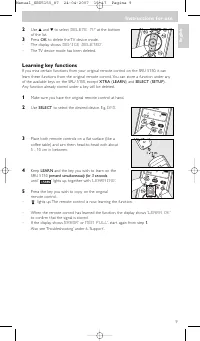
2 Use 3 and 4 to select ’ DELETE TV ’ at the bottom of the list. 3 Press OK to delete the TV device mode. – The display shows ’ DEVICE DELETED ’. – The TV device mode has been deleted. Learning key functions If you miss cer tain functions from your original remote control on the SRU 5150, it canlear...
Page 10 - Activating / de-activating the backlight function; De-activating the backlight function; Restoring the original functions of the remote control
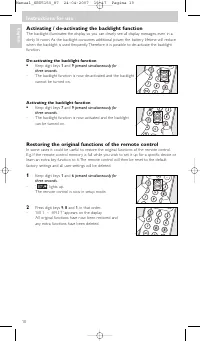
Activating / de-activating the backlight function The backlight illuminates the display so you can clearly see all display messages, even in adimly lit room. As the backlight consumes additional power, the batter y lifetime will reducewhen the backlight is used frequently. Therefore it is possible t...
Page 11 - Replacing the batteries; When the batter y status indicator (; Troubleshooting; Problem
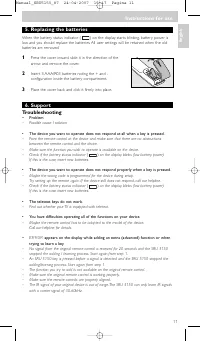
5. Replacing the batteries When the batter y status indicator ( ) on the display star ts blinking, batter y power is low and you should replace the batteries. All user settings will be retained when the oldbatteries are removed. 1 Press the cover inward, slide it in the direction of the arrow and re...
Page 13 - Italiano; Instruzioni per l'uso
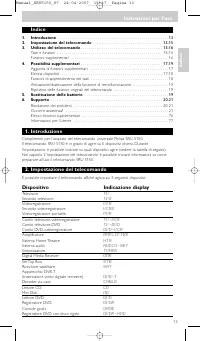
Indice 1. Introduzione . . . . . . . . . . . . . . . . . . . . . . . . . . . . . . . . . . . . . . . . . . . . . . . . . . . . . . . . . . 13 2. Impostazione del telecomando . . . . . . . . . . . . . . . . . . . . . . . . . . . . . . . . . . . . . 13-15 3. Utilizzo del telecomando . . . . . . . . . ...
Page 15 - Utilizzo del telecomando
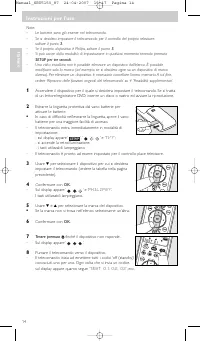
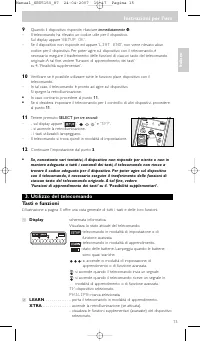
9 Quando il dispositivo risponde, rilasciare immediatamente y y . – Il telecomando ha rilevato un codice utile per il dispositivo.Sul display appare ’ SETUP OK ’. – Se il dispositivo non risponde ed appare ’ LIST END ’, non viene rilevato alcun codice per il dispositivo. Per poter agire sul disposit...
Page 16 - Funzioni supplementari
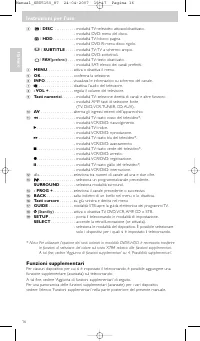
3 / DISC . . . . . . . . . . - modalità TV: televideo attivato/disattivato. - modalità DVD: menu del disco. / HDD . . . . . . . . . . . - modalità TV: blocco pagina. - modalità DVD-R: menu disco rigido. / SUBTITLE . . . . - modalità TV: TV a schermo ampio. - modalità DVD: sottotitoli. / FAV (preferi...
Page 17 - LEARNING; Attivazione/utilizzo di una funzione supplementare (avanzata); DVD; Elimina dispositivi
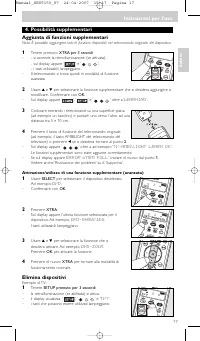
4. Possibilità supplementari Aggiunta di funzioni supplementari Nota: È possibile aggiungere solo le funzioni disponibili nel telecomando originale del dispositivo. 1 Tenere premuto XTRA per 3 secondi: – - si accende la retroilluminazione (se attivata).- sul display appare ‘ ’ e ‘ ’. - i tasti utili...
Page 18 - Funzioni di apprendimento dei tasti; contemporaneamente per 3 secondi
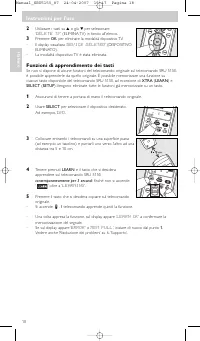
2 Utilizzare i tasti su 3 o giù 4 per selezionare ’ DELETE TV ’ (ELIMINA TV) in fondo all'elenco. 3 Premere OK per eliminare la modalità dispositivo TV. – Il display visualizza ’ DEVICE DELETED ’ (DISPOSITIVO ELIMINATO). – La modalità dispositivo TV è stata eliminata. Funzioni di apprendimento dei t...
Page 19 - Ripristino delle funzioni originali del telecomando
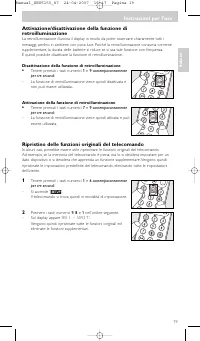
Attivazione/disattivazione della funzione diretroilluminazione La retroilluminazione illumina il display in modo da poter osser vare chiaramente tutti imessaggi, perfino in ambienti con poca luce. Poiché la retroilluminazione consuma correntesupplementare, la durata delle batterie si riduce se si us...
Page 20 - Sostituzione delle batterie; Se l’indicatore dello stato delle batterie sul (; Risoluzione dei problemi; Problema
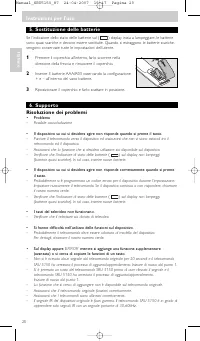
5. Sostituzione delle batterie Se l’indicatore dello stato delle batterie sul ( ) display inizia a lampeggiare, le batterie sono quasi scariche e devono essere sostituite. Quando si estraggono le batterie scariche,vengono conser vate tutte le impostazioni dell’utente. 1 Premere il coperchio all’inte...
Page 22 - Español; Instrucciones de manejo
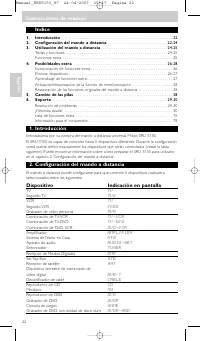
Índice 1. Introducción . . . . . . . . . . . . . . . . . . . . . . . . . . . . . . . . . . . . . . . . . . . . . . . . . . . . . . . . . . 22 2. Configuración del mando a distancia . . . . . . . . . . . . . . . . . . . . . . . . . . . . . . . 22-24 3. Utilización del mando a distancia . . . . . . . ...
Page 24 - Utilización del control remoto; Pantalla
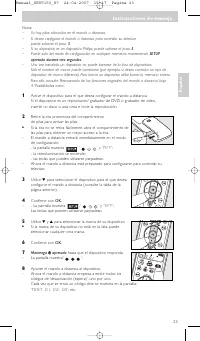
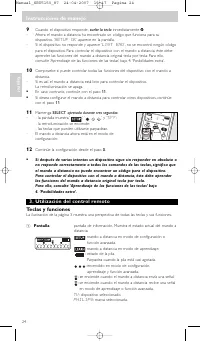
9 Cuando el dispositivo responde, suelte la tecla inmediatamente y y . – Ahora el mando a distancia ha encontrado un código que funciona para sudispositivo. ’ SETUP OK ’ aparece en la pantalla. – Si el dispositivo no responde y aparece ’ LIST END ’, no se encontró ningún código para el dispositivo. ...
Page 25 - Funciones extra
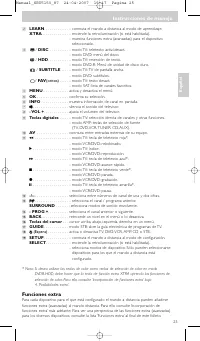
2 LEARN . . . . . . . . . . . . . - conmuta el mando a distancia al modo de aprendizaje. XTRA . . . . . . . . . . . . . . - enciende la retroiluminación (si está habilitada). - muestra funciones extra (avanzadas) para el dispositivo seleccionado. 3 / DISC . . . . . . . . . . - modo TV: teletexto act...
Page 26 - originales del dispositivo.; Eliminar dispositivos
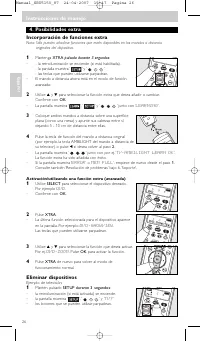
4. Posibilidades extra Incorporación de funciones extra Nota: Sólo pueden añadirse funciones que estén disponibles en los mandos a distancia originales del dispositivo. 1 Mantenga XTRA pulsada durante 3 segundos: – - la retroiluminación se enciende (si está habilitada).- la pantalla muestra ‘ ’ y ‘ ...
Page 27 - Aprendizaje de funciones de tecla; simultáneamente durante 3 segundos
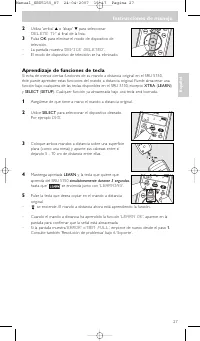
2 Utiliza 'arriba' 3 o 'abajo' 4 para seleccionar ’ DELETE TV ’ al final de la lista. 3 Pulsa OK para eliminar el modo de dispositivo de televisión. – La pantalla muestra ’ DEVICE DELETED ’. – El modo de dispositivo de televisión se ha eliminado. Aprendizaje de funciones de tecla Si echa de menos ci...
Page 28 - Activación/desactivación de la función de retroiluminación; Mantenga las teclas digitales; Mantenga las teclas digitales
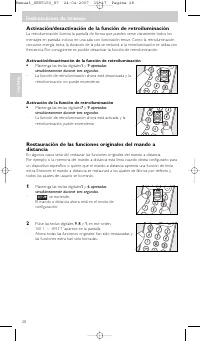
Activación/desactivación de la función de retroiluminación La retroiluminación ilumina la pantalla de forma que pueden verse claramente todos losmensajes en pantalla, incluso en una sala con iluminación tenue. Como la retroiluminaciónconsume energía extra, la duración de la pila se reducirá si la re...
Page 29 - Cambio de las pilas; Cuando el indicador de estado de las pilas (; Resolución de problemas
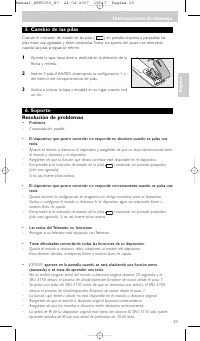
5. Cambio de las pilas Cuando el indicador de estado de las pilas ( ) en pantalla empieza a parpadear, las pilas están casi agotadas y debe cambiarlas. Todos los ajustes del usuario se retendráncuando las pilas antiguas se retiren. 1 Apriete la tapa hacia dentro, deslícela en la dirección de la flec...
Page 31 - or; Manual de utilização
Índice 1. Introdução . . . . . . . . . . . . . . . . . . . . . . . . . . . . . . . . . . . . . . . . . . . . . . . . . . . . . . . . . . . . 31 2. Configurar o telecomando . . . . . . . . . . . . . . . . . . . . . . . . . . . . . . . . . . . . . . . . . 31-33 3. Utilização do telecomando . . . . . ....
Page 33 - Utilização do telecomando; Visor
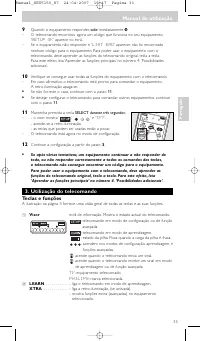
9 Quando o equipamento responder, solte imediatamente y y . – O telecomando encontrou agora um código que funciona no seu equipamento.’ SETUP OK ’ aparece no ecrã. – Se o equipamento não responder e ’ LIST END ’ aparecer, não foi encontrado nenhum código para o equipamento. Para poder usar o equipam...
Page 34 - Funções extra
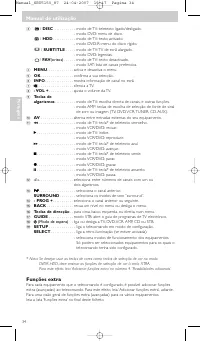
3 / DISC . . . . . . . . . . - modo de TV: teletexto ligado/desligado. - modo DVD: menu de disco. / HDD . . . . . . . . . . . - modo de TV: texto activado. - modo DVD-R: menu do disco rígido. / SUBTITLE . . . . - modo de TV: TV de ecrã alargado. - modo DVD: legendas. / FAV (oritos) . . . . . - modo ...
Page 35 - premida durante 3 segundos:
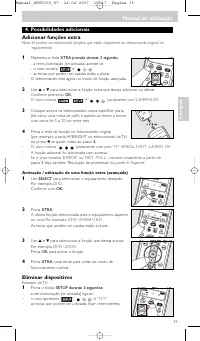
4. Possibilidades adicionais Adicionar funções extra Nota: Só podem ser adicionadas funções que estão disponíveis no telecomando original do equipamento. 1 Mantenha a tecla XTRA premida durante 3 segundos: – - a retro-iluminação (se activada) acende-se.- o visor mostra ‘ ’ e ‘ ’. - as teclas que pod...
Page 36 - Aprender as funções principais; ambas premidas ao mesmo tempo durante
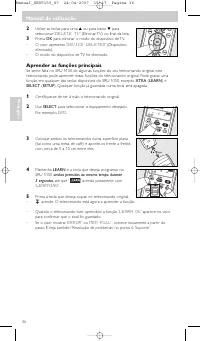
2 Utilize as teclas para cima 3 ou para baixo 4 para seleccionar ’ DELETE TV ’ (Eliminar TV) no final da lista. 3 Prima OK para eliminar o modo do dispositivo de TV. – O visor apresenta ’ DEVICE DELETED ’ (Dispositivo eliminado). – O modo do dispositivo de TV foi eliminado. Aprender as funções princ...
Page 37 - Activar / desactivar a função de retro-iluminação; Desactivar a função de retro-iluminação; Activar a função de retro-iluminação; Mantenha as teclas de algarismos; Repor as funções originais do telecomando; Mantenha as teclas de algarismos
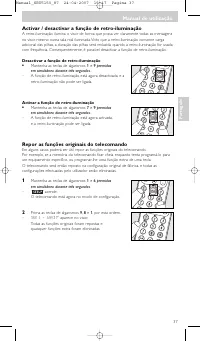
Activar / desactivar a função de retro-iluminação A retro-iluminação ilumina o visor de forma que possa ver claramente todas as mensagensno visor, mesmo numa sala mal iluminada. Visto que a retro-iluminação consome cargaadicional das pilhas, a duração das pilhas será reduzida quando a retro-iluminaç...
Page 38 - Substituição das pilhas; Quando o indicador de estado das pilhas (; Resolução de problemas
5. Substituição das pilhas Quando o indicador de estado das pilhas ( ) no ecrã começar a piscar, a carga das pilhas está fraca, e deve substituir as pilhas. Todas as configurações efectuadas peloutilizador serão mantidas quando as baterias antigas forem retiradas. 1 Prima a tampa para dentro, desloq...
Page 40 - ∂ÏÏËÓÈο; OdËÁ›Â ̃ ̄Ú‹Ûˆ ̃
¶ÂÚȯfiÌÂÓ· 1. ∂ÈÛ·ÁˆÁ‹ . . . . . . . . . . . . . . . . . . . . . . . . . . . . . . . . . . . . . . . . . . . . . . . . . . . . . . . . . . . . . . 40 2. ∞Ú¯È΋ Ú‡ıÌÈÛË ÙÔ˘ ÙËϯÂÈÚÈÛÙËÚ›Ô˘ . . . . . . . . . . . . . . . . . . . . . . . . . . . . . . 40-42 3. ÃÚ‹ÛË ÙÔ˘ ÙËϯÂÈÚÈÛÙËÚ›Ô˘ . . . . . . . ...
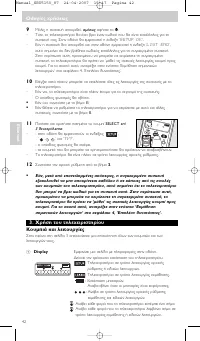
Page 42 - ÃÚ‹ÛË ÙÔ ̆ ÙËÏÂ ̄ÂÈÚÈÛÙËÚ›Ô ̆
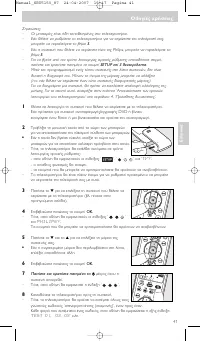
9 ªfiÏȘ Ë Û˘Û΢‹ ·ÔÎÚÈı›, ·Ì¤Ûˆ˜ ·Ê‹ÛÙ ÙÔ y y . – ∆fiÙÂ, ÙÔ ÙËϯÂÈÚÈÛÙ‹ÚÈÔ ı· ¤¯ÂÈ ‚ÚÂÈ ¤Ó·Ó Έ‰ÈÎfi Ô˘ ı· Â›Ó·È Î·Ù¿ÏÏËÏÔ˜ ÁÈ· ÙËÛ˘Û΢‹ Û·˜. ™ÙËÓ ÔıfiÓË ı· ÂÌÊ·ÓÈÛÙ› Ë ¤Ó‰ÂÈÍË ‘ SETUP OK ’. – ∂¿Ó Ë Û˘Û΢‹ ‰ÂÓ ·ÔÎÚÈı› Î·È ÛÙËÓ ÔıfiÓË ÂÌÊ·ÓÈÛÙ› Ë ¤Ó‰ÂÈÍË ‘ LIST END ’, ·˘Ùfi ÛËÌ·›ÓÂÈ fiÙÈ ‰ÂÓ ‚Ú...
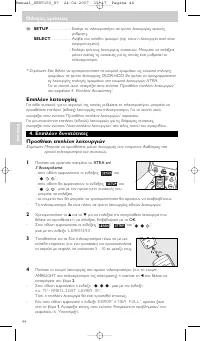
Page 44 - * TMËÌ›ˆÛË: ∂¿Ó ı¤ÏÂÙ ӷ ̄ÚËÛÈÌÔÔÈ‹ÛÂÙ ٷ ÎÔ ̆ÌÈ¿ ̄ÚˆÌ¿ÙˆÓ ˆ ̃ ÎÔ ̆ÌÈ¿ ÂÈÏÔÁ‹ ̃; ∂ÈϤÔÓ ÏÂÈÙÔ ̆ÚÁ›Â ̃; TMËÌ›ˆÛË: aÔÚ›Ù ӷ ÚÔÛı¤ÛÂÙ ÌfiÓÔÓ ÏÂÈÙÔ ̆ÚÁ›Â ̃ Ô ̆ ̆¿Ú ̄Ô ̆Ó ‰È·ı¤ÛÈÌ ̃ ÛÙ·
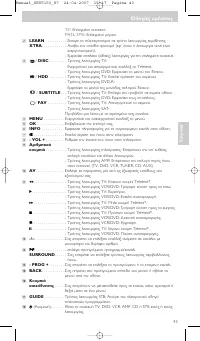
( SETUP . . . . . . . . . . . - ∂ÈÛ¿ÁÂÈ ÙÔ ÙËϯÂÈÚÈÛÙ‹ÚÈÔ Û ÙÚfiÔ ÏÂÈÙÔ˘ÚÁ›·˜ ·Ú¯È΋˜ Ú‡ıÌÈÛ˘. SELECT . . . . . . . . . - ∞Ó¿‚ÂÈ ÙÔÓ Ô›ÛıÈÔ ÊˆÙÈÛÌfi (ÂÊ’ fiÛÔÓ Ë ÏÂÈÙÔ˘ÚÁ›· ·˘Ù‹ Â›Ó·È ÂÓÂÚÁÔÔÈË̤ÓË). - ∂ÈϤÁÂÈ ÙÚfiÔ˘˜ ÏÂÈÙÔ˘ÚÁ›·˜ Û˘Û΢ÒÓ. ªÔÚ›Ù ӷ ÂÈϤÍÂÙ ÌfiÓÔÓ ÂΛӘ ÙȘ Û˘Û΢¤˜ ÁÈ· ÙȘ...
Page 45 - ∂ÎÌ¿ıËÛË ÛËÌ·ÓÙÈÎÒÓ ÏÂÈÙÔ ̆ÚÁÈÒÓ
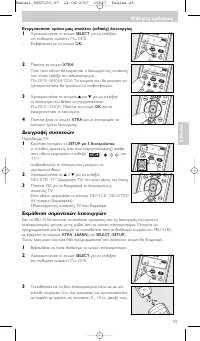
∂ÓÂÚÁÔÔ›ËÛË/ ¯Ú‹ÛË ÌÈ·˜ ÂÈϤÔÓ (ÂȉÈ΋˜) ÏÂÈÙÔ˘ÚÁ›·˜ 1 ÃÚËÛÈÌÔÔÈ‹ÛÙ ÙÔ ÎÔ˘Ì› SELECT ÁÈ· Ó· ÂÈϤÍÂÙ ÙËÓ ÂÈı˘ÌËÙ‹ Û˘Û΢‹. ¶.¯. DVD . – ∂Ȃ‚·ÈÒÛÙ Ì ÙÔ ÎÔ˘Ì› OK . 2 ¶·Ù‹ÛÙ ÙÔ ÎÔ˘Ì› XTRA . – ∆fiÙÂ, ÛÙËÓ ÔıfiÓË ı· ÂÌÊ·ÓÈÛÙ› Ë ÏÂÈÙÔ˘ÚÁ›· Ù˘ Û˘Û΢‹˜Ô˘ ›¯·Ù ÂÈϤÍÂÈ ÙËÓ ÙÂÏÂ˘Ù·›· ÊÔÚ¿. ¶...
Page 46 - ∞ÂÓÂÚÁÔÔ›ËÛË ÙË ̃ ÏÂÈÙÔ ̆ÚÁ›· ̃ Ô›ÛıÈÔ ̆ ʈÙÈÛÌÔ‡; ∂ÓÂÚÁÔÔ›ËÛË ÙË ̃ ÏÂÈÙÔ ̆ÚÁ›· ̃ Ô›ÛıÈÔ ̆ ʈÙÈÛÌÔ‡; Ì· ̇› › 3 ‰Â ̆ÙÂÚfiÏÂÙ·; ∞ÔηٿÛÙ·ÛË ÙˆÓ ·Ú ̄ÈÎÒÓ ÏÂÈÙÔ ̆ÚÁÈÒÓ ÙÔ ̆ ÙËÏ ̄ÂÈÚÈÛÙËÚ›Ô ̆; Ì· ̇› › 3 ‰Â ̆ÙÂÚfiÏÂÙ·
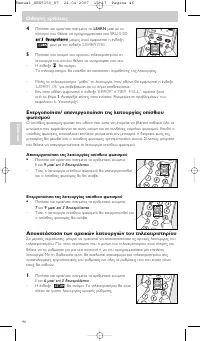
4 ¶·Ù‹ÛÙÂ Î·È ÎÚ·Ù‹ÛÙ ·ÙË̤ÓÔ ÙÔ LEARN Ì·˙› Ì ÙÔ Ï‹ÎÙÚÔ Ô˘ ı¤ÏÂÙ ӷ ÚÔÁÚ·ÌÌ·Ù›ÛÂÙ ÛÙÔ SRU 5150  ›› 3 3 ‰ ‰Â¢ ˘ÙÙÂÂÚ Úfi fiÏÏ ÙÙ· · , ̤¯ÚȘ fiÙÔ˘ ÂÌÊ·ÓÈÛÙ› Ë ¤Ó‰ÂÈÍË ‘ ’ Ì·˙› Ì ÙËÓ ¤Ó‰ÂÈÍË ‘ LEARNING ’. 5 ¶·Ù‹ÛÙ ÛÙÔ ÎÔ˘Ì› ÙÔ˘ ·Ú¯ÈÎÔ‡ ÙËϯÂÈÚÈÛÙËÚ›Ô˘ ÙËÏÂÈÙÔ˘ÚÁ›· ÙÔ˘ ÔÔ›Ô˘ ı¤ÏÂÙ ...
Page 47 - ∞ÓÙÈηٿÛÙ·ÛË ÙˆÓ Ì·Ù·ÚÈÒÓ; ŸÙ·Ó Ë ¤Ó‰ÂÈÍË Î·Ù¿ÛÙ·ÛË ̃ ÙˆÓ Ì·Ù·ÚÈÒÓ ÛÙËÓ ÔıfiÓË (; ∞ÓÙÈÌÂÙÒÈÛË ÚÔ‚ÏËÌ¿ÙˆÓ; ¶Úfi‚ÏËÌ·
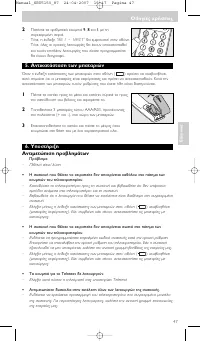
2 ¶·Ù‹ÛÙ ٷ ·ÚÈıÌËÙÈο ÎÔ˘ÌÈ¿ 9 , 8 Î·È 1 , Ì ÙË Û˘ÁÎÂÎÚÈ̤ÓË ÛÂÈÚ¿. – ∆fiÙÂ, Ë ¤Ó‰ÂÈÍË ‘ 981 - WAIT ’ ı· ÂÌÊ·ÓÈÛÙ› ÛÙËÓ ÔıfiÓË. ∆fiÙÂ, fiϘ ÔÈ ·Ú¯ÈΤ˜ ÏÂÈÙÔ˘ÚÁ›Â˜ ı· ¤¯Ô˘Ó ·ÔηٷÛÙ·ıÂ›Î·È Ù˘¯fiÓ ÂÈϤÔÓ ÏÂÈÙÔ˘ÚÁ›Â˜ Ô˘ ›¯·Ù ÚÔÁÚ·ÌÌ·Ù›ÛÂÈı· ¤¯Ô˘Ó ‰È·ÁÚ·Ê›. 5. ∞ÓÙÈηٿÛÙ·ÛË ÙˆÓ Ì·Ù·ÚÈÒÓ ŸÙ·Ó Ë...
Page 49 - Türkçe; Kullanım talimatları
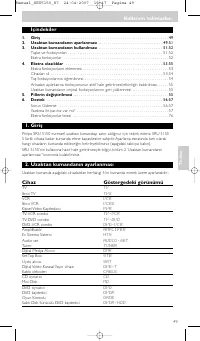
İçindekiler 1. Giriş . . . . . . . . . . . . . . . . . . . . . . . . . . . . . . . . . . . . . . . . . . . . . . . . . . . . . . . . . . . . . . . . . . 49 2. Uzaktan kumandanın ayarlanması . . . . . . . . . . . . . . . . . . . . . . . . . . . . . . . . . . 49-51 3. Uzaktan kumandanın kullanılması ....
Page 51 - Uzaktan kumandanın kullanılması; Gösterge
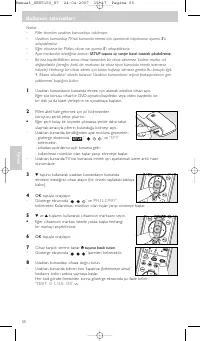
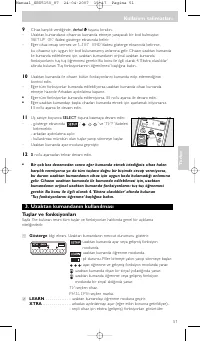
9 Cihaz karşılık verdiğinde, derhal y y tuşunu bırakın. – Uzaktan kumandanız cihazınızı kumanda etmeye yarayacak bir kod bulmuştur.’ SETUP OK ’ ifadesi gösterge ekranında belirir. – Eğer cihaz cevap vermez ve ’ LIST END ’ ifadesi gösterge ekranında belirirse, bu cihazınız için uygun bir kod bulunama...
Page 52 - Ekstra fonksiyonlar
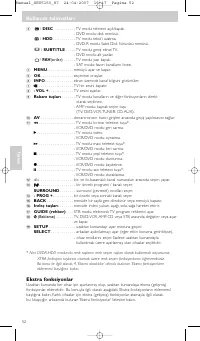
3 / DISC . . . . . . . . . . - TV modu: teletext açık/kapalı. - DVD modu: disk menüsü. / HDD . . . . . . . . . . . - TV modu: tekst’i uzatma. - DVD-R modu: Sabit Disk Sürücüsü menüsü. / SUBTITLE . . . . - TV modu: geniş ekran TV. - DVD modu: alt yazılar. / FAV (oriler) . . . . . - TV modu: yazı kapa...
Page 53 - OK; Ekstra (gelişmiş) bir fonksiyonu aktif hale getirme / kullanma; Cihazları sil
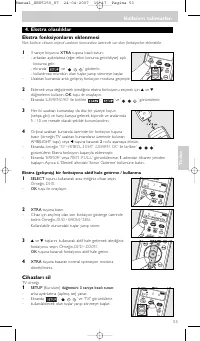
4. Ekstra olasılıklar Ekstra fonksiyonların eklenmesi Not: Sadece cihazın orijinal uzaktan kumandası üzerinde var olan fonksiyonlar eklenebilir. 1 3 saniye boyunca XTRA tuşuna basılı tutun: – - arkadan aydınlatma (eğer etkin konuma getirildiyse) açık konuma gelir. - ekranda ‘ ’ ve ‘ ’ gösterilir. - ...
Page 54 - Tuş fonksiyonlarının öğrenilmesi; XTRA
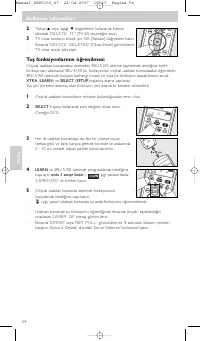
2 'Yukarı' 3 veya 'aşağı' 4 düğmelerini kullanarak listenin altındaki ’ DELETE TV ’ (TV Sil) seçeneğini seçin. 3 TV cihaz modunu silmek için OK (Tamam) düğmesine basın. – Ekranda ’ DEVICE DELETED ’ (Cihaz Silindi) görüntülenir. – TV cihaz modu silinmiştir. Tuş fonksiyonlarının öğrenilmesi Orijinal u...
Page 55 - Uzaktan kumandanın orijinal fonksiyonlarının geri yüklenmesi
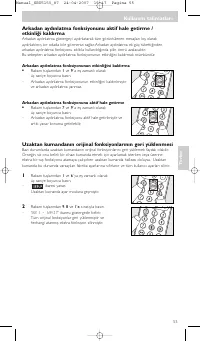
Arkadan aydınlatma fonksiyonunu aktif hale getirme /etkinliği kaldırma Arkadan aydınlatma göstergeyi aydınlatarak tüm görüntülenen mesajları loş olarakaydınlatılmış bir odada bile görmenizi sağlar. Arkadan aydınlatma ek güç tükettiğindenarkadan aydınlatma fonksiyonu sıklıkla kullanıldığında pilin öm...
Page 56 - Pillerin değiştirilmesi; Pil durumu göstergesi (; Sorun Giderme; Sorun
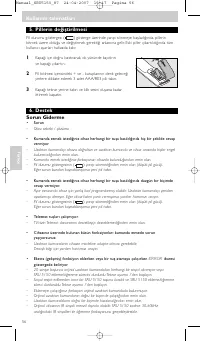
5. Pillerin değiştirilmesi Pil durumu göstergesi ( ) gösterge üzerinde yanıp sönmeye başladığında, pillerin bitmek üzere olduğu ve değiştirmek gerektiği anlamına gelir. Eski piller çıkar tıldığında tümkullanıcı ayarları hafızada kalır. 1 Kapağı içe doğru bastırarak, ok yününde kaydırın ve kapağı çık...
Page 57 - Yardıma ihtiyacınız var mı?
• Ekstra (gelişmiş) bir fonksiyon eklerken veya yeni bir tuş öğrenirken MEM FULL ibaresi göstergede beliriyor. – Seçili cihaz için daha fazla fonksiyon eklenemez veya SRU 5150 hafızası dolmuştur.Hafıza alanı yartmak için uzaktan kumandanızın bütün orijinal fonksiyonlarını geriyükleyin. Bu konuyla il...
Page 59 - Ру; Инструкции по использованию
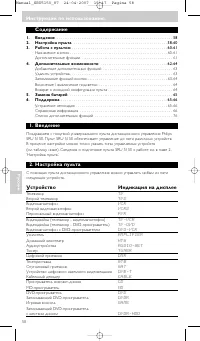
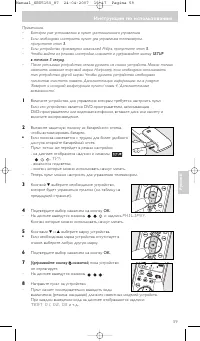
Примечания.– Батареи уже установлены в пульт дистанционного управления. – Если необходимо настроить пульт для управления телевизором,пропустите этап 3 . – Если устройство произведено компанией Philips, пропустите этап 5 . – Чтобы выйти из режима настройки, нажмите и удерживайте кнопку SETUP в течени...
Page 60 - Назначение кнопок; Дисплей
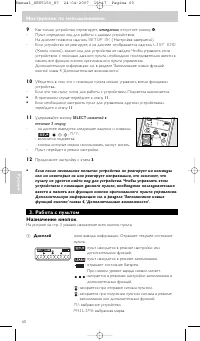
9 Как только устройство отреагирует, немедленно отпустите кнопку y y . – Пульт определил код для работы с данным устройством.На дисплее появится надпись SETUP OK (‘Настройка завершена’). – Если устройство не реагирует, и на дисплее отображается надпись LIST END (‘Конец списка’), значит код для устро...
Page 61 - для выбранного устройства.
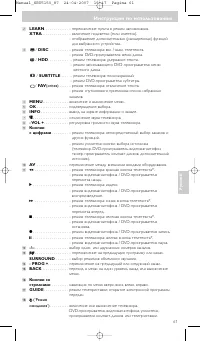
61 Ру сский Инструкции по использованию 2 LEARN . . . . . . . . . . . . . - переключение пульта в режим запоминания. XTRA . . . . . . . . . . . . . . - включение подсветки (если имеется). - отображение дополнительных (расширенных) функций для выбранного устройства. 3 / DISC . . . . . . . . . . - реж...
Page 62 - Дополнительные функции; оригинальных пультах дистанционного управления устройствами.
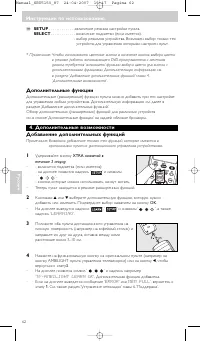
( SETUP . . . . . . . . . . . . . -включение режима настройки пульта. SELECT . . . . . . . . . . . . - включение подсветки (если имеется). - выбор режимов устройства. Возможен выбор только тех устройств, для управления которыми настроен пульт. * Примечание. Чтобы использовать цветные кнопки в качест...
Page 63 - Удалить устройства; DELETE TV; Запоминание функций кнопок
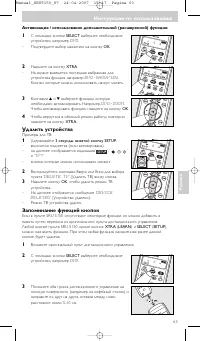
63 Ру сский Инструкции по использованию Активизация / использование дополнительной (расширенной) функции. 1 С помощью кнопки SELECT выберите необходимое устройство, например DVD . – Подтвердите выбор нажатием на кнопку OK . 2 Нажмите на кнопку XTRA . – На экране выведется последняя выбранная дляустр...
Page 64 - Включение / выключение подсветки; Отключение подсветки; Включение подсветки; удерживайте их нажатыми в течение трех секунд; Возврат к исходной конфигурации пульта; удерживайте их нажатыми в течение трех секунд
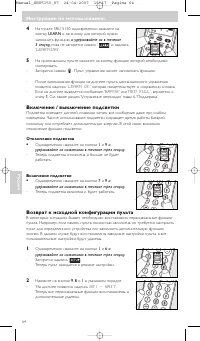
4 На пульте SRU 5150 одновременно нажмите на кнопку LEARN и на кнопку, для которой нужно запомнить функцию, и удерживайте их в течение 3 секунд, пока не загорится символ ‘ ’ и надпись ’ LEARNING ’. 5 На оригинальном пульте нажмите на кнопку, функцию которой необходимоскопировать. – Загорится символ ...
Page 65 - Если индикатор состояния батарей (; Устранение неполадок; Проблема
65 Ру сский Инструкции по использованию 5. Замена батарей Если индикатор состояния батарей ( ) на дисплее начинает мигать, это указывает на низкий уровень заряда и необходимость замены батарей. После извлечениястарых батарей все пользовательские настройки сохраняются. 1 Нажмите на крышку по направле...
Page 66 - Справочная информация
• При попытке добавить дополнительную (расширенную) функцию илизапомнить новую функцию кнопки на дисплее выводится надпись MEM FULL . – Для выбранного устройства нельзя добавить функции или память пульта SRU 5150 заполнена. Чтобы освободить место, восстановите все первоначальныефункции пульта. Допол...
Page 67 - olski; Instrukcja obsługi
67 P olski Instrukcja obsługi Spis treści 1. Wprowadzenie . . . . . . . . . . . . . . . . . . . . . . . . . . . . . . . . . . . . . . . . . . . . . . . . . . . . . . . . 67 2. Konfiguracja pilota . . . . . . . . . . . . . . . . . . . . . . . . . . . . . . . . . . . . . . . . . . . . . . . . . 67-69 ...
Page 69 - natychmiast; Przyciski i funkcje
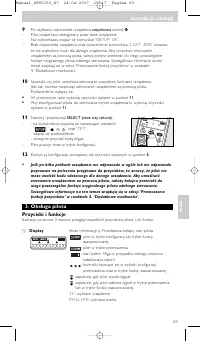
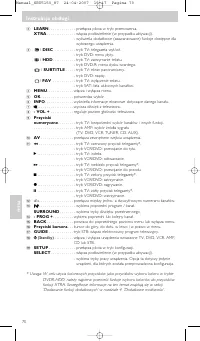
69 P olski Instrukcja obsługi 9 Po uzyskaniu odpowiedzi urządzenia natychmiast zwolnij y y . – Pilot znalazł kod obsługiwany przez dane urządzenie.Na wyświetlaczu pojawi się komunikat ’ SETUP OK ’. – Brak odpowiedzi urządzenia oraz wyświetlenie komunikatu ’ LIST END ’ oznacza, że nie znaleziono kodu...
Page 72 - Przytrzymaj przez 3 s przycisk
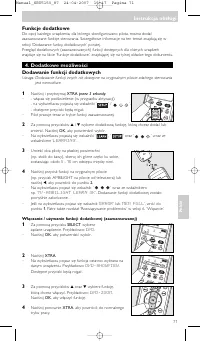
Usuń urządzenia Przykład telewizora: 1 Naciśnij i przytrzymaj przycisk SETUP przez 3 sekundy : – Włączy się podświetlenie (pod warunkiem, że ta funkcja jestwłączona). – Na wyświetlaczu pojawiają się symbole ‘ ’, ‘ ’ oraz ’ TV? ’ – Przyciski, których można używać, migają. 2 Za pomocą przycisków w gór...
Page 73 - Wyłączanie funkcji podświetlenia; Włączanie funkcji podświetlenia; jednocześnie przez trzy sekundy; Przywracanie oryginalnych funkcji pilota; jednocześnie przez trzy sekundy
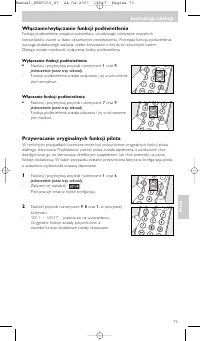
73 P olski Instrukcja obsługi Włączanie/wyłączanie funkcji podświetlenia Funkcja podświetlenia rozjaśnia wyświetlacz, umożliwiając odczytanie wszystkichkomunikatów, nawet w słabo oświetlonym pomieszczeniu. Ponieważ funkcja podświetleniawymaga dodatkowego zasilania, częste korzystanie z niej skróci ż...
Page 74 - Rozwiązywanie problemów
5. Wymiana baterii Gdy wskaźnik stanu baterii ( ) na wyświetlaczu zacznie migać, oznacza to niski poziom naładowania baterii i konieczność ich wymiany. Wyjęcie starych baterii nie powodujeskasowania ustawień użytkownika. 1 Wciśnij do środka pokrywę komory i przesuń ją wkierunku wskazanym strzałką w ...
Page 75 - ERROR; Pomoc
75 P olski Instrukcja obsługi • Podczas dodawania funkcji dodatkowej lub przenoszenia funkcji przycisku, nawyświetlaczu pojawia się komunikat ERROR . – W ciągu 20 sekund nie odebrano żadnego sygnału z oryginalnego pilota, więcprocedura dodawania / przenoszenia została zatrzymana na pilocie SRU 5150....
Page 77 - Helpline; Information to the Consumer; Country; ŒÏÏ¿da
77 Note your codes! Note your codes! Helpline Information to the Consumer Disposal of your old product Your product is designed and manufactured with high quality materials and components,which can be recycled and reused. When this crossed-out wheeled bin symbol is attached to a product it means the...
Page 80 - a a
Guarantee certificate Certificat de garantie Garantiebewijs Záruční list Garantieschein Certificado de garantía Certificato di garanzia Karta gwarancyjna Certificado de garantia Garantibevis Takuutodistus Гаpантия Type: Serial nr.: Date of purchase - Date d’achat - Koopdatum - Kaufdatum - Fecha de c...