Philips HC9450/20 - User Manual
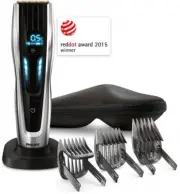
A user manual for Philips HC9450 hair clippers covers essential operation and customization features. The guide highlights adjustable length settings–including quick, slow, or automatic adjustments–and memory functions to save preferences, ensuring users can tailor cuts efficiently. Safety and maintenance are also addressed through assembly instructions, battery charging guidance, and proper attachment of comb guards for precise trims.
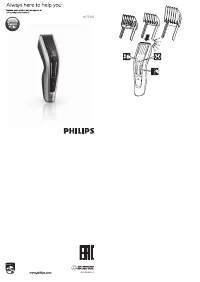
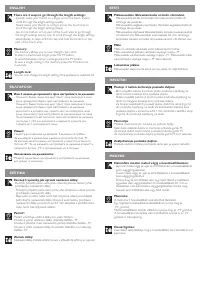
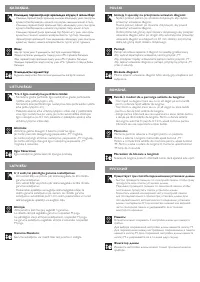
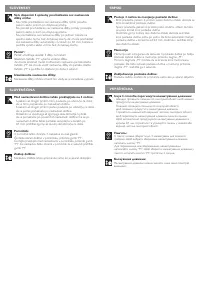
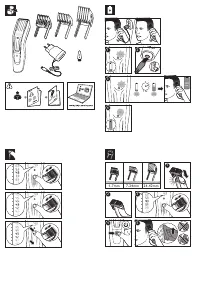
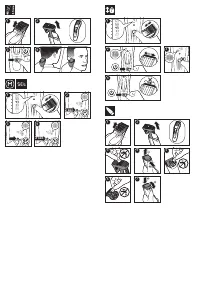
Table of Contents:
- Page 1 – Product Identification and Attachment Guide
- Page 2 – Length Setting Adjustment Methods
- Page 3 – Setting and Saving Length Preferences
- Page 4 – Length Management and Adjustment Controls
- Page 5 – Assembly, Charging, and Attachment Usage
- Page 6 – Clipper Operation and Maintenance
Always here to help you
Register your product and get support at
philips.com/welcome
Question?
Contact
Philips
HC9450
PHILIPS
EAC
100% recycled paper
100% papier recyclé
www.philips.com
4222.002.8551.2
"Loading the manual" means you need to wait until the file loads and becomes available for online reading. Some manuals are very large, and the time they take to appear depends on your internet speed.
Was this manual helpful?
Helpful for 3 of 3 readers
About this manual
- Brand
- Philips
- Model
- HC9450/20
- Document type
- User Manual
- Language(s)
- English
- Pages
- 6
- File size
- 2.6 MB
- Format
Summary
Display of the product image, comb attachment diagram, support contact information, and model number.
Instructions for adjusting length settings using scrolling, memory saving functions, and locking mechanisms.
Methods for setting length (quick, slow, automatic) and procedures for saving settings in memory while the device is off.
Tips
- The touch control offers three adjustment methods: quick swipe, slow swipe, or tap.
- Use the M button to save up to three preferred lengths per comb.
- The length lock prevents accidental changes when the device is on.
- Tap and hold the touch area for automatic scrolling through settings.
- Adjust length settings only when the device is off.
Ask a question
Related manuals
Popular Philips Other


More Philips Other models
 Philips HC3525/15 User Manual
 Philips HC3530/15 User Manual
 Philips HC5630/13 User Manual
 Philips HC7650/15 User Manual
 Philips HC8650 Manual
 Philips HC9420/15 User Manual
 Philips HD2151/40 User Manual
 Philips HD2151/40R1 User Manual
 Philips HD2330/90 User Manual
 Philips HD2331/90 User Manual
 Philips HD2332/90 User Manual
 Philips HD2350/80 User Manual