Philips AD7000W/37 - User Manual
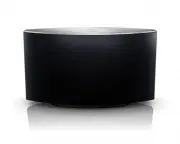
Philips AD7000W/37 – User Manual, read for free online in PDF format. We hope this helps you resolve any issues you may have. If you have further questions, please contact us through the contact form.


Table of Contents:
- Page 3 – get the very most from your purchase.
- Page 5 – Contents; Update firmware
- Page 6 – Important; Safety; Know these safety symbols; WARNING: To reduce the risk of fire or electric; Important Safety Instructions
- Page 7 – Notice; Notice of compliance; Any changes or modifications made to this; in a confined space. Always leave a space of
- Page 8 – Information about the use of batteries:; Environmental information; Disposal of your old product and
- Page 9 – has been designed to connect specifically to
- Page 10 – What’s in the box; • A Wi-Fi cer tified router; Your; welcome to Philips! To fully benefit from the; Introduction
- Page 11 – DC IN; Get started to use AirPlay; List of compatible iTunes host devices; Overview of the main unit; Power indicator
- Page 12 – Prepare; Connect power
- Page 13 – Scenario 1: Connect to a; WPS; Connect to
- Page 14 – Collect settings of your home Wi-Fi; Scenario 2: Connect to a; built-in configuration web page for change of
- Page 15 – Connect your Wi-Fi enabled device to; Settings; Switch AD7000W to Assisted Wi-Fi
- Page 16 – Philips Fidelio AirPlay
- Page 17 – If you use Safari on your Wi-Fi enabled PC/; Open the built-in web page of; Safari
- Page 18 – change and confirm the internal Wi-Fi; Include Bonjour; Change the internal Wi-Fi settings of; On the AD7000W configuration web page,
- Page 19 – Enter the network key if required.; Restore your Wi-Fi enabled device
- Page 20 – Stream audio from your; iPad; Launch the
- Page 21 – Control play; Use advanced sound settings; If your iTunes host device is an iPod touch/; Stream from your PC/Mac; Select a media file and star t play.
- Page 22 – Play from an external device; iPad through USB socket; USB
- Page 23 – SETUP; Update
- Page 25 – General information; Product; Specifications; Amplifier; Frequency Response; Speakers; Frequency
- Page 26 – cer tified, make sure to enable the; Troubleshooting; requesting ser vice. If the problem remains
- Page 27 – Temporarily disable the firewall and
Register your product and get support at
www.philips.com/welcome
AD7000W/37
EN
User manual
"Loading the manual" means you need to wait until the file loads and becomes available for online reading. Some manuals are very large, and the time they take to appear depends on your internet speed.
Was this manual helpful?
About this manual
- Brand
- Philips
- Model
- AD7000W/37
- Document type
- User Manual
- Language(s)
- English
- Pages
- 28
- File size
- 4.8 MB
- Format
Other Manuals for Philips AD7000W/37
Summary
Register online at www.philips.com/welcome today to get the very most from your purchase. For Customer Use Enter below the Serial No. which is locat- ed on the rear of the cabinet. Retain this information for future reference.Model No.__________________________Serial No. ________________________ Thi...
5 English EN Contents Contents 1 Important 6 Safety 6 Notice 7 2 Your Entertainment System 10 Introduction 10 What’s in the box 10 What else you need 10 Over view of the main unit 11 Get star ted to use AirPlay 11 3 Prepare 12 Connect power 12 Turn AD7000W on 12 4 Connect to your home Wi-Fi network ...
6 h Do not install near any heat sources such as radiators, heat registers, stoves, or other apparatus (including amplifiers) that produce heat. i Do not defeat the safety purpose of the polarized or grounding-type plug. A polarized plug has two blades with one wider than the other. A grounding type...
Ask a question
Related manuals
Popular Philips Other


More Philips Other models
 Philips AC4550/10 User Manual
 Philips AC4558/50 User Manual
 Philips AC5659/10 User Manual
 Philips ACT100 Manual
 Philips ACT 7585 Manual
 Philips AD7000W Manual
 Philips ADD4902BK/10 User Manual
 Philips ADD4902WH/10 User Manual
 Philips ADD5980M/31 User Manual
 Philips ADD5980M/58 User Manual
 Philips ADD6926WH/37 User Manual
 Philips ADD6928DG/37 User Manual