Night Owl CAM-WNIP2LBU - User Manual
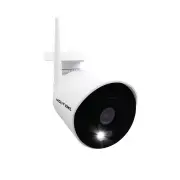
Night Owl CAM-WNIP2LBU Security Camera – User Manual, read for free online in PDF format. We hope this helps you resolve any issues you may have. If you have further questions, please contact us through the contact form.


Wi-Fi IP Camera
NOTE:
Camera is only compatible as an add on for the WNIP2 Series Wi-Fi NVR.
Quick Setup Guide
Flexible Setup Options:
Option 1
Setup Video
Option 2
Setup Video
STOP:
Only install a camera in its final location AFTER it’s paired, and setup is completed.
Run the WNVR’s Startup Wizard and follow the
onscreen instructions.
When prompted, plug in the camera(s) no more
than 8 ft. from the WNVR.
First Time User? Download Night Owl Protect. Create an account
and log in with your
username
and password. Already have an
account? Log in with your
username
and password!
Product images in setup videos may vary by model, but the setup is the same.
Tap the
“Add New”
button, and the app will guide you
through the setup process.
Option 1:
Add on Camera - Connecting to your Night Owl Wi-Fi NVR (WNVR):
Option 2:
Standalone Camera - Connecting to your Wi-Fi Router:
"Loading the manual" means you need to wait until the file loads and becomes available for online reading. Some manuals are very large, and the time they take to appear depends on your internet speed.


