Night Owl BWNIP2-32B1-B - User Manual
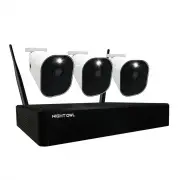
Night Owl BWNIP2-32B1-B Security Camera – User Manual, read for free online in PDF format. We hope this helps you resolve any issues you may have. If you have further questions, please contact us through the contact form.


Wire Free Camera
NOTE:
Each camera requires 2 rechargeable batteries, but can hold up to 4 batteries.
Quick Setup Guide
Hardware Setup
Scan to watch our
Setup Video
STOP:
This camera is NOT for standalone use and MUST be paired to
the Night Owl WNIP2 Series Wi-Fi NVR. Only install a camera in its final
location AFTER it’s paired, and setup is completed.
Charge the camera(s) for at least 3 hours. Lift the rubber piece on the
camera's belly and connect the USB cable to the camera and a USB
power supply. Please ensure the batteries are installed or the camera(s)
will not charge.
Install the batteries. Press the button on the camera's belly to release
the battery cartridge and insert the batteries. Replace the cartridge
and connect the USB cable to the port under the rubber piece.
Scan the QR Code to watch the Setup Video on how to
pair your camera(s) to the Night Owl WNIP2 Series Wi-Fi
NVR (Wi-Fi NVR required for use).
"Loading the manual" means you need to wait until the file loads and becomes available for online reading. Some manuals are very large, and the time they take to appear depends on your internet speed.


