Night Owl BTN82L-88-B - User Manual
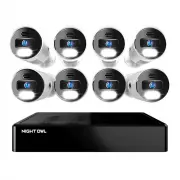
Night Owl BTN82L-88-B Security Camera – User Manual, read for free online in PDF format. We hope this helps you resolve any issues you may have. If you have further questions, please contact us through the contact form.


Table of Contents:
- Page 3 – What’s in the Box; Items Not Included; If connecting to a TV or
- Page 4 – Step 1: Connecting Your System; BEFORE installing, connect and test each camera; With our easy Bluetooth; Option 1: Easy Bluetooth; While our easy Bluetooth
- Page 5 – We strongly recommend you connect your NVR to the Internet to
- Page 6 – Not Connecting to the Internet?; Startup Wizard. Please note that not connecting your NVR means:; Please visit
Quick Setup Guide
Network Video Recorder (NVR) Product Setup
Quick Setup Guide
Wired NVR
Security System
1
Visit
2
Enter the
Series
listed on the product support
sticker into the search bar
3
Access the support material needed
For system manuals, troubleshooting guides, FAQs, video tutorials and more:
Need Help?
Why call? Our 24/7 online support site has it all!
Product support
information can be
found on the top
of your Recorder
"Loading the manual" means you need to wait until the file loads and becomes available for online reading. Some manuals are very large, and the time they take to appear depends on your internet speed.
Summary
What’s in the Box NVR 6 ft. HDMI (x1) USB Mouse (x1) 6 ft. Ethernet (x1) Mounting Hardware (Varies by Model) DISCLAIMER: The exact components of your system, images, and quantities may vary depending on your model number. While these may vary, this QSG addresses the setup of your NVR and cameras. Wh...
a Plug one end of the included HDMI cable into the HDMI port on the back of the NVR. Plug the other end of the cable into your TV or Monitor. Plug the USB mouse into the USB port on the back of the NVR. HDMI ETHERNET 1 6 Insert one end of the wired IP camera's 60 ft. Ethernet cable into the cable co...
Step 2: Download Night Owl Protect If you're a First Time User, download Night Owl Protect from the App Store or Google Play Store onto your Smart Device. If you already have an account skip to Step 3. Create and verify your Night Owl Protect account. Proceed to Step 3. Step 3: System Conguration 2a...


