Night Owl CAM-WNIP8LBU - User Manual
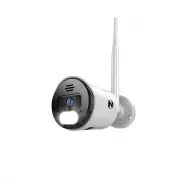
This Quick Guide covers the setup process for Night Owl Wi-Fi IP cameras, including their integration with standalone apps or network recording systems. The document outlines three primary installation approaches: configuring the camera independently via the Night Owl Protect app, pairing it with a wired Bluetooth DVR, and linking it to a Wi-Fi-enabled NVR like the WNVR-WNIP2-1. Key topics include basic connectivity requirements, user interface navigation (such as the Startup Wizard), and troubleshooting support through video tutorials and online resources. The focus remains on ensuring seamless camera integration with network infrastructure for monitoring and recording purposes.


Continued on
Other Side
NOTE:
Internet is not required for pairing, but is required for remote viewing features.
NOTE:
Our WNIP8 Series cameras cannot be added to our BTD2 Series DVRs.
IMPORTANT
-
To add a Wi-Fi IP camera to your wired DVR both devices must
be connected to the same Internet (Local Area Network).
Wi-Fi IP Camera
Quick Setup Guide
Flexible Setup Options:
Option 2a
Setup Video
Option 1
Setup Video
STOP:
Only install a camera in its final location AFTER it’s paired and setup is complete.
Ensure your wired DVR has been added to your Night Owl Protect account.
Power on your new Wi-Fi IP camera using the provided power adapter.
Log in to the Night Owl Protect App from your Smart Device.
Tap on
“Add New”
or
“+”
and follow the simple on-screen steps.
Series:
BTD2 / BTD8
Model #'s:
DVR-BTD2-81
DVR-BTD2-16
DVR-BTD8-8
DVR-BTD8-82
DVR-BTD8-41
DVR-BTD2-161
DVR-BTD8-81
Series:
Model #'s:
BTWN8
WNVR-BTWN8-1
First Time User? Download Night Owl Protect. Create an account and
log in with your
username
and password. Already have an account?
Log in with your
username
and password!
Product images in setup videos may vary by model, but the setup is the same.
Tap
“Add New”
or
“+”
and the app will guide you through the setup
process.
Option 2:
Add on Camera - Connecting to your Night Owl Recorder:
Wired Bluetooth
®
DVR:
Wi-Fi Bluetooth
®
NVR
Option 1:
Standalone Camera - Connecting to your Wi-Fi Network:
Option 2b
Setup Video
1
2a
2b
2
3
Power on your new Wi-Fi IP camera using the provided power adapter.
Log in to the Night Owl Protect App from your Smart Device.
Tap on your existing BTWN8 Series Wi-Fi NVR.
Tap on
“Add New”
or
“+”
to add your new Wi-Fi IP camera.
Follow the on-screen steps to pair your new Wi-Fi IP camera.
1
2
3
4
5
4
"Loading the manual" means you need to wait until the file loads and becomes available for online reading. Some manuals are very large, and the time they take to appear depends on your internet speed.
Was this manual helpful?
About this manual
- Brand
- Night Owl
- Model
- CAM-WNIP8LBU
- Document type
- User Manual
- Category
- Security Camera
- Language(s)
- English
- Pages
- 2
- File size
- 1.3 MB
- Format

