Navitel MS500 - User Manual
Navitel MS500 GPS Unit – User Manual, read for free online in PDF format. We hope this helps you resolve any issues you may have. If you have further questions, please contact us through the contact form.
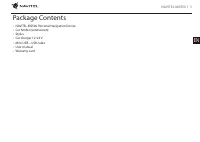
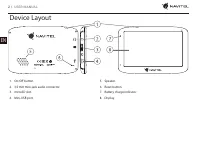
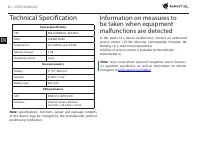
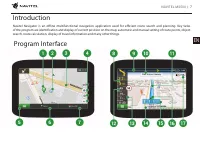
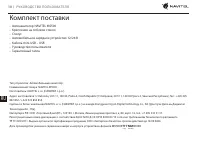
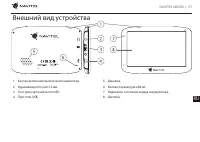
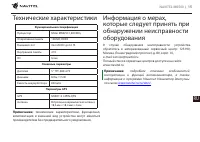
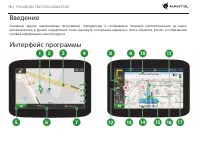

Table of Contents:
- Page 2 – Device Layout
- Page 3 – Safety Information
- Page 4 – Using Device in Vehicle
- Page 5 – Device Maintenance; Terms and conditions of
- Page 6 – Technical Specification; Information on measures to
- Page 10 – Комплект поставки
- Page 11 – Внешний вид устройства
- Page 12 – Информация о безопасности
- Page 13 – Использование устройства
- Page 14 – Уход за устройством; Правила и условия монтажа,
- Page 15 – Технические характеристики Информация о мерах,
- Page 16 – Введение; Интерфейс программы
NAVITEL MS500
| 1
EN
Package Contents
• NAVITEL MS500 Personal Navigation Device
• Car holder (windscreen)
• Stylus
• Car charger 12/24 V
• Mini-USB – USB cable
• User manual
• Warranty card
"Loading the manual" means you need to wait until the file loads and becomes available for online reading. Some manuals are very large, and the time they take to appear depends on your internet speed.
Summary
2 | USER MANUAL EN Device Layout 1. On/Off button.2. 3,5 mm mini-jack audio connector. 3. microSD slot.4. Mini-USB port. 5. Speaker.6. Reset button.7. Battery charge indicator.8. Display.
NAVITEL MS500 | 3 EN 1. Adjust all the settings required before starting to drive. It is extremely dangerous to manage the device and configure its settings while driving. If you need to modify the navigation settings or device parameters, you should park your car in a safe place in accordance with ...
4 | USER MANUAL EN Choosing a place to install on the windshield 1. Pay particular attention to the installation location of the navigator. Do not install in places where the navigator may interfere with the airbags or reduce driver’s field of vision. 2. Pay attention to the cleanliness of the insta...