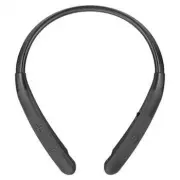
Page 2 - Contents; Specifications and Features
ENGLISH Contents Safety Precautions ...................................................................................................................... 1 Precautions When Using the Product .............................................................................. 3 HD Speaker ...................
Page 3 - Bluetooth; Safety Precautions; The safety precautions are classified into “WARNING” and “CAUTION”.; WARNING
1 ENGLISH The LG TONE Style (TONE-NP3) is a lightweight wireless headset that uses Bluetooth technology. This product can be used as an audio accessory for devices supporting either the A2DP or Hands-Free Bluetooth Profile. Safety Precautions The following safety precautions are provided to prevent ...
Page 4 - connectors may result in fire or electric shock.
2 ENGLISH The product may be damaged if an incompatible charger is used.Keep small components of the product away from infants or children.Make sure that foreign objects do not enter the charger’s connectors (charging port and power plug). Foreign objects in the charger's connectors may result in fi...
Page 5 - flammable liquid or gas.; Precautions When Using the Product; listening to music in high definition.
3 ENGLISH Replacement of a battery with an incorrect type that can defeat a safeguard (for example, in the case of some lithium battery types). Disposal of a battery into fire or a hot oven, or mechanically crushing or cutting of a battery, may result in an explosion.Leaving a battery in an extremel...
Page 6 - Product Components; ON; Warranty Card; CAUTION
4 ENGLISH Product Components ON OFF LG TONE Style (medium eargels installed) Extra Ear Gels (small & large) USB Type-C™ Charging Cable Owner's Manual Warranty Card NOTE: Actual product design may differ from images shown in manual. Make sure authentic LG Electronics components are used. Using a ...
Page 7 - Overview
5 ENGLISH Overview O N OFF *The appearance and specifications of the actual product may differ depending on the model. Status Indicator Charging port Power Switch Volume Button (Next/Previous) Call/Play Button Microphone Earbuds (left/right)
Page 8 - Power switch
6 ENGLISH Power On/Off ON O FF ON OFF ON OFF L Status Description Power On Slide the Power switch to ON. Power Off Slide the Power switch to OFF. *When the power is turned on or off, the blue status indicator blinks with vibration and beep.
Page 9 - Pairing and Connecting; Fast Pair
7 ENGLISH Pairing and Connecting Fast Pair -( -( #MVFUPPUI 0/ ON O FF ON OFF L ~39 inch, ~1m 1 Turn on the Bluetooth function on the smartphone or the device to be connected. 2 While pressing the Call/Play button on the headset, slide the Power switch to ON. The headset enters the discovery mode and...
Page 11 - Multiple Connections; The headset can be connected to two devices, such as a smartphone; Automatic Reconnection; recent device (Main or Sub Connected Device) it was connected to.
9 ENGLISH Multiple Connections The headset can be connected to two devices, such as a smartphone and a PC, simultaneously.1 To connect multiple devices, turn off the headset while the product is connected to one device. 2 Perform 1 to 4 under “Fast Pair.” This device becomes the “Main Connected Devi...
Page 12 - Playing Music; Briefly press the; Switching Music Players
10 ENGLISH Playing Music ON OFF -( L R Function Description Play/Pause Briefly press the Call/Play button. Adjusting the Volume Briefly press the Volume button ( or ). Next/ Previous song Press and hold the Volume button ( or ) for one second. Switching Music Players To switch to a different music p...
Page 13 - Mobile Calling Functions
11 ENGLISH Mobile Calling Functions ON O FF L Function Status Description Answering Calls Ringing Briefly press the Call/Play button. -While the vibration alert is disabled, no vibrations occur. Ending Calls Talking Briefly press the Call/Play button. Making Calls Idle If you make a call from your s...
Page 15 - Charging; Wired Charging; Charging port
13 ENGLISH Charging Wired Charging L Open the Charging port cover of the headset and connect the charging cable to the port. The status indicator indicates the current charging status.While being charged, the headset is powered off. Status Indicator Charging State (charger connected) Red Charging Gr...
Page 16 - Enabling vibration Alert; Volume button
14 ENGLISH Enabling vibration Alert ON OFF R The headset is supplied with the vibration alert enabled by default.To enable or disable the vibration alert, press and hold the Volume button ( ) for one second while the device is on standby. NOTE: If you disable the vibration alert, no vibration occurs...
Page 17 - Winding up the Cables
15 ENGLISH Winding up the Cables ON OFF ON OFF If you pull out your earbuds completely and then let go, then the earbud cables will automatically wind up.While the earbuds are automatically winding, it may not be fully winded if it gets caught in the body or clothes. In this case, pull all the way f...
Page 18 - Status Indicator; Out of Range
16 ENGLISH Status Indicator Status Description Power On/Off The blue status indicator flashes. Bluetooth Search Mode The blue status indicator is on. Headset/hands-free profile/call connected The blue status indicator flashes every 5 seconds. When there is a problem while charging The status indicat...
Page 19 - LG TONE Free App; If you install “LG TONE Free,” app, you can use Check headset Battery,
17 ENGLISH If a device that is not in use goes out of communication range when multiple devices are connected, the product vibrates and a voice message indicates that the connection is lost. In this case, the automatic reconnection function is not supported. LG TONE Free App If you install “LG TONE ...
Page 20 - Troubleshooting
18 ENGLISH Troubleshooting If you see any of the following symptoms while using the product, make sure to recheck it. It may not be a malfunction. Symptom Cause and Solution The power does not turn on. Check the battery level and charge it. Cannot transfer calls to the headset. If the smartphone doe...
Page 22 - Declaration of Confirmation; interference that may cause undesired operation.
20 ENGLISH Declaration of Confirmation FCC NOTICE TO USERS: This device complies with part 15 of the FCC Rules.Operation is subject to the following two conditions: (1) This device may not cause harmful interference, and(2) This device must accept any interference received, including interference th...
Page 24 - Additional Information; Radio frequency exposure; fields (microwaves) in the frequency range 2402 to 2480 MHz.; Bluetooth connection precautions; phone, the sound quality may be affected by the specifications and
22 ENGLISH Additional Information 1. Radio frequency exposure This Bluetooth LG Stereo Headset is a radio transmitter and receiver. When in operation, it communicates with a Bluetooth -equipped mobile device by receiving and transmitting radio frequency (RF) electromagnetic fields (microwaves) in th...
Page 25 - Potentially explosive atmosphere; explosive atmosphere are often but not always clearly marked.
23 ENGLISH 3. Potentially explosive atmosphere Turn off your electronic device when in any area with a potentially explosive atmosphere. Although this is uncommon, your electronic device could generate sparks. Sparks in such areas could cause an explosion or fire resulting in bodily injury or even d...
Page 26 - Battery information; battery or one that has not been used for a long period of time could; Recycling the battery in your; The battery in your
24 ENGLISH 5. Battery information A rechargeable battery has a long service life if treated properly. A new battery or one that has not been used for a long period of time could have reduced capacity the first few times it is used. Do not expose the battery to extreme temperatures, never above +122°...
Page 27 - Important Safety Information; Avoiding hearing damage; Limit the amount of time you use the headset at a high volume.; Using headsets safely; Use of headsets to listen to music while operating a vehicle is not
25 ENGLISH Important Safety Information Avoiding hearing damage Permanent hearing loss may occur if you use your headset at a high volume.Set the volume to a safe level. Over time you can become accustomed to a higher volume that may sound normal but can be damaging to your hearing. If you experienc...
Page 28 - OSS Notice Information; To obtain the source code under GPL, LGPL, MPL, and other open source; Symbols; Refers to dangerous voltage.
26 ENGLISH OSS Notice Information To obtain the source code under GPL, LGPL, MPL, and other open source licenses that have the obligations to disclose source code, that is contained in this product, and to access all referred license terms, copyright notices and other relevant documents please visit...
Page 29 - For customer assistance, please contact
27 ENGLISH LIMITED WARRANTY- U.S.A. ONLY TONE-NP3 / TONE-NP3C ARBITRATION NOTICE: THIS LIMITED WARRANTY CONTAINS AN ARBITRATION PROVISION THAT REQUIRES YOU AND LG TO RESOLVE DISPUTES BY BINDING ARBITRATION INSTEAD OF IN COURT, UNLESS YOU CHOOSE TO OPT OUT. IN ARBITRATION, CLASS ACTIONS AND JURY TRIA...
Page 31 - THIS LIMITED WARRANTY DOES NOT COVER:; “As Is”, “With all Faults” or similar disclaimer.
29 ENGLISH THIS LIMITED WARRANTY DOES NOT COVER: -Damage or loss to programs, data, or removable storage media. -Damage or failure of the Product caused by improper set-up or adjustment on consumer controls. -Damage or failure of the Product caused by transportation and/or handling, including scratc...
Page 32 - For the purposes of this section, references to “LG”
30 ENGLISH -Products with original serial numbers that have been removed, altered, or cannot be readily determined. -Replacement of any consumable parts including batteries. -Minor imperfections that do not materially alter or affect functionality. The cost of repair or replacement under the above e...
Page 33 - In the event you intend to commence an arbitration
31 ENGLISH Notice of Dispute. In the event you intend to commence an arbitration proceeding, you must first notify LG in writing at least 30 days in advance of initiating the arbitration by sending a letter to LG at LG Electronics, USA, Inc. Attn: Legal Department- Arbitration 111 Sylvan Avenue, Eng...
Page 34 - may be entered on the arbitrator’s award in any court of competent
32 ENGLISH section. The AAA Rules are available online at www.adr.org/consumer. Send a copy of your written demand for arbitration, as well as a copy of this provision, to the AAA in the manner described in the AAA Rules. You must also send a copy of your written demand to LG at LG Electronics, USA,...
Page 35 - Hearings and Location.
33 ENGLISH expenses, an arbitrator can award them to the same extent that a court would. If the arbitrator finds either the substance of your claim or the relief sought in the demand is frivolous or brought for an improper purpose (as measured by the standards set forth in Federal Rule of Civil Proc...
Page 37 - MANUAL DEL PROPIETARIO
Lea la Información Importante de Seguridad para poder utilizar este producto correctamente. Después de leerla, guarde este Manual del propietario en un lugar al que todos los usuarios puedan acceder fácilmente. NOTA: Lea toda la información detenidamente antes de utilizar los auriculares para obtene...
Page 38 - Contenido; Especificaciones y funciones
ESPAÑOL Contenido Precauciones de Seguridad .....................................................................................................1Precauciones de Uso del Producto .....................................................................................3Altavoz HD ...........................
Page 39 - Precauciones de Seguridad; ADVERTENCIA
1 ESPAÑOL El LG TONE Style (TONE-NP3) es un auricular inalámbrico liviano que utiliza tecnología Bluetooth . Este producto se puede utilizar como un accesorio de audio para dispositivos que admiten perfiles A2DP o manos libres Bluetooth . Precauciones de Seguridad Se ofrecen las precauciones de segu...
Page 42 - Componentes del producto; PRECAUCIÓN; Descripción general
4 ESPAÑOL Componentes del producto O N OFF LG TONE Style (adaptadores de silicona de tamaño intermedio instalados) Adaptadores de silicona adicionales (tamaño pequeño y grande) Cable de carga USB Type-C™ Manual del propietario Documento de Garantía NOTA: El diseño del producto real puede diferir de ...
Page 44 - Interruptor de encendido
6 ESPAÑOL Encendido/apagado ON O FF ON OFF ON OFF L Estado Descripción Encendido Deslice el Interruptor de encendido a ON. Apagado Deslice el Interruptor de encendido a OFF. *Cuando se enciende o se apaga, el indicador de estado azul parpadea con una vibración y un pitido.
Page 45 - Emparejamiento y conexión; Emparejamiento rápido
7 ESPAÑOL Emparejamiento y conexión Emparejamiento rápido -( -( #MVFUPPUI 0/ ON O FF ON OFF L ~39 inch, ~1m 1 Encienda la función Bluetooth en el smartphone o el dispositivo que va a conectarse. 2 Al presionar el botón para llamar/reproducir de los audífonos, deslice el Interruptor de encendido a ON...
Page 47 - Múltiples Conexiones; Los auriculares pueden ser conectados a dos dispositivos, como un; Reconexión automática
9 ESPAÑOL Múltiples Conexiones Los auriculares pueden ser conectados a dos dispositivos, como un smartphone y una computadora, simultáneamente.1 Para conectar múltiples dispositivos, apague los auriculares mientras el producto está conectado a un dispositivo. 2 Siga los pasos 1 al 4 que se indican e...
Page 48 - Reproducción de música; Cambio de reproductor de música
10 ESPAÑOL Reproducción de música ON OFF -( L R Función Descripción Reproducción/ Pausa Presione brevemente el botón para llamar/reproducir. Ajuste del volumen Presione brevemente el botón de volumen ( o ). Canción anterior/ siguiente Mantenga presionado el botón de volumen ( o ) durante un segundo....
Page 49 - Funciones de llamada con dispositivo móvil; botón para
11 ESPAÑOL Funciones de llamada con dispositivo móvil ON O FF L Función Estado Descripción Responder llamadas Suena Presione brevemente el botón para llamar/reproducir. -Si la alerta por vibración está desactivada, no se producen vibraciones. Finalizar llamadas Conversación Presione brevemente el bo...
Page 51 - Carga; Carga con cable; Puerto de carga
13 ESPAÑOL Carga Carga con cable L Abra la tapa del Puerto de carga de los audífonos y conecte el cable de carga al puerto. El indicador de estado indica el estado de carga actual.Mientras se carga, los audífonos están apagados. Indicador de estado Estado de carga (cargador conectado) Rojo Cargando ...
Page 52 - Activación de la alerta por vibración; durante un segundo mientras el dispositivo está
14 ESPAÑOL Activación de la alerta por vibración ON OFF R Los audífonos se suministran con la alerta por vibración activada por defecto.Para activar o desactivar la alerta por vibración, mantenga presionado el botón de volumen ( ) durante un segundo mientras el dispositivo está en estado de espera. ...
Page 53 - Enrollar los cables; caso, extráigalos por completo y libérelos.
15 ESPAÑOL Enrollar los cables ON OFF ON OFF Si sacas los audífonos por completo y los sueltas, los cables se enrollarán automáticamente.Mientras los audífonos se están enrollando automáticamente, podrían no enrollarse por completo si se atrapan en el cuerpo o las ropas. En este caso, extráigalos po...
Page 54 - Indicador de estado; Fuera de alcance
16 ESPAÑOL Indicador de estado Estado Descripción Encendido/apagado El indicador de estado azul parpadea. Modo de búsqueda Bluetooth El indicador de estado azul está encendido. Perfil de audífonos/ manos libres conectado/Llamada conectada El indicador de estado azul parpadea cada 5 segundos. Cuando ...
Page 55 - Aplicación LG TONE Free
17 ESPAÑOL dispositivo. Si el dispositivo no reconecta automáticamente, mantenga presionado el botón para llamar/reproducir de los audífonos y deslice el interruptor de encendido a ON para volver a conectarlos manualmente. Si un dispositivo que no se está utilizando queda fuera del rango de comunica...
Page 56 - Solución de problemas; Verifique el nivel de carga de la batería y cárguela.
18 ESPAÑOL Solución de problemas Si observa alguno de los siguientes síntomas mientras utiliza el producto, asegúrese de volver a verificarlo. Puede que no sea un error de funcionamiento. Síntoma Causa y solución El dispositivo no se enciende. Verifique el nivel de carga de la batería y cárguela. No...
Page 58 - Aviso de Conformidad; AVISO DE LA FCC PARA LOS USUARIOS; Este dispositivo cumple con el artículo 15 de las Reglas de la FCC.
20 ESPAÑOL Aviso de Conformidad AVISO DE LA FCC PARA LOS USUARIOS Este dispositivo cumple con el artículo 15 de las Reglas de la FCC. El funcionamiento está sujeto a las dos condiciones siguientes:(1) Este dispositivo no puede causar interferencia nociva, (2) Este dispositivo debe aceptar cualquier ...
Page 60 - Exposición a la radiofrecuencia; especificaciones y el desempeño del dispositivo.
22 ESPAÑOL Información A dicional 1. Exposición a la radiofrecuencia Este auricular estéreo Bluetooth LG es un transmisor y receptor de radio. Cuando está en funcionamiento, se comunica con un dispositivo móvil compatible con Bluetooth mediante la recepción y la transmisión de campos electromagnétic...
Page 62 - Información sobre la batería; el tratamiento adecuado. Las baterías nuevas o que no se hayan; Reciclado de la batería del auricular; La batería del auricular
24 ESPAÑOL 5. Información sobre la batería Las baterías recargables tienen una vida útil prolongada si reciben el tratamiento adecuado. Las baterías nuevas o que no se hayan utilizado por mucho tiempo podrían tener una capacidad reducida las primeras veces que se utilizan. No exponga la batería a te...
Page 63 - Reducción de la capacidad auditiva; Configure el volumen en un nivel inocuo. Con el tiempo, podría; Uso seguro de los auriculares; que requiera toda su atención.
25 ESPAÑOL Información I mportante de S eguridad Reducción de la capacidad auditiva Si utiliza el auricular con un nivel de volumen alto, podría sufrir hipoacusia permanente. Configure el volumen en un nivel inocuo. Con el tiempo, podría acostumbrarse a un volumen de sonido más alto que podría parec...
Page 64 - Símbolos; forma automática a un nivel de salida que no exceda RS1.
26 ESPAÑOL Símbolos ~ Significa corriente alterna (CA). 0 Significa corriente directa (CD).Significa equipo Clase II. 1 Significa espera. ! Significa “ON” (encendido).Significa alto voltaje. Cuando la potencia sea desconectada, el nivel de salida deberá regresar en forma automática a un nivel de sal...