Page 3 - TABLE OF CONTENTS
TABLE OF CONTENTS 3 4 IMPORTANT SAFETY INSTRUCTIONS 4 READ ALL INSTRUCTIONS BEFORE USE 4 WARNING STATEMENTS 7 CAUTION STATEMENTS 8 BEFORE USING THE ROBOT CLEANER 8 Parts and Specifications 11 Charging 14 OPERATION 14 Using the Robot Cleaner 15 Control Panel 16 Choosing a Cleaning Mode 18 Choosing an...
Page 4 - IMPORTANT SAFETY INSTRUCTIONS; READ ALL INSTRUCTIONS BEFORE USE; Safety Messages; WARNING; Technical Safety
4 IMPORTANT SAFETY INSTRUCTIONS READ ALL INSTRUCTIONS BEFORE USE Safety Messages Your safety and the safety of others are very important. We have provided many important safety messages in this manual and on your appliance. Always read and follow all safety messages. This is the safety alert symbol....
Page 5 - Battery
ENGLISH 5 • Do not operate the appliance in a room that has lit candles on furniture that the appliance may accidentally hit or bump into. • Do not operate the appliance in an area where there are lit candles or fragile objects on the floor to be cleaned. • For your safety, do not remove the battery...
Page 6 - Battery Specifications; Installation
6 • In case rechargeable battery is included in this product, the entire device should be recycled in compliance with rechargeable battery recycling standards because of the internal battery. To dispose of properly, call (800) 822-8837 or visit www.call2recycle.org. Battery Specifications Model Name...
Page 7 - CAUTION STATEMENTS; SAVE THESE INSTRUCTIONS
ENGLISH 7 CAUTION STATEMENTS CAUTION To reduce the risk of minor or moderate injury to persons, malfunction, or damage to the product or property when using this product, follow basic safety precautions, including the following: Installation • Remove any cables or string from the floor before starti...
Page 8 - BEFORE USING THE ROBOT CLEANER; Parts and Specifications; Front View
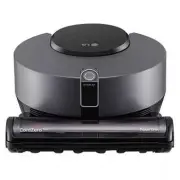
8 BEFORE USING THE ROBOT CLEANER BEFORE USING THE ROBOT CLEANER Parts and Specifications Front View a LED b Nozzle c 3D DUAL Eye d Control Panel Bottom View a Brush b Charging Terminals c Brush Release Button d Cliff Detection Sensors e Top Cover Release Button f Exhaust Port
Page 9 - Rear View; Home Station
ENGLISH 9 BEFORE USING THE ROBOT CLEANER Rear View a Top Cover b Dust Suction Port c Dust Sensors d HEPA Filter e Main Power Switch f Cyclonic Mesh Filter g Dust Bin Release Button h Dust Bin i Pre-Filter j Pre-Filter Case NOTE • The filters will eventually need to be replaced. To purchase replaceme...
Page 10 - Accessories
10 BEFORE USING THE ROBOT CLEANER Accessories a Remote Control b Remote Control Station c Batteries for Remote Control (AAA) d Pre-Filter Specifications Robot Cleaner Model R975** Maximum Physical Dimensions (Width × Depth × Height) 10.5 × 13 × 5.6 inches (286 × 330 × 143 mm) Weight Approximately 9....
Page 11 - Charging; Before Charging the Battery
ENGLISH 11 BEFORE USING THE ROBOT CLEANER Charging Before Charging the Battery • Charging takes place even if the main power switch of the robot cleaner is turned off. • The charging time depends on the status of the battery. • It takes approximately 4 hours to fully charge the battery after it is c...
Page 12 - Turning on the Power Supply
12 BEFORE USING THE ROBOT CLEANER 3 Insert the power plug into an outlet. • When the home station is turned on, the LED will light up. 4 Wrap the unwanted length of power cable around the cord keeper to prevent the robot cleaner wheels from rolling over the cable. 5 Place the home station against th...
Page 13 - Turning on the Standby Power Supply; Automatic Charging; Manual Charging
ENGLISH 13 BEFORE USING THE ROBOT CLEANER Turning on the Standby Power Supply Press and hold the Start/Stop button a for 3 seconds or press the Power button b on the remote control. • To turn off the standby power supply, press the Start/Stop button a or press the Power button b on the remote contro...
Page 14 - OPERATION; Using the Robot Cleaner; Before Starting
14 OPERATION OPERATION Using the Robot Cleaner Before Starting • The run time may decrease depending on conditions of use or selected auxiliary functions. • Collisions can occur during cleaning when the sensor cannot detect the obstacle. − Examples of obstacles that may be difficult to detect includ...
Page 15 - Control Panel; Touch Buttons
ENGLISH 15 OPERATION Control Panel Touch Buttons Press the touch button icons to start the robot cleaner or quickly choose a cleaning mode. a Start/Stop Button • Press the Start/Stop button to start or stop the robot cleaner. • Press and hold the Start/Stop button for 3 seconds to turn the robot cle...
Page 16 - Remote Control; Choosing a Cleaning Mode; Getting Started
16 OPERATION Remote Control a Power Button b Mode Button c Start/Stop Button d Repeat Button e Language Button f a Lock Button g Smart Diagnosis Button h Mute Button i Smart Turbo Button j Directional Buttons k Turbo Button l Home Button NOTE • The a Lock button will lock the 3D camera sensor. • The...
Page 17 - Edge Mode; CAUTION
ENGLISH 17 OPERATION Edge Mode The robot cleaner moves in zigzag movements around the whole house and cleans thoroughly including the edges up to the wall. • When a wall is detected, the robot cleaner reduces its speed and temporarily increases the suction power. Zigzag Mode The robot cleaner repeat...
Page 18 - Repeat Function; Turbo Function; Smart Turbo Function
18 OPERATION Choosing an Auxiliary Function Repeat Function The robot cleaner repeats the selected cleaning mode. • To activate the Repeat function, press the Repeat button on the remote control. • After cleaning is finished, the robot cleaner changes its direction and cleans the same area again. • ...
Page 19 - SMART FUNCTIONS; Using LG ThinQ Application; Before Using LG ThinQ
ENGLISH 19 SMART FUNCTIONS SMART FUNCTIONS Using LG ThinQ Application Before Using LG ThinQ 1 Check the distance between the appliance and the wireless router (WLAN network). • If the distance between the appliance and the wireless router is too far, the signal strength becomes weak. It may take a l...
Page 20 - Using the HomeGuard Function
20 SMART FUNCTIONS Installing the LG ThinQ Application Search for the LG ThinQ application from the Google Play Store or Apple App Store on a smartphone. Follow instructions to download and install the application. • Depending on your smartphone model, the LG ThinQ application may have a limited fea...
Page 21 - Using the My Zone Function; Wireless LAN Module Specifications
ENGLISH 21 SMART FUNCTIONS 5 Set the location from which the HomeGuard function will monitor and tap Save in the application. • The HomeGuard location must be within the area stretching 5 ft (1.5 m) to either side of the home station and 10 ft (3 m) in front of the home station. 1.5 m 1.5 m 3 m 6 Ta...
Page 23 - Using Smart Diagnosis; Using the Robot Cleaner to
ENGLISH 23 SMART FUNCTIONS Using Smart Diagnosis Using the Robot Cleaner to Diagnose Issues You can diagnose the current status of the robot cleaner automatically using the Smart Diagnosis function. • If you experience problems with the robot cleaner, run the Smart Diagnosis function and use the res...
Page 25 - MAINTENANCE; Regular Cleaning; Before Cleaning the Robot Cleaner
ENGLISH 25 MAINTENANCE MAINTENANCE Regular Cleaning Before Cleaning the Robot Cleaner • Turn off the main power switch before cleaning the robot cleaner. • In order to maintain the optimum suction power of the robot cleaner, the dust bin, filters, and brush should be cleaned at least once a month. •...
Page 27 - Cleaning the HEPA Filter
ENGLISH 27 MAINTENANCE Cleaning the HEPA Filter 1 Separate the dust bin from the robot cleaner body and pull out the HEPA filter case a . 2 Separate the HEPA filter b from the HEPA filter case. 3 Clean the HEPA filter using a vacuum cleaner or rinse it under running water. • To avoid odor, allow the...
Page 29 - Cleaning the Sensors and the
ENGLISH 29 MAINTENANCE Cleaning the Sensors and the Charging Terminals 1 Place a soft cloth on the floor and place the robot cleaner on top of the cloth. 2 Clean the 3D DUAL Eye of the robot cleaner using a soft cloth. • Be careful not to scratch the sensors. 3 Turn the robot cleaner over and clean ...
Page 30 - TROUBLESHOOTING; Before Calling for Service; Troubleshooting Guide
30 TROUBLESHOOTING TROUBLESHOOTING Before Calling for Service Troubleshooting Guide Save time and money by checking the following before calling for service. Symptom Cause and Solution Power cannot be turned on. Main power switch of the robot cleaner is turned off. • Turn on the main power switch at...
Page 32 - LIMITED WARRANTY; USA; TERMS AND CONDITIONS
32 LIMITED WARRANTY LIMITED WARRANTY USA TERMS AND CONDITIONS ARBITRATION NOTICE: THIS LIMITED WARRANTY CONTAINS AN ARBITRATION PROVISION THAT REQUIRES YOU AND LG ELECTRONICS (“LG”) TO RESOLVE DISPUTES BY BINDING ARBITRATION INSTEAD OF IN COURT, UNLESS YOU CHOOSE TO OPT OUT. IN ARBITRATION, CLASS AC...