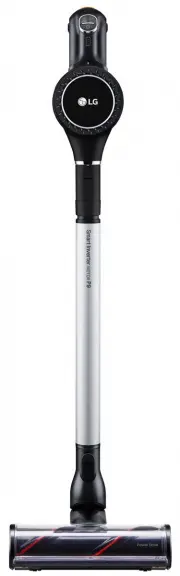
Page 3 - TablE Of CONTENTS
03 TablE Of CONTENTS This User's Manual may contain images or contents that differ slightly to the purchased product. SafETy CauTiONS .................................................... 04 PaCkagE iNfORMaTiON .......................................... 12 iNSTallaTiON ..................................
Page 4 - SafETy CauTiONS; WaRNiNg; Technical Safety
04 SafETy CauTiONS The following cautions are intended to protect you from unexpected risk or property loss by ensuring safe and correct usage of the product. Cautions are categorized into 'Warning' and 'Caution', which mean: Pictograms are designed to draw attention to matters and uses that may pos...
Page 7 - Proper usage
07 Stop using the product and contact the customer service department of lg Electronics if the power cord or power plug is damaged or the holes of the power outlet socket are loose. • Failure to do so may result in electric shock or fire. Make sure to unplug the power cord when cleaning or maintaini...
Page 9 - Disposal
09 • If a child places the product or battery into its mouth, it will cause electric shock or injury, or damage the product or battery. When using the product, remove any wire or string from the bottom of the Charging Station. • Straps or wires may wrap around the product and cause a product malfunc...
Page 10 - CauTiON
10 CauTiON Proper usage Do not apply impact to the product or drop it from a height. • It may damage the product and/or result in injury. Make sure that the product does not fall. • It may cause injury or damage the product. Make sure that the filter is installed in the product prior to each use. Do...
Page 12 - PaCkagE iNfORMaTiON; Standing type
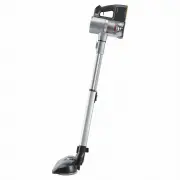
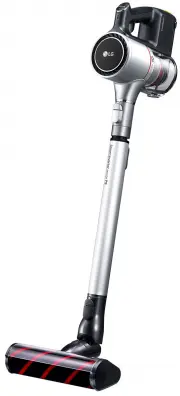
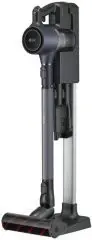
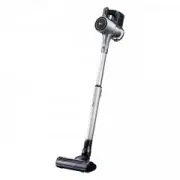
12 PaCkagE iNfORMaTiON Standing type 6 1 4 10 5 2 3 8 7 9 Wall-mount type 6 1 4 10 2 3 9 1 Product body 2 Extension pipe 3 Multi-surface Power Drive Nozzle® 4 Charging station 5 Charging station pipe 6 Combination tool and crevice tool holder 7 Detachable stand for nozzle and mop pads 8 Charging sta...
Page 13 - accessories
13 accessories • Parts and accessories may vary depending on the model that you have purchased. Product body Extension pipe Multi-surface Power Drive Nozzle® Charging station Adaptor 1) Battery Crevice Tool Combination Tool Wall Anchoring Block Double-sided tape (2) 1) Screw Anchor (2) Anchoring scr...
Page 14 - iNSTallaTiON; installing the floor standing; When using double-sided tape (do not use
14 iNSTallaTiON installing the floor standing charging station 1 Place the charging station support on the floor and assemble the charging station pipe, the Detachable stand for nozzle and mop pads and the charging station in this order. Click Detachable stand for mop pads Detachable stand for nozzl...
Page 15 - installing the wall-mount station; Please note; uninstalling the station
15 CauTiON • Avoid dropping the product and parts when taking them out of the package. It may damage the product and/or cause personal injury. • Do not use double-sided tape to anchor the charging station on papered walls. Please use the provided screws as otherwise the wall paper will get torn by m...
Page 17 - Note about using the product; Points to be aware of when using the; using the Product; HOW TO uSE
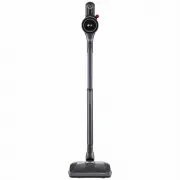
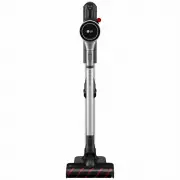
17 Note about using the product Points to be aware of when using the product using the Product 1 Assemble the body, extension pipe, inlet port, and battery in that order. Inlet port Extension pipe Battery Product body 2 Press the button on the extension pipe to adjust its length. • The pipe has 4 ex...
Page 18 - Power / Suction Strength button; Charging the auxiliary battery
18 2 Insert the battery into the auxiliary charging station. Charging indicator of the auxiliary battery Please note • Make sure that the power adapter is connected to both the charging station and the power outlet • If the main battery is charging on the charging station, the auxiliary battery will...
Page 19 - using the nozzles; Multi-surface Power Drive Nozzle®; Hard floor Power Drive Nozzle® (some
1 2 1 Power On/Off button • Press the power On/Off button to activate the Mopping only mode. 2 Mode button • Press "+" once to activate the Normal mode. • Press "+" one more to activate the Power mode. • Press and hold "+" for more than 3 seconds to activate the Turbo mode. •...
Page 20 - Combination Tool; basic; flexible Crevice Tool; How to operate the brush; How to adjust the length; Hard Dirt Tool
Combination Tool This accessory is helpful for cleaning corners or small gaps. basic For cleaning flat surfaces such as a sofa or mattress. brush type For cleaning delicate surfaces such as a frame or furniture. Button CauTiON • Prolonged use of the product with an accessory tool attached may over h...
Page 21 - flexible Hose Extension; Mop Nozzle
flexible Hose Extension Since its length can be adjusted, it is connected with the inlet port and used to clean out of reach places. * The flexible hose extension is provided only for an applicable model. Please note • When the flexible hose extension is used, the Multi- surface Power Drive Nozzle®,...
Page 22 - for dry mop cleaning
3 Align the center of the mop pad with the center of the mop attachment plate, and have the striped side of the mop face up. • Fitting the mop plate upside down or failure to attach the mop pad to the attachment plate properly may compromise the cleaning performance. • Attaching the mop pad in a dry...
Page 24 - MaiNTENaNCE; Cleaning the the Dustbin; Cleaning the filters
MaiNTENaNCE Cleaning the the Dustbin 1 Remove the battery from the unit before cleaning the dustbin. 2 Please empty the dustbin next to a wastebasket or where dust and foreign objects can be emptied easily. 3 Press the dustbin button downward to open it. • Empty the bin. • Be careful as dust/foreign...
Page 26 - Cleaning the bedding Power Punch
Cleaning the Hard floor Power Drive Nozzle®/Multi-surface Power Drive Nozzle® Please clean the Hard Floor Power Drive Nozzle® and Multi-surface Power Drive Nozzle® as follows: 1 Remove the nozzle from the product. 2 Turn the nozzle upside down and turn the rotating brush removal screw counterclockwi...
Page 27 - Cleaning of the Mop Nozzle; Drying the Mop Pads; Drying the water tank
Cleaning of the Mop Nozzle Clean the mop nozzle as below. 1 Separate the nozzle from the product and turn the nozzle over. 2 Remove the remaining foreign objects using a wet wipe or a tissue. ※ Foreign matter remaining on the nozzle may result in a bad smell. WaRNiNg • Make sure to separate the nozz...
Page 28 - POiNTS TO CHECk bEfORE CONTaCTiNg CuSTOMER SERviCE.
POiNTS TO CHECk bEfORE CONTaCTiNg CuSTOMER SERviCE. Please check once again if one of the following symptoms is present while using the product. The product may not be malfunctioning. Symptom Cause Solution The product does not operate. is the battery fully discharged? • Charge the battery. is the p...
Page 31 - Note