Page 2 - VACUUM CLEANER
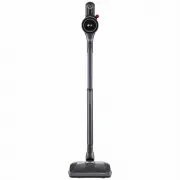
OWNER'S MANUAL VACUUM CLEANER Make sure to read the "Safety Instruction" carefully before starting to use this product. Please keep this Owner’s Manual within easy reach of the user. As the product is only intended for domestic use such as household cleaning, it must not be used for commerci...
Page 3 - TABLE OF CONTENTS
TABLE OF CONTENTS This manual may contain images or content that may be different from the model you purchased.This manual is subject to revision by the manufacturer. SAFETY INSTRUCTION READ ALL INSTRUCTIONS BEFORE USE........................................................... 3WARNING ................
Page 4 - SAFETY INSTRUCTION; READ ALL INSTRUCTIONS BEFORE USE; Safety Messages; WARNING; Technical Safety
3 SAFETY INSTRUCTION ENGLISH SAFETY INSTRUCTION READ ALL INSTRUCTIONS BEFORE USE The following safety guidelines are intended to prevent unforeseen risks or damage from unsafe or incorrect operation of the appliance. The guidelines are separated into ‘ WARNING ’ and ‘ CAUTION ’ as described below. S...
Page 5 - Battery; Charging the Battery
4 SAFETY INSTRUCTION responsible for their safety. Children should be supervised to ensure that they do not play with the appliance. • Do not allow the appliance to be used as a toy. Close attention is necessary when used by or near children. • Do not allow children to play with or hang on the appli...
Page 6 - Battery Specifications; Model Name; Installation
5 SAFETY INSTRUCTION ENGLISH • When disposing of this appliance, follow regulations for disposal of rechargeable lithium-ion batteries. • Follow all local ordinances and regulations when handling or disposing of the battery. • Prevent unintentional starting. Ensure the switch is in the off position ...
Page 7 - Operation
6 SAFETY INSTRUCTION • Avoid operating the appliance in areas where there is a risk of leakage of flammable gas, industrial oil or metallic dust. • Do not store or install the appliance, power cord or plug near heating devices or open flames. • Install the charging station on a firm, level surface.•...
Page 10 - Maintenance
9 SAFETY INSTRUCTION ENGLISH • Do not hold the charging station upside down with the battery in the charging station. • Do not expose the appliance, and the battery in particular, to heat, a heating device or direct sunlight. • Do not keep the appliance or its battery inside a vehicle which is expos...
Page 11 - Mop Nozzle; CAUTION
10 SAFETY INSTRUCTION Mop Nozzle • Do not vacuum sharp objects (glass pieces, wire, blades, pins, etc.) with the mop nozzle attached. When cleaning the mop pads after mopping, you could be injured by a sharp object embedded in the mop. CAUTION CAUTION • To reduce the risk of injury to persons, malfu...
Page 13 - INSTALLATION; Product Overview; Front View
12 INSTALLATION INSTALLATION Product Overview The images in this guide may be different from the actual components and accessories, which are subject to change by the manufacturer without prior notice for product improvement purposes. Front View *1 This feature is only available on some models. a Ch...
Page 14 - Accessories; Included Accessories; Installation Kit
13 INSTALLATION ENGLISH Accessories *1 This accessory is only available on some models. Included Accessories a Charging Station b Extension Pipe c Adapter d Pre-filter e Battery (Dual Battery *1 ) f Floor Stand Dock *1 g Floor Stand Pipe *1 Basic Accessories a Combination Tool b Crevice Tool c Clean...
Page 15 - Mop Kit; Specifications; Appliance
14 INSTALLATION a Hard Dirt Tool *1 b Mattress Tool *1 c Multi-angle Tool *1 d Flexible Crevice Tool *1 e Flexible Hose Extension *1 Mop Kit a Mop Nozzle *1 b Detachable Nozzle and Mop Pads Storage *1 c Mop Pads for General Cleaning *1 d Measuring Cup *1 NOTE • The mop pads, batteries, exhaust filte...
Page 16 - Charger Adaptor
15 INSTALLATION ENGLISH • Battery run time is the result of using a fully charged battery according to the LG Electronics test standard. Results may be different depending on actual use environment and period of use. *1 The Nozzle contains the direct drive motor that rotates the nozzle cleaning head...
Page 17 - Installing the Charging; Self-Standing Installation
16 INSTALLATION Installing the Charging Station Self-Standing Installation Follow the steps below to install the charging station on a hard and level floor. 1 Place the floor stand dock on a hard and level floor and assemble the floor stand pipe. 2 Clip the power cord tidily into the cord keeper a o...
Page 18 - NOTE; Wall-Mounted Installation
17 INSTALLATION ENGLISH to the wall by tightening the anchoring screw d all the way. 8 Plug the power cord into the power outlet. NOTE • The charging station can be removed as needed. To remove it, hold the floor stand dock steady and pull up on the charging station. Using Double-Sided Tape to Secur...
Page 19 - Compact Installation; Storing the Tools
18 INSTALLATION • If screwing into drywall, use the drywall anchors. 3 Attach the charging station to the wall with the wall anchoring screws. 4 Plug the power cord into the power outlet. Compact Installation For safety and convenience, install the charging station using the self-standing or wall-mo...
Page 20 - Storing the Nozzles; Assembling the Appliance; Storing the Mop Pads
19 INSTALLATION ENGLISH Storing the Nozzles When a nozzle is not in use, store it in the convenient detachable nozzle storage so you can easily find it.• The nozzle storage cradle is compatible with the Slim Hard Floor Nozzle or the Bedding Nozzle . Assembling the Appliance Follow these steps to saf...
Page 21 - OPERATION; Getting Started; Before Using the Appliance; Assembling Attachments
20 OPERATION OPERATION Getting Started Before Using the Appliance • Support the bottom of the appliance when cleaning an elevated surface. • To avoid scratches on polished floors, keep the brushes of the nozzles and tools free from grit, sand, or abrasive objects. • Make sure that the exhaust filter...
Page 22 - Adjusting the Suction Power; Display
21 OPERATION ENGLISH 4 Press the Power button to activate the Normal mode.• To turn off the appliance, press the Power button again. Adjusting the Suction Power Adjust the suction power using the suction power adjustment button on the handle. a Power Button • Press the Power button to turn the appli...
Page 23 - Before Charging the Battery; Charging the Auxiliary Battery
22 OPERATION Charging the Battery Before Charging the Battery • Make sure that the adapter is connected to both the charging station and the power outlet. • Fully charging a single battery usually takes 4 hours. It will take twice as long to charge both the main and auxiliary batteries. • The batter...
Page 24 - Using the Mop Nozzle; Before Using the Mop Nozzle; Filling the Water Tank
23 OPERATION ENGLISH • The auxiliary charging indicator blinks while recharging is in progress. • The auxiliary charging indicator lights up when charging is complete. Using the Mop Nozzle Before Using the Mop Nozzle • The mop pads only rotate at one speed regardless of what suction power setting th...
Page 25 - Attaching the Mop Pads
24 OPERATION 2 Open the water inlet cap b on the side of the water tank and fill the tank with water using the measuring cup c . • Open only one water inlet cap to fill the water. Opening both caps may cause the water to flush. • Do not fill the tank over the MAX line d . • Do not put liquid other t...
Page 26 - Using with the Mop Nozzle; Drying the Water Tank and Mop; Drying the Water Tank; Drying the Mop Pads
25 OPERATION ENGLISH position. This stops the supply of water so you can go over areas that are already wet. WARNING • To avoid injury, do not attach the mop pad while the mop attachment plate is rotating. CAUTION • Do not let the appliance stand on the floor while the wet mop pads are attached. Doi...
Page 27 - Before Using the Nozzles and; Pet Nozzle
26 OPERATION CAUTION • Do not use as follows, as it may become deformed.- Do not use bleach or fabric softener when washing the mop pads. - Do not dry the pads in a clothes dryer.- Do not boil the mop pad. 1 Separate the mop pads from the mop attachment plate. 2 Hand wash the pads with a neutral det...
Page 28 - Bedding Nozzle; Combination Tool; Hard Dirt Tool
27 OPERATION ENGLISH Bedding Nozzle This nozzle lets you clean sheets and bedding more effectively. It removes dust in bedding using strong suction and a punching motion.• Lower the suction level when vacuuming bedding such as duvet covers to avoid the thin fabric getting sucked into the nozzle. Cre...
Page 29 - Flexible Crevice Tool; Flexible Hose Extension
28 OPERATION Flexible Crevice Tool This tool is flexible and its length can be adjusted, making it especially useful for cleaning inside vehicles or in narrow spaces under and behind furniture where an angled tool is needed. Using the Brush To convert the tool from crevice to brush mode, press in on...
Page 30 - SMART FUNCTIONS; Using LG ThinQ Application; LG ThinQ Application Features; Before Using LG ThinQ
29 SMART FUNCTIONS ENGLISH SMART FUNCTIONS Using LG ThinQ Application The LG ThinQ application allows you to communicate with the appliance using a smartphone. LG ThinQ Application Features • Setting the default mop operation - This function allows the setting of the default operation mode of the Mo...
Page 31 - Installing the LG ThinQ; Status
30 SMART FUNCTIONS NOTE • The surrounding wireless environment can make the wireless network service run slowly. • If the appliance is having trouble connecting to the Wi-Fi network, it may be too far from the router. Purchase a Wi-Fi repeater (range extender) to improve the Wi-Fi signal strength. •...
Page 32 - Smart Diagnosis Function
31 SMART FUNCTIONS ENGLISH 2 Press the Wi-Fi button for 3 seconds again. • After the icon turns off, wait for a while and turn it on again. • The time before the icon turns on may vary depending on the network environment. RF Radiation Exposure Statement RF Radiation Exposure Statement This equipmen...
Page 33 - MAINTENANCE; Cleaning the Appliance; Before Cleaning the Appliance; Removing Foreign Objects
32 MAINTENANCE MAINTENANCE Cleaning the Appliance Before Cleaning the Appliance To maintain the optimum suction power, the cyclonic mesh filter, the exhaust filter and the pre- filter should be cleaned regularly and washed under running water at least once a month.• Turn off the power before cleanin...
Page 35 - Cleaning the Filters
34 MAINTENANCE 7 Turn the product body over and lift the Kompressor lever f up to clean the inside of the working plate with the provided cleaning brush.• Do not push the Kompressor lever down hard. The working plate may be damaged. 8 Turn the product body over again and shake it while pressing down...
Page 36 - Cleaning the Nozzles; Cleaning the Multi-Surface
35 MAINTENANCE ENGLISH • Do not wash the motor with water. 5 Clean filters by brushing the dust off and wash them in running water at least once a month.• To avoid odour and the malfunction of the motor, allow the exhaust filter to dry completely in a well-ventilated area out of direct sunlight for ...
Page 37 - Cleaning the Slim Hard Floor
36 MAINTENANCE 4 Attach the crevice tool to the product body and use the vacuum to remove foreign objects and dust from the brush and the bottom of the nozzle. 5 Use a damp towel or cloth to remove any remaining foreign objects and dust from the brush and the bottom of the nozzle. Remove foreign obj...
Page 38 - Cleaning the Pet Nozzle; Cleaning the Bedding Nozzle
37 MAINTENANCE ENGLISH Cleaning the Pet Nozzle 1 Press the nozzle release button a to remove the nozzle from the extension pipe or product body. 2 Remove the rotating brush while holding down the PUSH button on the nozzle. 3 Attach the crevice tool to the product body and use the vacuum to remove fo...
Page 40 - TROUBLESHOOTING; Before Calling for Service
39 TROUBLESHOOTING ENGLISH TROUBLESHOOTING Before Calling for Service Operation Symptoms Possible Cause & Solution The appliance does not operate. Battery is fully discharged. • Charge the battery. Appliance is turned off. • Press the Power button to turn on the appliance. Suction power is too w...
Page 44 - Memo
Memo global_main.book.book Page 43 Wednesday, April 21, 2021 3:22 PM