LG LGUX300 - User Manual
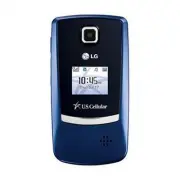
LG LGUX300 Cell Phone – User Manual, read for free online in PDF format. We hope this helps you resolve any issues you may have. If you have further questions, please contact us through the contact form.


Table of Contents:
- Page 2 – Getting to Know Your Phone
- Page 3 – *RefertoyourBluetoothaccessory’suserguidefor
- Page 4 – Taking a Picture; hold
- Page 5 – Restricting Calls; Lending your phone to a friend or colleague? The UX300
- Page 6 – Optional Accessories; Maximize your phone with these cutting-edge accessories at
UX
300
QUICK START GUIDE
www.LGUSA.com
Bluetooth
®
Pairing
Taking a Picture
Restricting Calls
Digital Camera
Bluetooth
microSD
Music Player
QWERTY Keyboard
Digital Camera
Bluetooth
microSD
Music Player
QWERTY Keyboard
Digital Camera
Bluetooth
Restricting Calls
"Loading the manual" means you need to wait until the file loads and becomes available for online reading. Some manuals are very large, and the time they take to appear depends on your internet speed.
Summary
Getting to Know Your Phone Volume Up/Down Headset Jack Camera Camera Key USB/ Charging Port Power/ End Key Clear & Back Key Right Soft Key OK Key Space Key Left Soft Key Speakerphone Key Talk Key Voicemail Key Navigation Key Bluetooth Messaging easy edge SM Calendar Speaker
Bluetooth ® Pairing Cut the cords and go wireless! The UX300 enhances your experience with the convenience of Bluetooth technology. 1. Set your Bluetooth accessory into pairing mode.*2. Press up on the Navigation Key , then select Paired Devices ( 1 ). 3. Press the Left Soft Key for Search . When pr...
Taking a Picture Capture the moment! The UX300’s VGA camera is so easy to use that you won’t miss a thing. Flip Open 1. Press and hold the side Key . 2. Press up or down on the Navigation Key to zoom.* Press left or right to adjust the brightness. To adjust other camera options, press the Right Soft...


