Page 2 - User Guide; ENGLISH
1 About this user guide Thank you for choosing this LG product. Please carefully read this user guide before using the device for the first time to ensure safe and proper use. • Always use genuine LG accessories. The supplied items are designed only for this device and may not be compatible with oth...
Page 3 - Table of contents
2 Instructional notices WARNING : Situations that could cause injury to the user and third parties. CAUTION : Situations that may cause minor injury or damage to the device. NOTE : Notices or additional information.
Page 6 - Important notice; Please read this before you start using your phone!; From the Home screen, tap; Optimizing battery life; system resources consume battery power.
Page 7 - Reduce screen brightness and set a shorter screen timeout.
Custom-designed Features 6 Multi-tasking feature Recent Uses Screen You can view the app screens that you used recently by using the preview function.To view the list of apps that you used recently, tap on the Navigation bar.If you change to Gestures navigation in Settings Display Navigation bar Ges...
Page 8 - Before installing an open source application and; Using a screen lock; Apps
Custom-designed Features 7 3 The app appears in the form of a pop-up window on the screen. • This feature may not be available in some apps or screens. Using the pop-up window • : Minimizes the pop-up window. The pop-up window is minimized into the app icon floating on the screen, which can be moved...
Page 9 - Opening and switching applications; applications don't consume resources unnecessarily.
Custom-designed Features 8 • To move the pop-up window : Drag the top of the pop-up window. • To adjust the size of the pop-up window : Drag the left, right or bottom edge of the pop-up window. • You can open up to 5 apps using the pop-up windows. • To select an app from the opened apps, tap one of ...
Page 10 - Transferring music, photos and videos using Media; Media sync; Hold your phone upright
Custom-designed Features 9 Using the app folder for pop-up windows If you tap on the pop-up window, the pop-up window is minimized into the app icon.You can move the app icon anywhere you want by dragging it. If two or more pop-up windows are minimized, the app folder is created to contain the app i...
Page 11 - Phone overview; Getting to know your phone
Custom-designed Features 10 Pop-up windows apps folder • If you touch and hold the app folder for pop-up windows and drag the app folder into Remove , the app folder will be removed. • To remove one of the apps from the app folder, open the app folder and drag the app icon to Remove . Multi window W...
Page 12 - Speakerphone
Custom-designed Features 11 3 Tap the other app to be displayed in the multi window. • To adjust the size of the split screen, drag the bar on the center of the screen. • To deactivate the multi window feature, drag the center bar up or down to the end of the screen. • The multi window feature is no...
Page 13 - Installing the battery
Custom-designed Features 12 Google Assistant Overview Google Assistant on mobile makes it easy to get things done no matter where you are. Keep in touch, manage tasks and to do lists, get directions, control your connected home and more whether you are driving, on the go or at home. • To use this fe...
Page 15 - Charging the phone; into the phone and plug the other end into an electrical outlet.
Basic Functions 14 Product components and accessories The following items are included with your device. • Device • USB cable • Charger • Quick Start Guide • Ejection pin • The items supplied with the device and any available accessories may vary depending on the area and service provider. • Do not ...
Page 16 - Using the memory card; Remove the back cover.; Locking and unlocking the screen; to lock your
Basic Functions 15 Parts overview Earpiece Front camera lens Touch screen Proximity/Ambient light sensor Volume keys (+/-) Google Assistant keys Stereo headset jack Charger/USB cable port Power/Lock key Nano-SIM/Memory card tray Microphone Flash Speaker Rear camera lens • Press and hold the volume d...
Page 17 - Home Key
Basic Functions 16 Do NOT attempt to remove the back cover. This device has a non-removable battery. Do not attempt to remove the back cover. Doing so may severely damage the battery and device, which could cause overheating, fire, and injury. • Proximity/Ambient light sensor - Proximity sensor: Dur...
Page 18 - Touch screen tips; Touch or tap
Basic Functions 17 • Some functions may be restricted for access, depending on the device specifications. • Do not put heavy objects on the device or sit on it. Failure to do so may damage the touch screen. • Screen-protective film or accessories may interfere with the proximity sensor. • If your de...
Page 19 - Your Home screen; Home screen; easy and one-tap access to the functions you use the most.
Basic Functions 18 Power control options Press and hold the Power/Lock key, then select an option. • Power off : Turn the device off. • Power off and restart : Restart the device. Installing the SIM card Insert the SIM card provided by your mobile service provider to start using your device. • Be ca...
Page 20 - Customizing the Home screen; widgets to the Home screen.
Basic Functions 19 3 Put the SIM card on the card tray with the gold-colored contacts facing downwards. Memory card (optional-sold separately) SIM card 4 Insert the card tray back into the slot.
Page 21 - Unlocking the Screen; KnockON
Basic Functions 20 • When you insert the card tray back into the device, insert it horizontally in the direction of arrow as shown in the figure. Make sure that the card placed on the card tray does not move out of its position. Correct Wrong • This device supports only Nano SIM cards. • For problem...
Page 22 - Customizing application icons on the Home screen
Basic Functions 21 Inserting the memory card The device supports up to a 32 GB microSD card. (Not included)Depending on the memory card manufacturer and type, some memory cards may not be compatible with your device. • It is recommended to use an exFAT file system when using an external memory card ...
Page 23 - Creating Folders on the Home screen; On the Home screen
Basic Functions 22 Removing the memory card Unmount the memory card before removing it for safety. 1 On the home screen, tap Settings Storage . 2 Insert the ejection pin into the hole in the card tray and then pull out the card tray from the device. 3 Remove the memory card from the card tray. 4 Ins...
Page 24 - Customizing the Apps screen
Basic Functions 23 • Do not charge while the device or charging cable is wet or contains moisture. This can cause fire, electric shock, injury or damage to device. If there is moisture, stop using the device immediately and remove the moisture completely. • Do not use unapproved USB cables or charge...
Page 25 - Quick access; The following options are available: Google Now and QuickMemo.; Notifications
Basic Functions 24 Touch screen You can familiarize yourself with how to control your device by using touch screen gestures. Tapping Lightly tap with your fingertip to select or run an app or option. Touching and holding Touch and hold for several seconds to display a menu with available options. Do...
Page 26 - Accessing notifications; To rearrange Quick Setting items on the Notification Panel
Basic Functions 25 Pinching and spreading Pinch two fingers to zoom out such as on a photo or map. To zoom in, spread your fingers apart. • Do not expose the touch screen to excessive physical shock. You might damage the touch sensor. • A touch screen failure may occur if you use the device near a m...
Page 27 - QSlide apps; and
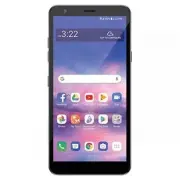
Basic Functions 26 Home screen Home screen overview The Home screen is the starting point for accessing various functions and apps on your device. Tap on any screen to directly go to the Home screen.You can manage all apps and widgets on the Home screen. Swipe the screen left or right to view all in...
Page 28 - Notification icons on the Status Bar; Icon Description
Basic Functions 27 • Google Search widget : Type or speak to open Google Search. • Folder : You can create folders to classify the app based on desired criteria. • Page icon : Display the total number of Home screen canvases. You can tap the desired page icon to go to the page. The icon reflecting t...
Page 30 - Using the keypad & entering text; Entering special characters
Basic Functions 29 Notifications panel You can open the notifications panel by dragging the status bar downward on the main screen. • You can drag down the notice window or tap to open the list of quick setting icons. • You can tap to add, delete or arrange icons in the notice window. • If you touch...
Page 32 - Creating your Google account; Settings
Basic Functions 31 • To configure the Home screen settings, touch and hold on a blank area of the Home screen, then select Home screen settings . See Home screen settings for details. • To view or reinstall the uninstalled apps, touch and hold on a blank area of the Home screen, then select App tras...
Page 33 - Google account setup; Signing in to your Google account; On the Google Account setup screen, tap
Basic Functions 32 Viewing the background theme You can view only the background image by hiding the apps and widgets on the Home screen.Spread two fingers apart on the Home screen. • To return to the original screen, which displays apps and widgets, pinch your fingers on the Home screen. Moving app...
Page 34 - Connecting to Networks and Devices; Connecting to Wi-Fi networks; Turning Wi-Fi on and connecting to a Wi-Fi network
Basic Functions 33 Using folders from the Home screen Creating folders On the Home screen, touch and hold an app, then drag it over another app. • A new folder is created and the apps are added to the folder. Editing folders On the Home screen, tap a folder and do one of the following actions. • To ...
Page 35 - Bluetooth; to Bluetooth headsets.
Basic Functions 34 • Google feed : Select whether to display Google feed on the screen located left to the main Home screen. • Grid : Change the app arrangement mode for the Home screen. • Loop Home screen : Enable to allow continuous Home screen scrolling (loop back to the first screen after the la...
Page 36 - Send data using the Bluetooth feature; Receive data using the Bluetooth feature
Basic Functions 35 Setting a screen lock There are several options available for configuring the screen lock settings. 1 On the home screen, tap Settings Lock screen & security Select screen lock and then select the method you prefer. 2 Customize the following settings: • None : Deactivate the s...
Page 37 - Connecting to Virtual Private Networks; PC connections with a USB cable
Basic Functions 36 Secure lock settings You can set secure lock settings. 1 On the home screen, tap Settings Lock screen & security Secure lock settings . 2 Select a function you want to set. • Make pattern visible (shown only when Pattern is set as a screen lock): Turn on to make pattern visibl...
Page 39 - Calls; Making a call; Calling your contacts; Search contacts; Answering and rejecting a call
Basic Functions 38 Memory card encryption You can encrypt and protect data saved on the memory card. The encrypted data in the memory card cannot be accessed from another device. 1 On the home screen, tap Settings Lock screen & security Encryption & credentials Encrypt SD card . 2 Read the o...
Page 40 - Adjusting the in-call volume
Basic Functions 39 Taking screenshots You can take screenshots of the current screen you are viewing. Via a shortcut Press and hold the Power/Lock key and the Volume Down key at the same time for at least two seconds. • Screenshots can be viewed from the Screenshots folder in Gallery. Via Capture+ O...
Page 41 - Viewing your call logs; Call logs; Call settings
Basic Functions 40 Smart Tool Tap to hide the smart tools.Tap to add emojis.Tap to enter text by using voice. • To maximize the voice command recognition, speak clearly. • To enter text with your voice, make sure that your device is connected to a network. • To select the language for voice recognit...
Page 42 - Contacts; Searching for a contact
Basic Functions 41 Moving the cursor With the Smart keyboard, you can move the cursor to the exact position you want. When typing text, touch and hold on the space bar and then drag left or right. • This option is available only on the QWERTY keyboard. Suggesting words Smart keyboard automatically a...
Page 43 - Creating a group
Basic Functions 42 Changing the QWERTY keyboard layout You can add, delete or rearrange keys on the bottom row of the keyboard. 1 On the home screen, tap Settings System Language & keyboard Manage keyboards LG Keyboard Keyboard height and layout QWERTY keyboard layout . You can also tap on the k...
Page 44 - Messaging; Sending a message; To; Send
Basic Functions 43 Extended keyboard mode You can set to display number keys on the top row of the keyboard.On the home screen, tap Settings System Language & keyboard Manage keyboards LG Keyboard Keyboard height and layout Extended keyboard . You can also tap on the keyboard, then tap Keyboard ...
Page 45 - Using smilies
Basic Functions 44 Customizing the keyboard height You can customize the keyboard height to maximize hand comfort when typing. 1 On the home screen, tap Settings System Language & keyboard Manage keyboards LG Keyboard Keyboard height and layout Keyboard height . You can also tap on the keyboard,...
Page 46 - View mode; see an overview of your conversation.; Changing your message settings; Open the
Basic Functions 45 Splitting the keyboard You can split the keyboard in half and place each piece on either side of the screen when the screen is in landscape mode.To split the keyboard, turn the device horizontally and spread it apart on both sides with holding the keyboard with two fingers. To att...
Page 47 - Managing an email account
Basic Functions 46 Adding languages to the keyboard You can make additional languages available for keyboard input. 1 On the home screen, tap Settings System Language & keyboard Manage keyboards LG Keyboard Language & keyboard layout Select languages . You can also tap on the keyboard, then ...
Page 48 - Working with account folders; Email; Composing and sending email; To compose and send a message
Basic Functions 47 Clip Tray If you copy or cut an image or text, it is automatically saved to the clip tray and can be pasted to any space at any time. 1 On the keyboard, tap .You can also touch and hold the text input window, then select Clip Tray . 2 Select and paste an item from the clip tray. •...
Page 49 - Getting to know the viewfinder
Basic Functions 48 Do not disturb You can limit or mute notifications to avoid disturbances for a specific period of time.On the home screen, tap Settings Sound Do not disturb . • Mode : Select a desired mode. - Priority only : Receive sound or vibrate notifications for the selected apps. Even when ...
Page 50 - Using the advanced settings
Page 51 - Camera; from
Useful Apps 50 Installing and uninstalling apps Installing apps Access an app store to search and download apps. • You can use SmartWorld, Google Play or the app store provided by your service provider. • Some app stores may require you to create an account and sign in. • Some apps may charge fees. ...
Page 53 - Viewing your saved photos
Useful Apps 52 App Shortcuts On the Home screen, touch and hold an app icon such as Phone, Messages, Camera, Gallery and Settings to display a quick access menu. Use apps more easily through App Shortcuts. • Tap to set a widget for the app. • Tap to check the app information. • This feature is avail...
Page 55 - Video camera; Back Key
Useful Apps 54 Answering/Ending a call To answer a call, drag on the incoming call screen. • When the stereo headset is connected, you can make calls by using the call/end button on the headset. • To end a call with the Power key, tap Settings Network & internet Call Answer and end calls , then ...
Page 56 - Recording a quick video; After recording a video
Useful Apps 55 Viewing missed calls If there is a missed call, the status bar at the top of the screen displays .To view missed call details, drag the status bar downwards. You can also tap on the home screen and tap Call logs . Functions accessible during a call During a call, you can access a vari...
Page 57 - Watching your saved videos
Useful Apps 56 Making a three-way calling You can make a call to another contact during a call. 1 During a call, tap Add call . 2 Enter a phone number and tap . • The two calls are displayed on the screen at the same time, and the first call is put on hold. 3 To start a conference call, tap Merge ca...
Page 58 - QuickMemo
Useful Apps 57 Messages Sending a message You can create and send messages to your contacts using the Messages app. • Sending messages abroad may incur additional charges. Consult with your service provider for more information. 1 On the home screen, tap . 2 Tap . 3 Specify a recipient and create a ...
Page 59 - LG Unique Features; Using the QuickMemo options
Useful Apps 58 Camera You can use the Camera app to take and share photos and videos. Starting the camera On the home screen, tap . • Before taking a photo or recording a video, wipe the camera lens with a soft cloth. • Be careful not to stain the camera lens with your fingers or other foreign subst...
Page 60 - Viewing the saved QuickMemo; Gallery; QSlide; OR
Useful Apps 59 Auto mode You can take photos or record videos by selecting a variety of camera options. 1 On the home screen, tap . 2 To take a photo, tap Photo , and tap . To record a video, tap Video , and tap . Change timer settings. Change flash settings. Apply filter effects. Set camera options...
Page 61 - View the Saved Memo; QuickRemote; View the Saved Memo; Utilities; QuickRemote; Utilities; ADD REMOTE
Useful Apps 60 • To pause the video recording, tap . To resume the video recording, tap . • While recording a video, you may spread or pinch two fingers to zoom in or out. • While recording a video, you may tap the desired area to adjust the brightness. 3 Tap to end the video recording. Customizing ...
Page 63 - Viewing pictures; screen. Scroll left or right to view the next or previous image.
Useful Apps 62 Set camera options. Change the timer settings. Flash Jump-Cut Photos taken at a regular interval are saved as a GIF file. 1 On the home screen, tap . 2 Select More by swiping camera modes, then tap . • Photos are taken every 3 seconds and saved as a GIF file. • Tap on the screen to se...
Page 64 - Playing videos; Editing photos/videos
Useful Apps 63 YouTube Live You can record a video and directly upload to YouTube. 1 On the home screen, tap . 2 Select More by swiping camera modes, then tap . To use this feature, you need to verify your phone number. • YouTube Live is available only when your device is connected to the Internet. ...
Page 65 - Multimedia; Videos; Playing a video; Music; How to save music/video files to the phone
Useful Apps 64 Other useful features Auto-Exposure/Auto-Focus lock You can fix the current exposure level and focus position by touching and holding the screen. To turn off the feature, tap a blank area on the screen. • This feature is available only in specific modes. Switching between cameras You ...
Page 66 - Playing a song
Useful Apps 65 Selfie shot You can use the front camera to view your face on the screen and take selfies. Gesture shot You can take selfies by using gestures.Show your palm to the front camera and then clench your fist.You can also clench your fist and then open it towards the front camera. • In thr...
Page 67 - Tap to go back to the beginning of the song. Tap twice to return to the
Useful Apps 66 Auto shot You can use the face detection feature to take selfies easily and conveniently. You can set the device so that, when you look at the screen, the front camera detects your face and takes a selfie automatically. • The white colored guide frame appears when the front camera det...
Page 69 - Setting your alarm
Useful Apps 68 2 Tap a folder and select a file. • View the selected file in full-screen mode. • While viewing a photo, swipe left or right to view the previous or next photo. • While viewing a video, swipe left or right to rewind or fast-forward the video. • If you save the location information or ...
Page 71 - Voice Recorder; Recording a sound or voice
Useful Apps 70 Creating a movie You can create a new movie by putting images and videos together. 1 While viewing an album, tap Create movie . 2 Select images or videos for your movie and tap Next . 3 Edit the selected images and videos and then tap Save .
Page 72 - ThinkFree Viewer; anywhere or anytime, using their mobile devices.
Useful Apps 71 Deleting files You can select images or videos to delete from your video by tapping at the top left corner of its thumbnail. Adding files You can select images or videos to add after tapping at the bottom of the screen. You can also select the images or videos you have already previou...
Page 73 - Voice Search; Downloads
Useful Apps 72 Creating a GIF You can easily make a GIF file using recorded video. Creating video 1 At the desired starting point while watching a video, tap . 2 Select the length of the GIF you want to create. • GIF is generated for the time selected from the current time. • For videos less than 5 ...
Page 74 - Browser; Using the Browser toolbar; Back; Viewing webpages
Useful Apps 73 Deleting files You can delete files by using one of the following options: • While viewing a photo, tap . • Touch and hold a file from the file list, select files you want to delete, then tap Delete . • Deleted files are automatically moved to Trash and they can be restored to Gallery...
Page 75 - The Web; Opening a page; Chrome
Useful Apps 74 Google apps You can use Google apps by setting a Google Account. The Google Account registration window appears automatically when you use a Google app for the first time. If you do not have a Google Account., create one from your device. For details on how to use an app, see Help in ...
Page 76 - Access bookmarks
Useful Apps 75 Google Play Movies & TV Use your Google Account to rent or purchase movies. Purchased contentscan be played anywhere. Google Photos Google Photos is the home for all your memories to help you find and relive all the moments that matter. Google Keep Notes Create, edit, and share yo...
Page 77 - Access the Settings menu; Turn the Bluetooth wireless feature on or off.
Useful Apps 76 Writing notes on a screenshot 1 While viewing the screen you want to capture, drag the status bar downwards and then tap . • The screenshot appears as the notepad background theme. Memo tools appear at the top of the screen. 2 Crop the image (if necessary) and take notes as desired. •...
Page 79 - DEVICE
Useful Apps 78 Searching for contacts You can search for contacts by using one of the following options: • Tap the search bar at the top of the Contacts screen and enter the contact or phone number you want to search for. • Scroll the contact list up or down. • From the index of the contact list scr...
Page 85 - PERSONAL
Page 89 - SYSTEM
Settings 88 Tethering USB tethering You can connect the device to another device via USB and share mobile data. 1 Connect your device and other devices via USB cable. 2 On the settings screen, tap Network & internet Tethering USB tethering and then tap to activate it. • This option uses mobile d...
Page 93 - – Allows you to view the model number, up time, warranty
Settings 92 Wireless Emergency Alerts You can view emergency alerts and customize your emergency alert settings. On the settings screen, tap Network & internet Wireless Emergency Alerts . Private DNS You can configure the Private DNS (Domain Name System) options. 1 On the settings screen, tap Ne...
Page 94 - Phone software update
Settings 93 Sending data via Bluetooth 1 Select a file. • You can send multimedia files or contacts. 2 Tap Bluetooth . 3 Select a target device for the file. • The file is sent as soon as the target device accepts it. • File sharing processes may differ, depending on the file. Sharing panel You can ...
Page 95 - Accessories; These accessories are available for use with your phone.
Settings 94 Sound You can customize sound, vibration and notification settings.On the settings screen, tap Sound and customize the following settings: • Sound profile : Change the sound mode to Sound , Vibrate only , or Silent . • Volume : Adjust the sound volume for various items. • Ringtone : Sele...
Page 96 - you use your phone safely and correctly.; About this user guide
Settings 95 Display You can customize detailed settings for each screen type.On the settings screen, tap Display and customize the following settings: • Home screen : Customize settings for the Home screen. See Home screen settings for details. • Wallpaper & theme : Select a screen wallpaper and...
Page 97 - Trademarks; DivX Certified
Settings 96 • Screen saver : Display a screen saver when the device is connected to the holder or charger. Select a screen saver type to display. • One-handed screen : Make the screen size smaller to conveniently use the device with one hand. Drag the Home touch button at the bottom of the screen to...
Page 99 - FAQ
Settings 98 Privacy You can find and adjust all your privacy settings. 1 On the settings screen, tap Privacy . 2 Customize the settings. • Permission manager : Allows you to check and change the permissions granted to the apps. • Lock screen : Allows you to set notifications to show on the lock scre...
Page 104 - For your safety; or dispose of in fire.
Settings 103 System Update center From time to time, updates may become available for your phone. You can download and apply updates through the Settings menu.On the settings screen, tap System Update center . Language & keyboard You can customize language and keyboard settings for your device. ...