Page 2 - Contents; ENGLISH
Contents Safety Cautions ........................................................................................................................ 1Precautions When Using the Product .......................................................................... 2HD Speaker ..................................
Page 3 - Safety Cautions; CAUTION
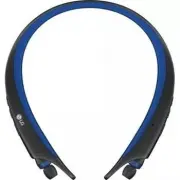
1 ENGLISH The LG TONE Active (HBS-A80) is a lightweight wireless stereo headset that uses Bluetooth technology. This product can be used as an audio accessory for devices supporting either the A2DP or Hands-Free Bluetooth profile. Safety Cautions ! CAUTION Do not disassemble, adjust, or repair the p...
Page 4 - Precautions When Using the Product; HD Speaker
2 ENGLISH Precautions When Using the Product Refer to the following to use the product for its normal lifespan. Do not pull the earphone cable with excessive force. If the product is exposed to excessive sweat, clean the product. Keep the earbud of the earphone always clean. For your safety, do not ...
Page 5 - Qualcomm® aptXTM Audio; Product Components; NOTE
3 ENGLISH Qualcomm® aptX™ Audio LG HBS-A80 is powered by Qualcomm aptX audio. Qualcomm aptX audio is Bluetooth wireless technology that provides clearer audio for listening to music and watching movies. Qualcomm aptX audio is automatically enabled when a mobile phone or audio device supports it. Pro...
Page 6 - Product Description
4 ENGLISH Product Description NOTE: When you control the volume (level 15), you will hear a control sound two times or as a long sound from volume level 10 and higher. Indicator lamp Power button Volume button Previous/Next button Play/Pause/Stop button Retractable earbud (left) Retractable earbud (...
Page 7 - HBS-A80 Pairing and Connecting; Connecting Quickly; Connecting Manually (pairing with another phone or re-pairing)
5 ENGLISH HBS-A80 Pairing and Connecting If you start the process after putting in your earbuds, you can easily pair and connect following the voice prompts.If you hear that the battery is insufficient, recharge the battery before proceeding with pairing.If pairing is not completed within 3 minutes,...
Page 8 - Automatic Reconnection; Indicator Lamp
6 ENGLISH Multiple Connections The HBS-A80 can be connected to a mobile phone and a PC simultaneously.The HBS-A80 can be connected to an additional device while it is already connected to a device. 1 With the HBS-A80’s power off, simultaneously press and hold the Power button and the Call button for...
Page 9 - Mobile Calling Functions
7 ENGLISH Mobile Calling Functions Function Status Description Answering Call Ringing Briefly press the Call button . To turn off the vibration alert, briefly press the Volume ( ) button . Making a Call Idle If you make a call using a mobile phone, the call is automatically connected to the HBS-A80....
Page 10 - Playing Music; Switching Music Players
8 ENGLISH Playing Music Function Status Description Play Idle Briefly press the Play/Pause/Stop button . Pause Music on Briefly press the Play/Pause/Stop button . Stop Music on Briefly press and hold the Play/Pause/Stop button for 1 second. Play Previous/Next Song Music on Briefly press the Previous...
Page 11 - Battery Charging and Alerts
9 ENGLISH Battery Charging and Alerts Open the Charging port cover and connect the charger to the Charging port. Indicator Lamp Red Purple Blue Battery Status Charging 80% Completed Press and hold the Volume ( ) button for 1 second to check the battery level using voice prompts and the Indicator lam...
Page 13 - Troubleshooting; Specifications and Features
11 ENGLISH Troubleshooting Problems Solutions The power does not turn on Check the battery level and charge it. Cannot make a call with the HBS-A80 If the mobile phone does not support headset and hands-free functions, you cannot use the calling features.Check the battery level and charge it. Cannot...
Page 14 - Declaration of Confirmation
12 ENGLISH Declaration of Confirmation FCC NOTICE TO USERS: This device complies with part 15 of the FCC rules.Operation is subject to the following two conditions: (1) This device may not cause harmful interference, and (2) This device must accept any interference received, including interference t...
Page 15 - Additional Information; Radio frequency exposure
13 ENGLISH Bluetooth ® is a registered trademark of Bluetooth SIG, Inc. worldwide. Qualcomm® aptX™ audio is a product of Qualcomm Technologies International, Ltd. FCC ID: ZNFHBSA80 Additional Information 1. Radio frequency exposure This Bluetooth Wireless Stereo Headset HBS-A80 is a radio transmitte...
Page 16 - Battery information
14 ENGLISH 4. Emergency calls IMPORTANT!This Bluetooth headset and the electronic device connected to the headset, operate using radio signals, mobile and landline networks, as well as user-programmed functions, which cannot guarantee connection under all conditions. Therefore, you should never rely...
Page 17 - Limited Warranty
15 ENGLISH - This warranty does not cover any failure of the product due to normal wear and tear, or due to misuse, including but not limited to use in other than the normal and customary manner, in accordance with instructions for use and maintenance of the product. Nor does this warranty cover any...
Page 18 - Important Safety Information; Avoiding hearing damage
16 ENGLISH Important Safety Information Avoiding hearing damage Permanent hearing loss may occur if you use your headset at a high volume.Set the volume to a safe level. Over time you can become accustomed to a higher volume that may sound normal but can be damaging to your hearing.If you experience...
Page 19 - Manual del usuario; Auricular estéreo inalámbrico; LG TONE ActiveTM; Todos los derechos reservados.
ESPAÑOL Manual del usuario Auricular estéreo inalámbrico Bluetooth ® LG TONE Active™ Lea la Información importante de seguridad para poder utilizar este producto correctamente.Después de leerla, guarde esta Guía del usuario en un lugar al que todos los usuarios puedan acceder fácilmente. NOTA: Lea t...
Page 20 - Contenido; Configuración de la alerta por vibración
Contenido Precauciones de seguridad ................................................................................................. 1Precauciones al utilizar el producto ............................................................................... 2Altavoz HD .......................................
Page 21 - Precauciones de seguridad; PRECAUCIÓN
1 ESPAÑOL El LG TONE Active (HBS-A80) es un auricular estéreo inalámbrico liviano que utiliza tecnología Bluetooth . Este producto se puede utilizar como un accesorio de audio para los dispositivos compatibles con los perfiles A2DP o manos libres Bluetooth . Precauciones de seguridad ! PRECAUCIÓN No...
Page 22 - Precauciones al utilizar el producto; Altavoz HD
2 ESPAÑOL Precauciones al utilizar el producto Consulte la siguiente información al utilizar el producto para que tenga una vida útil normal. No tire del cable del auricular con fuerza excesiva. Si el producto está expuesto a sudor excesivo, límpielo. Mantenga siempre limpia la almohadilla del auric...
Page 23 - Qualcomm® aptXTM audio; Componentes del producto
3 ESPAÑOL Qualcomm® aptX™ audio LG HBS-A80 cuenta con la tecnología de audio Qualcomm aptX. El audio Qualcomm aptX es una tecnología inalámbrica Bluetooth que ofrece mayor nitidez de audio para escuchar música y ver películas. El audio Qualcomm aptX se activa automáticamente con los teléfonos móvile...
Page 24 - Descripción del producto
4 ESPAÑOL Descripción del producto NOTA: Al controlar el volumen (nivel 15), escuchará un sonido de control dos veces o un sonido largo a partir del nivel 10. Luz indicadora Botón de encendido Botón de volumen Auricular retráctil (izquierda) Punta estabilizadora (izquierda) Puerto de carga Botón de ...
Page 25 - Vinculación y conexión del HBS-A80; Conexión rápida; Conexión manual (vinculación con otro teléfono o revinculación)
5 ESPAÑOL Vinculación y conexión del HBS-A80 Si inicia el proceso después de ponerse los audífonos intraurales, podrá vincularlos y conectarlos fácilmente siguiendo las indicaciones de voz. Si escucha que la batería es insuficiente, recárguela antes de proceder con la vinculación.Si la vinculación n...
Page 26 - Varias conexiones; Reconexión automática; Luz indicadora
6 ESPAÑOL Varias conexiones El HBS-A80 se puede conectar simultáneamente a un teléfono móvil y a una PC.El HBS-A80 puede conectarse a otro dispositivo cuando ya está conectado a uno. 1 Con el HBS-A80 apagado, mantenga presionados simultáneamente el Botón de encendido y el Botón de llamada durante 2 ...
Page 27 - Funciones de llamada móvil
7 ESPAÑOL Funciones de llamada móvil Función Estado Descripción Responder una llamada Sonando Presione brevemente el Botón de llamada. Para desactivar la alerta de vibración, presione brevemente el Botón de volumen ( ). Realizar una llamada Inactivo Si realiza una llamada con un celular, la llamada ...
Page 28 - Reproducción de música; Cambio de reproductor de música
8 ESPAÑOL Reproducción de música Función Estado Descripción Reproducir Inactivo Presione brevemente el Botón para reproducir/pausar/detener . Pausar Música encendida Presione brevemente el Botón para reproducir/pausar/detener . Detener Música encendida Mantenga presionado brevemente el Botón para re...
Page 29 - Alertas y carga de la batería
9 ESPAÑOL Alertas y carga de la batería Abra la tapa del Puerto de carga y conecte el cargador. Luz indicadora Rojo Violeta Azul Estado de la batería Cargando 80% Cargada Mantenga presionado el Botón de volumen ( ) durante 1 segundo para comprobar el nivel de la batería usando las indicaciones de vo...
Page 31 - Solución de problemas; Especificaciones y funciones
11 ESPAÑOL Solución de problemas Problemas Soluciones El dispositivo no enciende Compruebe el nivel de carga de la batería y cárguela. No es posible realizar una llamada con el HBS-A80 Si el teléfono móvil no admite las funciones de auricular y manos libres, no podrá utilizar las funciones de llamad...
Page 32 - Aviso de conformidad; AVISO DE LA FCC PARA LOS USUARIOS
12 ESPAÑOL Aviso de conformidad AVISO DE LA FCC PARA LOS USUARIOS Este dispositivo cumple con el artículo 15 de la normativa de la FCC.El funcionamiento está sujeto a las dos condiciones siguientes:(1) Este dispositivo no puede causar interferencia nociva,(2) Este dispositivo debe aceptar cualquier ...
Page 33 - Información adicional; Exposición a la radiofrecuencia; Precauciones para la conexión; Atmósferas potencialmente explosivas
13 ESPAÑOL Bluetooth ® es una marca registrada de Bluetooth SIG, Inc., en todo el mundo. Qualcomm® aptX™ audio es un producto de Qualcomm Technologies International, Ltd. ID de FCC: ZNFHBSA80 Información adicional 1. Exposición a la radiofrecuencia Este auricular estéreo inalámbrico Bluetooth , mode...
Page 34 - Llamadas de emergencia; Información sobre la batería
14 ESPAÑOL 4. Llamadas de emergencia ¡IMPORTANTE! Este auricular Bluetooth y el dispositivo electrónico conectado a él funcionan con señales de radio, redes terrestres y móviles, además de funciones programadas por el usuario, que no pueden garantizar la conexión en todas las situaciones. Por lo tan...
Page 35 - Garantía limitada
15 ESPAÑOL - La presente garantía no cubre fallas por desgaste natural ni uso indebido, entre otros casos, usos fuera de lo normal y habitual, conforme a las instrucciones de uso y mantenimiento del producto. La cobertura tampoco abarca fallas del producto que se deban a accidentes, modificaciones o...
Page 36 - Información importante de seguridad; Reducción de la capacidad auditiva
16 ESPAÑOL Información importante de seguridad Reducción de la capacidad auditiva Si utiliza el auricular con un nivel de volumen alto, podría sufrir hipoacusia permanente. Configure el volumen en un nivel inocuo. Con el tiempo, podría acostumbrarse a un volumen de sonido más alto que podría parecer...