LG GW820 - User Manual
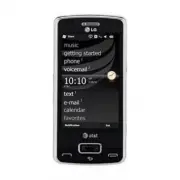
LG GW820 Cell Phone – User Manual, read for free online in PDF format. We hope this helps you resolve any issues you may have. If you have further questions, please contact us through the contact form.


Table of Contents:
- Page 2 – OR; Use our Interactive Web Tutorial available at; LG eXpo
- Page 3 – Table of Contents
- Page 4 – What’s in the Box; Device Setup; Insert the SIM card and battery
- Page 5 – Charge the battery; Power on the device; Insert a microSDTM memory card
- Page 6 – Explore the Today screen; Message List Status Indicators; Learn to Use the Basic Functions; Indicators
- Page 7 – Using your keypad
- Page 8 – Entering text with your on-screen keyboard; Making a call
- Page 9 – Contacts & Appointments; Ringtone
- Page 10 – Sending a Text Message
- Page 11 – Camera & Multimedia Messages
- Page 12 – Corporate/personal email overview; Set-up personal email; Email; Send email
- Page 13 – Video Share
- Page 14 – Bluetooth; Turn on Bluetooth; How to sync media files with your computer; Sync to a Bluetooth headset
- Page 16 – Troubleshooting
- Page 17 – MEMO
MMBB0360102 (1.1)
G
Take some time to explore the applications that are available on your LG eXpo.
TM
Here are a few applications to get you started.
Frequently Used applications
Find More Information
On the web
•
Tutorials, Tips & Tricks, FAQs and additional support are available at
att.com/Tutorials
.
Select Manufacturer:
LG
and Model:
LG eXpo
TM
from the drop-down menus.
• Detailed support information including device specifications, user manual, troubleshooting,
user forums and knowledgebase articles are available at
att.com/DeviceSupport
.
•
Enterprise and Government customers can go to
wireless.att.com/BusinessSupport
for device tutorials, device setup and online technical support chat for instant answers to
questions about your device and its features.
• For information about your wireless account, service plan or network,
visit
att.com/Wireless
.
On the phone
• Call AT&T Customer Care at 1-800-331-0500 or dial 611 from any AT&T mobile phone
for assistance with your service or device.
Find accessories
Accessories for your smartphone are available at
att.com/WirelessAccessories
or visit your
local AT&T store.
AT&T AppCenter:
Shop for games, ringtones, graphics, multimedia, goodies and other applications.
AT&T Navigator:
Find your way with voice guided turn-by-turn GPS driving directions, real-time
traffic alerts, full color 3D moving maps and more.
AT&T Music:
Shop for music, songs, music videos, streaming media and access AT&T’s music player.
ActiveSync:
Synchronize your phone with a computer or Exchange Server.
Calendar:
View and create appointments.
Contacts:
Save contact information for friends and colleagues.
Internet Explorer:
Browse the web and download new programs and files.
Mobile Web:
Access sports, entertainment, news, finance information and more.
Email:
Send and receive email.
Text Messages:
Send and receive text messages.
Office Mobile:
Use the complete suite of Microsoft Office applications for your phone.
Phone:
Make and receive calls, switch between calls and set up conference calling.
Windows Media Player:
Play music and videos.
Wireless Manager:
Turn on or off Wi-Fi, Bluetooth or your phone’s wireless service connection
and change settings.
/*H;SR FRYHU 35(66 LQGG
30
H
eXpo
TM
.
and other applications.
voice-guided
information, full color moving 3D maps, and more.
ID a song, shop for music, watch music videos, and access XM® Radio.
web and visit your favorite sites.
Start your web browsing from your personalized Media Net Home page.
Set up your email accounts to send and receive email.
Use the Microsoft Office Mobile suite on your phone.
and access your Call History.
music, videos, and more.
Located in your Settings’ Connections menu, use this manager to turn
on/off your Wi-Fi, Bluetooth, or Phone connectivity.
"Loading the manual" means you need to wait until the file loads and becomes available for online reading. Some manuals are very large, and the time they take to appear depends on your internet speed.
Summary
Use this Quickstart to get a brief overview of the major features and services available with your device OR Use our Interactive Web Tutorial available at att.com/Tutorials for the most complete and up to date information available for setting up and using your new smartphone and all the services av...
3 What’s in the Box .............................................................................................................................................. 4 Device Setup .............................................................................................................................
4 5 What’s in the Box The following items are included in the box to help you set up your LG eXpo. TM Power adapter Stylus Battery Hands-free headset with 3.5mm adapter Data cable Device Setup Insert the SIM card and battery 1. Pull the latch and and remove the battery cover. 2. Remove battery (if p...


