Page 4 - TABLE OF CONTENTS
TABLE OF CONTENTS 3 4 IMPORTANT SAFETY INSTRUC- TIONS 4 READ ALL INSTRUCTIONS BEFORE USE 4 WARNING STATEMENTS 8 CAUTION STATEMENTS 9 INSTALLATION 9 Product Overview 12 Installing the Charging Station 15 Storing the Accessories 16 OPERATION 16 Getting Started 18 Charging the Battery 18 Using the Nozz...
Page 5 - IMPORTANT SAFETY INSTRUCTIONS; READ ALL INSTRUCTIONS BEFORE USE; Safety Messages; WARNING STATEMENTS; WARNING; WARNING
4 IMPORTANT SAFETY INSTRUCTIONS IMPORTANT SAFETY INSTRUCTIONS READ ALL INSTRUCTIONS BEFORE USE Safety Messages Your safety and the safety of others are very important. We have provided many important safety messages in this manual and on your appliance. Always read and follow all safety messages. Al...
Page 6 - Battery; Battery Specifications; Installation
5 IMPORTANT SAFETY INSTRUCTIONS EN G LIS H Battery • Read all safety warnings and instructions. Failure to follow the warnings and instructions may result in electric shock, fire and/or serious injury. • Never use the battery, adapter, and the charging station from other appliances with this applian...
Page 7 - Operation
6 IMPORTANT SAFETY INSTRUCTIONS • To prevent tipping, self-standing mode installations should be anchored to the wall using the provided stand anchoring screw, anchoring block and double-sided tape. • In wall-mounted mode installations, the charging station should be secured tightly to the wall usin...
Page 8 - Maintenance
7 IMPORTANT SAFETY INSTRUCTIONS ENG LI SH • Do not vacuum liquids with this appliance. Make sure that no water, beverage or detergent gets inside the appliance or the charging station. • Do not allow the appliance to sweep up blades, thumb tacks, sawdust, sharp objects, or hot or cold ashes. • Do no...
Page 9 - SAVE THESE INSTRUCTIONS; Disposal; CAUTION STATEMENTS; CAUTION
8 IMPORTANT SAFETY INSTRUCTIONS SAVE THESE INSTRUCTIONS Disposal • Keep packing materials out of the reach of children. Packaging materials can pose a suffocation risk for children. • Destroy the carton, plastic bag, and other packing materials after the appliance is unpacked. Children might use the...
Page 10 - INSTALLATION; Product Overview; Front View
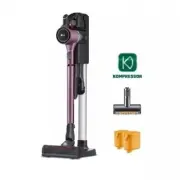
9 INSTALLATION ENG LI SH INSTALLATION Product Overview The images in this guide may be different from the actual components and accessories, which are subject to change by the manufacturer without prior notice for product improvement purposes. NOTE • For your safety and for extended product life, us...
Page 11 - Accessories; Included Accessories
10 INSTALLATION Accessories † This accessory is only available on some models. Included Accessories a Charging Station b Extension Pipe c Adapter d Pre-filter e Battery (Dual Battery † ) f Floor Stand Dock † g Floor Stand Pipe † Basic Accessories a Combination Tool b Crevice Tool c Cleaning Brush No...
Page 12 - Specifications; Appliance
11 INSTALLATION ENG LI SH Specifications Appliance Charger Adaptor • Dimensions are given for the assembled product body, extension pipe and nozzle.• Battery run time is the result of using a fully charged battery according to the LG Electronics test standard. Results may be different depending on a...
Page 13 - Installing the Charging; Self-Standing Installation
12 INSTALLATION Installing the Charging Station WARNING • To prevent tipping, self-standing mode installations should be anchored to the wall using the provided stand anchoring screw, anchoring block and double-sided tape. CAUTION • Do not allow children or pets to hang onto the charging station. Th...
Page 14 - Using Double-Sided Tape to Secure the; Wall-Mounted Installation
13 INSTALLATION ENG LI SH 3 Assemble the charging station onto the top of the floor stand pipe. 4 Connect the power adapter to the port on the back of the charging station. 5 Drill a hole in the wall and insert the drywall anchor b if needed. • Before drilling, make sure that there are no pipes or e...
Page 15 - Compact Installation; Assembling the Appliance
14 INSTALLATION 1 Connect the power adapter to the port on the back of the charging station. 2 Drill 2 holes and insert the drywall anchors (if needed) at least 3.25 ft (1 m) from the floor and near enough to easily reach a power outlet.• Before drilling, make sure that there are no pipes or electri...
Page 16 - Storing the Accessories; Storing the Tools
15 INSTALLATION ENG LI SH 2 Put the product body on the charging station.• See Charging the Battery for instructions on installing and charging the battery. Storing the Accessories Storing the Tools Store the frequently used tools such as the combination tool, crevice tool and cleaning brush at the ...
Page 17 - OPERATION; Getting Started; Before Using the Appliance; Assembling Attachments
16 OPERATION OPERATION Getting Started Before Using the Appliance • Make sure that the exhaust filter and pre-filter are properly assembled before using the appliance. • Close the dust bin cover properly before using the appliance. If the dust bin cover is left open, the suction strength may deterio...
Page 18 - Adjusting the Suction Power
17 OPERATION ENG LI SH 3 Adjust the extension pipe by pressing the length adjustment button d on the back of the pipe and sliding until it clicks into place at the desired length.• The extension pipe extends in four steps. 4 Press the Power button to activate the Normal mode. • To turn off the appli...
Page 19 - Before Charging the Battery; Charging the Auxiliary Battery; Using the Nozzles and Tools
18 OPERATION Charging the Battery Before Charging the Battery • Make sure that the adapter is connected to both the charging station and the power outlet. • Fully charging a single battery usually takes about 4 hours. It will take twice as long to charge both the main and auxiliary batteries. • The ...
Page 21 - Flexible Crevice Tool; Flexible Hose Extension
20 OPERATION Flexible Crevice Tool This tool is flexible and its length can be adjusted, making it especially useful for cleaning inside vehicles or in narrow spaces under and behind furniture where an angled tool is needed. Using the Brush To convert the tool from crevice to brush mode, press in on...
Page 22 - SMART FUNCTIONS; Using LG ThinQ Application; LG ThinQ Application Features; Before Using LG ThinQ Application
21 SMART FUNCTIONS ENG LI SH SMART FUNCTIONS Using LG ThinQ Application This feature is only available on models with the b or a logo. The LG ThinQ application allows you to communicate with the appliance using a smartphone. LG ThinQ Application Features • Cleaning History - Shows the cleaning histo...
Page 23 - Status
22 SMART FUNCTIONS NOTE • If the appliance cannot be connected due to problems with the wireless signal transmission, unplug the appliance and wait about a minute before trying again. • If the firewall on your wireless router is enabled, disable the firewall or add an exception to it. • The wireless...
Page 24 - Smart DiagnosisTM Function
23 SMART FUNCTIONS ENG LI SH instructions, may cause harmful interference to radio communications. However, there is no guarantee that interference will not occur in a particular installation. If this equipment does cause harmful interference to radio or television reception, which can be determined...
Page 25 - MAINTENANCE; Cleaning the Appliance; Before Cleaning the Appliance; Removing Foreign Objects
24 MAINTENANCE MAINTENANCE Cleaning the Appliance Before Cleaning the Appliance To maintain the optimum suction power, the cyclonic mesh filter, the exhaust filter and the pre- filter should be cleaned regularly and washed under running water at least once a month.• Turn off the power before cleanin...
Page 27 - Cleaning the Filters; Cleaning the Nozzle
26 MAINTENANCE 10 Turn the product body over, lift the Kompressor lever h up, and clean the inside of the working plate with the towel-wrapped brush handle. Cleaning the Filters Clean the exhaust filter and the pre-filter when the filter cleaning icon K lights up. • Clean the filters more frequently...
Page 28 - Cleaning the Power Carpet Nozzle
27 MAINTENANCE ENG LI SH CAUTION • Always separate the nozzle from the product body or remove the battery before cleaning. If the nozzle starts to operate during cleaning, it could cause an injury. • Keep fingers away from pinch points when assembling the nozzle on the appliance or the rotating brus...
Page 29 - TROUBLESHOOTING; Before Calling for Service
28 TROUBLESHOOTING TROUBLESHOOTING Before Calling for Service Operation Problem Possible Cause & Solution The appliance does not operate. Battery is fully discharged. • Charge the battery. Appliance is turned off. • Press the Power button to turn on the appliance. Suction power is too weak. Dust...
Page 31 - LIMITED WARRANTY; USA; TERMS AND CONDITIONS; THIS LIMITED WARRANTY DOES NOT COVER:
30 LIMITED WARRANTY LIMITED WARRANTY USA TERMS AND CONDITIONS ARBITRATION NOTICE: THIS LIMITED WARRANTY CONTAINS AN ARBITRATION PROVISION THAT REQUIRES YOU AND LG ELECTRONICS (“LG”) TO RESOLVE DISPUTES BY BINDING ARBITRATION INSTEAD OF IN COURT, UNLESS YOU CHOOSE TO OPT OUT. IN ARBITRATION, CLASS AC...
Page 33 - PROCEDURE FOR RESOLVING DISPUTES:
32 LIMITED WARRANTY PROCEDURE FOR RESOLVING DISPUTES: ALL DISPUTES BETWEEN YOU AND LG ARISING OUT OF OR RELATING IN ANY WAY TO THIS LIMITED WARRANTY OR THE PRODUCT SHALL BE RESOLVED EXCLUSIVELY THROUGH BINDING ARBITRATION, AND NOT IN A COURT OF GENERAL JURISDICTION. BINDING ARBITRATION MEANS THAT YO...
Page 35 - APPENDIX; Patents
34 APPENDIX APPENDIX U.S. Patent Protection This product is covered by one or more of the following patents in the U.S. Patents US10342404; US10314453; US10194779; US10229651; US10229650; US10405717; US10478036; US10433688; US10561291; US10542860; US10531777; US10492653OTHER PATENTS PENDING us_main....