Page 2 - TABLE OF CONTENTS
TABLE OF CONTENTS 2 3 IMPORTANT SAFETY INSTRUCTIONS 3 READ ALL INSTRUCTIONS BEFORE USE 3 WARNING STATEMENTS 8 CAUTION STATEMENTS 9 INSTALLATION 9 Product Overview 12 Installing the Charging Station 15 Storing the Accessories 16 OPERATION 16 Getting Started 17 Charging the Battery 18 Using the Nozzle...
Page 3 - IMPORTANT SAFETY INSTRUCTIONS; READ ALL INSTRUCTIONS BEFORE USE; Safety Messages; WARNING STATEMENTS; Technical Safety; WARNING
3 IMPORTANT SAFETY INSTRUCTIONS ENGLISH IMPORTANT SAFETY INSTRUCTIONS READ ALL INSTRUCTIONS BEFORE USE Safety Messages Your safety and the safety of others are very important. We have provided many important safety messages in this manual and on your appliance. Always read and follow all safety mess...
Page 4 - Battery; Battery Specifications; Installation
4 IMPORTANT SAFETY INSTRUCTIONS Battery • Never use the battery, adapter, and the charging station from other appliances with this appliance. Use only the battery and the charging station provided by LG Electronics. • Use appliances only with specifically designated battery packs. Use of any other b...
Page 5 - Operation
5 IMPORTANT SAFETY INSTRUCTIONS ENGLISH • Avoid operating the appliance in areas where there is a risk of leakage of flammable gas, industrial oil or metallic dust. • Do not store or install the appliance, power cord or plug near heating devices or open flames.• Install the charging station on a fir...
Page 6 - Maintenance
6 IMPORTANT SAFETY INSTRUCTIONS • Only qualified technicians or service personnel from LG Electronics may disassemble, repair or modify the appliance. • Never insert a sharp metal object such as a pin, nail or knife in a hole or gap in the appliance or the charging station. • Do not vacuum liquids w...
Page 7 - Disposal
7 IMPORTANT SAFETY INSTRUCTIONS ENGLISH • Do not spray or use water, inflammable materials such as gasoline or thinners, or surfactants such as detergent or bath soap near the appliance. • Wash hands after handling nozzles. The nozzles contain carbon fiber, and contact may cause minor skin irritatio...
Page 8 - SAVE THESE INSTRUCTIONS; CAUTION STATEMENTS; CAUTION
8 IMPORTANT SAFETY INSTRUCTIONS SAVE THESE INSTRUCTIONS CAUTION STATEMENTS CAUTION • To reduce the risk of injury to persons, malfunction, or damage to the product or property when using the appliance, follow basic safety precautions, including the following: Operation • This appliance has a built-i...
Page 9 - INSTALLATION; Product Overview; Front View
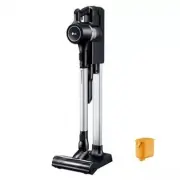
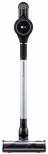
9 INSTALLATION ENGLISH INSTALLATION Product Overview The images in this guide may be different from the actual components and accessories, which are subject to change by the manufacturer without prior notice for product improvement purposes. NOTE • For your safety and for extended product life, use ...
Page 10 - Accessories; Included Accessories; Specifications
10 INSTALLATION Accessories † This accessory is only available on some models. Included Accessories a Charging Station b Extension Pipe c Adapter d Pre-filter e Battery (Dual Battery † ) f Floor Stand Dock † g Floor Stand Pipe † h Exhaust Filter † i Cyclonic Mesh Filter † Basic Accessories a Combina...
Page 12 - Installing the Charging; Wall-Mounted Installation; Self-Standing Installation
12 INSTALLATION Installing the Charging Station CAUTION • Do not allow children or pets to hang onto the charging station. They could be injured or cause damage to the appliance. • Take care not to drop the product parts while unpacking them to avoid appliance damage or personal injury. NOTE • The c...
Page 14 - Using Double-Sided Tape to Secure the; Compact Installation; Assembling the Appliance
14 INSTALLATION 7 Plug the power cord into the power outlet. Using Double-Sided Tape to Secure the Appliance 1 Use the double-sided tape a to attach the wall anchoring block b to the charging station.• Remove the center section of double-sided tape before attaching it to the wall anchoring block. 2 ...
Page 15 - Storing the Accessories; Storing the Tools
15 INSTALLATION ENGLISH Storing the Accessories Storing the Tools Store the frequently used tools such as the combination tool and crevice tool at the bottom of the charging station.• To remove a tool, press the release button at the front of the tool.
Page 16 - OPERATION; Getting Started; Before Using the Appliance; Assembling Attachments
16 OPERATION OPERATION Getting Started Before Using the Appliance • Make sure that the exhaust filter and pre-filter are properly assembled before using the appliance. • Close the dust bin cover properly before using the appliance. If the dust bin cover is left open, the suction strength may deterio...
Page 17 - Adjusting the Suction Power; Before Charging the Battery
17 OPERATION ENGLISH 3 Adjust the extension pipe by pressing the length adjustment button d on the back of the pipe and sliding until it clicks into place at the desired length.• The extension pipe extends in four steps. 4 Press the Power button to activate the Normal mode. • To turn off the applian...
Page 18 - Charging the Auxiliary Battery; Using the Nozzles and Tools; Before Using the Nozzles and Tools; Universal Nozzle
18 OPERATION WARNING • Make sure to securely fit the product body onto the charging station. If the appliance falls off the charging station, it could cause injuries, property damage or product damage. Charging the Auxiliary Battery An auxiliary battery can be stored and charged in the base of the c...
Page 19 - Bedding Nozzle; Combination Tool
19 OPERATION ENGLISH - Vinyl flooring, tiles, marble Bedding Nozzle This nozzle lets you clean sheets and bedding more effectively. It removes dust in bedding using strong suction and a punching motion.• Lower the suction level when vacuuming bedding such as duvet covers to avoid the thin fabric get...
Page 20 - MAINTENANCE; Cleaning the Appliance; Before Cleaning the Appliance; Removing Foreign Objects
20 MAINTENANCE MAINTENANCE Cleaning the Appliance Before Cleaning the Appliance To maintain the optimum suction power, the cyclonic mesh filter, the exhaust filter and the pre- filter should be cleaned regularly and washed under running water at least once a month.• Turn off the power before cleanin...
Page 21 - Cleaning the Filters
21 MAINTENANCE ENGLISH 3 Insert the crevice tool c into the Cyclonic Mesh Filter b and turn it counterclockwise to remove the filter. 4 Wash the Cyclonic Mesh Filter under running water.• To avoid odor and the malfunction of the motor, allow the Cyclonic Mesh Filter to dry completely in a well-venti...
Page 22 - Cleaning the Nozzle; Cleaning the Universal/Hard Floor
22 MAINTENANCE 4 Use the combination tool d to clean any dust off the motor.• Do not wash the motor with water. 5 Clean the exhuast filter by brushing the dust off it regularly and wash it in running water at least once a month.• To avoid odor and the malfunction of the motor, allow the exhaust filt...
Page 23 - Cleaning the Pet Nozzle
23 MAINTENANCE ENGLISH 1 Press the nozzle release button a to remove the nozzle from the extension pipe or product body. 2 Turn the nozzle upside down and rotate the cover lock slot b counterclockwise. 3 Pull the brush cover forward and pull the brush out. 4 Attach the crevice tool to the product bo...
Page 24 - Cleaning the Bedding Nozzle
24 MAINTENANCE 6 Press the brush cover until it clicks to lock the brush in place. Cleaning the Bedding Nozzle 1 Press the nozzle release button to remove the nozzle from the extension pipe or product body and turn the nozzle upside down. 2 Attach the crevice tool to the product body and use the vac...
Page 25 - TROUBLESHOOTING; Before Calling for Service
25 TROUBLESHOOTING ENGLISH TROUBLESHOOTING Before Calling for Service Operation Problem Possible Cause & Solution The appliance does not operate. Battery is fully discharged. • Charge the battery. Appliance is turned off. • Press the Power button to turn on the appliance. Suction power is too we...
Page 27 - LIMITED WARRANTY; USA; TERMS AND CONDITIONS; THIS LIMITED WARRANTY DOES NOT COVER:
27 LIMITED WARRANTY ENGLISH LIMITED WARRANTY USA TERMS AND CONDITIONS ARBITRATION NOTICE: THIS LIMITED WARRANTY CONTAINS AN ARBITRATION PROVISION THAT REQUIRES YOU AND LG ELECTRONICS (“LG”) TO RESOLVE DISPUTES BY BINDING ARBITRATION INSTEAD OF IN COURT, UNLESS YOU CHOOSE TO OPT OUT. IN ARBITRATION, ...
Page 29 - PROCEDURE FOR RESOLVING DISPUTES:
29 LIMITED WARRANTY ENGLISH PROCEDURE FOR RESOLVING DISPUTES: ALL DISPUTES BETWEEN YOU AND LG ARISING OUT OF OR RELATING IN ANY WAY TO THIS LIMITED WARRANTY OR THE PRODUCT SHALL BE RESOLVED EXCLUSIVELY THROUGH BINDING ARBITRATION, AND NOT IN A COURT OF GENERAL JURISDICTION. BINDING ARBITRATION MEANS...
Page 32 - For inquiries or comments,
LG Customer Information Center Register your product Online! www.lg.com For inquiries or comments, visit www.lg.com or call: 1-800-243-0000 U.S.A. 1-888-542-2623 CANADA