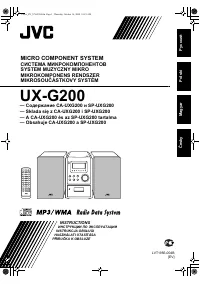
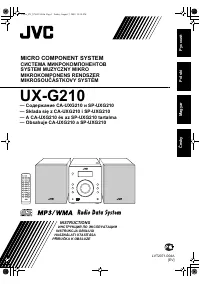
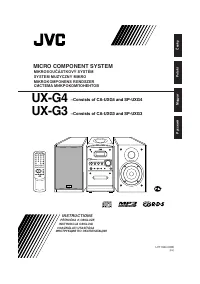
JVC UX-J60 - Manual

JVC UX-J60 Sound System – Manual, read for free online in PDF format. We hope this helps you resolve any issues you may have. If you have further questions, please contact us through the contact form.


Table of Contents:
- Page 2 – Warnings, Cautions and Others; CAUTION
- Page 3 – Side view; IMPORTANT FOR LASER PRODUCTS; REPRODUCTION OF LABELS
- Page 4 – Introduction; About This Manual; Installation; We would like to thank you for purchasing one of our JVC products.; Power sources
- Page 5 – Contents
- Page 6 – Location of the Buttons and Control; Become familiar with the buttons and control on your unit.; Front Panel
- Page 7 – Pressing this button also turns on the unit.; Display Window; ST
- Page 8 – Remote Control
- Page 9 – Getting Started; Supplied Accessories; If anything is missing, consult your dealer immediately.; Putting the Batteries into the Remote Control; Connecting Antennas; FM antenna; Attach the FM antenna to the FM 75; About the supplied FM antenna; To connect an outdoor FM antenna
- Page 10 – To connect an outdoor AM antenna; For better reception of both FM and AM; AM antenna; Connecting Speakers
- Page 11 – to; Release your finger from the clamp.; To remove the speaker grilles; The speaker grilles are removable.; Connecting Other Equipment; To connect an audio equipment
- Page 12 – Common Operations; Setting the Clock; To check the clock time during play; • When you unplug the AC power cord or if a power failure; To change the clock; Turning On the Power
- Page 13 – Adjusting the Volume; On the remote control:; For private listening; Enjoying Sound Effects; To reinforce the bass sound; AHB OFF
- Page 14 – sound of monaural sources.; Selecting the Illumination Brightness; On the remote control ONLY:
- Page 15 – Listening to FM and AM Broadcasts; Tuning in to a Station; Press and hold; To stop searching, press; When you press; To change the FM reception mode; Presetting Stations; Tune in to the station you want to preset.
- Page 16 – Tuning in to a Preset Station
- Page 17 – Playing Back Discs; General notes; Playing Back the Entire Disc—Normal Play; Press CD; To stop playing, press; • If the disc cannot be read correctly (because it is scratched,; • If the loaded disc has more than 21 tracks and you select 21st
- Page 18 – Basic Disc Operations; To stop playing for a moment; To resume playing, press CD; To go to another track; To locate a particular point in a track; Repeat step; If you try to program a 21st track; To check the program contents
- Page 19 – Repeating Tracks—Repeat Play; Prohibiting Disc Ejection—Tray Lock; If you try to eject the disc while Tray Lock is in use; To modify the program; Playing at Random—Random Play; ALL
- Page 20 – Playing Back Tapes; Playing Back a Tape; Press PUSH OPEN; If no cassette is inserted when you press TAPE; To play both sides—Reverse Mode
- Page 21 – Recording; Recording on a Tape; • If no cassette is inserted when you press REC; • If a protected tape is inserted when you press REC; To stop while recording, press; To record on both sides—Reverse Mode; or; To protect your recording; At the start and end of cassette tapes
- Page 22 – Disc Direct Recording; One Track Recording; Repeat steps
- Page 23 – Using the Timers; Using Daily Timer and Recording Timer; How the timer actually works
- Page 24 – Adjust the clock if you need.; • If the unit is turned on when the timer on-time comes; Using Sleep Timer; How the Sleep Timer actually works; • If you set the Sleep Timer after the Daily Timer starts playing
- Page 25 – Maintenance; Handling cassette tapes; • Stains on the unit
- Page 26 – Troubleshooting; Symptom
- Page 27 – Specifications; Design and specifications are subject to change without notice.
GVT0102-005B
[A]
For Customer Use:
Enter below the Model No. and Serial No.
which are located either on the rear, bot-
tom or side of the cabinet. Retain this
information for future reference.
Model No.
Serial No.
SP-UXJ50
CA-UXJ50
RM - SUXJ50U
REMOTE CONTROL
SP-UXJ50
SP-UXJ60
CA-UXJ60
RM - SUXJ60U
REMOTE CONTROL
SP-UXJ60
UX-J60
— Consists of CA-UXJ60 and SP-UXJ60
UX-J50
— Consists of CA-UXJ50 and SP-UXJ50
MICRO COMPONENT SYSTEM
INSTRUCTIONS
Cover_UX-J60&50[A]ff.pm6
03.5.23, 1:15 PM
1
"Loading the manual" means you need to wait until the file loads and becomes available for online reading. Some manuals are very large, and the time they take to appear depends on your internet speed.
Summary
G-1 Warnings, Cautions and Others CAUTION—STANDBY/ON button! Disconnect the mains plug to shut the power off completely (theSTANDBY/ON lamp goes off). The STANDBY/ON button in any position does not disconnect the mains line.• When the unit is on standby, the STANDBY/ON lamp lights red.• When the uni...
G-2 10 cm 15 cm 15 cm 1 cm 1 cm 15 cm 15 cm 15 cm Front view CAUTION: Proper Ventilation To avoid risk of electric shock and fire, and to prevent damage, locate the apparatus as follows:1 Front: No obstructions and open spacing. 2 Sides/ Top/ Back: No obstructions should be placed in the areas shown...
1 Introduction About This Manual This manual is organized as follows:• The manual mainly explains operations using the buttons on the remote control.You can use the buttons both on the remote control andon the main unit for the same operations if they havethe same or similar names (or marks), unless...